
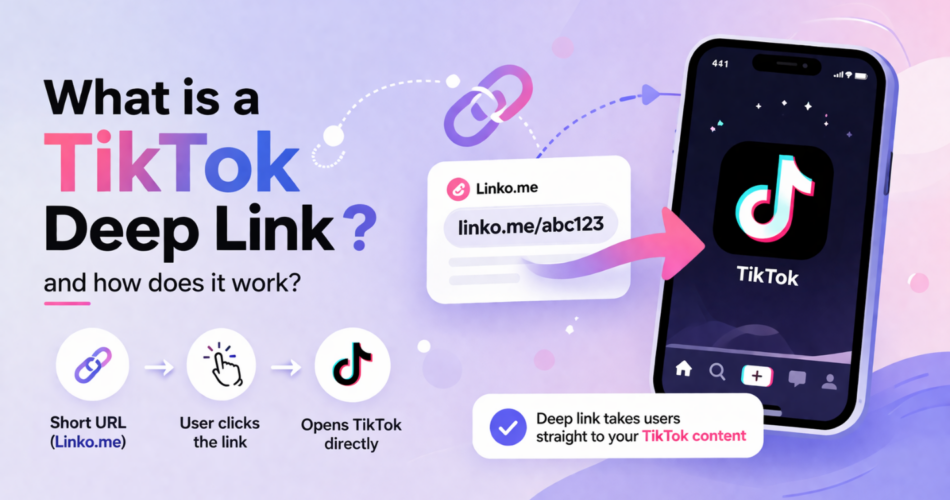
TikTok deep links open specific content directly in the TikTok app instead of the mobile browser.
This means higher engagement, faster load times, and a better user experience for your audience.
Whether you’re promoting your own TikTok videos, sharing creator profiles, or linking to trending sounds, deep links help you bypass the clunky web experience and get users straight into the app.
This guide covers everything you need to know about TikTok deep linking:
- how it works,
- the URL schemes for different content types, and
- step-by-step instructions using Linko.
Key Takeaways
- TikTok deep links open videos, profiles, and sounds directly in the TikTok app.
- The TikTok URL scheme uses
snssdk1233://ortiktok://depending on the device. - Linko automatically handles deep linking for TikTok across iOS and Android.
- Deep links improve click-through rates by skipping the browser redirect.
- You can track deep link performance with click analytics.
What is a TikTok Deep Link?
A TikTok deep link is a URL that opens a specific location inside the TikTok app rather than the TikTok website.
When someone clicks a regular TikTok link on mobile, it typically opens in a browser first, then prompts them to open the app.
A deep link skips that step entirely.
For example, a standard TikTok profile link looks like this:
https://www.tiktok.com/@usernameA deep link version opens the profile directly in the app:
tiktok://user/profile/@username- This matters because every extra step loses users.
- Browser redirects create friction.
- Deep links remove that friction and get people to your content faster.
Why Use TikTok Deep Links?
Deep links solve several problems that regular TikTok URLs create.
Faster user experience: Users land directly in the app without waiting for a browser to load and redirect. This is especially important on slower mobile connections.
Higher conversion rates: Fewer steps mean fewer drop-offs. When you’re promoting content, products, or your own profile, every click matters.
Better engagement: The TikTok app provides a native experience with full functionality. Users can like, comment, share, and follow without any limitations.
Cross-platform campaigns: Deep links work in emails, SMS, QR codes, and social media posts where regular links might get blocked or filtered.
Bypass link restrictions: Some platforms restrict or shadowban TikTok links. Deep links through a URL shortener like Linko can help you share content without triggering spam filters.
TikTok Deep Link URL Schemes
TikTok uses different URL schemes depending on the device and content type.
Here are the main formats:
TikTok Video Deep Links
To link directly to a specific TikTok video:
tiktok://video/{video_id}Or using the web-based universal link:
https://www.tiktok.com/@username/video/{video_id}The video ID is the long number at the end of any TikTok video URL.
For example, in https://www.tiktok.com/@creator/video/7234567890123456789, the video ID is 7234567890123456789.
TikTok Profile Deep Links
To link to a user’s profile:
tiktok://user/profile/@usernameOr:
https://www.tiktok.com/@usernameReplace @username with the actual TikTok handle including the @ symbol.
TikTok Sound/Music Deep Links
To link to a specific sound or music track:
tiktok://music/{music_id}You can find the music ID in the URL when viewing a sound page on TikTok.
TikTok Hashtag Deep Links
To link to a hashtag challenge or tag page:
tiktok://hashtag/{hashtag_name}For example, tiktok://hashtag/fyp would open the #fyp hashtag page.
How to Create a TikTok Deep Link with Linko
Linko makes TikTok deep linking simple.
You don’t need to manually construct URL schemes or worry about iOS vs Android differences.
Linko analyzes your destination URL and generates automatic deep links for both iOS and Android.
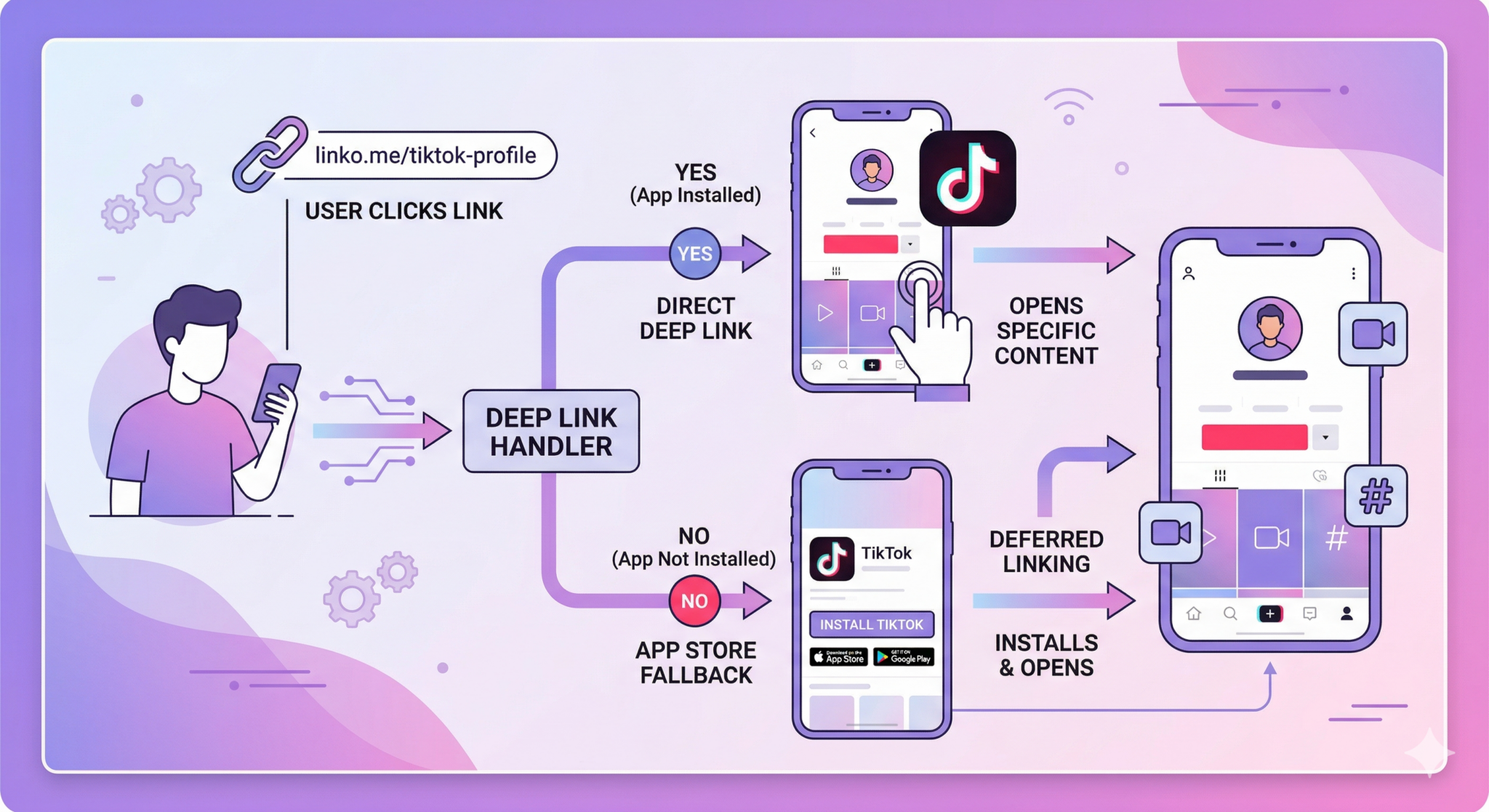
When users click your link, they go directly to the TikTok app if it’s installed. If not, they’re redirected to the web version or prompted to download the app.
Here’s how to create a TikTok deep link:
Step 1: Log in to Linko
Go to linko.me and sign in to your account. If you don’t have one, you can create a free account.
Step 2: Paste your TikTok URL
Enter your TikTok destination URL. This can be:
- A video URL (e.g.,
https://www.tiktok.com/@username/video/7234567890123456789) - A profile URL (e.g.,
https://www.tiktok.com/@username) - A sound page URL
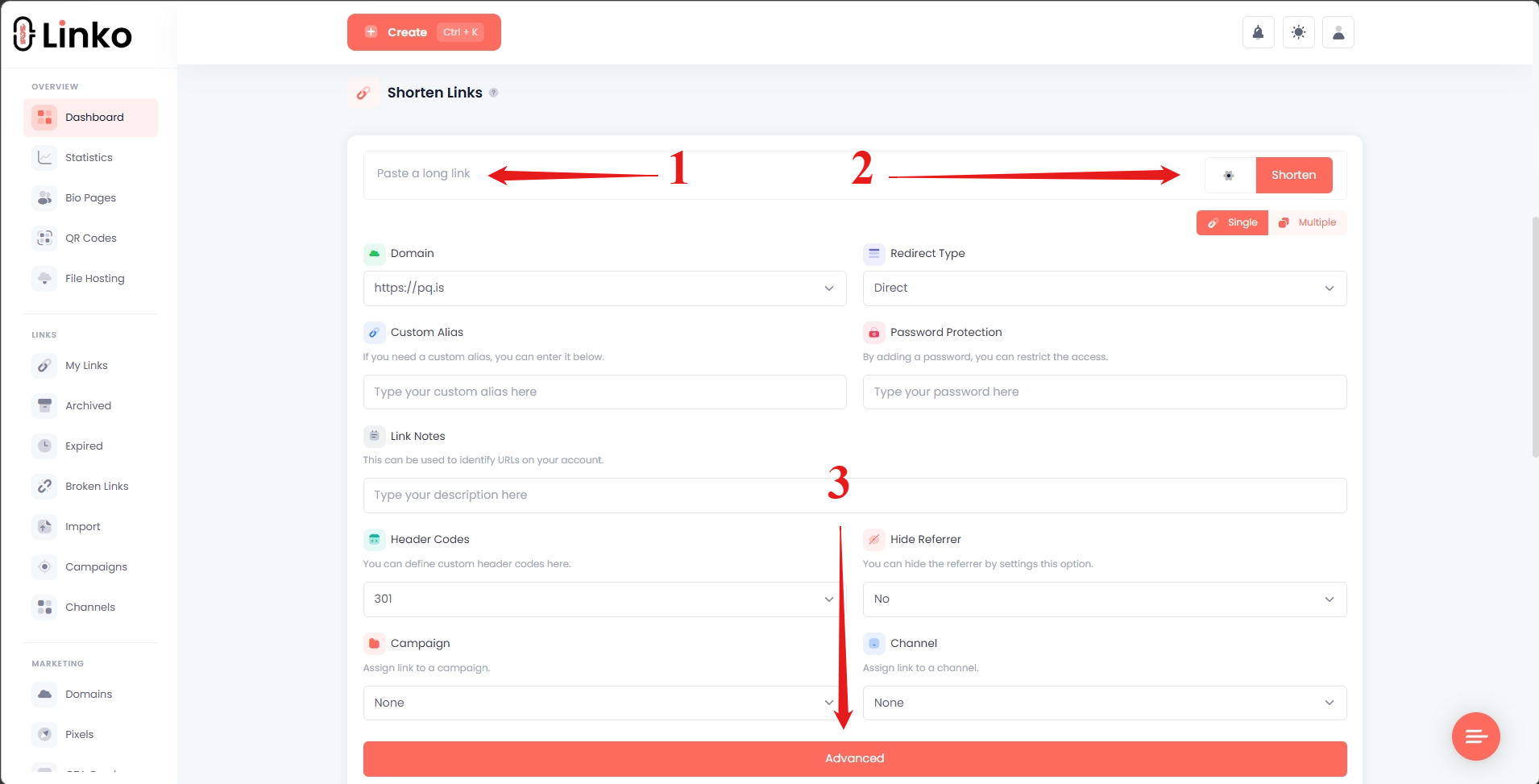
Step 3: Open Advanced settings
Click on the Advanced button and scroll down to find the deep linking options.
Step 4: Enable Deep Linking
Navigate to the Deep Linking section and enable it. For TikTok URLs, Linko automatically generates the correct deep link for:
- Videos
- Profiles
- Songs (sounds/music)
No manual configuration needed for supported URL schemes.
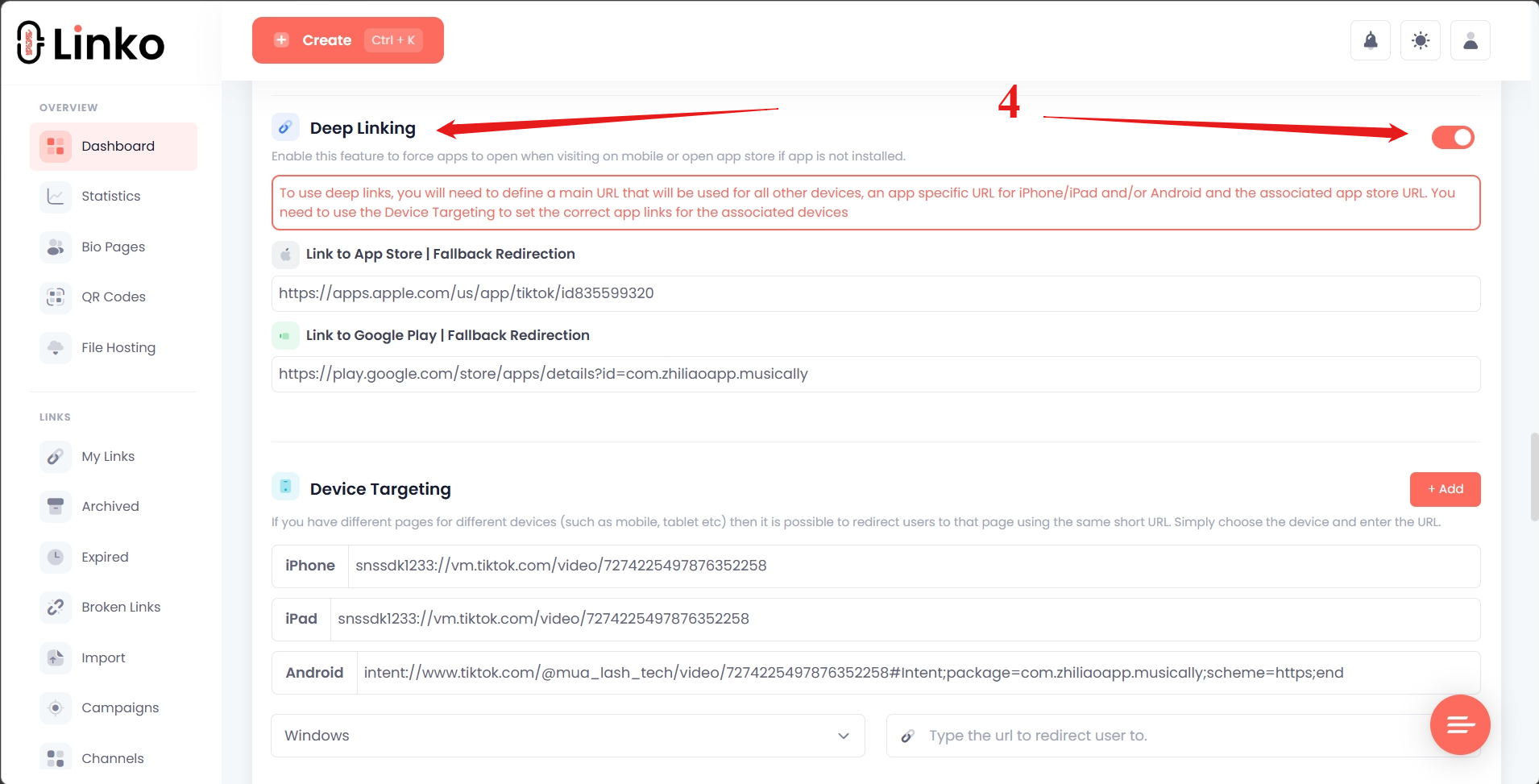
Step 5: Click Shorten
Click the Shorten button to create your deep link. Copy the short URL and share it anywhere.
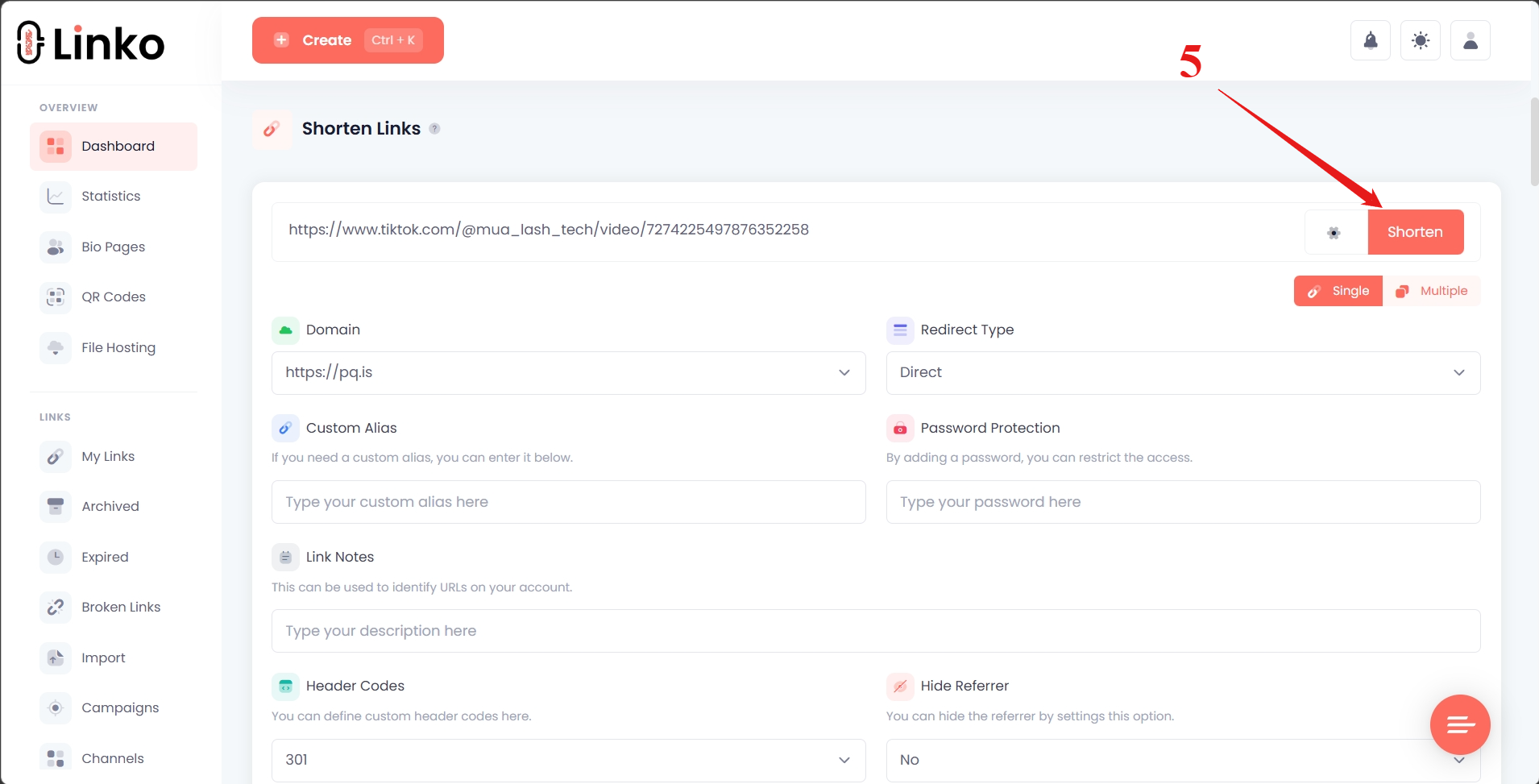
When someone clicks your link on mobile, Linko detects their device and opens the TikTok app directly. If they don’t have TikTok installed, it falls back to the web version or app store.
TikTok Deep Links for Different Use Cases
For Content Creators
If you’re a TikTok creator promoting your content on other platforms, deep links help you:
- Share videos on Instagram, Twitter, or YouTube without losing viewers to browser friction
- Add trackable links to your bio page
- Include links in email newsletters that open directly in TikTok
- Create QR codes for offline promotion that scan straight to your profile
For Marketers and Brands
Marketing teams use TikTok deep links to:
- Run influencer campaigns with trackable, branded links
- A/B test different TikTok content to see what drives more engagement
- Retarget users who clicked your TikTok links using tracking pixels
- Measure campaign performance with detailed click analytics
For Affiliate Marketers
Affiliate marketers benefit from deep links by:
- Cloaking TikTok links to avoid platform restrictions
- Tracking which TikTok content drives the most conversions
- Using link rotation to split traffic between multiple videos
For Adult Content Creators
Creators on platforms like OnlyFans or Fansly often face link restrictions when promoting on TikTok or sharing TikTok content elsewhere.
Deep links through Linko help by:
- Hiding referrers to avoid detection
- Creating clean, professional-looking short URLs
- Bypassing spam filters that block direct TikTok links
- Tracking which content drives traffic to your paid platforms
Learn more about bypassing link bans for adult content promotion.
Deep Link Fallback Behavior
Not everyone has TikTok installed. A good deep linking solution handles this gracefully.
When you create a TikTok deep link with Linko, here’s what happens:
- User has TikTok installed: The app opens directly to your content
- User doesn’t have TikTok: They’re redirected to the TikTok website or app store
- User is on desktop: They see the web version of your content
This fallback behavior ensures no one hits a dead end. Your link always works, regardless of the user’s device or app status.
You can also set up device targeting to show different content to mobile vs desktop users.
Tracking TikTok Deep Link Performance
Creating deep links is only half the equation. You also need to know if they’re working.
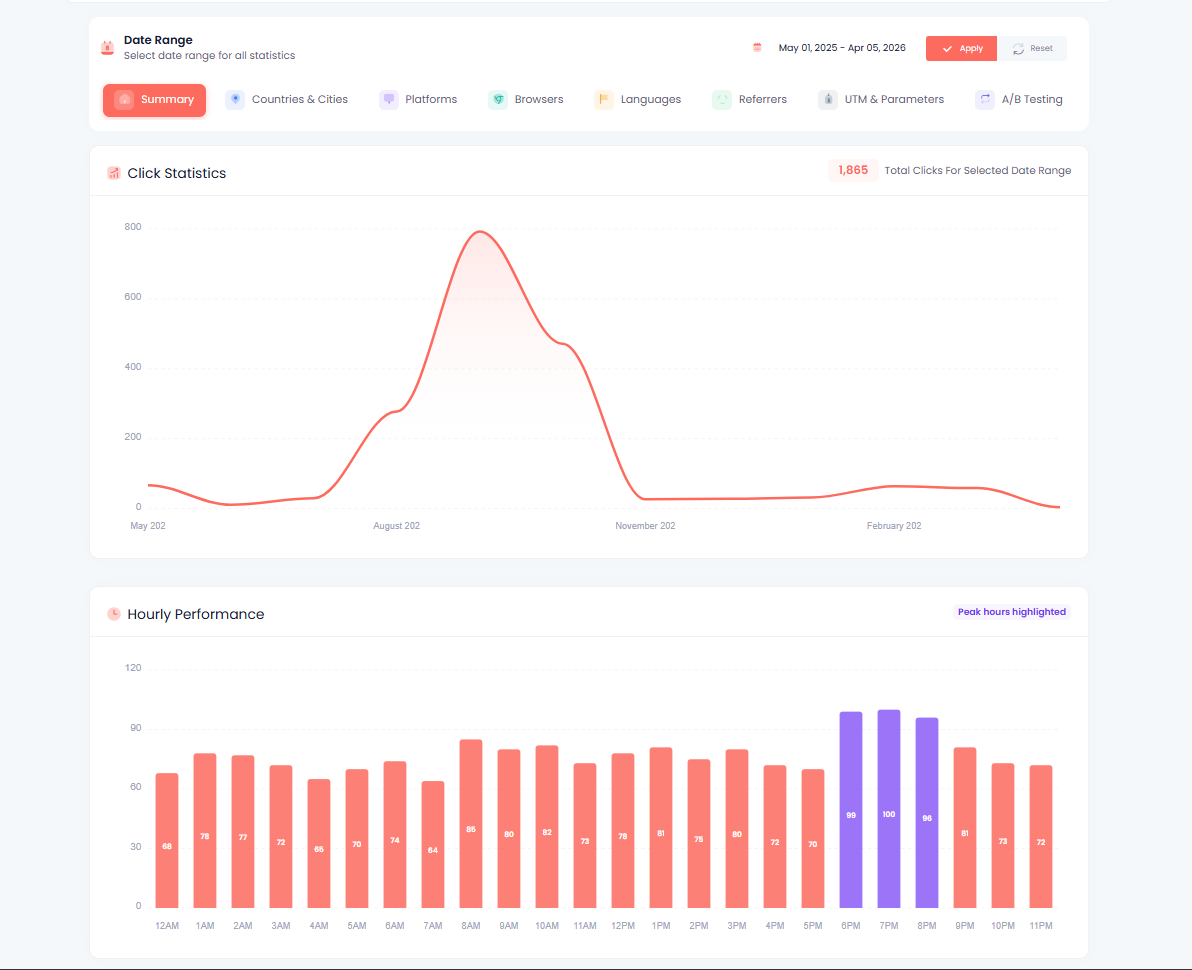
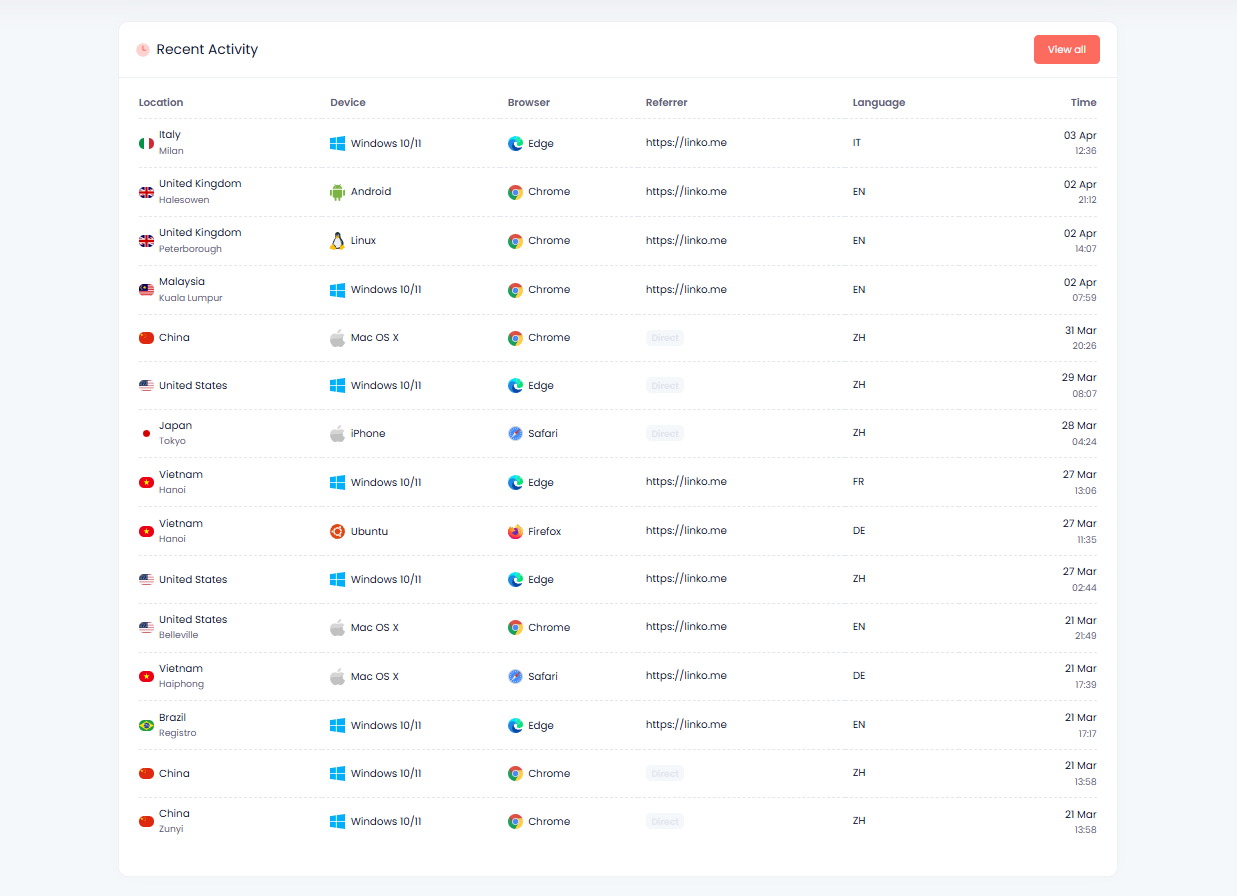
Linko provides detailed analytics for every link you create:
- Total clicks: How many times your link was clicked
- Unique visitors: Individual users who clicked (not repeat clicks)
- Geographic data: Which countries and cities your clicks come from
- Device breakdown: iOS vs Android vs desktop
- Referrer sources: Where your traffic originates
- Click timing: When your links get the most engagement
This data helps you understand which TikTok content resonates with your audience and optimize your promotion strategy.
To view analytics, go to your Linko dashboard and click on any link to see its stats. You can also export your data for deeper analysis.
Common TikTok Deep Link Issues
Link Opens in Browser Instead of App
This usually happens when:
- The deep link URL scheme is incorrect
- The user’s phone has TikTok disabled for link handling
- The link was shared through a platform that strips deep link functionality
Solution: Use Linko’s deep linking feature, which handles URL scheme detection automatically and provides proper fallbacks.
Deep Link Works on iOS but Not Android (or Vice Versa)
TikTok uses slightly different URL schemes on each platform. Manually constructed deep links often fail on one platform.
Solution: Linko detects the user’s device and serves the correct URL scheme automatically. You don’t need to create separate links for iOS and Android.
TikTok Says “Content Not Available”
This error appears when:
- The video was deleted or made private
- The account was banned or suspended
- The video ID in your deep link is incorrect
Solution: Double-check that your source content is still live and public. Update your deep link if the content has moved.
Links Get Flagged as Spam
Some platforms aggressively filter TikTok links. This is common on Instagram, Facebook, and email services.
Solution: Use a branded domain with Linko instead of the default linko’s domain. Custom domains are less likely to trigger spam filters.
TikTok Deep Link Best Practices
Test your links before sharing: Click your deep link on both iOS and Android to confirm it works correctly. Check the fallback behavior too.
Use descriptive aliases: Instead of random characters, create memorable short URLs like linko.me/dance-tutorial or linko.me/newvideo.
Add UTM parameters: Track where your traffic comes from by adding UTM tags. Linko has a built-in UTM builder that makes this easy.
Monitor your analytics: Check your link stats regularly to see what’s working. Double down on content that drives engagement.
Keep links updated: If you delete a TikTok video, update or redirect your deep link so users don’t hit a dead end.
Use QR codes for offline: Generate a QR code for your TikTok deep link to use on business cards, flyers, or product packaging.
TikTok Deep Links vs Universal Links
You might hear the terms “deep link” and “universal link” used interchangeably. Here’s the difference:
Deep links use custom URL schemes (like tiktok://) to open apps directly. They’re fast but can fail if the app isn’t installed.
Universal links (iOS) and App Links (Android) use standard HTTPS URLs that the operating system intercepts and routes to the app. They’re more reliable but require proper server configuration.
TikTok supports both methods. When you create a deep link with Linko, it uses the most reliable method available for each user’s device.
For a deeper comparison, read our guide on traditional vs universal vs deferred deep linking.
Frequently Asked Questions
Can I create TikTok deep links for free?
No. Deep linking is available on Linko’s Business and Agency plans. You can create short links on the free plan, but the automatic deep linking feature requires a paid subscription.
Do TikTok deep links work if the user doesn’t have the app?
Yes, when you use Linko. The system automatically falls back to the TikTok website or app store if TikTok isn’t installed.
Can I track how many people clicked my TikTok deep link?
Yes. Every link you create with Linko includes detailed analytics showing clicks, locations, devices, and more.
Do deep links work in Instagram bio?
Yes. Adding a Linko deep link to your Instagram bio will open TikTok directly when users tap it on mobile.
Can I use deep links in TikTok ads?
TikTok’s ad platform has its own deep linking options for app install campaigns. For organic content promotion outside TikTok, use Linko deep links.
How do I find a TikTok video ID?
Open the video in TikTok or on the web. The video ID is the long number at the end of the URL after /video/. For example: 7234567890123456789.
Can I change where my deep link points after creating it?
Yes. Linko lets you edit the destination of any link without changing the short URL. This is useful if you need to update your TikTok content.
Start Creating TikTok Deep Links
TikTok deep links remove friction between your audience and your content.
Instead of bouncing through browsers and redirects, users land directly in the app where they can engage with your videos, follow your profile, or discover your sounds.
With Linko, creating TikTok deep links takes seconds. You get automatic device detection, reliable fallbacks, and detailed analytics to measure your results.
Register and create your first TikTok deep with Linko and see the difference it makes for your engagement.
Comments