
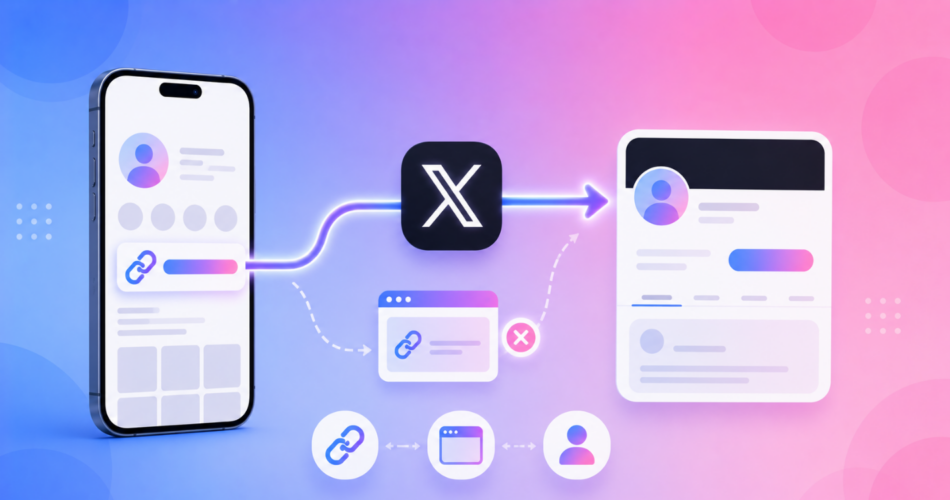
An X deep link is a link that opens the X app directly to a profile or post, instead of the mobile website.
People search for this for two reasons:
- To make a link open the X app on a specific profile or tweet, or
- To stop links they share on X from getting stuck in X’s in-app browser.
This guide covers both, with the exact link formats and how to make your X links behave.
Key Takeaways
- A standard
x.com/usernamelink already opens the X app on iOS when the app is installed. - Under the hood, X still uses the
twitter://scheme, a holdover from the Twitter name. - Links tapped inside X open in X’s own in-app browser, though X lets users turn that off in settings.
- Linko can deep link to X profiles and posts, and open your shared links in the right app instead of an in-app browser.
- Deep linking is available on Linko’s Business and Agency plans.
What Is an X (Twitter) Deep Link?
A deep link opens a specific spot inside a mobile app rather than a browser.
With X, this comes up in two ways.
Opening the X app.
- A link that takes someone straight to your X profile or a specific post inside the app.
Escaping X’s in-app browser.
- A link you share on X that opens in the destination app or a real browser, instead of the stripped-down browser built into X.
The first is mostly automatic.
The second is where shared links lose clicks.
How to Open the X App from a Link
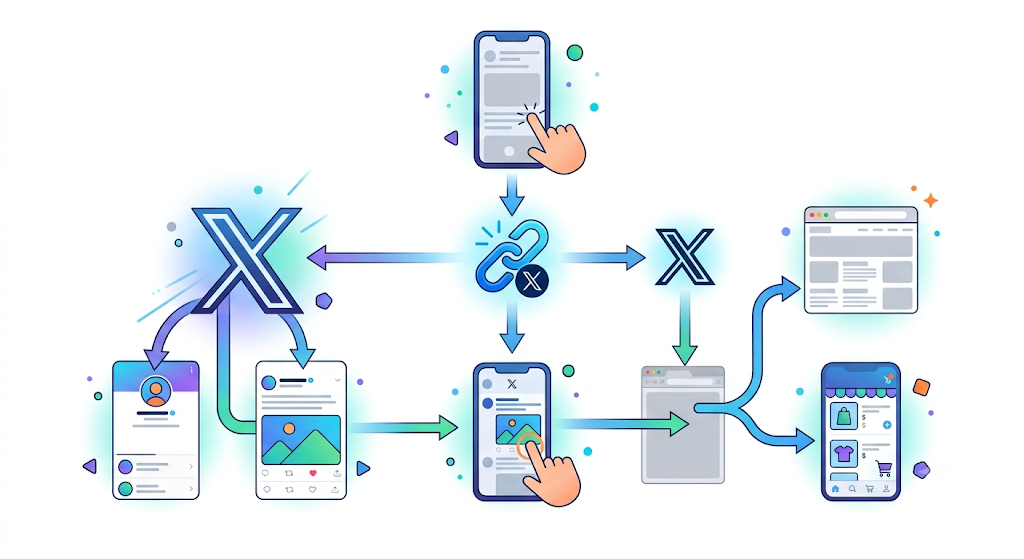
For opening a profile or tweet in the app, you usually do not need a tool.
X supports universal links, so a normal HTTPS URL opens the app when it is installed and falls back to the web when it is not.
Here are the formats:
| Goal | HTTPS link (recommended) | App scheme |
|---|---|---|
| Open a profile | x.com/username | twitter://user?screen_name=username |
| Open a post | x.com/username/status/ID | twitter://status?id=ID |
The HTTPS links are more reliable because they open the app when present and the website when not.
The twitter:// scheme still works, since the app kept it after the rebrand, but it fails with no fallback if the app is missing.
For the difference between these link types, see our guide on deep links vs Universal Links vs App Links vs URI schemes.
Why Do Links on X Open in the In-App Browser?
When someone taps a link in a post or in your X bio, X opens it in its own in-app browser rather than Safari or Chrome.
Like other social apps, this keeps users inside X, but it can leave visitors logged out and hurt conversions.
X is different from Instagram in one helpful way: a user can turn the in-app browser off for themselves.
How to disable the in-app browser on X
- Open the X app and go to Settings and privacy.
- Tap Accessibility, display and languages, then Display and Sound.
- Turn off Use in-app browser.
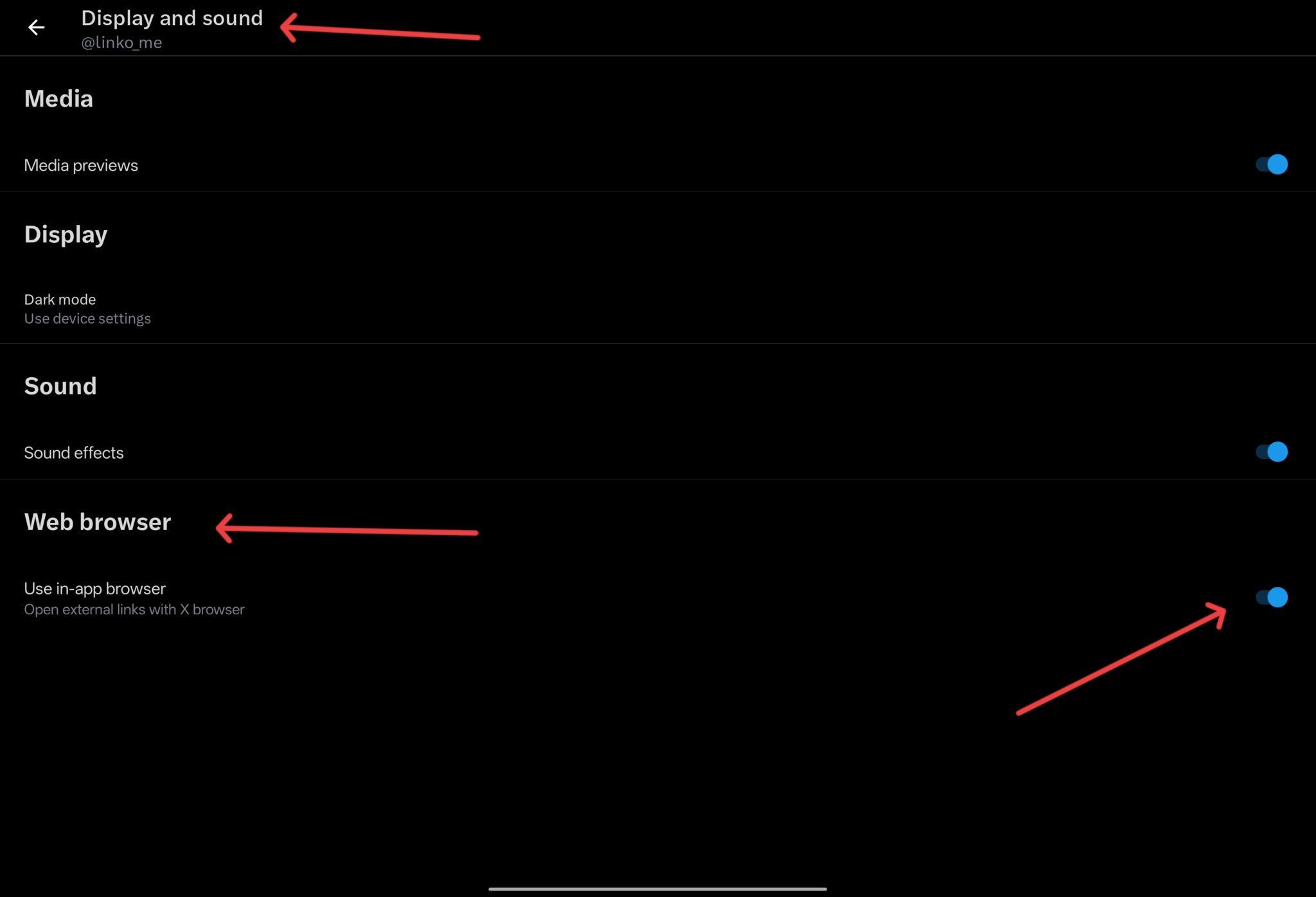
That fixes it on your own device.
The catch is that you cannot change this setting for your audience, so links you share still open in the in-app browser for most people.
To solve that, you fix the link itself, which our guide on how to get out of in-app browsers explains across every platform.
How Linko Helps with X Deep Links
Linko does two useful things for X.
First, it can create a deep link to an X profile or post, so your “Follow me on X” button opens the app.
Second, when you share a link on X that points somewhere else, such as your store, YouTube, or OnlyFans, Linko’s deep linking opens that destination in its own app instead of trapping visitors in X’s in-app browser.
To set it up:
- Copy your link, whether it is an X profile or a destination you are promoting on X.
- Paste it into Linko and open the advanced options.
- Enable deep linking, then shorten the link.
- Share the short link in your posts or X bio.
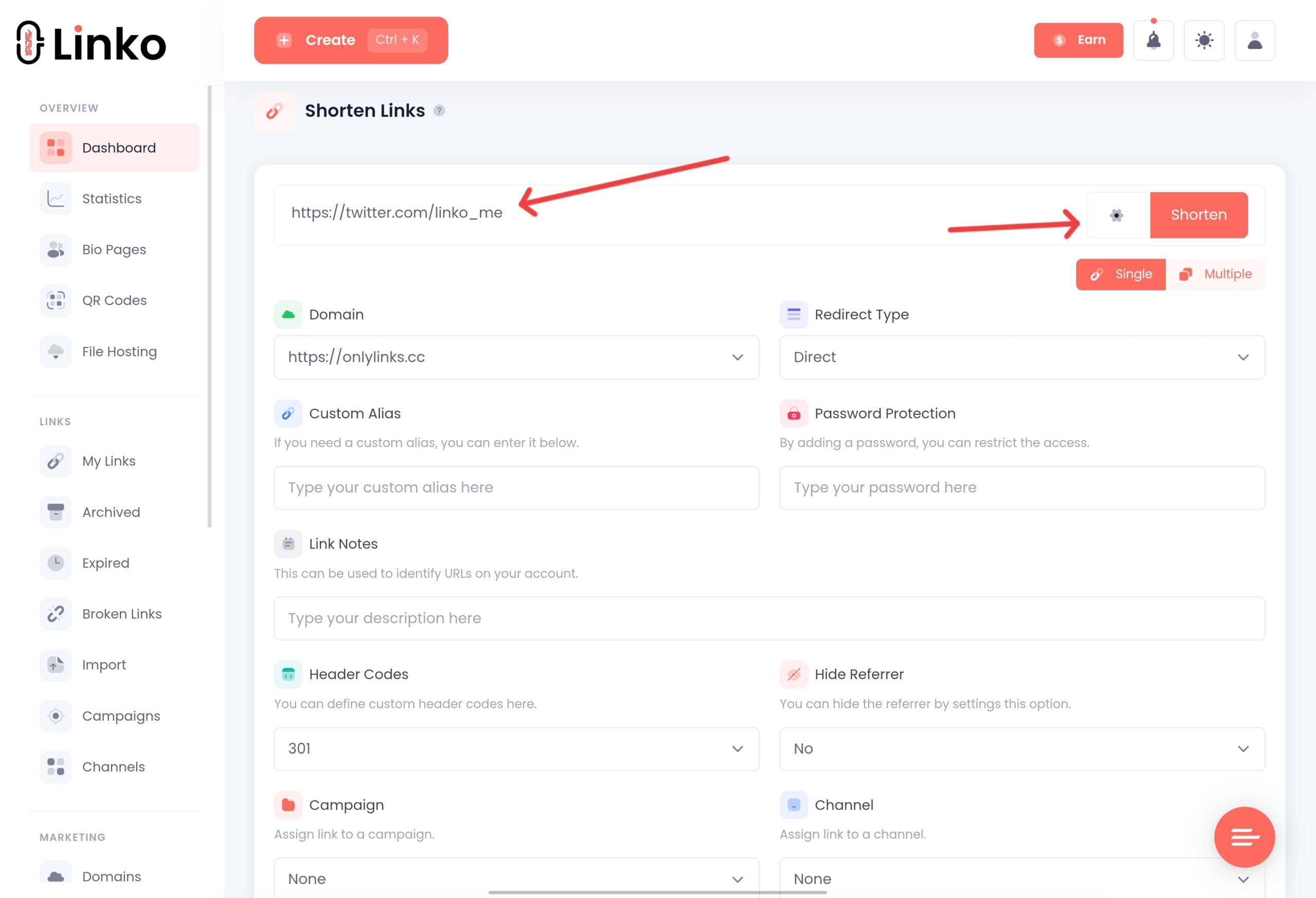
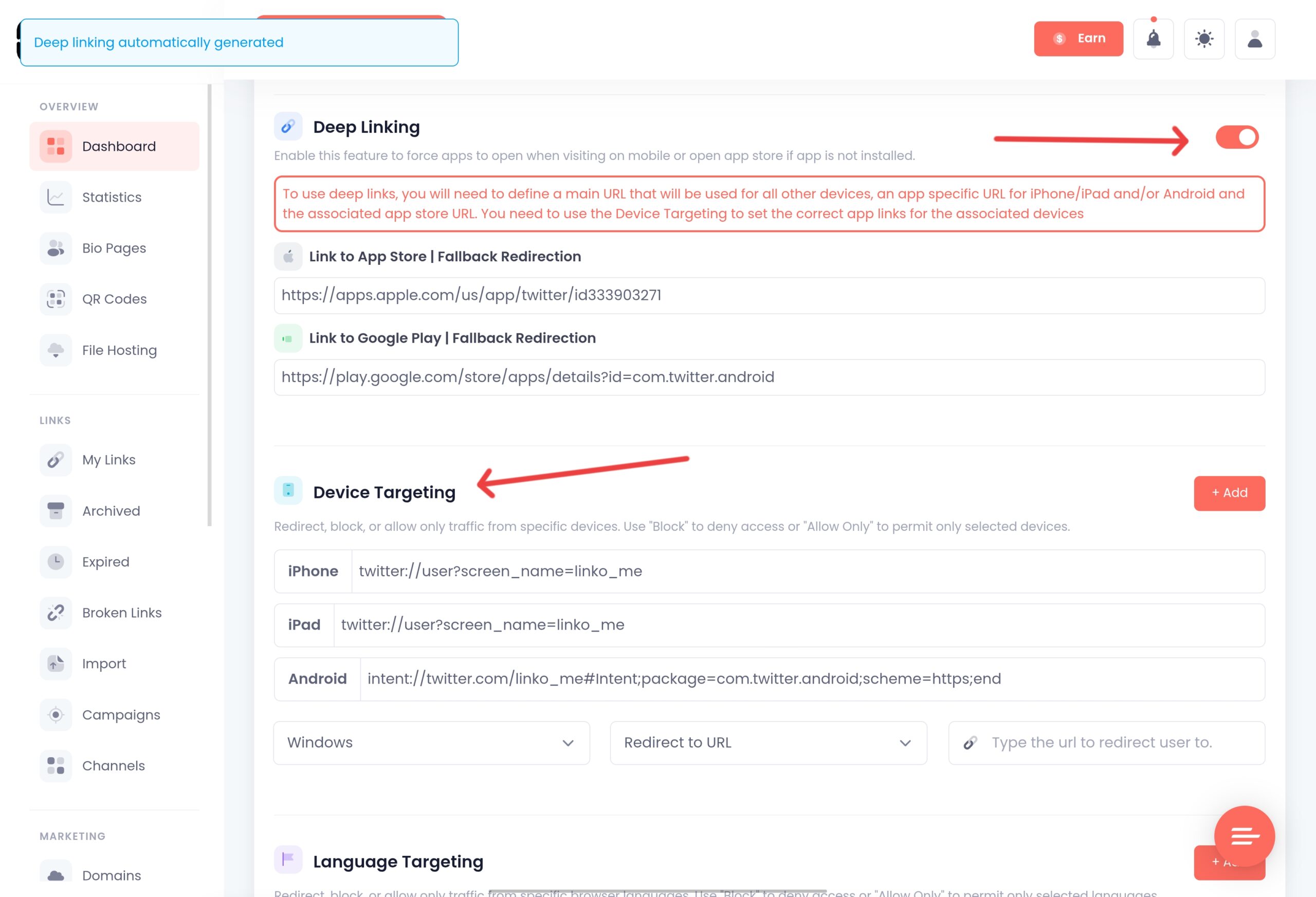
Linko supports deep linking for X along with around 28 other platforms.
To understand the basics first, see our guide on what deep linking is, and for another social example, our TikTok deep link guide.
Which Linko Plan Do You Need?
Deep linking is available on Linko’s Business and Agency plans.
You can create a free account and set up your links first, then upgrade to enable deep linking.
See the full Linko pricing for what each plan includes.
Frequently Asked Questions
What is an X (Twitter) deep link?
It is a link that opens the X app to a specific profile or post, or a link shared on X that opens the destination app instead of X’s in-app browser.
How do I make a link open the X app?
Use a standard x.com/username link. On iOS and Android it opens the X app when installed, because X supports universal links, and falls back to the website when the app is missing.
Does X still use the twitter:// scheme?
Yes. The app kept the twitter:// scheme after the rebrand, so twitter://user?screen_name=username still opens a profile. HTTPS links are more reliable because they include a web fallback.
How do I stop X from opening links in its in-app browser?
On your own device, open Settings and privacy, then Accessibility, display and languages, then Display and Sound, and turn off Use in-app browser. For links you share with others, use a deep link so the destination opens in the right app.
Do I need a paid plan for X deep linking?
Yes. Deep linking is on Linko’s Business and Agency plans. You can start with a free account, then upgrade to enable it.
Make Your X Links Open the Right Way
Whether you want your X profile to open in the app or your shared links to reach the right app instead of an in-app browser, a deep link gives you control over the click.
Create a free Linko account and set up your X deep link today.
Enable deep linking on a Business or Agency plan to open apps directly and skip the in-app browser.
Comments