
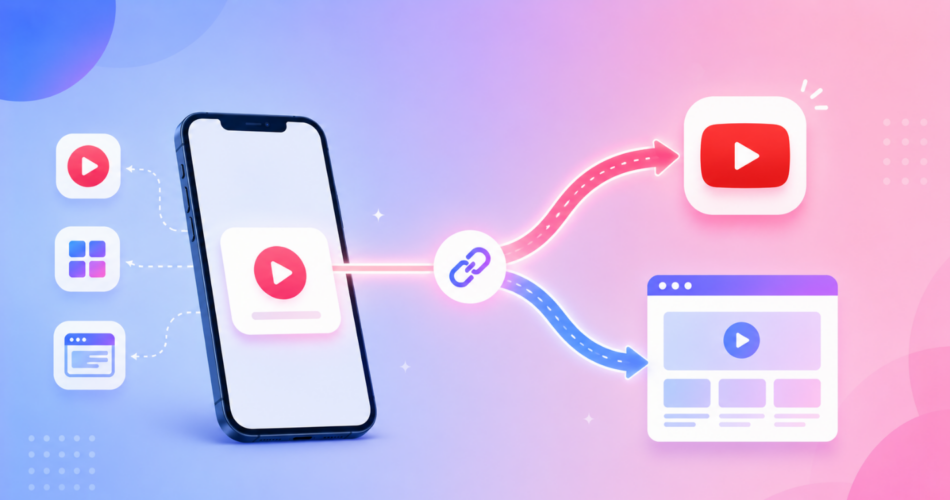
A YouTube deep link is a link that opens a video, channel, or profile directly in the YouTube app instead of a browser.
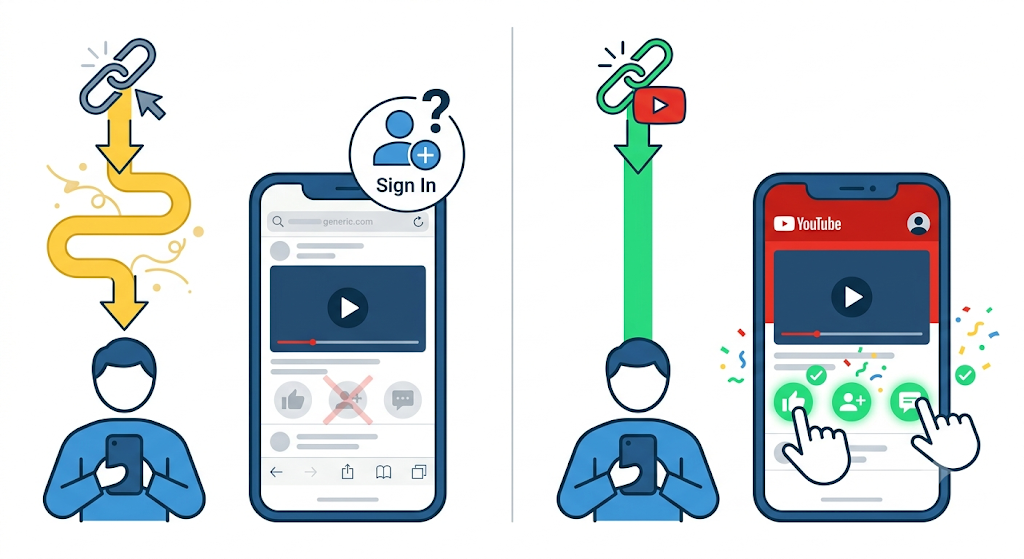
If you share YouTube links from your Instagram bio, TikTok, or a marketing campaign, you have probably seen them open in a cramped in-app browser where viewers are not logged in.
That kills watch time, subscribes, and comments.
Here is the honest, complete answer: on most normal links, YouTube already opens in the app on its own.
The times it fails have specific causes, and this guide shows you exactly how to fix each one, plus how to force the app to open even from inside Instagram.
Key Takeaways
- A YouTube deep link opens content directly in the YouTube app, not the mobile browser.
- On iOS, YouTube Universal Links already open the app automatically for
youtube.com,m.youtube.com, andyoutu.belinks. - Links usually fail to open the app for two reasons: in-app browsers (like Instagram) or Android’s “open supported links” setting being off.
- For sharing from social bios, a deep link tool like Linko forces the app to open and escapes Instagram’s in-app browser.
- Linko’s deep linking is available on the Business and Agency plans and covers YouTube videos, channels, and profiles.
What Is a YouTube Deep Link?
A deep link is any link that opens a specific place inside a mobile app.
A YouTube deep link takes a viewer straight to a video, channel, or profile inside the YouTube app, where they are already signed in.
That matters because a signed-in viewer can like, subscribe, and comment in one tap.
A viewer stuck in a browser usually cannot, so your engagement drops. If you want the full background, see our guide on what deep linking is and how it works.
Why Do YouTube Links Open in the Browser Instead of the App?
This is the real question behind most searches, so here is the straight answer.
YouTube supports Universal Links. According to Google’s own documentation, clicking any YouTube link on iOS, including
youtube.com,m.youtube.com, andyoutu.be, automatically opens the YouTube app when it is installed. So in normal cases, no tool is needed.
Links open in the browser instead of the app in three situations:
- The link is tapped inside an in-app browser, such as Instagram or TikTok, which ignores Universal Links.
- On Android, the “open supported links” setting for YouTube is turned off.
- The link passes through a redirect that breaks the app association.
Once you know the cause, the fix is simple.
How to Fix YouTube Links Not Opening in the App
If this is happening on your own phone, you often do not need any tool.
Check these settings first.
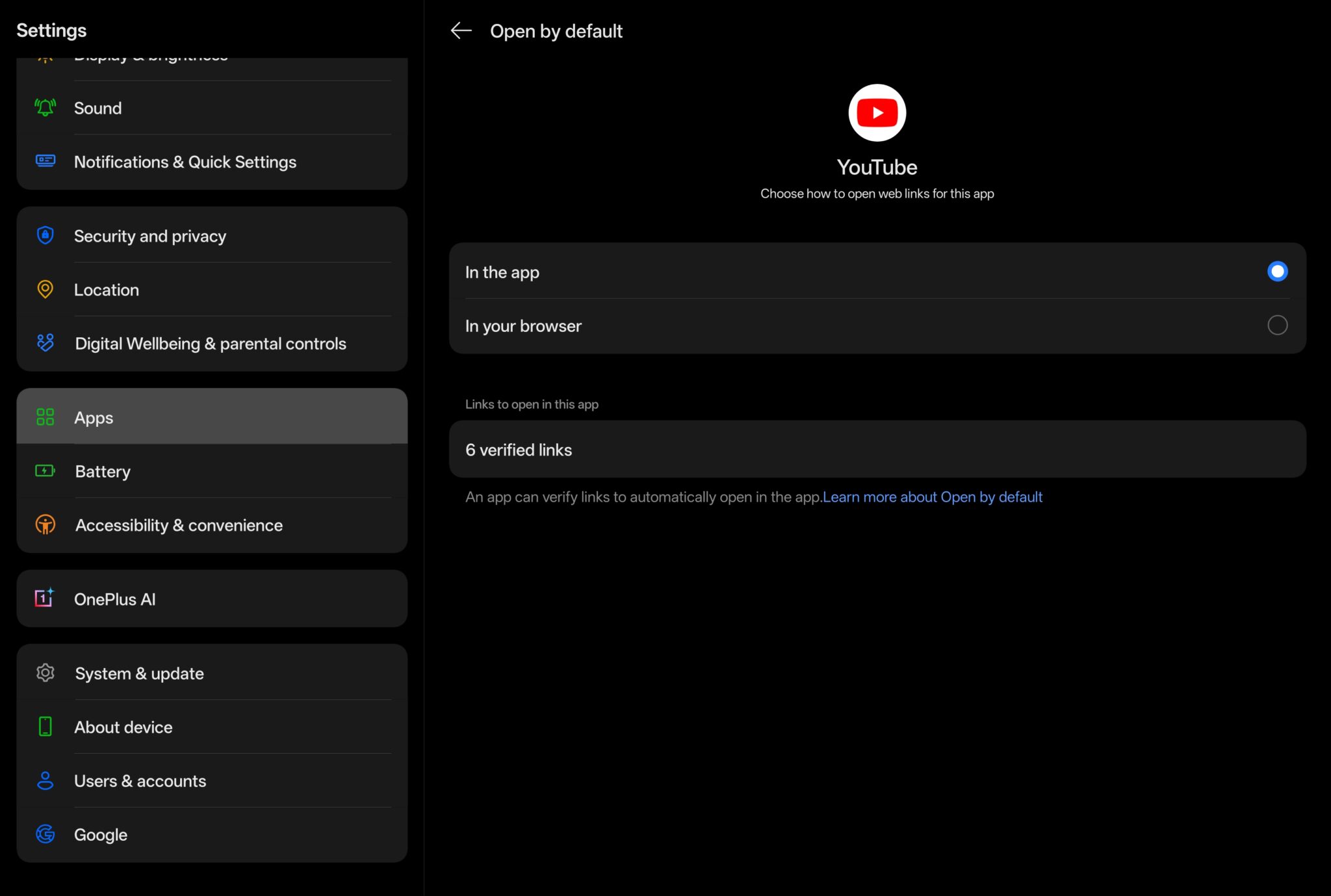
On Android
- Open Settings, then Apps.
- Tap YouTube, then “Set as default”.
- Turn on “Open supported links”.
- Confirm
youtube.comandyoutu.beare listed as supported links.
On iPhone
- Make sure the YouTube app is installed and updated.
- Tap and hold a YouTube link, then choose “Open in YouTube” if prompted.
- If it still opens in Safari, reinstalling the app re-registers its Universal Links.
These steps fix the problem for you.
But they do not help your audience, because you cannot change the settings on other people’s phones.
That is where a deep link comes in.
The Real Problem: In-App Browsers
When you put a YouTube link in your Instagram bio or story, tapping it opens Instagram’s own in-app browser, not Safari or Chrome.
Instagram’s in-app browser does not respect Universal Links, so your video loads on the web, logged out.
You cannot fix this with device settings, because it happens on your viewer’s phone.
You fix it at the link itself, by using a deep link that forces the YouTube app to open.
Our guide on how to get out of in-app browsers covers this problem across platforms.
How to Create a YouTube Deep Link with Linko
Linko turns a normal YouTube URL into a deep link that opens the app reliably, even from inside Instagram.
Here is how.
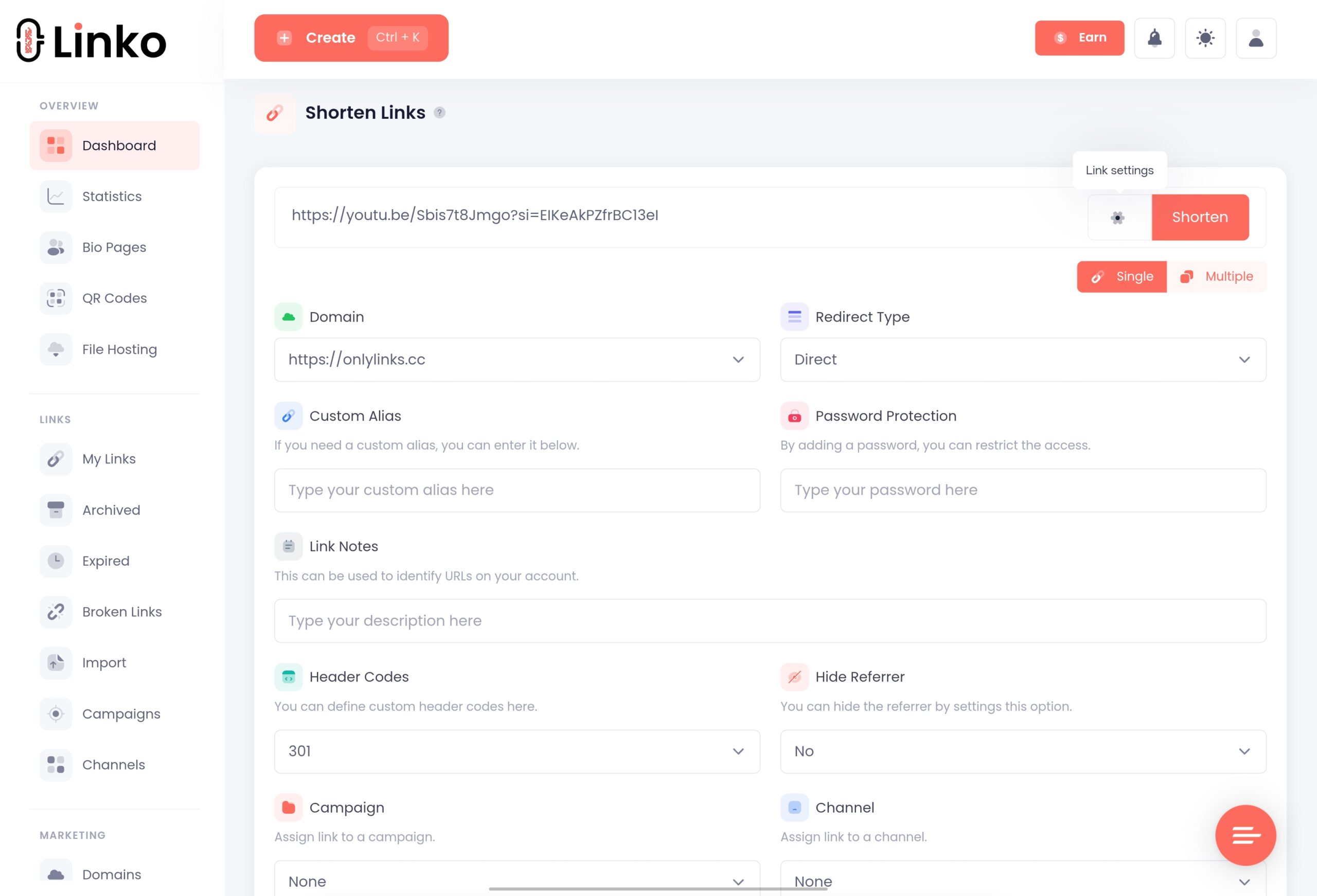
- Copy the YouTube link you want to share, for a video, channel, or profile.
- Paste it into Linko and open the Advanced options.
- Enable the Deep Linking toggle.
- Linko detects YouTube and builds the app link for iPhone, iPad, and Android automatically.
- Click Shorten to get your deep link.
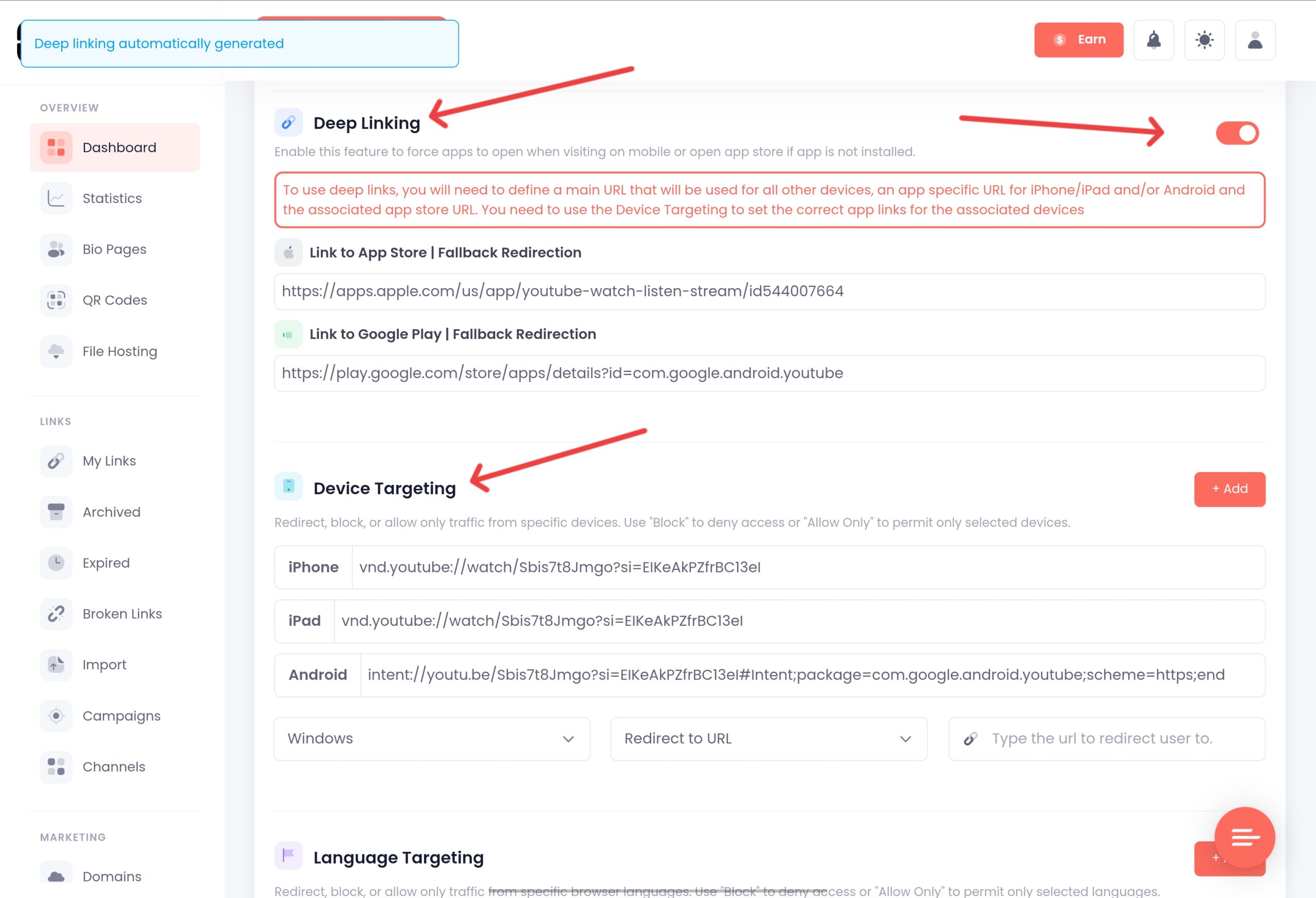
When someone taps that link, the YouTube app opens on your exact video or channel.
If the app is not installed, the link falls back to the web version.
Linko also automatically bypasses Instagram’s in-app browser restrictions, so links open directly instead of in Instagram’s limited browser.
Linko’s deep linking is available on the Business plan at $79 per month and the Agency plan, and it supports YouTube videos, channels, and profiles along with around 28 other platforms.
You can compare it with other social platforms in our TikTok deep link guide.
YouTube Deep Link Formats (For Developers)
If you build your own links, YouTube uses these patterns under the hood:
- Universal link: a standard
https://youtu.be/VIDEO_IDURL, which opens the app on iOS automatically. - iOS URI scheme:
vnd.youtube://www.youtube.com/watch?v=VIDEO_ID - Android intent:
intent://www.youtube.com/watch?v=VIDEO_ID#Intent;package=com.google.android.youtube;scheme=https;end
Building and maintaining these by hand is error prone, especially the Android intent and the in-app browser handling.
A tool manages the fallbacks for you.
For the difference between these link types, see our guide on deep links vs Universal Links vs App Links vs URI schemes.
Frequently Asked Questions
How do I make a YouTube link open in the app?
On iOS, standard YouTube links already open the app through Universal Links. To make a link that opens the app even from Instagram or TikTok, create a deep link with a tool like Linko, which forces the app to open and falls back to the web if it is not installed.
Why does my YouTube link open in the browser?
Usually because it was tapped inside an in-app browser like Instagram, or because Android’s “open supported links” setting for YouTube is off. In-app browsers ignore Universal Links, so the video loads on the web instead of the app.
Can I deep link to a YouTube channel, not just a video?
Yes. Linko supports deep links to YouTube videos, channels, and profiles, so you can send viewers to a specific video or to your channel page in the app.
Do I need a paid plan for YouTube deep linking?
In Linko, deep linking is available on the Business plan at $79 per month and the Agency plan. For simply opening YouTube on your own phone, no paid tool is needed, just the device settings above.
Will a deep link work if the viewer does not have the YouTube app?
Yes. A well-built deep link falls back to the web version, so viewers without the app still reach your video.
Get Your YouTube Links Opening in the App
If YouTube links open in the app on your own phone, a quick settings check is all you need.
If you share links from your Instagram bio, stories, or campaigns, a deep link is the only way to force the app to open for your audience.
Linko creates YouTube deep links that open the app, escape Instagram’s in-app browser, and fall back to the web when needed.
Create your free Linko account and start building smart links today.
You can test shortening with the free Linko URL shortener, then upgrade when you need deep linking.
Comments