
A Messenger deep link is a link that opens a conversation directly in the Facebook Messenger app, so a customer can message you in one tap.
The good news: you do not need code or a paid tool to make one.
Facebook gives every Page a built-in Messenger link called an m.me link.
This guide shows you exactly how to create it, how to track it, and how to make it open reliably even when someone taps it from Instagram.
Let’s get your Messenger link working.
Key Takeaways
- The official Messenger deep link is an
m.melink:m.me/your-page-usernameopens a chat with your Page in the app. - You can create it for free using your Facebook Page username or Page ID.
- Add a ref parameter (
m.me/name?ref=value) to track the source or trigger an automated reply. - Custom
fb-messenger://links are unreliable and not recommended, because Facebook changes them and they break without the app. - To brand the link, track clicks, and make it open from Instagram’s in-app browser, wrap it with a tool like Linko.
What Is a Messenger Deep Link?
A deep link opens a specific place inside a mobile app instead of a browser.
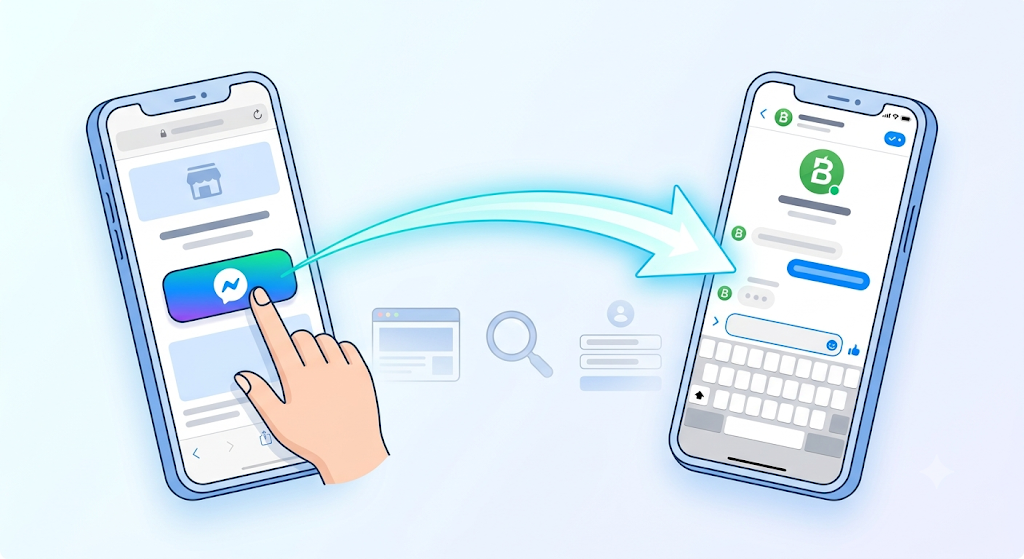
A Messenger deep link opens a direct conversation with your Facebook Page inside the Messenger app, where the person is already signed in and ready to type.
This is how “click to Messenger” buttons and chat links work.
It removes the friction of searching for your Page, so more people actually start a conversation.
For the broader concept, see our guide on what deep linking is and how it works.
How Do You Create a Messenger Link? (The Free m.me Method)
This is the answer most people are looking for.
Facebook automatically gives every Page an m.me link, its official Messenger link format.
You just need your Page username.
- Open your Facebook Page and look at its web address. The part after
facebook.com/is your username, for examplefacebook.com/YourBusiness. - Add that username to
m.me. Your Messenger link ism.me/YourBusiness. - If your Page has no username, find your Page ID under About, then Page Transparency, and use
m.me/your-page-idinstead. - Test the link on your phone. It should open the Messenger app to a chat with your Page.
That is your Messenger deep link. Share it anywhere: your website, email, bio, or a button.
How Do You Track a Messenger Link or Pre-Set a Reply?
Add a ref parameter to the end of your link:
m.me/YourBusiness?ref=summer-sale
The ref value is passed to your Page when the chat opens.
You can use it to see which campaign sent the person, or to trigger a specific automated welcome message if you run a Messenger bot.
Use a different ref for each place you share the link, so you know what is working.
What About fb-messenger:// Links?
You may have seen custom schemes like fb-messenger://user-thread/ID.
Skip them.
Facebook changes these internal schemes without notice, they are not officially documented for public use, and they fail for anyone who does not have the app installed.
An m.me link is the reliable, supported option because it opens the app when installed and falls back to the web when it is not.
If you instead want to open the Facebook app itself to your Page, rather than a Messenger chat, that is a separate task covered in our guide on how to create a Facebook deep link.
If you want to understand why HTTPS links like m.me are safer than custom schemes, our guide on deep links vs Universal Links vs App Links vs URI schemes explains the difference.
Why Does My Messenger Link Open in the Browser?
An m.me link usually opens the Messenger app on its own.
It fails in one common situation: when the link is tapped inside an in-app browser, such as Instagram or the Facebook feed.
In-app browsers do not always hand off to the Messenger app, so the link loads a web page instead.
You cannot change this on your visitor’s phone, so you fix it at the link.
Our guide on how to get out of in-app browsers explains the problem in full.
How to Make a Branded, Trackable Messenger Link with Linko
The free m.me link works, but it is not branded and gives you no analytics. If you run campaigns, wrapping it with Linko adds three things m.me cannot:
- A branded short link on your own domain instead of a raw
m.meaddress - Click analytics, so you see how many people opened the chat and from where
- An automatic Instagram in-app browser escape, so the link opens outside Instagram’s limited browser
To set it up:
- Create your
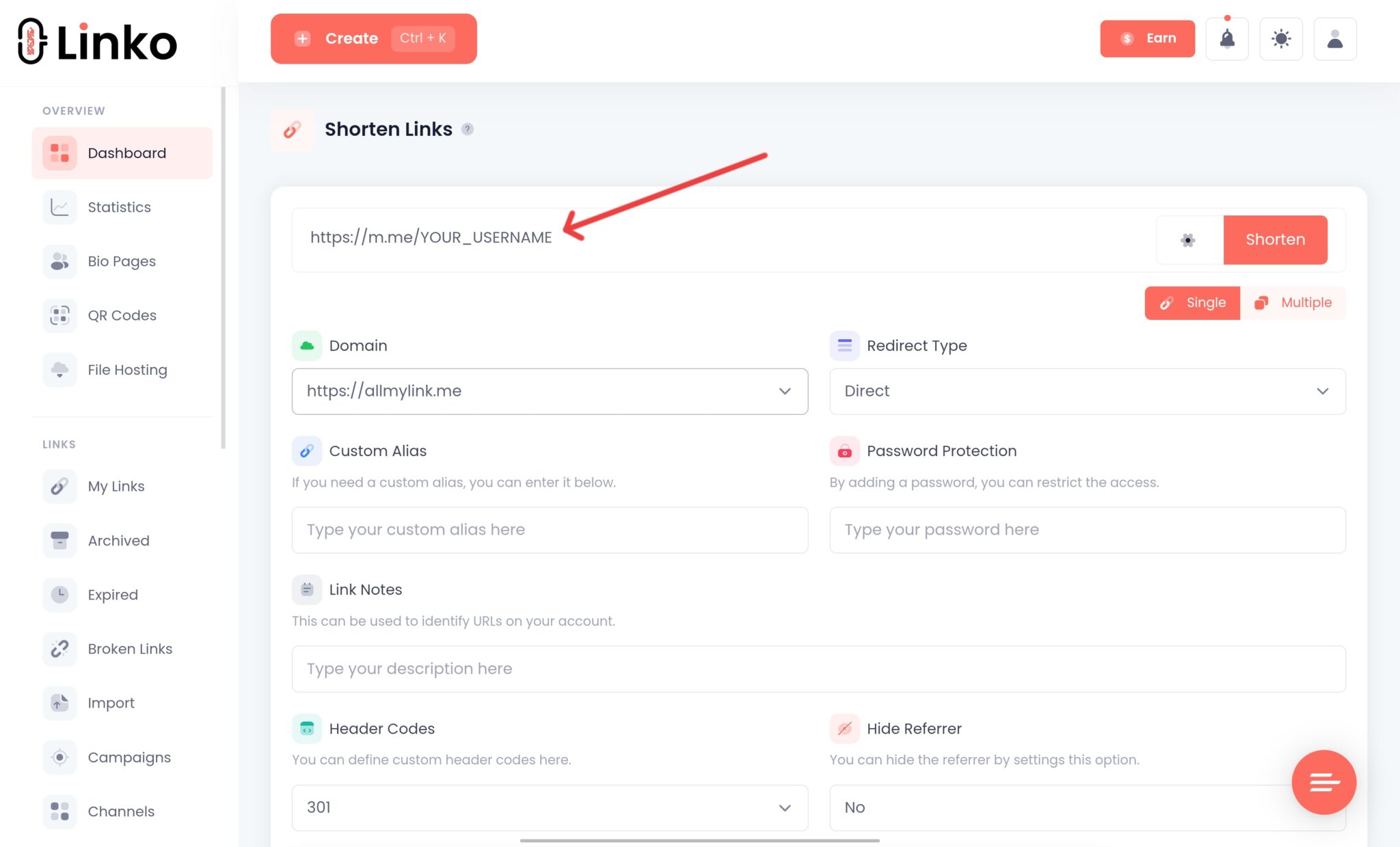
m.melink using the steps above. - Paste it into Linko and shorten it, optionally on your branded domain.
- Share the branded link in your bio, ads, or emails, and watch the clicks in your dashboard.
Linko supports Messenger among around 28 platforms, and its deep linking features sit on the Business and Agency plans.
For simple use, the plain m.me link is enough.
For branded campaigns with tracking, Linko is the upgrade.
Bonus: Turn Your Messenger Link into a QR Code
For print, packaging, or in-store signs, turn your m.me link into a QR code.
Anyone who scans it lands in a Messenger chat with you.
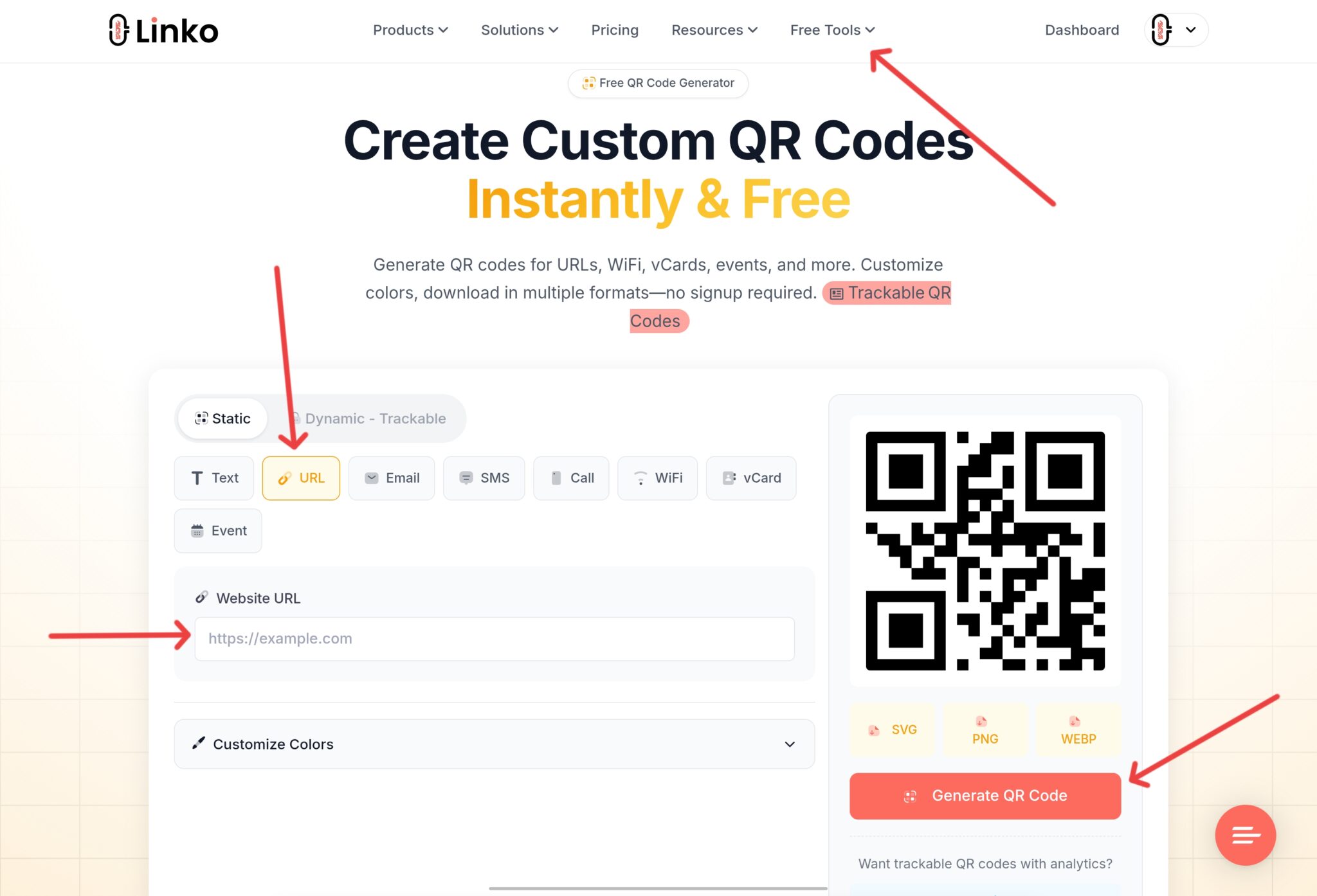
Paste your m.me link into Linko’s free QR code generator, choose URL QR code, add your logo, and download it.
Frequently Asked Questions
How do I create a Facebook Messenger link?
Take your Facebook Page username and add it to m.me. If your username is YourBusiness, your Messenger link is m.me/YourBusiness. If you have no username, use your Page ID as m.me/your-page-id.
What is an m.me link?
An m.me link is Facebook’s official short link for Messenger. When tapped, it opens the Messenger app to a direct conversation with your Page, and falls back to the web version if the app is not installed.
Can I add a pre-filled message or tracking to a Messenger link?
You can add a ref parameter, like m.me/YourBusiness?ref=promo. The value is passed to your Page, so you can track the source or trigger an automated reply through a Messenger bot.
Why does my Messenger link open a browser instead of the app?
Usually because it was tapped inside an in-app browser like Instagram, which does not always open the Messenger app. Wrapping the link with a tool that escapes in-app browsers, such as Linko, fixes this.
Do I need to pay to create a Messenger deep link?
No. The m.me link is free from Facebook. You only need a paid tool if you want a branded link, click analytics, or reliable opening from social app browsers.
Start Getting More Messenger Conversations
Your Messenger deep link is already waiting: it is m.me plus your Page username. Create it, test it, and add it to your bio, buttons, and campaigns.
When you are ready to brand the link, track clicks, and make it open reliably from Instagram, Linko turns your m.me link into a smart, trackable short link.
Create your free Linko account and build your branded Messenger link today.
You can start with the free link shortener by Linko and add analytics from day one.
Comments