

Amazon links are long, messy, and full of tracking codes.
If you want to shorten Amazon links into something clean and shareable, you have a few good options, and the right one depends on whether you are an affiliate.
This guide gives you four methods, from a free 10-second trick to a branded, trackable link.
It also covers the Amazon Associate rules you must follow so you do not lose commissions or your account.
Let’s clean up that link.
Key Takeaways
- For a quick clean link, use Amazon’s Share button to get an
a.coshort link, or rebuild it manually asamazon.com/dp/ASIN. - Affiliates should use SiteStripe, which creates a short
amzn.tolink with your tracking tag already included. - Any third-party shortener works too, but the short link must still carry your
?tag=or you lose the commission. - Amazon requires affiliates to disclose their relationship and forbids affiliate links in email and offline, so follow the rules.
- A branded shortener like Linko adds click analytics and can open the link in the Amazon app.
Why Are Amazon Links So Long?
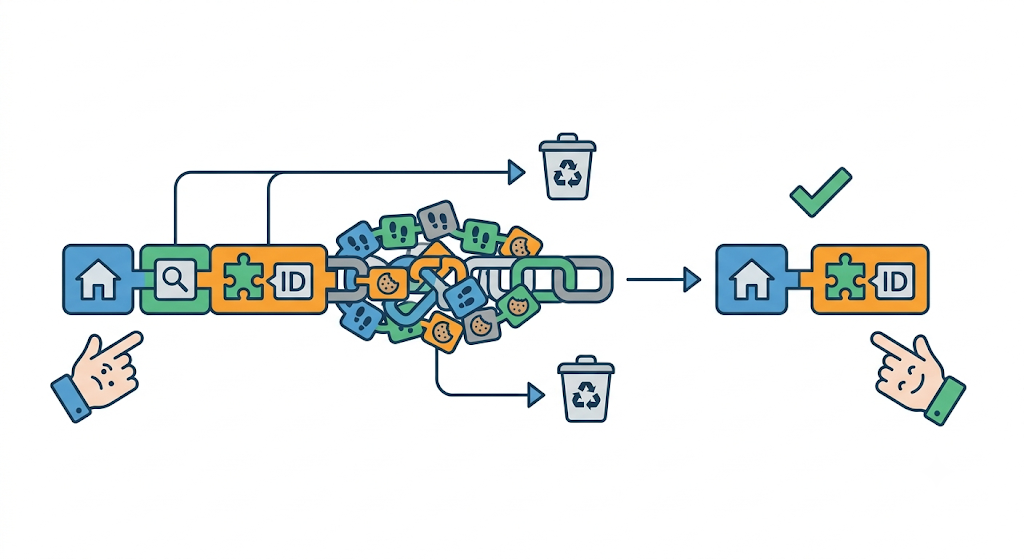
A typical Amazon product URL looks like a wall of characters: the product name, /dp/ or /gp/product/, a 10-character ASIN, then a long string of /ref= and tracking parameters.
Only two parts actually matter: the domain and the ASIN.
The ASIN is the product’s unique 10-character ID.
Everything after it is usually tracking clutter you can drop.
Once you know that, shortening a link is easy.
Method 1: Use Amazon’s Share Button (Easiest)
Amazon has a built-in short link.
This is the fastest option for anyone who is not an affiliate.
- Open the product on the Amazon app or website.
- Tap the Share button on the product page.
- Choose Copy link.
- Amazon gives you a short
a.colink.
That a.co link is clean and ready to share.
Note that it does not include an affiliate tag, so it is best for personal sharing, not commissions.
Method 2: Rebuild the Link Manually (Free, No Tools)
You can shorten any Amazon link yourself in seconds by keeping only the ASIN.
- Find the ASIN, the 10-character code right after
/dp/or/gp/product/in the URL. It also appears in the product’s Product Information section. - Rebuild the link as
amazon.com/dp/ASIN, using your country domain if needed, such asamazon.co.uk/dp/ASIN. - Drop everything else. That short link goes straight to the product with no tracking junk.
For example, a long URL becomes simply amazon.com/dp/B01N5IB20Q.
Clean and permanent.
Method 3: For Affiliates, Use SiteStripe
If you earn commissions, the tag matters more than the length.
Amazon’s own tool handles both.
According to Amazon’s SiteStripe guide, the Get Link, Text option creates a short link to the page you are viewing, with your Associate Store ID and tracking ID automatically included.
That short link uses the amzn.to domain.
- Sign in to your Amazon Associates account.
- Browse any product. The SiteStripe bar appears at the top.
- Select Text, then copy the short
amzn.tolink.
Because the tag is built in, you stay eligible for commission when someone buys.
If you prefer to build the link by hand, Amazon’s affiliate format is amazon.com/dp/ASIN/ref=nosim?tag=YOURTAG.
Method 4: Create a Branded, Trackable Short Link
The a.co and amzn.to links work, but they are not branded and give you no analytics.
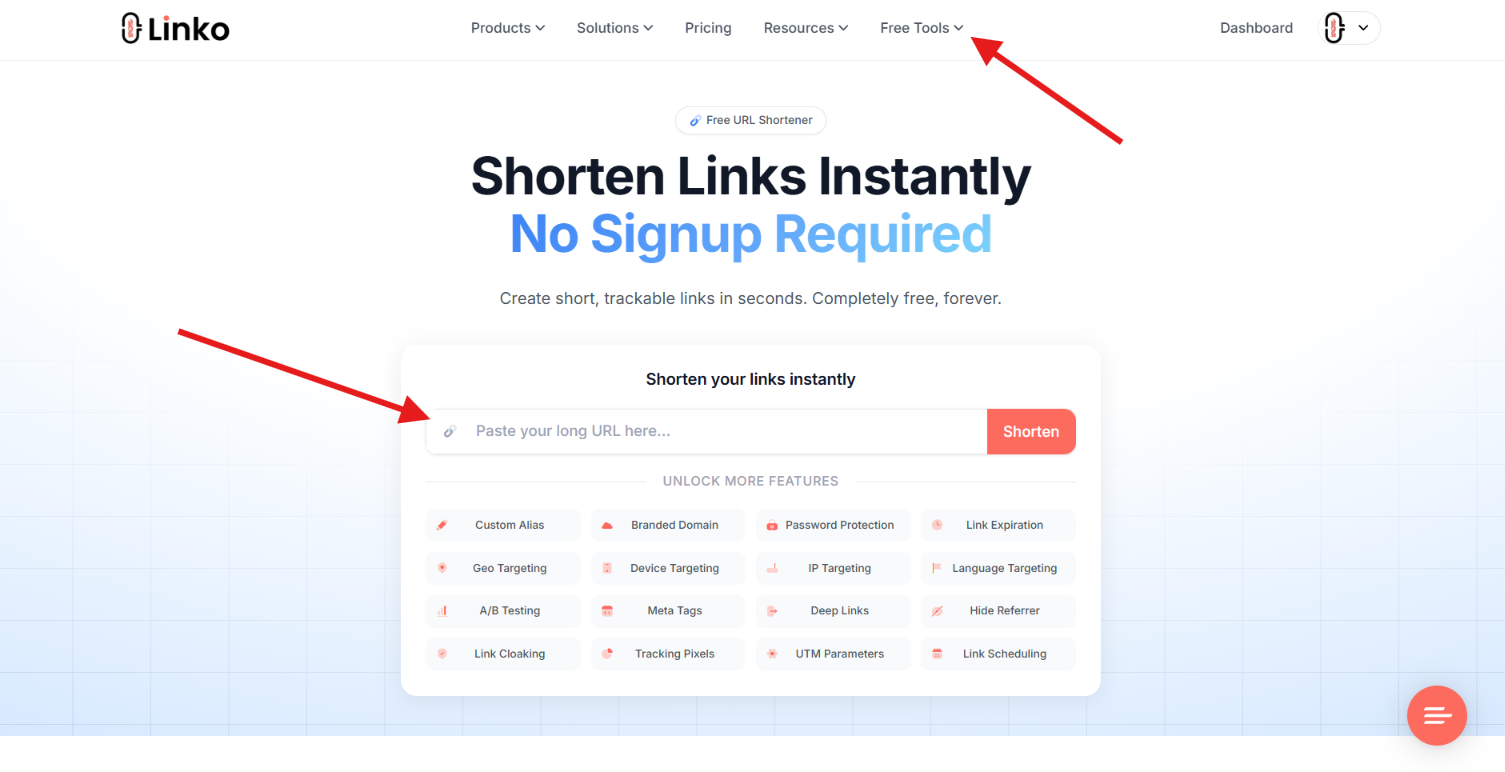
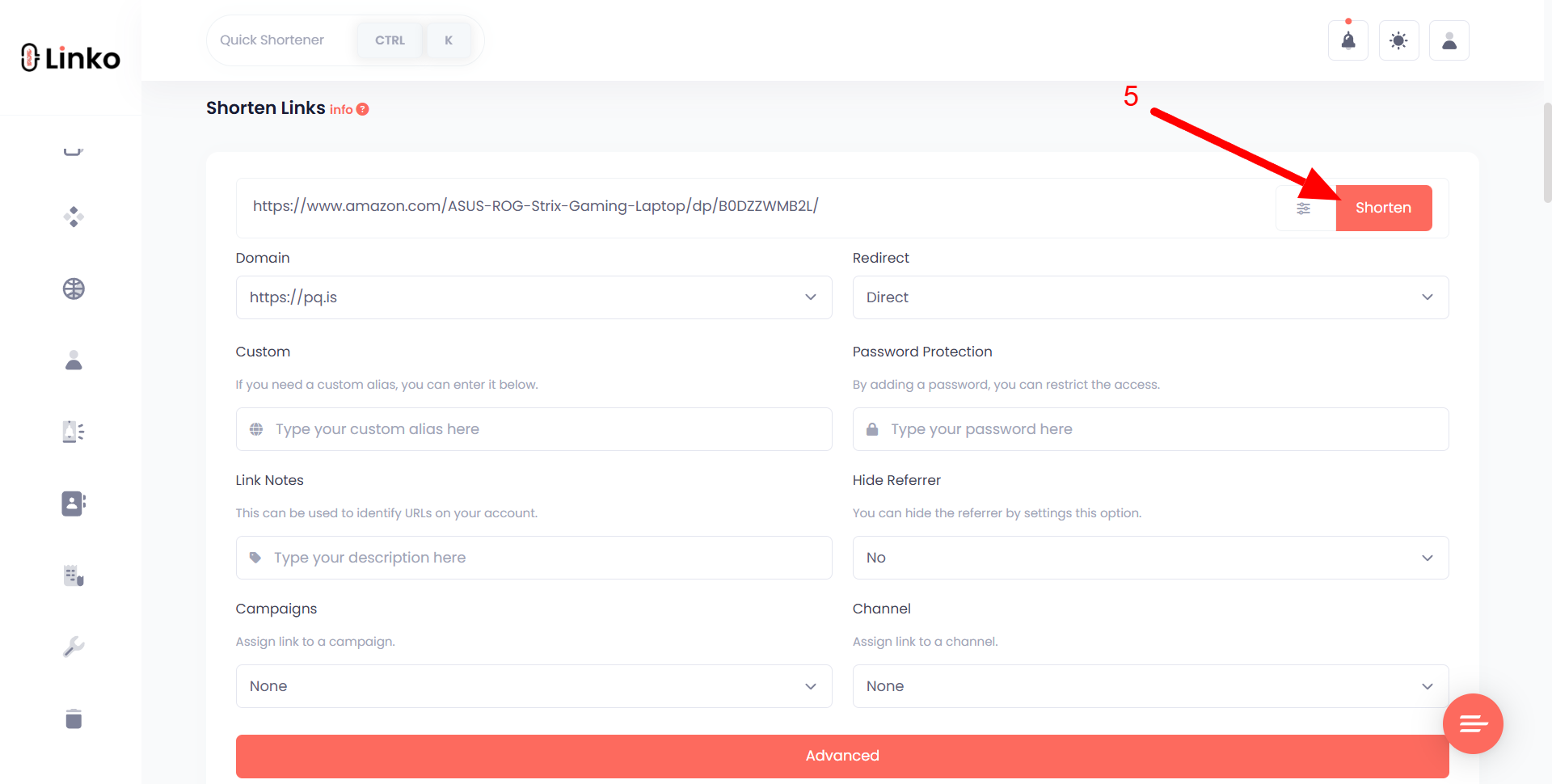
A shortener like Linko turns any Amazon link into a clean link on your own domain, with click tracking.
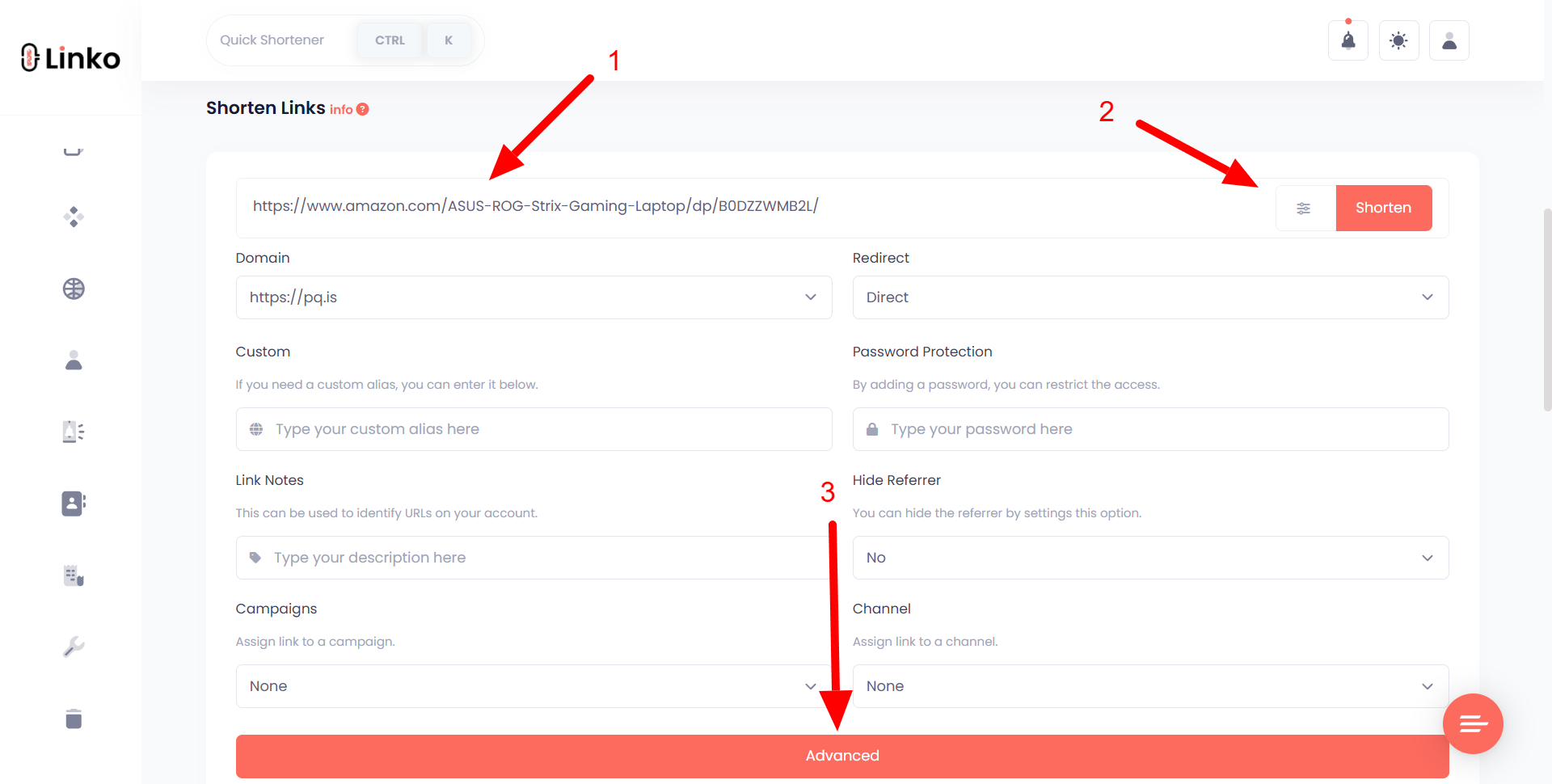
- Copy your full Amazon link, including your
?tag=if you are an affiliate. - Paste it into Linko’s link shortener tool and shorten it.
- Share the short link and watch clicks in your dashboard.
Because the short link redirects to your full URL, your affiliate tag is preserved on the way through.
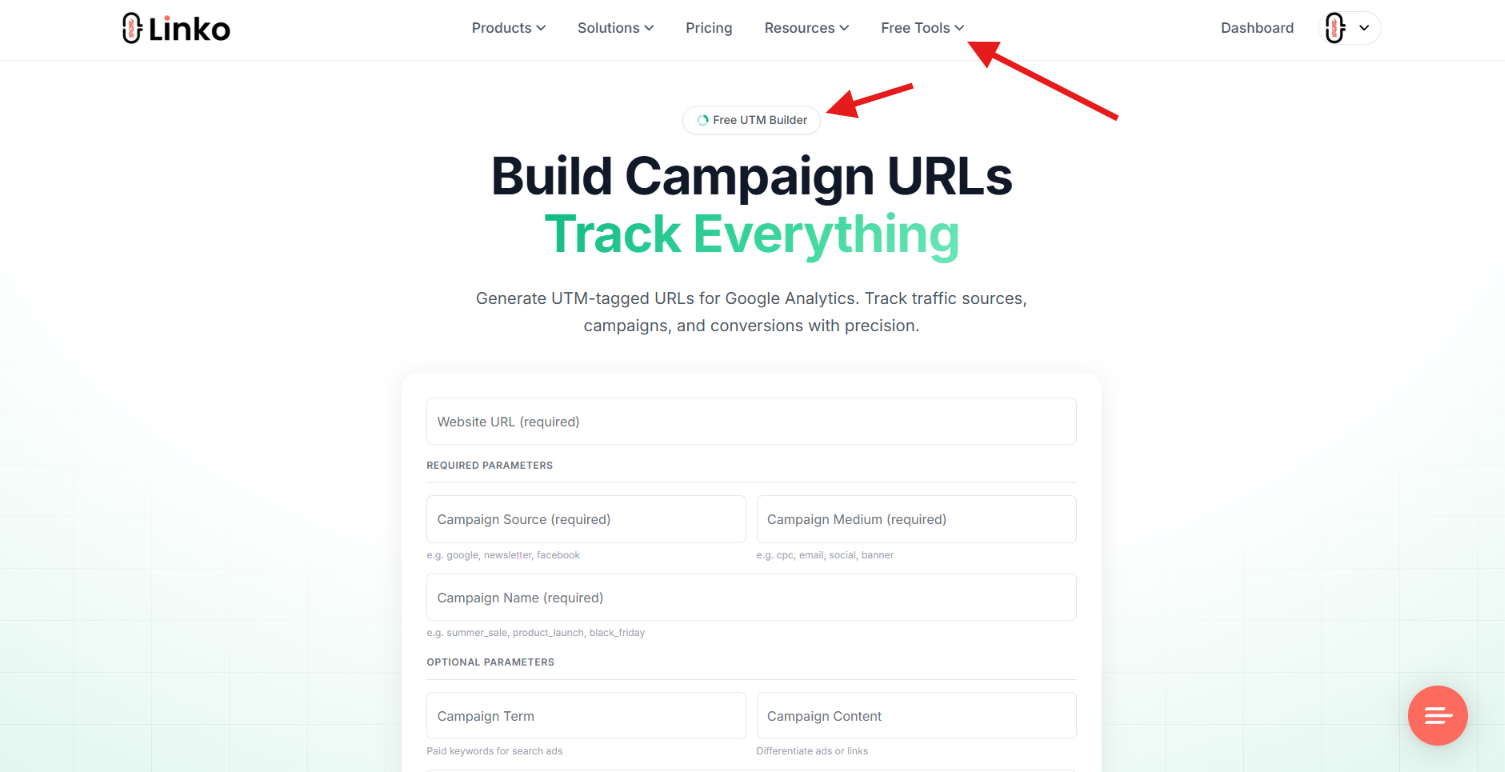
You can also add campaign tags with a UTM builder to see which posts drive sales.
This is different from hiding a link, which we cover in our guide on link cloaking.
Amazon Associate Rules You Must Follow
If you shorten affiliate links, a few rules protect your account and commissions.
This part matters, so read it.
- Keep your tag. A short link must still pass your
?tag=to Amazon, or the sale will not be attributed to you. - Disclose your relationship. Amazon requires a clear affiliate disclosure and that you identify yourself as an Amazon Associate.
- Do not use affiliate links where they are banned, including email, offline materials, and ebooks.
- Do not hide that a link goes to Amazon in a deceptive way. Shortening for a cleaner look is fine; disguising the destination to mislead people is not.
Follow these, and a shortener is perfectly safe.
Amazon confirms the disclosure requirement in its Associates Program policies.
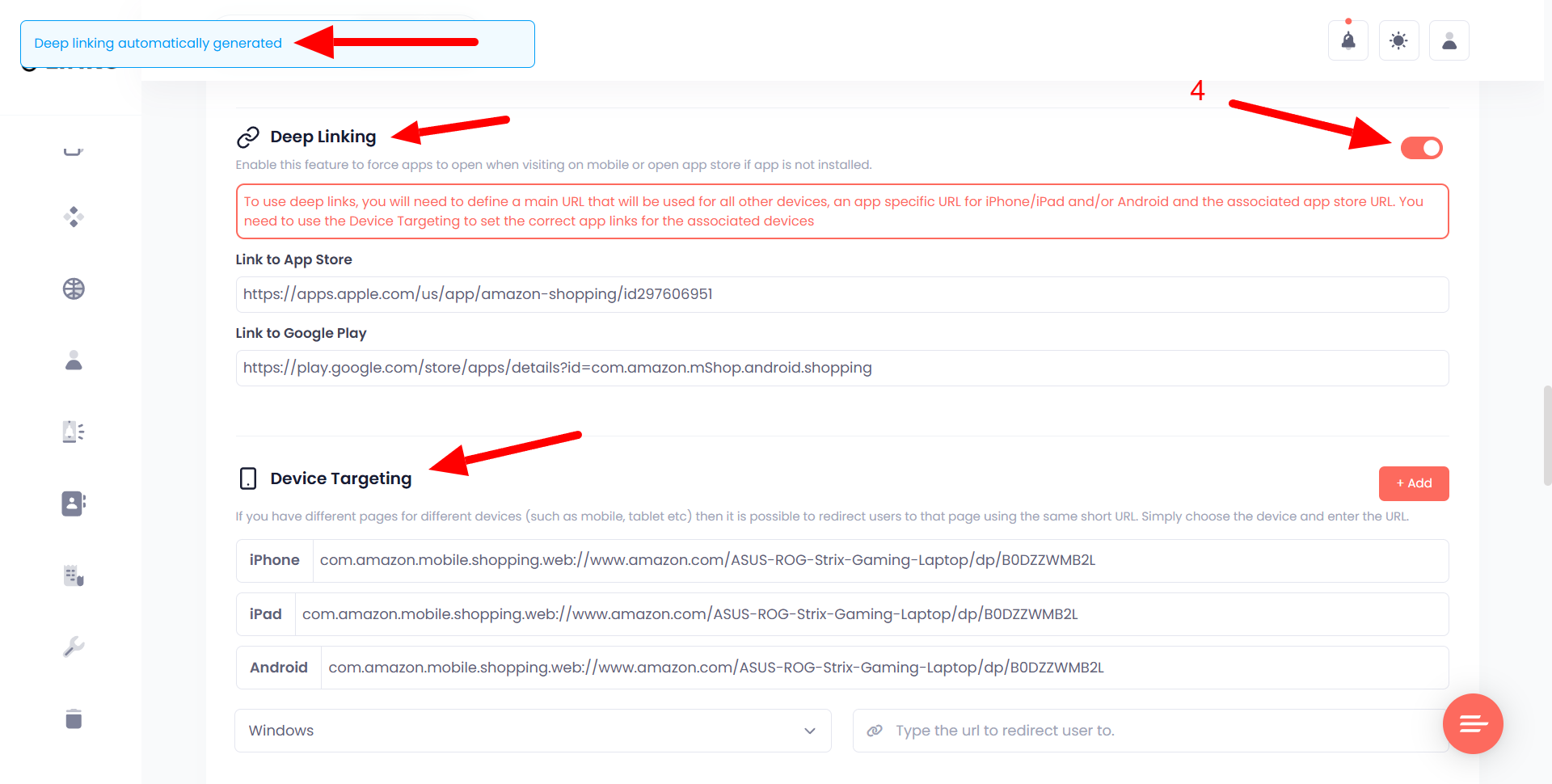
Bonus: Make Your Amazon Link Open in the App
On mobile, an Amazon link tapped inside Instagram often opens in the in-app browser, where the shopper is logged out and less likely to buy.
A deep link opens the Amazon app instead, where they are already signed in with one-click checkout.
Linko can turn your Amazon link into a deep link that opens the app on its Business and Agency plans.
See our full walkthrough on Amazon mobile deep linking and our guide on how to get out of in-app browsers.
Frequently Asked Questions
What is the fastest way to shorten an Amazon link?
Use Amazon’s Share button on the product page to copy a short a.co link, or rebuild the URL by hand as amazon.com/dp/ASIN. Both take seconds and need no tools.
How do I shorten an Amazon affiliate link without losing commission?
Use SiteStripe to get a short amzn.to link with your tag built in, or shorten your full tagged URL with a tool like Linko. The short link must still carry your ?tag= so the sale is credited to you.
What is an ASIN?
An ASIN is the 10-character code that identifies an Amazon product. You find it right after /dp/ or /gp/product/ in the URL or in the product’s Product Information section.
Is it against Amazon’s rules to shorten affiliate links?
No, shortening is allowed as long as your tag is preserved, you disclose that you are an Amazon Associate, and you do not place affiliate links where Amazon bans them, such as email. Do not use a shortener to deceptively hide the destination.
Can a short Amazon link open the Amazon app?
Yes. With deep linking, a short link can open the Amazon app directly on the product, which improves the buying experience on mobile. Linko offers this on its Business and Agency plans.
Shorten Your Amazon Links the Smart Way
For a quick clean link, Amazon’s Share button or the amazon.com/dp/ASIN trick is all you need.
For affiliates, SiteStripe keeps your tag.
And when you want a branded link with analytics that can open the Amazon app, a shortener does the rest.
Create your free account at Linko and shorten your first Amazon link with click tracking included.
No credit card required, and you can start with the link management platform on the free plan.
Comments