
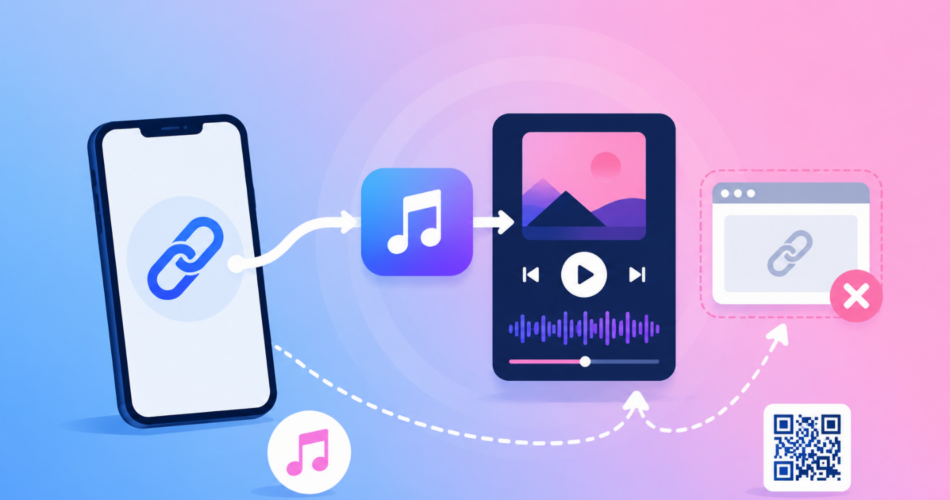
An Apple Music deep link opens a song, album, playlist, or artist directly in the Apple Music app instead of a browser tab.
If you are an artist or marketer sharing Apple Music links from your Instagram bio, stories, or ads, you have probably seen them load a preview page on the web where the listener is not signed in.
That costs you plays, library adds, and follows from people who were ready to listen.
Here is the honest answer first: on an iPhone, a normal music.apple.com link usually opens the app on its own.
It breaks in specific situations, and this guide shows you why, how to fix each one, and how to force the app open even from inside Instagram.
Key Takeaways
- An Apple Music deep link opens content directly in the Apple Music app, not a web preview.
- Standard
music.apple.comlinks already open the app on iOS through universal links when the app is installed. - Swapping
httpsfor themusic://scheme (for examplemusic://music.apple.com/...) forces the app, but it is not clickable everywhere and breaks for people without Apple Music. - The biggest reason links fail is in-app browsers, like Instagram, which load the web preview instead of the app.
- A deep link tool like Linko forces the app to open, escapes Instagram’s in-app browser, and falls back to the web player when the app is missing.
What Is an Apple Music Deep Link?
A deep link is any link that opens a specific place inside a mobile app.
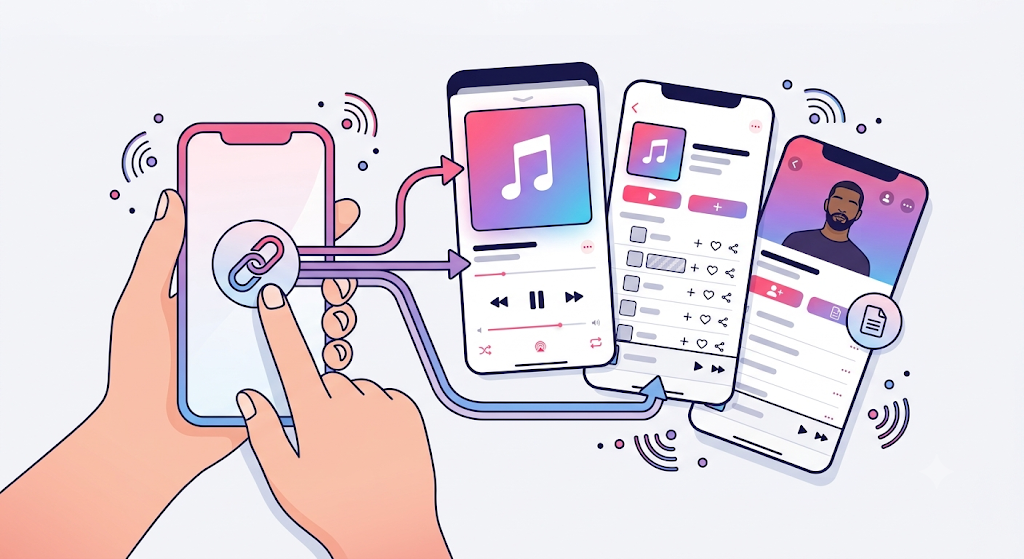
An Apple Music deep link takes a listener straight to your song, album, playlist, or artist page inside the Apple Music app, where they are already subscribed and signed in.
That distinction matters for musicians.
A signed-in listener can add your track to their library, play it in full, and follow your artist page in one tap, and a full play counts as a real stream.
A listener stuck on the web preview often only hears a short clip and takes no action.
For the full background, see our guide on what deep linking is and how it works.
How Do You Get an Apple Music Link?
Grabbing the link takes a few seconds inside the app.
Open Apple Music, find your song, album, playlist, or artist, then tap the three dots.
Choose Share, then Copy Link.
You get a URL like https://music.apple.com/us/album/ALBUM_NAME/ID.
A song link adds a track query on the end, like ?i=TRACK_ID.
This music.apple.com link is the one you share almost everywhere, because it opens the app on iOS and still works for people who do not subscribe.
What Are the Apple Music Deep Link Formats?
Every piece of Apple Music content has both a web link and a URI scheme version.
The URI version simply swaps the protocol.
| Content | Web link (opens app on iOS) | URI scheme (forces app) |
|---|---|---|
| Song | music.apple.com/us/album/name/ID?i=TRACK_ID | music://music.apple.com/...?i=TRACK_ID |
| Album | music.apple.com/us/album/name/ID | music://music.apple.com/us/album/name/ID |
| Playlist | music.apple.com/us/playlist/name/ID | music://music.apple.com/us/playlist/name/ID |
| Artist | music.apple.com/us/artist/name/ID | music://music.apple.com/us/artist/name/ID |
To build the scheme version, take any music.apple.com link and replace https with music (or musics).
The music:// version opens the app instantly on a device that has it, which is why it is used inside other apps.
The catch is the same as every URI scheme: it is not a clickable web link, so it fails in a browser, an email, or a bio when Apple Music is not installed.
For the difference between these link types, see our guide on deep links vs Universal Links vs App Links vs URI schemes.
Why Do Apple Music Links Open in the Browser Instead of the App?
This is the real question behind most searches, so here is the straight answer.
Apple Music supports universal links on iOS.
When someone taps a music.apple.com link with the app installed, it normally opens the app.
Links fail to do that in three situations:
- The link is tapped inside an in-app browser, such as Instagram or TikTok, which ignores universal links.
- The listener does not have Apple Music, so the link loads the web preview.
- The listener is on Android, where Apple Music exists but link handling is less reliable than on iOS.
The second one is out of your hands.
The first is the one that quietly costs creators the most, and you cannot fix it on your listener’s phone.
Why In-App Browsers Are the Real Problem
When you put an Apple Music link in your Instagram bio or story, tapping it opens Instagram’s own in-app browser, not Safari, and not the Apple Music app.
Your song loads as a web preview, where most listeners are not signed in.
They hear a clip instead of the full track, they cannot easily add it to their library, and many just leave.
For an artist trying to build streams, that is lost momentum on every share.
You cannot change this with device settings, because it happens on your listener’s phone.
You fix it at the link, using a deep link that forces the Apple Music app to open.
Our guide on how to get out of in-app browsers covers this problem across platforms.
How to Create an Apple Music Deep Link with Linko
Linko turns a normal Apple Music URL into a deep link that opens the app reliably, even from inside Instagram.
Here is how.
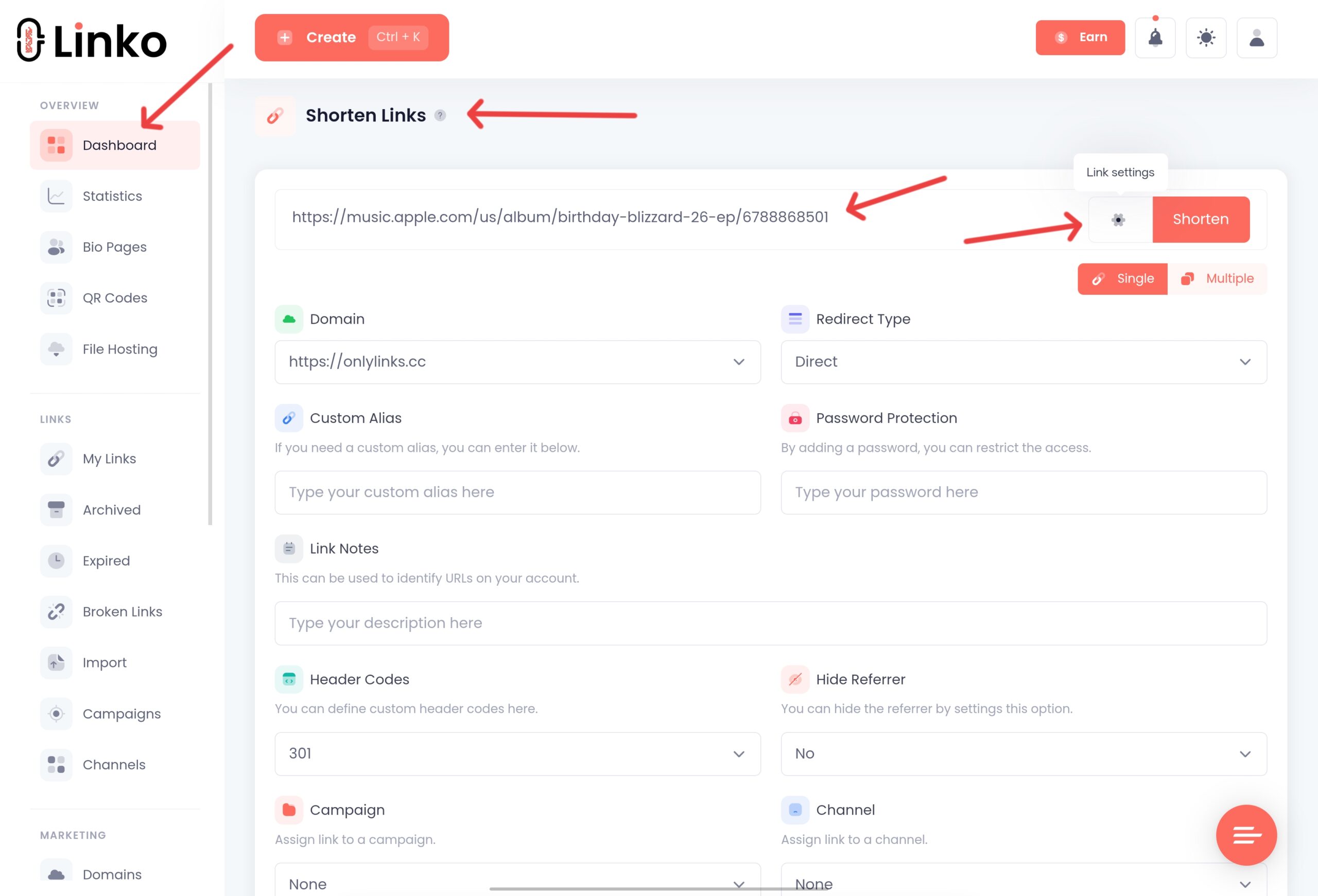
- In Apple Music, copy the share link for your song, album, playlist, or artist page.
- Paste it into Linko and open the Advanced options.
- Enable the Deep Linking toggle.
- Linko detects Apple Music and builds the app link for iPhone, iPad, and Android automatically.
- Click Shorten to get your deep link.
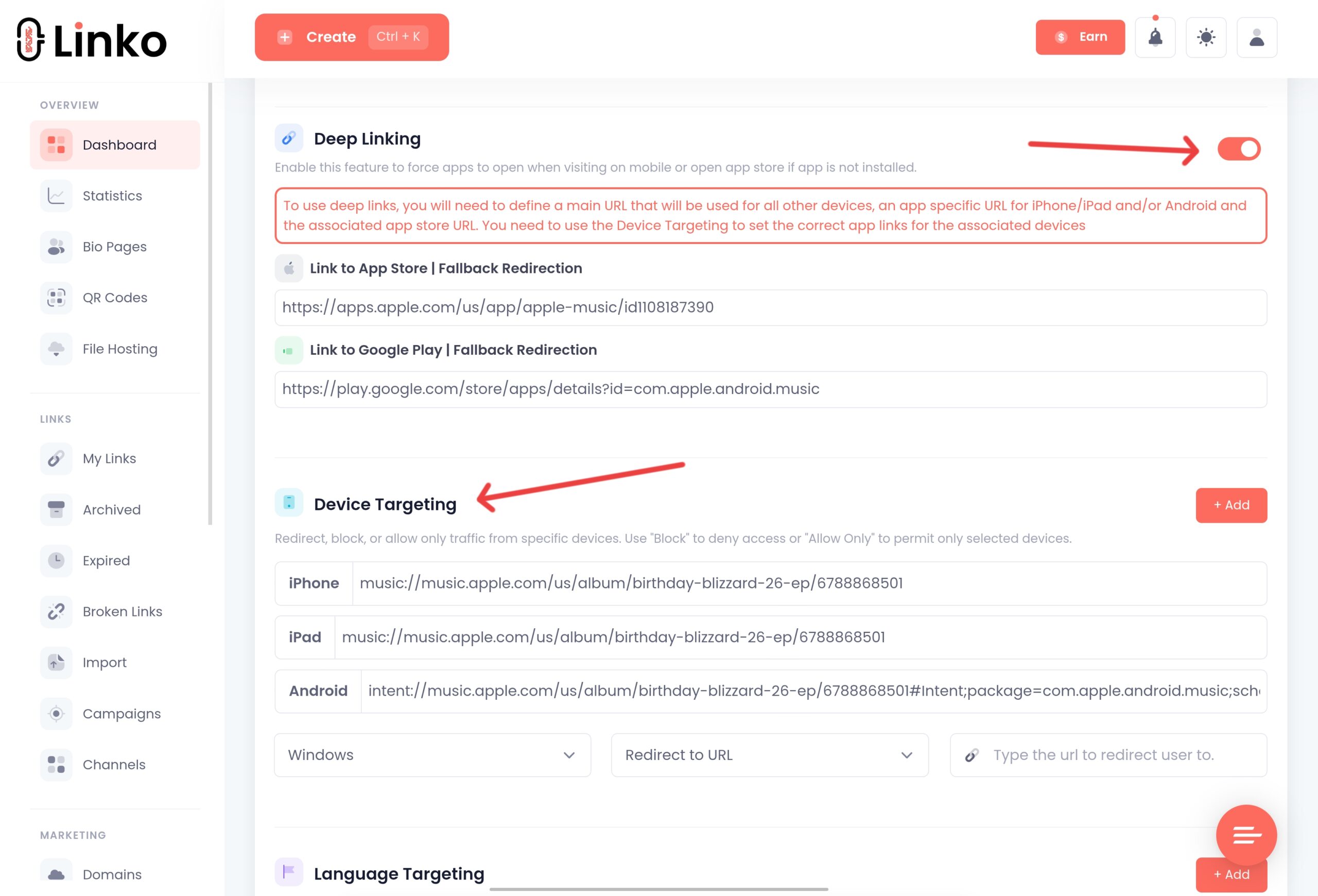
When someone taps that link, the Apple Music app opens on your exact song or artist page.
If the app is not installed, the link falls back to the web player, so no listener is lost.
Linko also automatically bypasses Instagram’s in-app browser restrictions, so links open directly instead of in Instagram’s limited browser.
Linko’s deep linking supports Apple Music songs, albums, and artists, along with around 28 other platforms.
You can see how the same setup works elsewhere in our Spotify deep link and YouTube deep link guides.
Which Linko Plan Do You Need?
Deep linking, which powers both opening the Apple Music app and the Instagram in-app browser escape, is available on Linko’s Business plan at $79 per month and the Agency plan.
You can create a free account to set up and brand your links first, then upgrade to turn on deep linking.
See the full Linko pricing breakdown for details.
For simply opening Apple Music on your own phone, you do not need a paid tool.
A standard link and the app installed is enough.
Deep linking earns its place when you share to an audience whose phones you cannot control.
Bonus: Turn Your Apple Music Link into a QR Code
For gig posters, merch, vinyl inserts, or album packaging, turn your Apple Music link into a QR code.
Anyone who scans it lands on your song or artist page in the app.
Paste your Apple Music link into Linko’s free QR code maker, choose a dynamic URL QR code, add your logo, and download it.
Because it is dynamic, you can point it at a new single later without reprinting anything.
Frequently Asked Questions
How do I make an Apple Music link open in the app?
On iOS, a standard music.apple.com link already opens the app through universal links when Apple Music is installed. To make a link that opens the app even from Instagram or TikTok, create a deep link with a tool like Linko, which forces the app to open and falls back to the web player if it is not installed.
What is the Apple Music URL scheme?
Apple Music uses the music:// scheme (and musics://). You create it by taking a music.apple.com link and replacing https with music. It opens the app directly, but it is not a clickable web link and fails for anyone without the app, so the music.apple.com URL is better for public sharing.
Why does my Apple Music link open a web preview instead of the app?
Usually because it was tapped inside an in-app browser like Instagram, or because the listener does not subscribe to Apple Music. In-app browsers ignore universal links, so the track loads as a web preview instead of opening the app.
Can I deep link to a playlist or artist, not just a song?
Yes. Apple Music supports deep links to songs, albums, playlists, and artist pages, and Linko can build a deep link for any of them.
Does Apple Music deep linking work on Android?
Apple Music has an Android app, and Linko builds the Android link automatically. Link handling is generally more reliable on iOS, but a well-built deep link still falls back to the web player for anyone without the app.
Does opening in the app really matter for artists?
Yes. In the app, a subscribed listener hears the full track, can add it to their library, and can follow you in one tap, and a full play counts as a stream. On the web preview, most listeners only hear a clip and take no action, so you lose growth.
Get Your Apple Music Links Opening in the App
If Apple Music opens in the app on your own phone, you already have what you need for personal sharing.
If you share links from your Instagram bio, stories, or campaigns, a deep link is the only way to force the app to open for your audience.
Linko creates Apple Music deep links that open the app, escape Instagram’s in-app browser, and fall back to the web player when needed.
Create your free Linko account and start building smart links today.
You can test shortening with the free URL shortener tool, then upgrade when you need deep linking.
Comments