
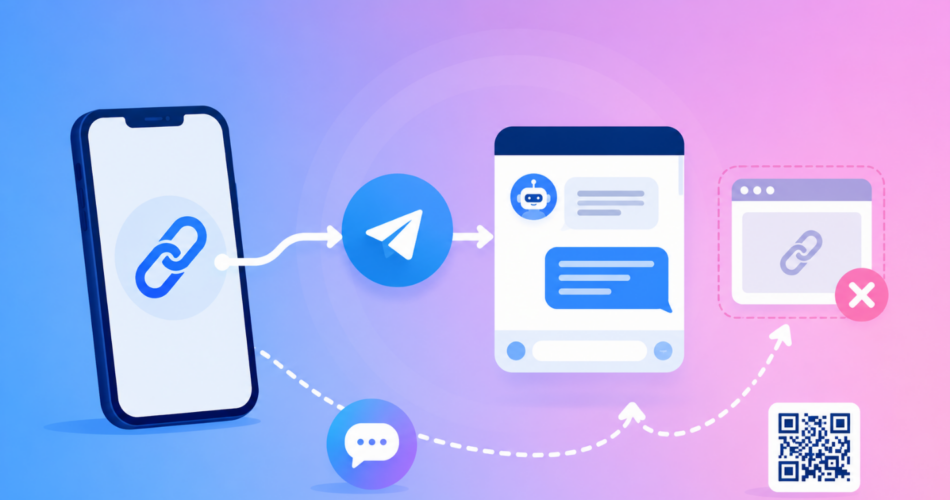
A Telegram deep link opens a specific username, channel, group, or bot directly in the Telegram app when someone taps it.
Here is the good news up front: Telegram makes this easy.
Every username already has a working link in the form t.me/username, and it opens the app on its own most of the time.
You do not need a tool to create a basic one.
This guide shows you every Telegram link format, the bot start parameter that powers referrals and onboarding, why links sometimes open in a browser instead of the app, and how to make your link branded and trackable when you share it at scale.
Key Takeaways
- The standard Telegram deep link is
t.me/username, which opens a chat with a user, channel, group, or bot in the app. - The
tg://URI scheme (for exampletg://resolve?domain=username) opens the app directly, but it is not a clickable web link and fails without the app. - Bots support a start parameter,
t.me/yourbot?start=payload, used for referral tracking, onboarding, and authentication flows. - Links break most often inside in-app browsers like Instagram, which load the web page instead of opening the app.
- A tool like Linko turns a raw
t.melink into a branded, trackable short link and helps it open the app even from Instagram.
What Is a Telegram Deep Link?
A deep link opens a specific place inside an app rather than a web page.
A Telegram deep link opens a specific chat, channel, group, or bot inside the Telegram app, where the person is already signed in.
Telegram is built around these links.
According to Telegram’s own documentation, its apps register OS handlers for both t.me links and tg:// URIs, so tapping one hands off to the app.
For the wider concept across apps, see our guide on what deep link is and how it works.
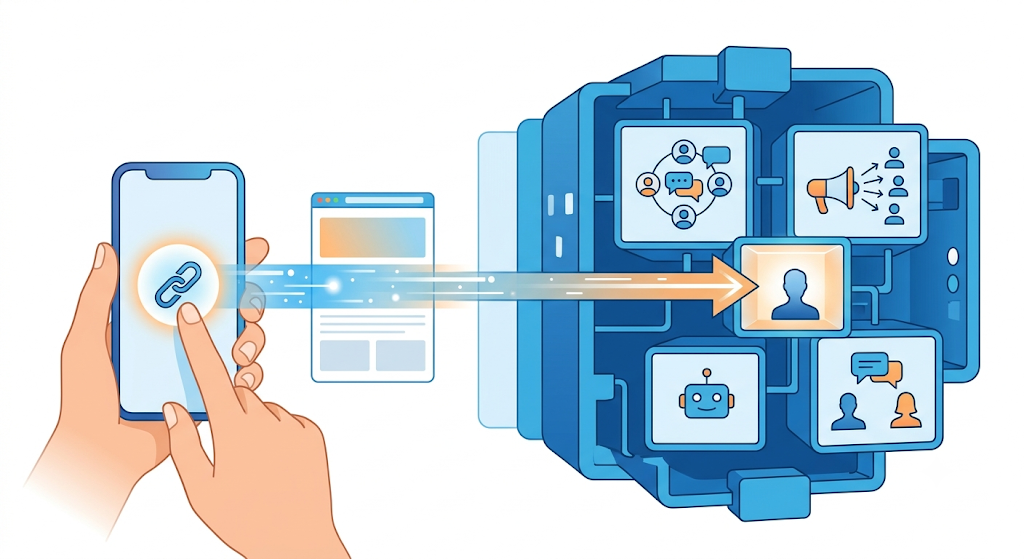
How Do You Create a Telegram Link?
This is what most people are looking for, and it takes seconds.
Telegram gives every public username a link automatically.
Take your username and add it to t.me.
If your username is YourChannel, your link is t.me/YourChannel.
The same format works for every public entity on Telegram:
- A personal account with a username
- A public channel
- A public group
- A bot
Test it on your phone.
It opens the Telegram app to that chat, and on desktop it opens Telegram Web or the desktop app.
What Are the Telegram Deep Link Formats?
There is more than one Telegram link, and each does something different.
Here is how they compare so you pick the right one.
| Goal | Link format | Best for |
|---|---|---|
| Open a username | t.me/username | The standard link for any public account, channel, group, or bot |
| Start a bot with data | t.me/yourbot?start=payload | Referrals, onboarding, authentication |
| Add a bot to a group | t.me/yourbot?startgroup=payload | Bots that work inside groups |
| Join by invite link | t.me/+InviteCode | Private channels and groups |
| Share to Telegram | t.me/share/url?url=LINK | Share buttons on a website |
| URI scheme | tg://resolve?domain=username | Opening the app from inside another app |
For almost everything public, use t.me/username.
It is the official, documented format and works on every device.
The tg:// URI opens the app instantly but is not a clickable web link, so it fails in a browser or bio when Telegram is not installed.
For that distinction, see our breakdown of deep links vs Universal Links vs App Links vs URI schemes.
How Do You Track a Telegram Bot Link or Trigger an Action?
This is where Telegram links get genuinely useful for marketing.
Bots accept a start parameter on the end of the link.
t.me/YourBot?start=summer_promo
When someone taps that link and starts the bot, Telegram passes the payload (summer_promo) to your bot.
You can use it to:
- Track which campaign or source sent each new user
- Trigger a specific welcome message or onboarding flow
- Attribute referrals to the person who shared the link
The payload must be a URL-safe string, so stick to letters, numbers, underscores, and hyphens.
Use a different value for each place you share the link, so you know what is working.
Why Does My Telegram Link Open in the Browser Instead of the App?
A t.me link normally opens the Telegram app on mobile.
When it does not, one of these is usually why:
- The link was tapped inside an in-app browser, such as Instagram or TikTok, which does not always hand off to the app.
- Telegram is not installed, so the link loads the
t.meweb page instead. - The username is wrong or the invite link expired, so there is nothing to open.
The middle one you cannot control.
The first is the one that quietly costs the most reach, and it happens on your visitor’s phone, not yours.
Why In-App Browsers Break Your Link
When you put a Telegram link in your Instagram bio or story, tapping it opens Instagram’s own in-app browser, not Safari, Chrome, or the Telegram app.
Your channel or bot loads as a web page there.
Many people never tap through to actually open the app, so you lose subscribers and bot starts you already paid to reach.
You cannot fix this with device settings, because it happens on the viewer’s phone.
You fix it at the link, using a deep link that forces the Telegram app to open.
Our guide on how to get out of in-app browsers covers this across platforms.
How to Make a Branded, Trackable Telegram Link with Linko
A raw t.me link works, but it is not branded, and it tells you nothing about how many people tapped it.
Linko fixes both and helps the app open reliably.
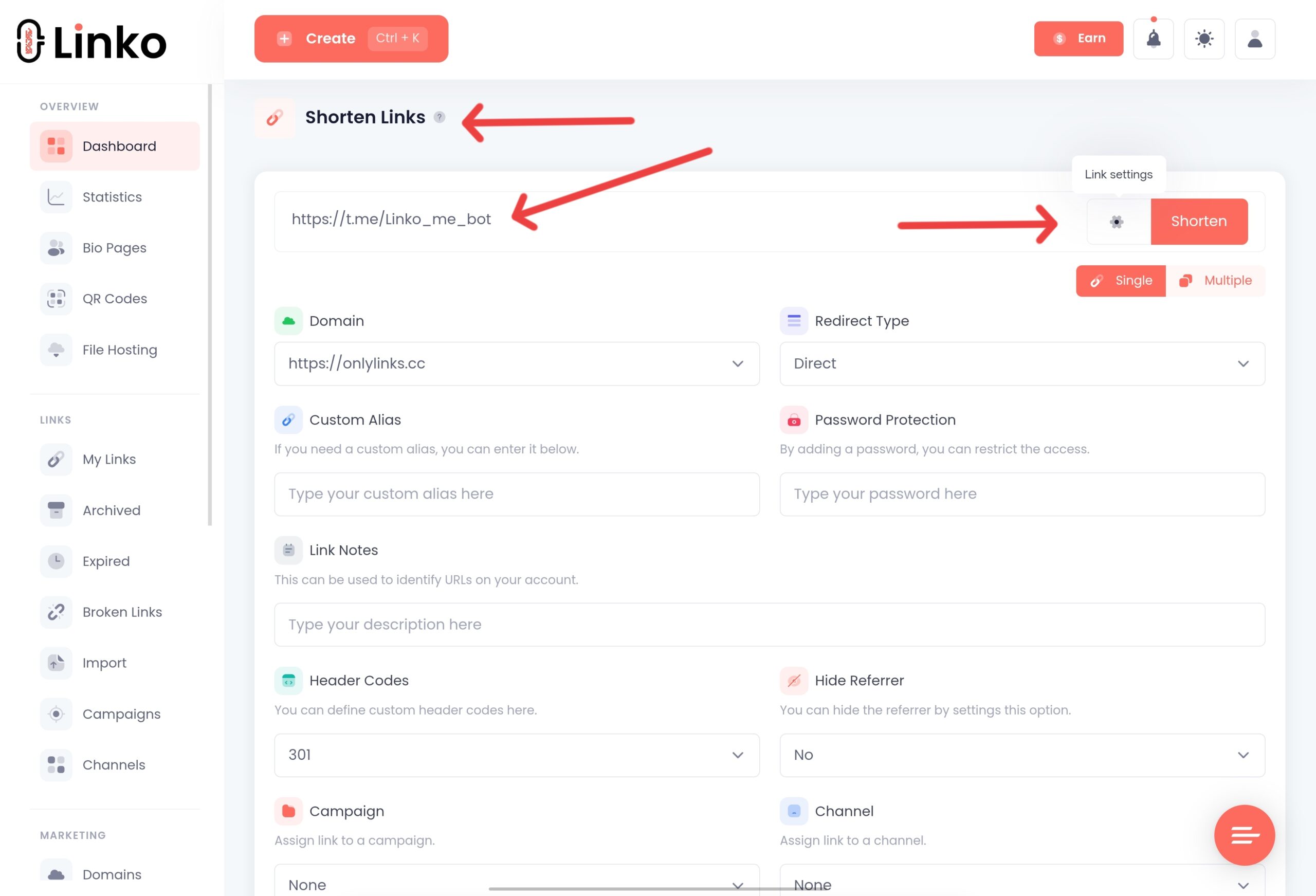
- Create your
t.melink, for examplet.me/YourChannelort.me/YourBot?start=promo. - Paste it into Linko to create a clean branded short link, such as
yourbrand.link/join. - Turn on Deep Linking so the link opens the Telegram app reliably and escapes Instagram’s in-app browser.
- Share the short link, then track clicks, locations, and devices in your analytics.
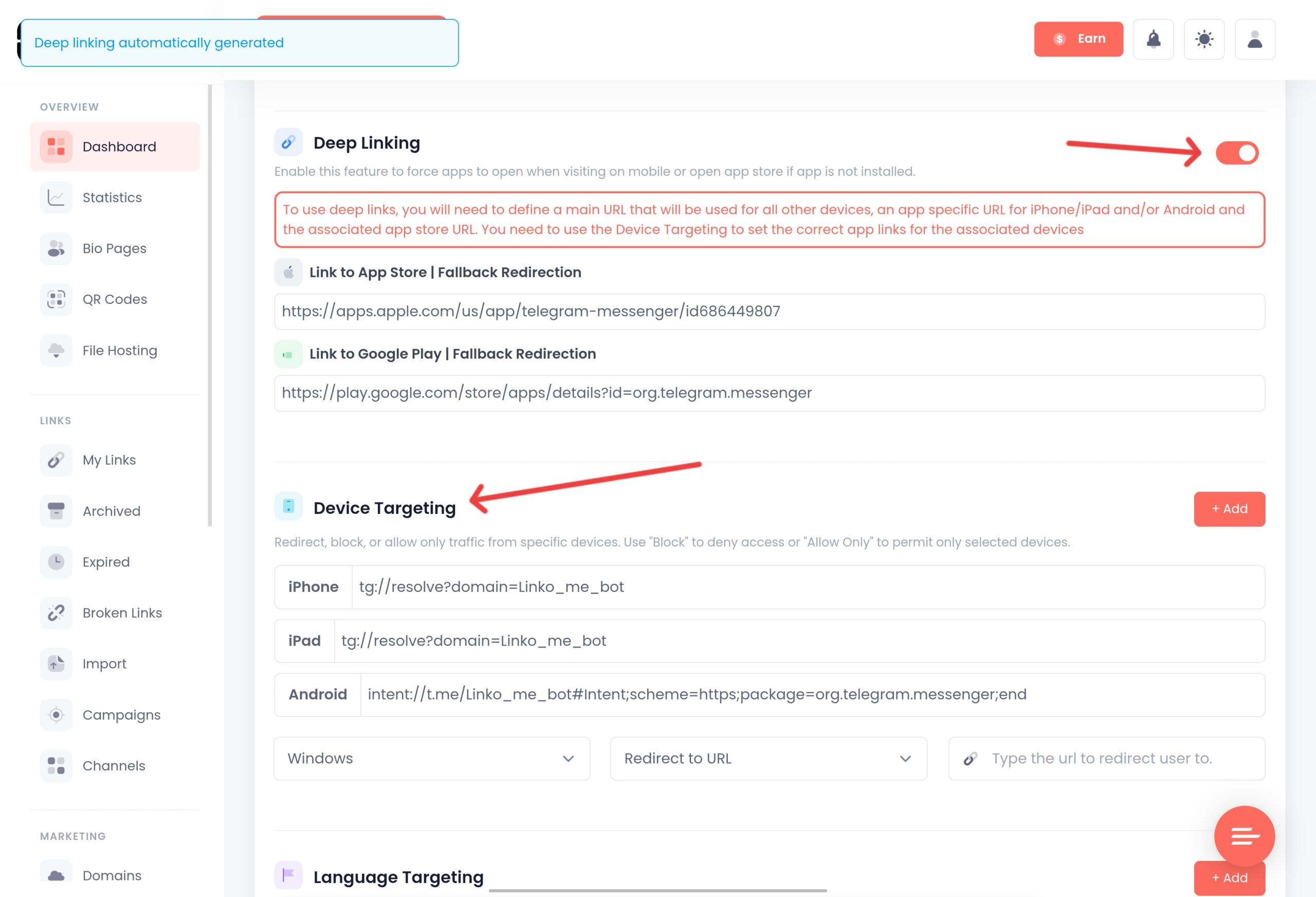
Your link is now short, on-brand, measurable, and it opens the app directly instead of getting stuck in Instagram’s browser.
Linko automatically bypasses Instagram’s in-app browser restrictions, with no configuration needed.
Linko supports Telegram deep linking among around 28 platforms.
The same approach powers our WhatsApp deep link and Messenger deep link guides.
Which Linko Plan Do You Need?
Shortening and branding a Telegram link work on a free or entry Linko plan.
To guarantee the link escapes Instagram’s in-app browser and opens the app, you need Deep Linking, available on the Business plan at $79 per month and the Agency plan.
See the full Linko pricing breakdown for details.
To be straight with you: if all you need is one plain t.me link on your website, no paid tool is required.
The free method above covers it.
Linko earns its place once you want branding, tracking, and reliable app opening across your whole marketing setup.
Bonus: Turn Your Telegram Link into a QR Code
For flyers, packaging, event signs, or a slide at the end of a talk, turn your Telegram link into a QR code.
Anyone who scans it lands in your channel, group, or bot in the app.
Paste your t.me link into Linko’s free QR code generator tool, choose a dynamic URL QR code, add your logo, and download it.
Because it is dynamic, you can point it at a different channel or bot later without reprinting anything.
Frequently Asked Questions
How do I create a Telegram link to my account?
Add your username to t.me. If your username is YourName, your link is t.me/YourName, and it opens a chat with you in the Telegram app. You need a public username set in your Telegram settings first.
What is the tg:// scheme in Telegram?
It is Telegram’s URI scheme, such as tg://resolve?domain=username. It opens the app directly but is not a clickable web link, so it fails in a browser or bio when the app is not installed. The t.me link is better for public sharing.
How do I add a start parameter to a Telegram bot link?
Append ?start= and a URL-safe value, like t.me/YourBot?start=promo. When the user starts the bot, Telegram passes that payload to your bot, so you can track the source or trigger a specific flow.
Why does my Telegram link open a web page instead of the app?
Usually because it was tapped inside an in-app browser like Instagram, or because Telegram is not installed. In-app browsers do not always hand off to the app, so the link loads the t.me web page instead.
How do I create a link to a private Telegram group or channel?
Open the group or channel, go to its settings, and create an invite link. It looks like t.me/+InviteCode. Anyone with that link can request to join, and you can revoke it later.
Do I need to pay to create a Telegram deep link?
No. The t.me link is free from Telegram. You only need a paid tool if you want a branded link, click analytics, or reliable opening from social app browsers like Instagram.
Start Getting More Telegram Opens
Your Telegram deep link already exists: it is t.me plus your username.
Create it, test it, and add it to your bio, buttons, and campaigns.
When you are ready to brand the link, track clicks, and make it open reliably from Instagram, Linko turns your t.me link into a smart, trackable short link.
Create your free Linko account and build your Telegram link today.
You can start with the free link tracker, then upgrade when you need deep linking.
Comments