
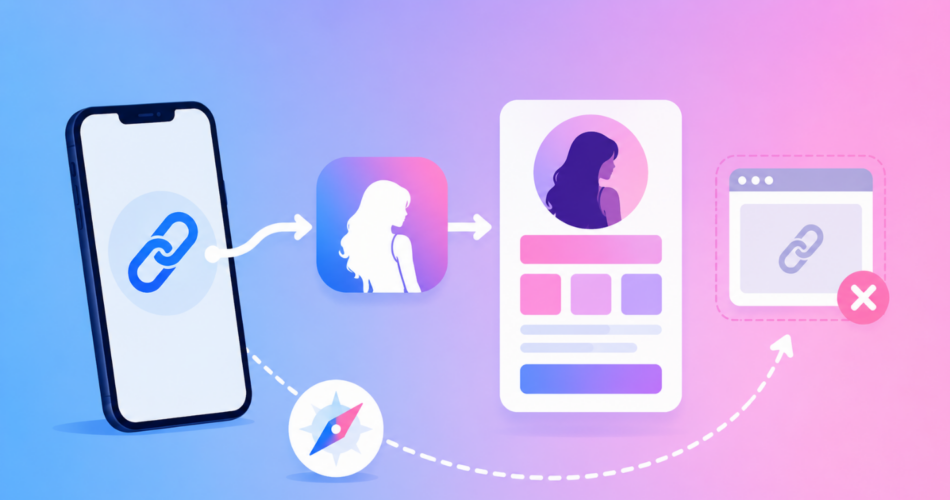
Here is the important detail most Fanvue deep-link guides miss: Fanvue does not have a native iOS or Android app.
Fanvue is a mobile-optimized website that can also be saved to a phone as a web app.
So a Fanvue deep link does not open an App Store app.
Its useful job is to take someone from Instagram’s limited in-app browser to Safari on iPhone or Chrome on Android, then load the correct Fanvue profile.
That gives fans a normal browser where they can sign in, subscribe, and return to Fanvue later without being trapped inside Instagram.
To create one, copy your Fanvue profile or tracking URL, shorten it with Linko, and enable Deep Linking.
Linko supports Fanvue Profile links and automatically handles the move out of supported in-app browsers.
Key Takeaways
- Fanvue is web-based, so a Fanvue deep link should open the profile in Safari or Chrome rather than promise to open a nonexistent native app.
- You can copy your official profile URL from your Fanvue profile page using the Copy profile link button.
- Fanvue’s own tracking links measure which promotions produce traffic and conversions; Linko adds click-level analytics before the visitor reaches Fanvue.
- Use a Fanvue tracking URL as the destination of your Linko link if you want both sets of reporting.
- Linko Deep Linking is available on the Business and Agency plans.
- A deep link does not exempt a creator from Instagram, TikTok, YouTube, or Fanvue promotion rules.
What Is a Fanvue Deep Link?
A Fanvue deep link is a shareable URL that sends a visitor to a specific Fanvue profile while improving how the link opens from social apps.
For creators, the main problem it solves is the browser between the social post and Fanvue.
Instagram normally opens website links inside its own browser.
That browser has a separate session from Safari or Chrome.
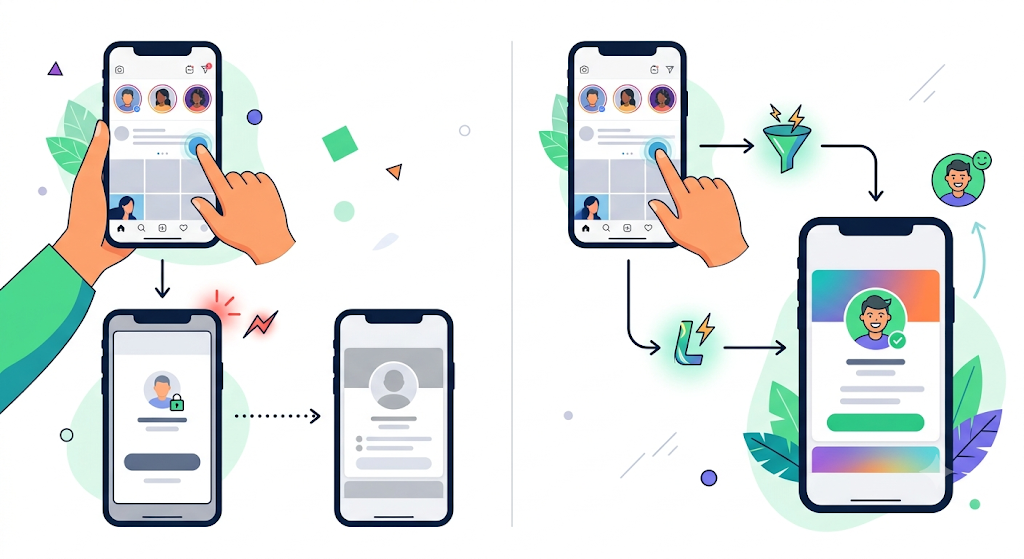
A fan who is already signed in to Fanvue in their regular browser may therefore appear logged out after tapping your bio or Story link.
They can still continue, but every extra login screen adds friction before the profile or subscription page.
Linko’s Fanvue support is designed for that path:
- A fan taps your branded short link inside Instagram.
- Linko moves the visit out of the in-app browser.
- Safari or Chrome opens your Fanvue destination.
- If the fan already has an active Fanvue session in that browser, the session can be used. Otherwise, Fanvue may ask them to sign in.
This is different from an app deep link for Spotify, Telegram, or YouTube.
Those services have native apps.
Fanvue’s official mobile guidance says it does not provide an App Store or Google Play app and instead offers a web app that users can add to their devices.
If you want the broader technical explanation, read what deep linking is and our guide to getting links out of in-app browsers.
Which Fanvue Link Should You Share?
You have three practical choices.
The best one depends on whether you only need a destination, need Fanvue conversion reporting, or also need the link to leave Instagram’s browser.
| Link setup | What it measures | How it behaves in Instagram | Best use |
|---|---|---|---|
| Direct Fanvue profile URL | Fanvue’s normal account reporting | Usually opens inside Instagram’s browser | Websites, email, or simple sharing |
| Fanvue tracking link | Traffic sources and conversions inside Fanvue | Usually opens inside Instagram’s browser | Comparing social channels and promotions |
| Linko deep link pointing to a Fanvue tracking link | Linko click analytics plus Fanvue’s conversion reporting | Moves the visit to Safari or Chrome | Instagram bios, Stories, creator campaigns, and agency reporting |
Fanvue says creators can generate unlimited tracking links to compare social posts, email campaigns, paid promotions, and other sources.
Those links are worth keeping.
Linko should sit in front of the relevant Fanvue tracking link, not replace it.
How to Create a Fanvue Deep Link with Linko
1. Copy your Fanvue profile link
Sign in to Fanvue and visit your public profile.
Copy the URL from the browser, or select Copy profile link next to your profile picture.
Fanvue documents both methods in its profile-link instructions.
Open the copied URL in a private browser window before using it anywhere.
This confirms that it reaches the public profile rather than a creator dashboard, settings page, or signed-in-only screen.
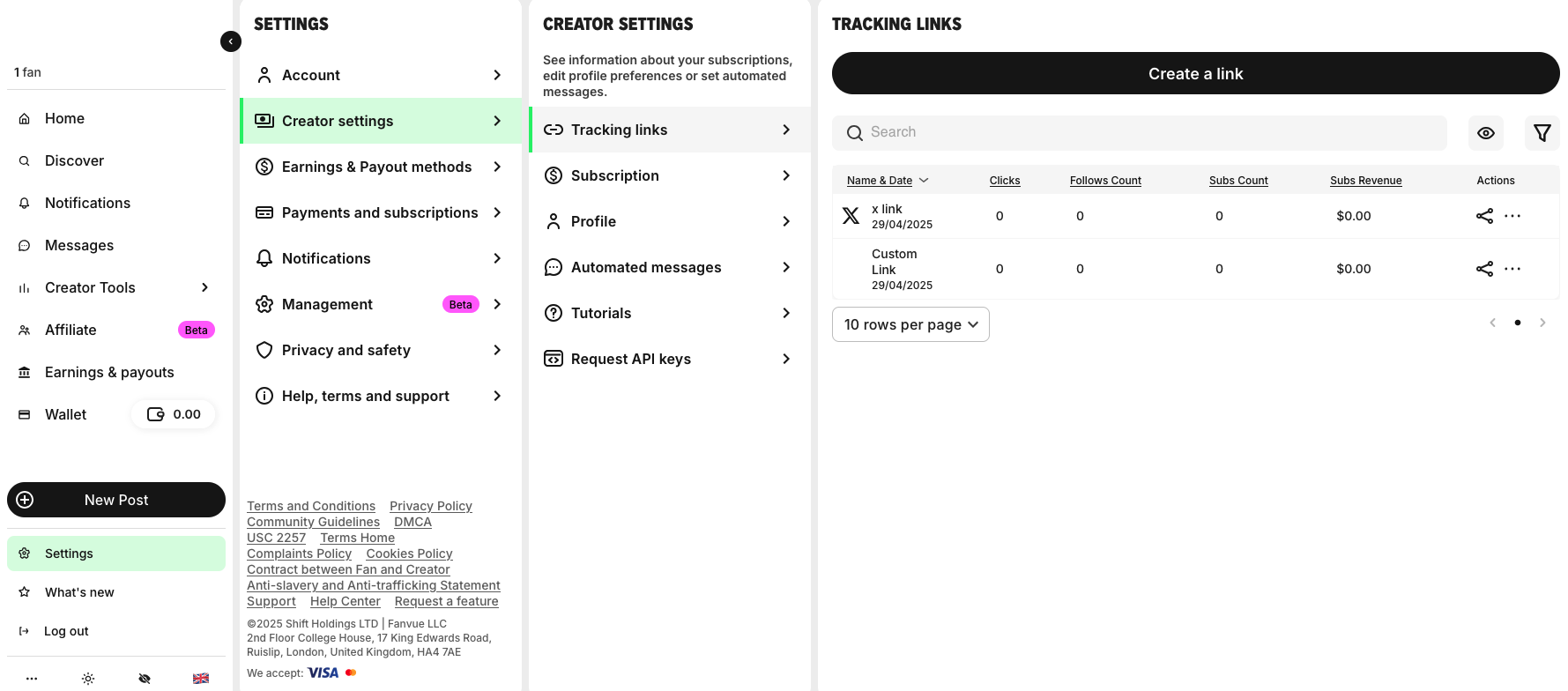
2. Decide whether you need a Fanvue tracking link
If you want to know whether a visitor came from Instagram, X, Reddit, email, or a particular campaign, create a tracking link in Fanvue first.
Give it a clear name such as instagram-bio, summer-story, or reddit-profile.
Use that tracking URL as the destination in Linko.
Fanvue can then attribute its on-platform results to the campaign while Linko reports what happened at the click.
3. Create the short link in Linko
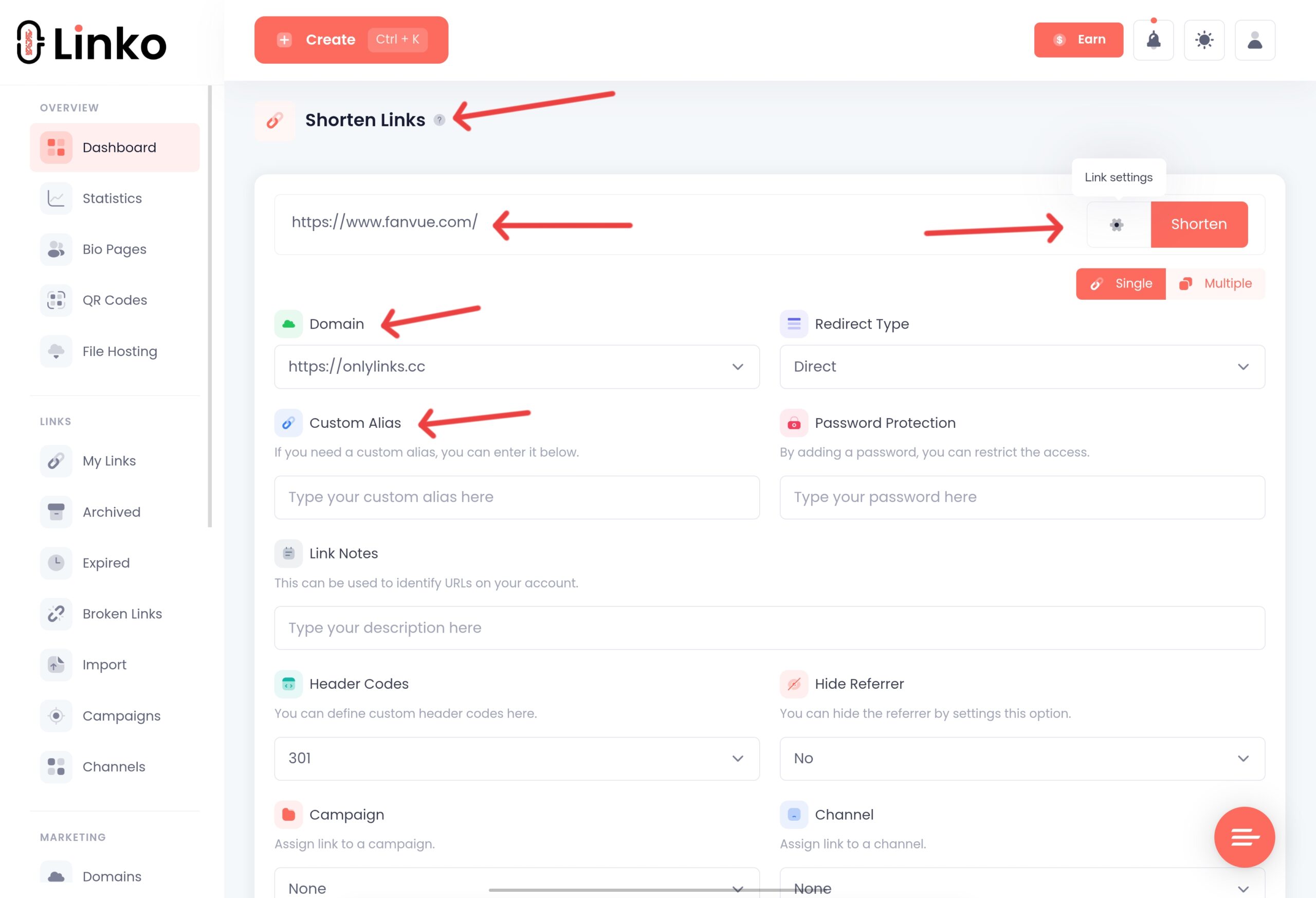
Sign in to Linko, paste the Fanvue profile or tracking URL into the destination field, and but yet do not create the short link.
Choose a readable alias instead of a random string when the link will appear in a public bio.
For example, a branded path such as yourdomain.com/vip is easier to recognize, say aloud, and reuse than a long campaign URL.
You can use a Linko premium domain or connect your own custom domain.
4. Enable Deep Linking
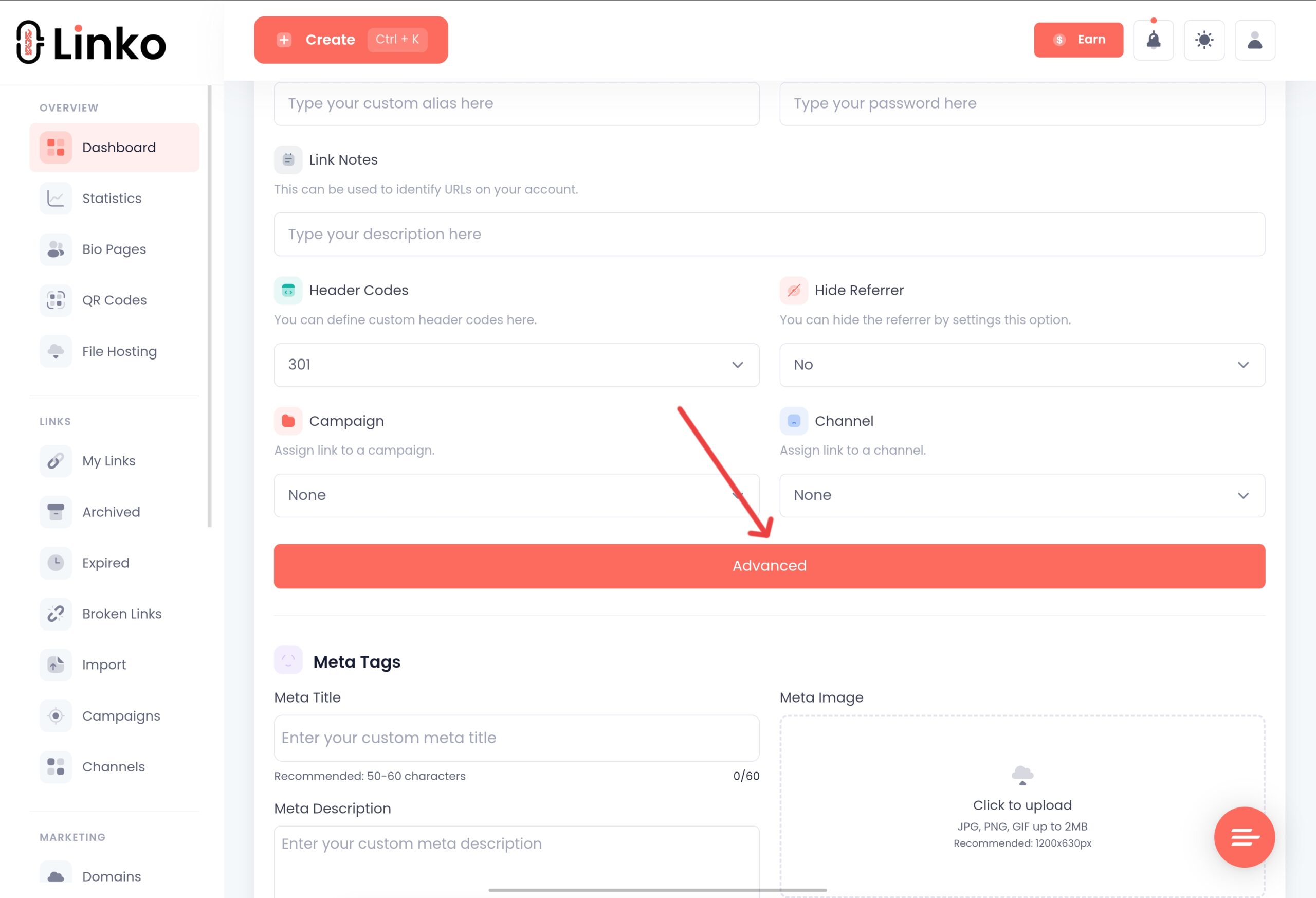
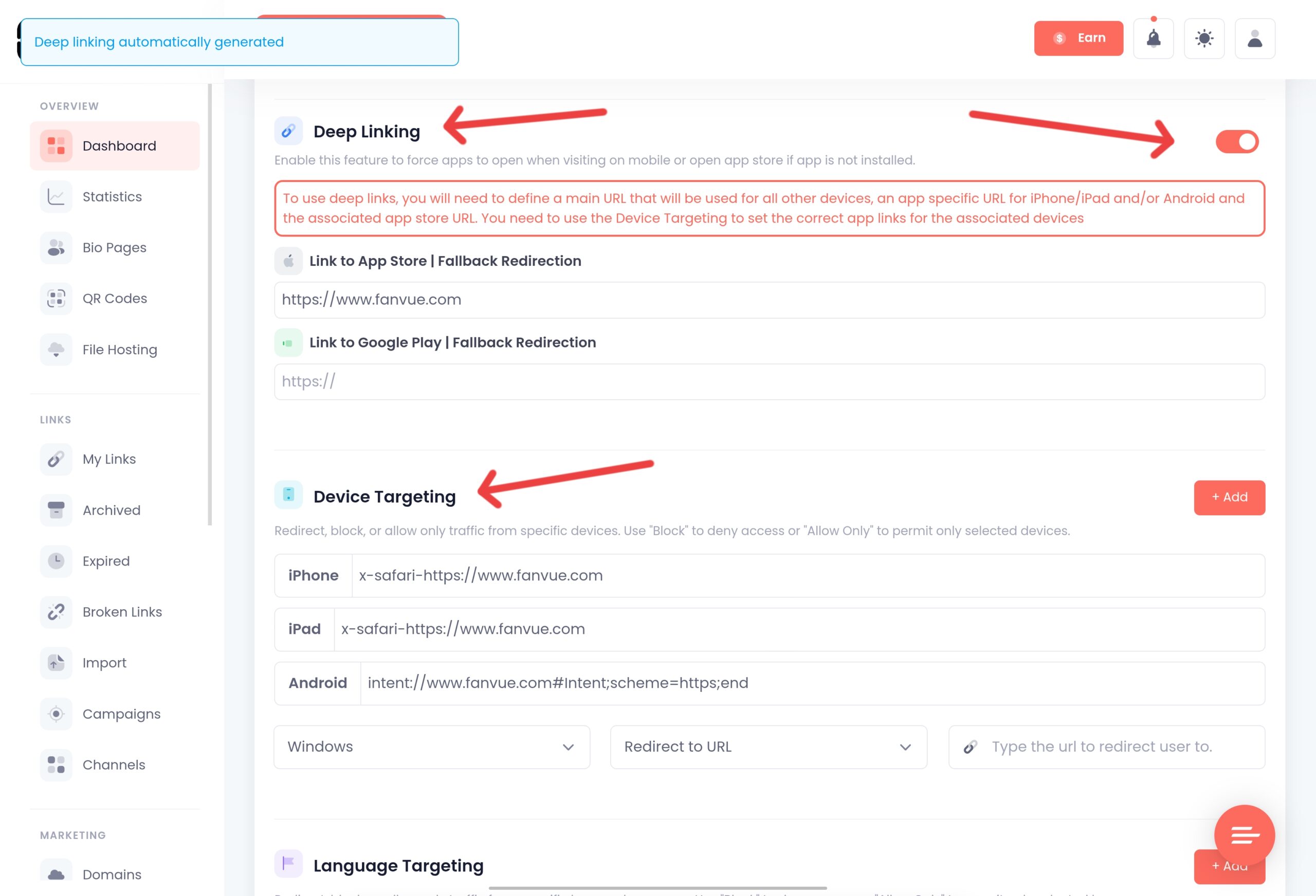
Open the link’s advanced options and turn on Deep Linking.
Linko recognizes Fanvue Profile as a supported platform and configures the browser-exit behavior automatically.
You do not need to build an iOS URI scheme, Android intent, or separate fallback URL.
Fanvue is web-based, so Safari or Chrome is the intended destination.
5. Test the full route
Do not test only by pasting the link into Safari.
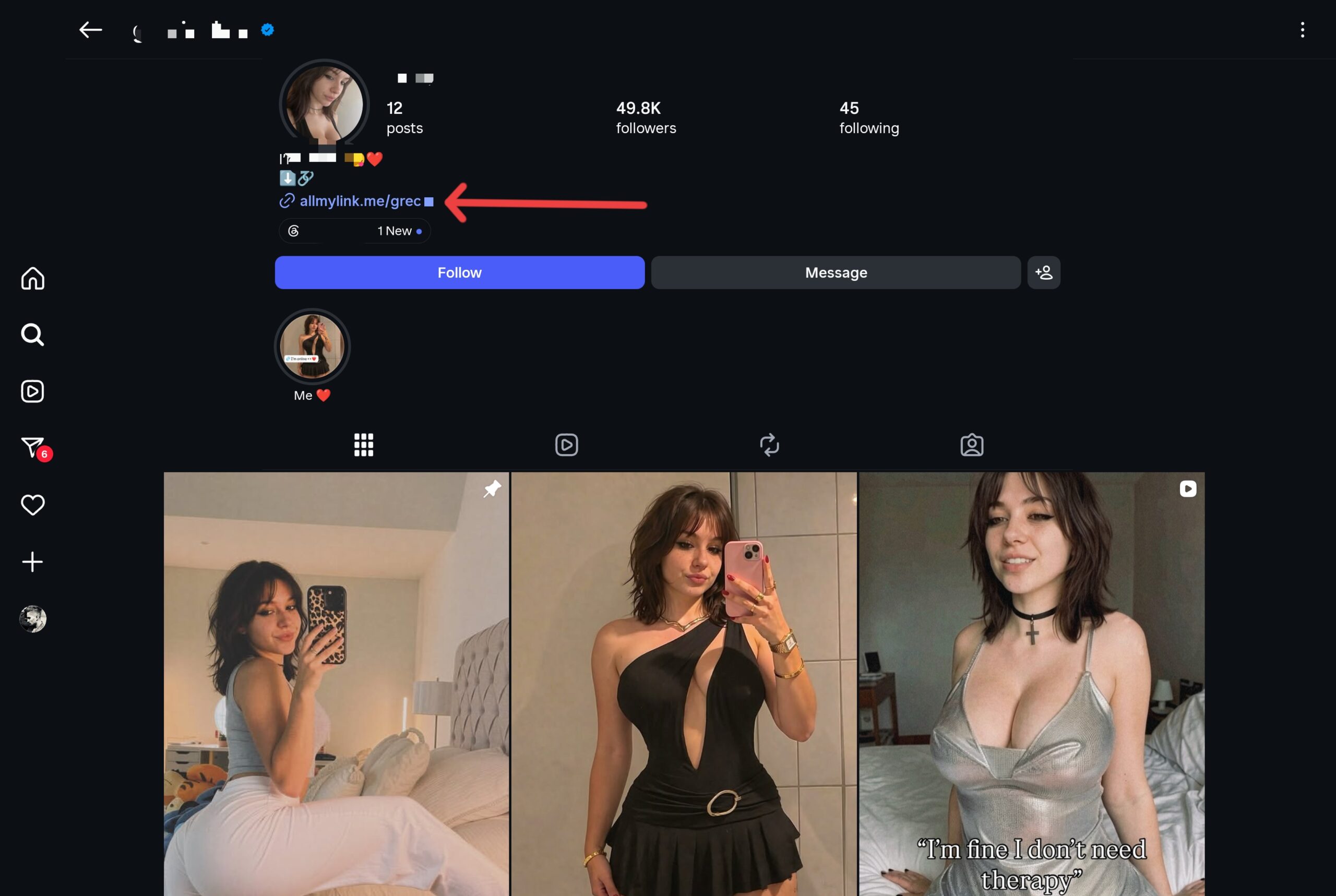
Send it to a private Instagram account or place it temporarily in a test bio, then tap it from inside the Instagram mobile app.
- On iPhone, confirm that the destination opens in Safari.
- On Android, confirm that it opens in Chrome or the user’s chosen browser.
- Confirm that the correct public Fanvue profile loads.
- If you used a Fanvue tracking URL, confirm that the campaign remains identifiable in Fanvue.
- Check the click in Linko analytics after reporting has updated.
Deep Linking is available on Linko’s Business and Agency plans.
A standard short link can still be created on lower plans, but it will not provide the same in-app-browser exit. Compare the current options on the Linko pricing page.
Use Fanvue and Linko Tracking Together
Fanvue and Linko answer different questions.
Combining them gives you a more complete campaign view without pretending that an external shortener can see private subscription activity inside Fanvue.
| Question | Use Linko | Use Fanvue |
|---|---|---|
| How many times was the short link clicked? | Yes | Use its available tracking reporting |
| Which country, device, browser, language, or referrer generated the click? | Yes | Not the main purpose of Fanvue tracking links |
| Which campaign produced a Fanvue conversion? | No direct access to private Fanvue conversion data | Yes, with a Fanvue tracking link |
| Did the visitor leave Instagram’s in-app browser? | Handled by Deep Linking | No |
A sensible naming system keeps those reports aligned.
If the Fanvue campaign is called instagram-story-july, use the same campaign name in your Linko alias or UTM values.
Linko supports manual UTM parameters on Starter and above, while reusable UTM templates are available from Pro upward.
You can also add a tracking pixel to the short-link flow on eligible plans.
That can help measure and build audiences at the link stage, but it does not install a pixel on Fanvue or grant access to Fanvue’s private subscription data.
Follow both the advertising platform’s rules and Fanvue’s policies. Our guide explains how link retargeting pixels work.
Where a Fanvue Deep Link Helps Most
Instagram bios and Stories
This is the strongest use case.
Both profile links and Story stickers normally open in Instagram’s browser.
A Fanvue deep link reduces that browser friction and gives the visitor a regular Safari or Chrome session.
Fanvue’s own social conversion guide recommends using a link aggregator or shortener with the Fanvue destination first.
It also advises giving the link a clear label rather than making visitors guess where it goes.
TikTok and YouTube
A branded link can make the destination easier to recognize, but link technology does not override content or promotion policies.
Fanvue reminds creators that Instagram, TikTok, and YouTube restrict adult content, so use safe-for-work promotional material and follow each platform’s current rules.
X and Reddit
A direct Fanvue URL may already be enough when the platform sends visitors into their normal browser.
Linko is more useful here when you need a branded domain, consistent campaign analytics, country or device routing, or one manageable link that can be updated later.
Email, websites, and QR codes
These channels usually do not create the same Instagram-browser problem.
The benefits are instead shorter URLs, campaign reporting, and destination control.
For printed cards, event materials, or merchandise inserts, create a QR code that points to the same managed link.
Fanvue’s Creator Advertising and Promotion Policy permits profile promotion through social media, personal websites, blogs, email newsletters, search engines, and paid traffic platforms, subject to the external platform’s terms.
It also prohibits spam, deceptive traffic generation, and misleading promotion.
Useful Linko Options for Fanvue Campaigns
Deep linking fixes the opening path.
The same managed link can also support more advanced campaign needs:
- Custom and premium domains: use a recognizable domain
allmylink.meand readable alias instead of exposing a long campaign URL. - Click analytics: compare countries, devices, browsers, languages, operating systems, and referring sources.
- Country, language, and device targeting: send different audiences to the most relevant approved destination.
- A/B testing: split traffic between two Fanvue offers or profile destinations and compare results using appropriate tracking links.
- IP targeting: include or exclude defined IP audiences when a controlled campaign requires it.
- Broken-link management: detect and repair destination problems before an old bio or campaign link keeps sending visitors to a dead page.
- UTM templates: keep naming consistent across creators, channels, and promotions.
- Creation tools: create and manage links through Linko’s dashboard, Chrome extension, Telegram bot, or API, depending on your workflow.
Do not turn on every option just because it exists.
A solo creator may only need a branded link, Deep Linking, and analytics.
Agencies managing several profiles benefit more from templates, targeting, link-health monitoring, shared workflows, and automation.
What a Fanvue Deep Link Cannot Do
A deep link improves navigation; it is not a moderation workaround or a guarantee of subscriptions.
- It cannot make prohibited promotional content acceptable on Instagram, TikTok, YouTube, or another platform.
- It cannot guarantee that a fan is already signed in to Fanvue in Safari or Chrome.
- It cannot open a native Fanvue mobile app because Fanvue does not provide one.
- It cannot give Linko access to private Fanvue subscription or revenue data.
- It cannot fix an incorrect, removed, suspended, or private destination profile.
Use transparent link labels, truthful promotion, and an authentic Fanvue destination.
A branded short URL should make the route clearer, not disguise the destination link where the visitor is going.
Troubleshooting Fanvue Deep Links
The link still opens inside Instagram
Confirm that Deep Linking is enabled on the Linko link and that the destination is a valid public Fanvue profile or tracking URL.
A normal shortened link without Deep Linking will still follow the social app’s default browser behavior.
Fanvue asks the visitor to sign in
Opening Safari or Chrome can restore an existing browser session, but it cannot create one.
If the visitor has never signed in to Fanvue in that browser, has cleared cookies, or uses private browsing, Fanvue may correctly show its sign-in flow.
The wrong Fanvue page opens
Edit the Linko destination and paste the public profile URL again. Test it while signed out.
Creator dashboards and account pages may look correct to you while failing for everyone else.
Clicks appear in Linko but not as Fanvue conversions
A click is not the same as a subscription.
Confirm that the Linko destination is the specific Fanvue tracking link for that campaign, then review conversion reporting inside Fanvue.
Linko reports the visit to the managed link; Fanvue reports what happens on Fanvue.
You changed your Fanvue URL
Update the destination behind the existing Linko link instead of replacing the bio URL everywhere.
This is one of the main advantages of using a managed short link: old posts, QR codes, and profile placements can continue using the same public address.
When a Normal Fanvue Link Is Enough
You do not need a deep link for every Fanvue share.
Use the direct profile URL when you are sending it privately, placing it on a website, or posting somewhere that already opens links in Safari or Chrome and when you do not need branded click reporting.
Use a Linko Fanvue deep link when the route itself is the problem: an Instagram bio or Story opens a separate in-app browser, campaign URLs are too long, or several channels need consistent analytics and destination management.
That distinction keeps the setup practical.
The goal is not to add another redirect to every click.
It is to remove a specific point of friction when the simpler link falls short.
Frequently Asked Questions
Does Fanvue have deep links?
Fanvue provides public profile links and native tracking links. Because Fanvue has no native iOS or Android app, a creator-focused Fanvue deep link normally means a managed link that opens the correct profile in Safari or Chrome instead of a social app’s in-app browser.
How do I get my Fanvue profile link?
Open your public profile in Fanvue and either copy the browser URL or select Copy profile link beside your profile picture. Test the copied link while signed out before publishing it.
How do I open a Fanvue link in Safari from Instagram?
Create a Linko short link with your Fanvue profile or tracking URL as the destination, then enable Deep Linking. When the supported browser-exit flow is triggered from Instagram on iPhone, the Fanvue page opens in Safari rather than remaining inside Instagram’s browser.
Can a Fanvue deep link open the Fanvue app?
Not a native App Store or Google Play app. Fanvue’s official help center says the service is web-based and offers a web app that users can add to their phone. A Fanvue deep link should therefore promise Safari or Chrome, not a native-app opening.
Should I use my Fanvue profile link or a Fanvue tracking link?
Use a Fanvue tracking link for public campaigns when you want source and conversion reporting. Place that tracking URL behind the Linko deep link so Fanvue can measure campaign outcomes while Linko handles browser exit, branding, and click analytics.
Will a short link prevent social-media bans?
No. A short or branded link does not override a platform’s community guidelines, and it should not be used to conceal prohibited content. Follow the rules for the social network, keep promotional material appropriate for that channel, and describe the destination honestly.
Which Linko plan includes Fanvue deep linking?
Fanvue Profile deep linking is available on Linko’s Business and Agency plans. Other capabilities have their own plan requirements, so check the current pricing page before choosing a plan.
Test the Fan’s Route, Not Just the URL
A Fanvue profile link can be technically correct and still create a poor journey inside Instagram.
The useful test is simple: tap the same link where a fan will tap it, confirm that Safari or Chrome opens, and make sure the public profile, not a dashboard or login-only page, is waiting at the end.
If that route is where your campaign loses people, create a Linko account, place your Fanvue profile or tracking URL behind a managed link, and enable Deep Linking.
Keep Fanvue’s native tracking for conversions and use Linko for the click path leading there.
Creators who also publish on OnlyFans can compare the browser behavior in our guide to opening OnlyFans links in Safari from Instagram.
Comments