
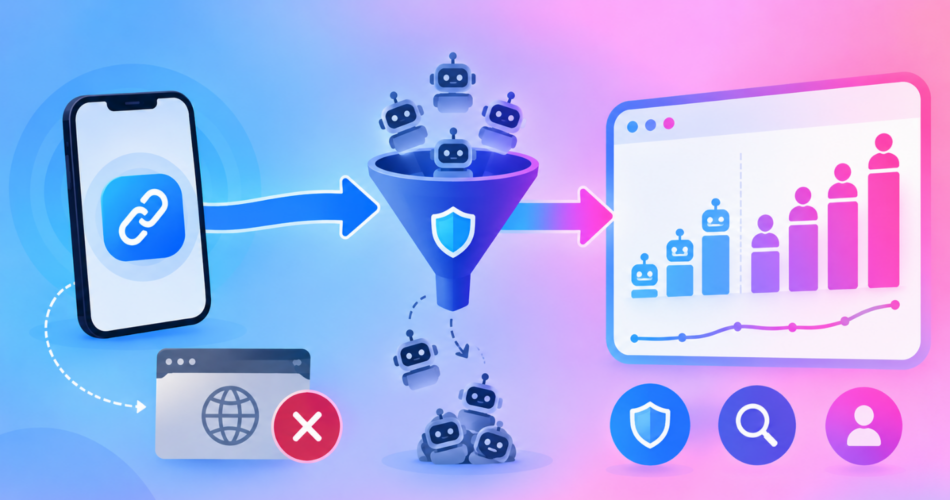
If your link shows 1,000 clicks but nothing is happening on the other end, a big share of those clicks were probably never people.
Bot traffic is any click made by software instead of a human.
Crawlers, security scanners, and automated scripts all hit your links, and most link tools count them as clicks by default.
This is not a small rounding error.
Real creators have shared numbers like 1,820 clicks that dropped to 640 once bots were removed, and 1,564 visitors that became 953.
That is between a third and two thirds of the total.
Here is how to tell which clicks are fake, how to filter them out, and what to do about the fact that no filter is perfect.
Key Takeaways
- More than half of all web traffic is now automated, so bots in your link stats are normal, not a sign something is broken.
- A brand new link gets hit by bots almost immediately, which is why fresh links often look busy but produce nothing.
- The clearest warning sign is clicks with no matching result: no sales, no signups, no subscribers.
- Use a tool that separates human clicks from bot clicks instead of showing you one blended total.
- No filter is perfect. Blocking bots also blocks a small number of real people, so know the tradeoff before you turn it on.
What Is Bot Traffic in Link Analytics?
Bot traffic is a visit from a program, not a person.
The program opens your link, and your analytics tool records that as a click.
Most bots are not attacking you. They are just doing their job, and your link happens to be in the way.
The scale is bigger than most people expect.
According to the 2026 Thales Bad Bot Report, bots made up more than 53% of all web traffic in 2025, up from 51% the year before, while human activity fell to 47%. About 40% of that automated traffic was classified as malicious.
So if you feel like half your clicks are not real, you are not being paranoid.
Across the whole internet, more than half of the traffic genuinely is not human.
For wider context on click volumes and how link data behaves, our roundup of URL shortener statistics collects the current figures in one place.
Why Does a Brand New Link Get So Many Bot Clicks?
This catches almost everyone.
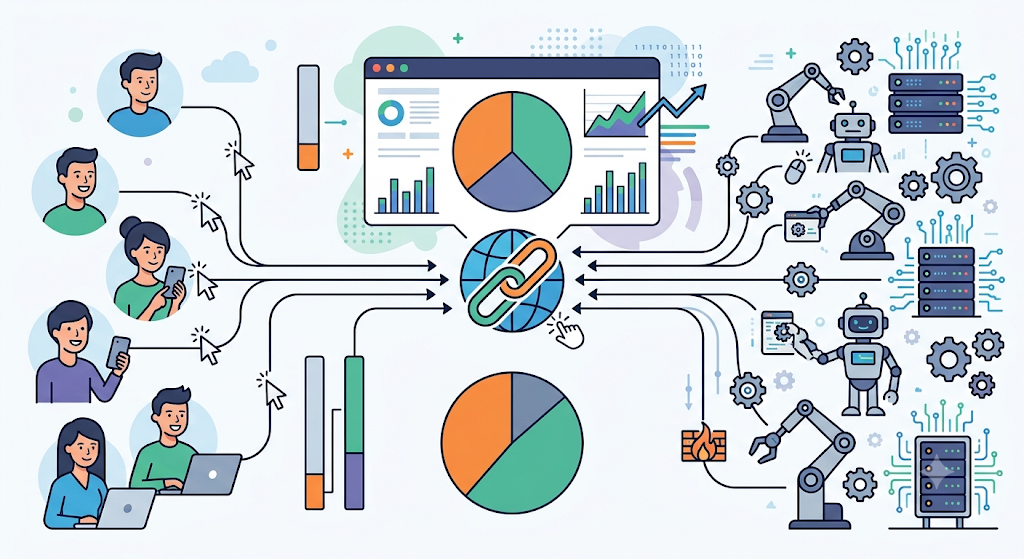
You create a link, put it in your bio, and it shows clicks within minutes even though nobody has seen your post yet.
That happens because posting a link publicly is an invitation.
Automated systems find new links fast and open them to check what is there.
On a new link with little real traffic, bots can be nearly all of your clicks.
The percentage looks terrifying because the total is tiny, not because something is wrong.
What to do about it:
- Ignore the first day or two of stats on any new link.
- Judge the link once real visitors start arriving.
- Compare weeks, not hours.
The ratio settles down on its own as human traffic grows.
What Kinds of Bots Are Clicking Your Links?
Not all bots are the same, and knowing which is which helps you stop worrying about the harmless ones.
Link preview bots
When you paste a link into a chat app or social post, the app fetches the page to build that little preview card with a title and image.
Meta documents this openly. Its crawler fetches the page to gather the title, description, and thumbnail whenever a link is shared.
Messaging and chat apps do the same thing.
These are harmless.
They are also unavoidable, because without them your links would have no preview at all.
Search engine crawlers
Search engines follow links to understand the web.
They identify themselves and generally behave politely.
Security and safety scanners
Social platforms, email providers, and antivirus tools open shared links to check whether they are dangerous.
Every time your link is shared somewhere new, a scanner may look at it.
Scrapers and data collectors
These copy information at scale.
They often use datacenter servers rather than home internet connections, which is one way filters catch them.
AI agents
This category is new and growing fast.
The Thales research describes AI agents as a third type of traffic alongside good bots and bad bots, and found AI-driven bot attacks rose 12.5 times in a single year.
Abusive automation
Click fraud, credential stuffing, and spam tools. This is the group worth actively blocking.
How Do You Tell If Your Clicks Are Fake?
You rarely get a label saying “this was a bot.” You look for patterns instead.
Clicks with no results
This is the strongest signal by far.
Hundreds of clicks and zero sales, signups, or subscribers usually means the clicks were not people.
Real traffic produces something. Even bad real traffic produces a little.
Impossible timing
One creator described clicks landing every tenth of a second from the same place.
No human taps that fast.
Look for clicks in perfectly even intervals, or dozens arriving in the same second.
A spike with no cause
If clicks jump but you did not post anything, get shared, or run an ad, something automated found your link.
Traffic from places you do not serve
A sudden wave from countries you never target is worth a look, though be careful here.
Real people use VPNs, so location alone does not prove anything.
Odd device or browser patterns
Many visits from unusual browsers, very old browser versions, or no browser information at all is a common bot pattern.
Any one of these alone might be innocent.
Two or three together is a strong sign.
Why Do Your Link Clicks Never Match Google Analytics?
This confuses a lot of people, and the answer is simpler than it looks.
The two tools count different things, and one of them hides its work.
Google Analytics filters bots automatically.
Its official documentation confirms that traffic from known bots and spiders is excluded using Google research plus the International Spiders and Bots List from the Interactive Advertising Bureau.
Two details matter enormously:
- You cannot turn that filtering off.
- You cannot see how much traffic was removed.
So your link tool may show every click including bots, while Google Analytics silently drops the obvious ones.
The gap you are seeing is often the bots, not a tracking bug.
There is a second reason too.
A click on your link is not the same as a page load on the destination.
People close the tab, lose signal, or bounce before the page finishes loading, so the destination always reports fewer visits.
| What it measures | Your link tool | Google Analytics |
|---|---|---|
| Counts | Clicks on the link | Page loads on the site |
| Known bots | Shown or filtered, depending on the tool | Always removed automatically |
| Can you see what was filtered? | Yes, in tools that separate the two | No |
| Typical result | Higher number | Lower number |
Expect the two to differ. Worry when the gap is enormous or changes suddenly.
How Do Filters Actually Separate Bots From People?
You do not need to understand the engineering, but knowing the basic checks helps you judge any tool you pay for.
Filters look at signals like these:
- Self-identification. Many bots announce themselves in the request, and known names can be matched against published lists.
- Where the visit came from. Traffic from datacenter servers is suspicious, because normal people browse from home internet or mobile networks.
- Known bad addresses. Lists of IP addresses with a history of abuse.
- Speed and repetition. Too many visits too quickly from one source.
- Duplicate visits. The same visitor counted once instead of ten times.
- Missing or strange technical details. Real browsers send a predictable set of information, and bots often do not.
The advertising industry splits this into two buckets, and the distinction is genuinely useful.
The IAB and Media Rating Council guidelines call the easy cases general invalid traffic, meaning known bots caught by list checks, and the hard cases sophisticated invalid traffic, meaning automation built to look human.
Plain version: the obvious bots get caught reliably, and the ones designed to fool you sometimes get through.
Any tool claiming to catch everything is overselling.
What Should You Do About Bot Clicks?
Filtering and blocking are two different decisions, and mixing them up causes problems.
Filtering: clean up the numbers
Filtering means the bot still reaches your destination, but you do not count it as a real click.
This is safe, and any tool worth using does it for you rather than making you enable it.
What you want is a tool that shows both numbers separately, so you can see human clicks and still tell that bot activity is happening.
Blocking: stop the visit entirely
Blocking means suspicious visitors never reach your destination.
This is useful on strict social platforms where you do not want automated systems inspecting your page.
But blocking has a real cost, covered in the next section.
Exclude yourself
Your own testing inflates your stats.
Excluding your own IP address gives you cleaner data, and it is the single easiest fix most people skip.
Organizing links by campaign also helps, because a bot wave hitting one link is easier to spot when your links are grouped sensibly.
Our guide to managing and organizing short links covers that setup.
Fix your measurement, not just your filter
Judge links by outcomes rather than clicks.
Sales, signups, and subscribers cannot be faked by a crawler.
Tag your links so you know which channel each visit came from.
Our guide to creating UTM tags walks through that, and it makes bot patterns much easier to spot because fake traffic often shows up with no source at all.
If you are starting from scratch, the walkthrough on creating free tracking links covers the setup that makes any of this measurable.
Can Bot Blocking Block Real People Too?
Yes. This is the part most tools do not tell you, so here it is plainly.
Any system that blocks suspicious traffic will occasionally block a genuine visitor.
The reason is that some real people look suspicious by the same signals bots do.
The usual causes:
- VPNs. Plenty of people browse through a VPN, especially for privacy-sensitive content.
- Public Wi-Fi. Cafe, airport, and hotel networks are shared by many users, so their reputation is often poor.
- Corporate and school networks. Traffic gets routed through central servers that look like datacenters.
- Privacy browsers and strict settings. Blocking trackers can also strip the signals that prove you are human.
The number caught this way is small, and for most people the safety benefit is worth it.
But “small” is not “zero,” and you should decide with that in mind rather than assuming a filter only ever catches robots.
How to keep the cost low:
- Turn blocking on and watch your outcomes, not your click count, for two weeks.
- If sales or signups drop while clicks look similar, you may be blocking real buyers.
- If your audience is likely to use VPNs heavily, be more cautious.
- Filter your reporting always, and block selectively where platform safety actually matters.
How Does Linko Handle Bot Traffic?
Linko separates the two jobs above, so you can clean up your reporting without automatically blocking anyone.
They are two different features, so it is worth being exact about which one does what.
| Analytics bot filtering | Shield Protection | |
|---|---|---|
| What it does | Stops bot hits being counted in your reports | Stops bots reaching the link or page at all |
| What the bot sees | Your destination, it is just not counted | A neutral page instead of your destination |
| Purpose | Accurate numbers | Keeping crawlers from inspecting your destination |
| Plans | Every plan, including Free | Starter and up |
| Setup needed | None, it is always on | You switch it on per link or per Bio Page |
For clean numbers, Linko runs a nine layer detection system before a click is counted. This runs automatically on every plan, including Free, and there is nothing to switch on.
- It includes matching against 1,500+ known bot patterns,
- A blacklist of over 900,000 known bad IP addresses,
- Datacenter blocking,
- Rate limiting,
- Scraper detection, and
- Hourly duplicate removal so one visitor is not counted repeatedly.
Only accepted human clicks land in your reports.
You can also exclude your own IP address so your testing never pollutes your stats.
For blocking, Shield Protection shows suspicious bots, crawlers, proxies, and datacenter traffic a neutral page instead of your real destination.
It works on Bio Pages and on individual short links, and both start on the Starter plan. It is not on the Free plan.
Two honest limits.
Shield reduces automated inspection but does not guarantee protection from a platform’s moderation decisions.
And as explained above, a small share of real visitors on VPNs or risky networks can be caught alongside the bots.
Blocking also interacts with how you route traffic in the first place, which we cover in direct link versus landing page.
A page you control gives automated systems something different to look at than a straight redirect does.
Full plan details are on the pricing page, and you can see how the reporting looks in Linko’s link analytics.
Your Bot Traffic Checklist
- Stop judging links by total clicks. Use human clicks and real outcomes.
- Ignore the first 48 hours of any new link.
- Exclude your own IP address from your stats.
- Look for clicks with no matching results, impossible timing, and unexplained spikes.
- Expect your link tool and Google Analytics to disagree, since Analytics hides its filtering.
- Use reporting that filters bots by default, then block selectively and only where platform safety matters.
- After turning blocking on, watch outcomes for two weeks to confirm you are not losing real people.
If you want more background on reading link reports properly, our guide to tracking links with analytics covers the basics, and creators dealing with platform flags should also read how to avoid Instagram bans.
Frequently Asked Questions
Why are my link clicks so high but nothing is happening?
Bots are the most likely reason, especially on a new link. Check whether your tool separates human clicks from total clicks, and judge the link by sales, signups, or subscribers rather than the click number.
What percentage of link clicks are bots?
There is no fixed number, and it varies enormously by link, platform, and age. Across the whole web, automated traffic passed 53% in 2025, and individual creators have reported anywhere from around a third to roughly two thirds of their clicks disappearing once bots were removed.
Are bot clicks bad for my account?
Most are harmless and simply make your reports misleading. The exception is automated inspection by social platforms, which is a safety concern rather than an accuracy one.
Can I stop bots from clicking my links completely?
No. Some bots are necessary, since link previews would not work without them, and sophisticated automation is built specifically to look human. You can filter most of them out of your numbers and block many of them from reaching your destination, but complete elimination is not realistic.
Do bot clicks cost me money?
They can. If your plan counts clicks toward a monthly limit, bot clicks use part of that allowance. They also waste money indirectly by making you optimize campaigns based on fake numbers.
Does blocking bots hurt my conversion rate?
Your visible conversion rate usually improves, because you remove fake clicks from the denominator. Actual sales should stay the same or improve slightly, unless the filter is catching real visitors, which is why you should watch outcomes after switching it on.
Why does my shortener show more clicks than Google Analytics?
Google Analytics automatically removes known bots and does not let you see or disable that filtering. Your shortener may show everything. Some of the gap is also normal drop-off between the click and the page finishing loading.
Is a VPN visitor a bot?
No. Plenty of real people use VPNs for privacy. VPN traffic is treated as higher risk because bots hide behind VPNs too, which is exactly why some genuine visitors get caught by strict filters.
Count People, Not Clicks
Bot traffic is not a glitch you can fix once.
It is the normal condition of the web now, and more than half of all traffic proves it.
What you can fix is what you measure.
Separate human clicks from the total, ignore the noise on brand new links, exclude your own visits, and trust real outcomes over big numbers.
And be realistic about filters.
They catch the obvious bots reliably, miss the clever ones sometimes, and occasionally stop a real person.
That is the honest tradeoff, and knowing it beats trusting a number that was never true.
Filtered human click reporting is included on every Linko plan, so you can start with a free account and get honest numbers without paying for anything extra.
Shield Protection is the separate, optional layer for when you also want crawlers kept away from your destination.
Comments