
Google shut down goo.gl.
Sort of.
The real story is messier than the “goo.gl is dead” headlines suggest, and the details matter whether you’re picking a replacement or trying to recover a link that just started 404ing.
Here’s exactly what happened, the best goo.gl alternative to switch to, and how to fix a broken goo.gl link if you already have one.
Key Takeaways
- Google disabled new goo.gl link creation back in April 2019. That part has been true for years.
- Google originally planned to kill every remaining goo.gl link on August 25, 2025, then reversed course days before the deadline.
- Only goo.gl links Google flagged as inactive actually stopped working. Links with recent traffic were preserved, for now.
- You still can’t create new goo.gl links, get analytics, or edit a destination. The service has no dashboard and no support.
- If your link is already broken, you can usually recover the original destination using the Wayback Machine or your own old records, then rebuild it with a real shortener.
- Linko replaces every goo.gl function (shortening, tracking, QR codes) and adds bio pages and deep linking goo.gl never had.
What Actually Happened to goo.gl?
Google launched goo.gl in 2009 as its own URL shortener.
It quietly stopped letting anyone create new goo.gl links on April 13, 2019.
Existing links kept working.
Then in July 2024, Google’s developer blog announced a hard deadline: every remaining goo.gl link would return a 404 error starting August 25, 2025.
“Any developers using links built with the Google URL Shortener in the form https://goo.gl/* will be impacted, and these URLs will no longer return a response after August 25th, 2025.”
— Google Developers Blog
That’s the version most articles still repeat. It’s only half true.
Google changed its plan days before the deadline
In August 2025, Google published an update walking back the total shutdown.
Instead of killing every goo.gl link, Google said it would only retire links it had already flagged as inactive with an on-page warning.
“While we previously announced discontinuing support for all goo.gl URLs after August 25, 2025, we’ve adjusted our approach in order to preserve actively used links.”
— Google’s official update
Links that still got regular clicks kept working.
Links Google had already marked with a warning message stopped redirecting on schedule.
So is your goo.gl link still working?
Maybe. Visit it and check.
If it redirects with no warning, it’s currently preserved.
If it 404s, it was one of the flagged, inactive links, and you’ll want the fix in the next section.
Either way, this isn’t a permanent guarantee. Google can still finish the shutdown later, and there’s no way to know when.
My goo.gl Link Is Already Broken. How Do I Fix It?
You can’t fix a goo.gl link directly.
Google’s shortener has no dashboard, no support team, and no way to edit it.
But you can recover where it used to point, and replace it with a new link that actually works.
Here’s how, in order.
Step 1: Recover the original destination URL
You need to find out where the dead goo.gl link used to send people before you can replace it.
Check the Wayback Machine.
- Archive.org’s Wayback Machine crawls and stores old versions of web pages, including some redirect history.
- Paste your dead goo.gl link into web.archive.org and check for an archived snapshot showing the redirect target. This works best for links that got meaningful traffic.
Check your own records.
- Before assuming the destination is lost, look through old marketing emails, social media scheduling tools that log historical posts, spreadsheets or project files from when the link was made, and print files that may note the full URL alongside the short one.
Ask whoever created the original link.
- If it was made years ago by a coworker, former employee, or agency, they may still have the destination saved somewhere you don’t.
Step 2: Create a new short link to replace it
Once you have the destination URL, rebuilding the short link takes under a minute.
- Go to Linko’s free link shortener.
- Paste the recovered destination URL.
- Click Shorten.
- Copy your new short link.
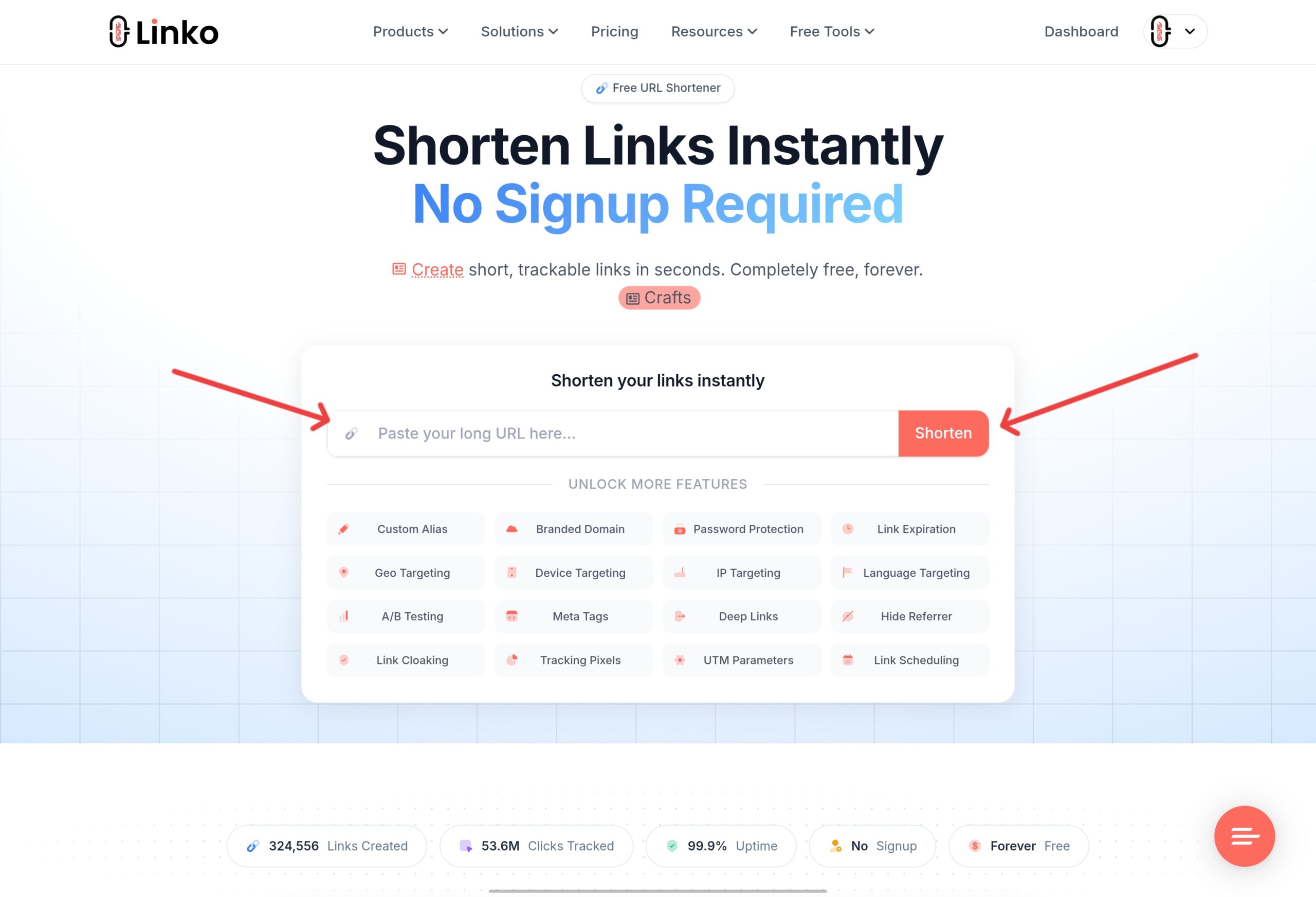
No account is required for a basic shortened link, so you can do this the moment you recover the destination.
If the original link pointed to a Google Docs, Sheets, or Drive file specifically, Linko’s Google link shortener guide covers that exact case, including how to check the file’s sharing permissions first.
Step 3: Update the link everywhere it was used
A recovered link is only useful once it replaces the broken one everywhere it appears.
- Business cards and printed materials, next time you reorder
- Email signatures
- Social media bios and pinned posts
- Old blog posts or website pages that still reference the dead link
- PDF documents, brochures, or slide decks
- Any QR code that encoded the original goo.gl link
Search your own website for the old goo.gl domain to catch anything you might have missed.
Step 4: Replace any goo.gl QR codes with dynamic ones
goo.gl never had built-in QR codes, so if you had one, it was generated by a separate tool pointing at the goo.gl link.
Once the link died, the QR code died with it.
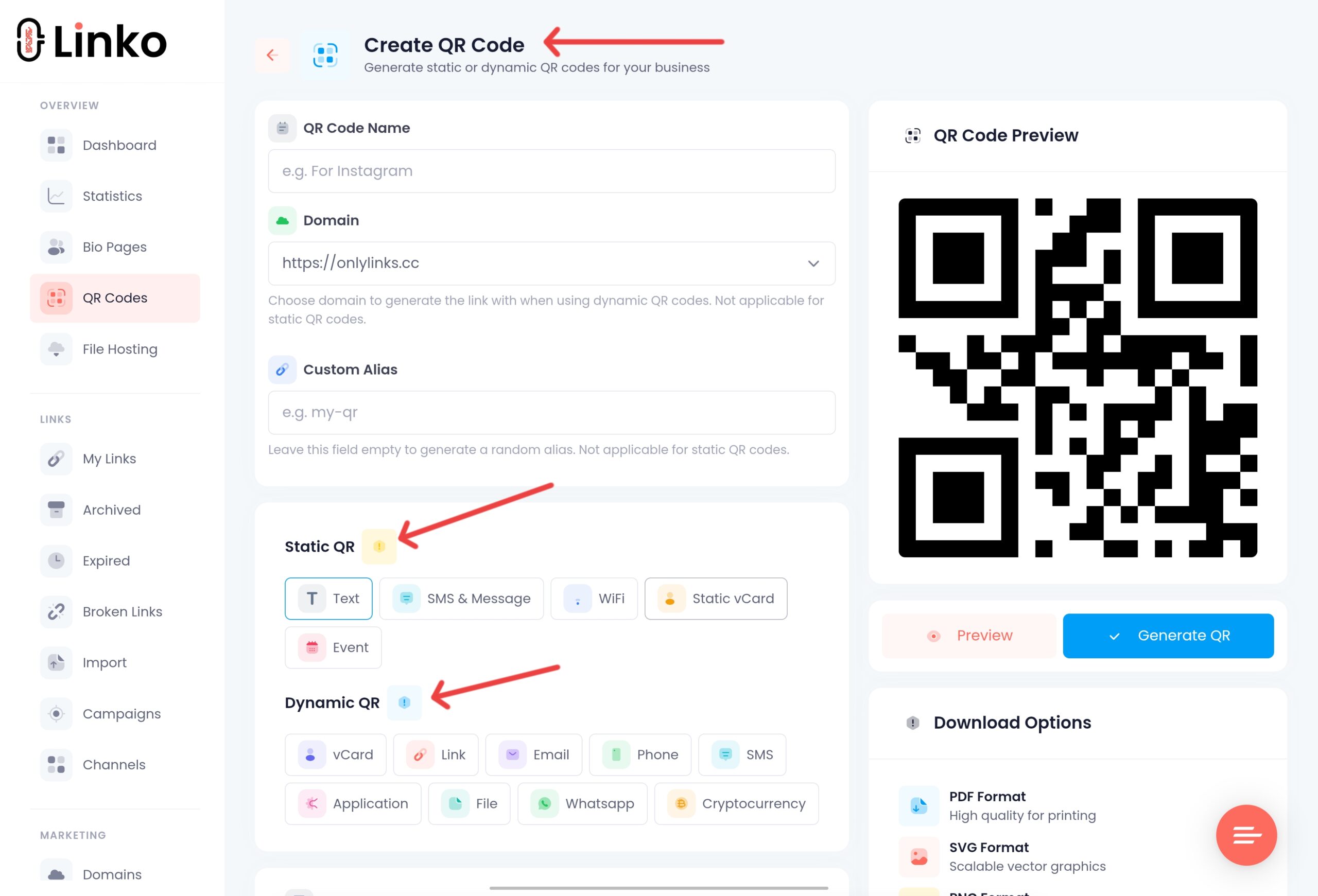
Linko’s QR code generator creates dynamic QR codes instead.
The code itself never changes, but you can update where it points at any time, so this can’t happen again with the next link change.
Why You Should Replace goo.gl Even If Your Link Still Works
Even a goo.gl link that still redirects today has three problems that never go away.
- You can’t create new goo.gl links. That door closed in 2019.
- You get zero analytics. No click counts, no locations, no devices.
- You can’t edit the destination. If the target page moves, the link breaks for good, with no recovery process from Google.
A modern shortener fixes all three, and most offer a free plan to start.
What Should You Look for in a goo.gl Replacement?
Before picking a tool, check it against a short list of basics goo.gl never had.
| Feature | goo.gl | A good replacement |
|---|---|---|
| Create new short links | ❌ Disabled since 2019 | ✅ Unlimited on free plan |
| Click analytics | ❌ None | ✅ Real-time dashboard |
| Editable destination | ❌ Fixed forever | ✅ Change anytime |
| Custom domain | ❌ Not available | ✅ Branded domains |
| QR codes | ❌ Not available | ✅ Built in |
| Support or dashboard | ❌ None | ✅ Full account access |
A shortener that fails any of these rows will leave you exactly where goo.gl did: with a link you don’t control.
What’s the Best goo.gl Alternative?
Linko covers everything goo.gl used to do, then adds what it never offered.
Shortening and analytics
Linko’s free link shortener turns any long URL into a short one instantly.
Every link comes with click analytics: total clicks, unique visitors, location, device, and referrer data, all included on the free plan.
Custom domains and editable links
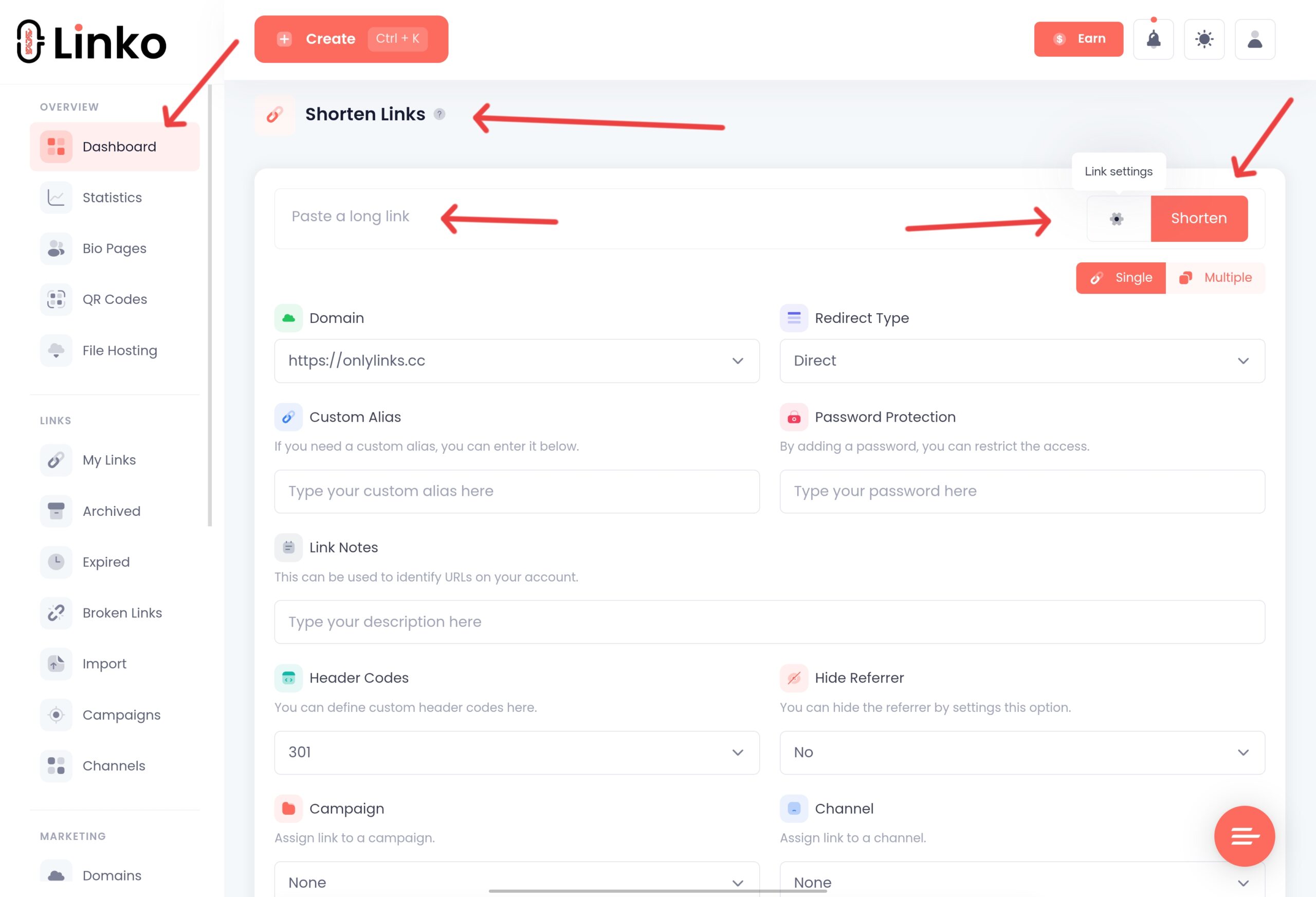
Unlike goo.gl, you can point a short link at a new destination whenever you want.
No broken links, no reprinting a business card because the target page moved.
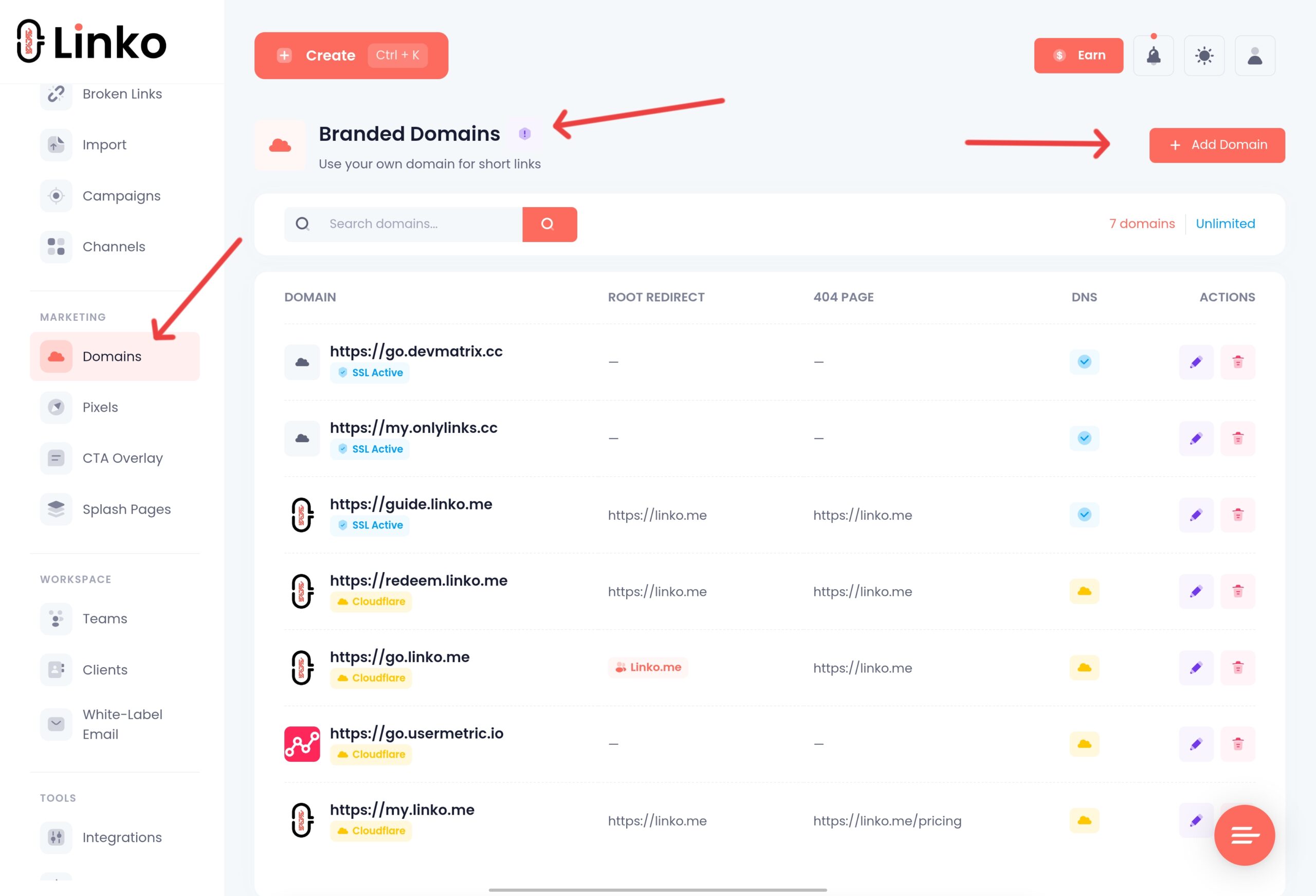
Branded domains are available starting on Linko’s Starter plan ($12/month), so your links can carry your own domain instead of a shared one.
QR codes goo.gl never had
Linko’s QR code generator supports 14 static and dynamic types, including URL, WiFi, vCard, and file QR codes, free to start.
Features that go beyond what goo.gl ever offered
- Bio pages to collect multiple links in one profile page
- Deep linking into 28 apps, so a link opens inside the app instead of a browser
- Password protection and link expiration dates
- A Chrome extension and Telegram bot for shortening links without opening a dashboard
None of that existed in goo.gl, even at its peak.
Other goo.gl alternatives worth knowing about
Linko isn’t the only option.
Bitly is the most recognized name and works well for high-volume enterprise use.
TinyURL remains the simplest option if you want a link with zero setup and don’t care about analytics.
Rebrandly focuses heavily on branded domains for agencies managing multiple clients.
Each works.
The right one depends on whether you need a free plan, how much analytics detail you want, and whether bio pages or QR codes matter to you.
For a longer look at how the shortener market got here, the history of link shortener tools covers goo.gl’s rise and fall alongside 40 other services from 2002 to today.
Frequently Asked Questions
Is goo.gl completely shut down?
Not entirely. Google planned to shut down every goo.gl link on August 25, 2025, then reversed course and only retired links it had flagged as inactive. Active links currently still redirect, but new link creation has been disabled since 2019 and Google could finish the shutdown later.
Why did my goo.gl link stop working?
Google flagged it as inactive before the August 25, 2025 deadline and displayed a warning message on the link. Links that showed that warning stopped redirecting on schedule. Links without the warning were preserved.
Can Google restore my broken goo.gl link?
No. Google has no support process for individual goo.gl links and the service has no dashboard for making changes or requests. Recovering the destination yourself, then creating a new link, is the only fix.
What if the Wayback Machine has no record of my link?
Check your own historical records first: old emails, social scheduling tools, or files from when the link was created. If truly nothing turns up, you may need to recreate the destination content itself if it was a live page you controlled.
Can I still create a new goo.gl link?
No. Google disabled new goo.gl link creation on April 13, 2019, and that hasn’t changed.
What is the best free goo.gl alternative?
Linko’s free plan includes up to 50 links, click analytics, 2 QR codes, and a bio page, all features goo.gl never offered even at its peak.
Will my new short link ever get shut down like goo.gl did?
Linko is an actively maintained commercial product with paying customers and ongoing development, unlike goo.gl, which Google stopped supporting in 2019 while leaving old links live by inertia rather than intent.
Make the Switch
goo.gl’s slow shutdown proves a point worth remembering: a free tool with no roadmap can disappear on you eventually, even if it takes years.
Whether your link is already broken or you’re getting ahead of it, the fix is the same: recover the destination if needed, then rebuild it somewhere you actually control.
Create a free Linko account and replace your old goo.gl links with ones you can track and edit.
Comments