
Linktree buys you a trusted domain and costs you control of your funnel.
That is the trade, and whether it is worth taking depends almost entirely on what you link to.
Before you switch away from it, there is one line in Linktree’s own documentation you should read.
It says that for certain domains and certain referrers, a content label is permanent by design, and that visitors arriving from some platforms may simply see your link blocked.
Their exact words: “This isn’t something you can change in your settings.”
If that describes your links, no amount of page redesign will fix it.
If it does not, Linktree may genuinely be the right tool for you, and this comparison will say so.
For the wider question of what a bio link should do at all, start with our complete guide to link in bio pages.
Key Takeaways
- Linktree offers no custom domain on any plan, confirmed in its own help centre, and no domain forwarding either.
- Linktree can block links based on the platform a visitor came from, and the creator cannot disable it.
- Adult content is excluded from every Linktree earning feature because of payment-processor restrictions.
- Linktree’s shared domain sometimes performs better on Meta than a small custom domain, and creators report exactly that.
- Linktree’s cheapest paid plan is $8 a month, which undercuts Linko’s $12 Starter plan.
The One Thing to Check Before You Switch
Most Linktree comparisons argue about themes and pricing.
Neither matters if your links do not open.
What Linktree’s documentation actually says
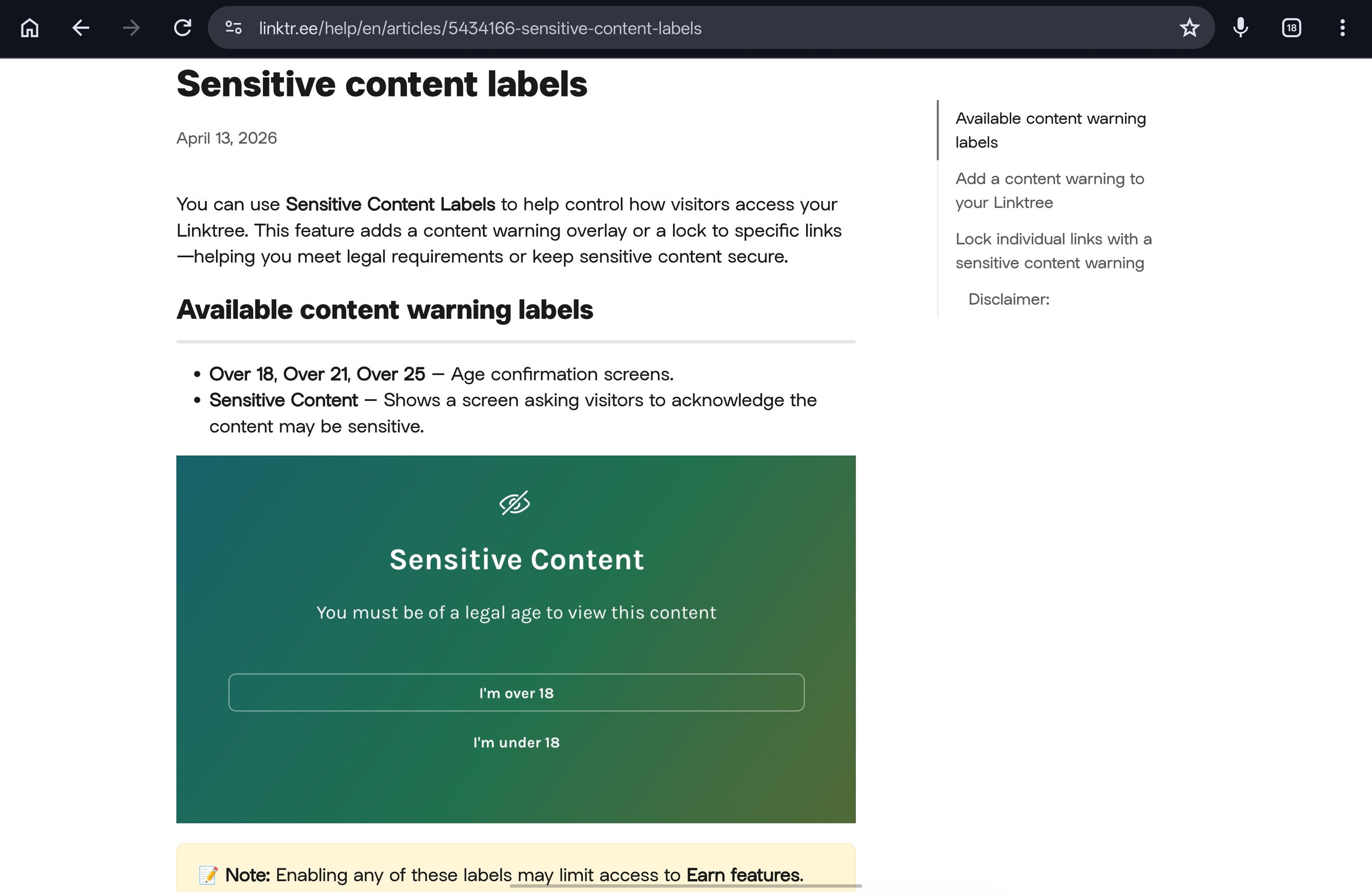
Linktree began suggesting or enabling sensitive content labels by default for certain domains on 9 July 2021.
That part is optional and appealable in many cases.
The part that is not optional is described in the same help article on link labels.
For certain domains or certain referrers, the label is permanent by design.
Some platforms apply their own terms to your Linktree and do not allow access to links to specific domains.
When your visitors arrive from those platforms and try to open those links, they may see a message saying the link is blocked.
Linktree states plainly that you cannot change this in your settings.
Why this matters more than any feature
Your bio link exists to move someone from a social platform to a destination.
A block that triggers because of the platform they came from breaks the only journey that matters.
Visitors who reach your Linktree directly can still continue.
Visitors arriving from the platform you actually promote on may not.
How to test it in two minutes
- Open your own Linktree from a post or bio on the platform you rely on most.
- Tap the link you care about, using a phone that is not logged into your Linktree admin.
- Note whether you get the destination, a warning you can pass, or a hard block.
- Repeat by opening the same Linktree URL directly in a browser.
What you see tells you which situation you are in:
- Destination loads normally. No label applies to your domain, and Linktree is not your problem.
- Warning you can click past. A sensitive label is applied but passable, and it is appealable in many cases.
- Hard block with no way through. This is the permanent, referrer-based case you cannot change.
If the direct visit works and the referred visit does not, you have found your answer.
What Linktree and Linko Both Do Well
Plenty of this comparison is a genuine tie, and pretending otherwise wastes your time.
Both platforms give you:
- A hosted mobile page reachable from one URL.
- Unlimited links on that page.
- A permanent free plan rather than a trial.
- Themes and visual customization.
- Social profile icons.
- QR codes for the page.
- Click and visit analytics.
- Age or sensitive-content warnings.
- Scheduling so content can appear and expire.
If your needs stop at that list, brand familiarity is a reasonable tiebreaker and Linktree has more of it.
Where Linktree Is Genuinely Better
This section exists because the honest answer is not one-sided.
Its domain often has better standing with Meta
This is the strongest argument for staying, and it comes from creators rather than marketing.
One creator described adding their own custom domain to Instagram and seeing the account marked as not recommended.
Switching the bio link to Linktree turned the account status green again.
The reason is scale and history rather than magic.
Linktree serves a very large share of general creator traffic, not a single niche, so its domain does not look like a dedicated funnel to one type of destination.
A brand-new custom domain has no reputation at all, which is not the same thing as a good one.
It is cheaper to start paying for
Linktree’s entry paid tier costs less than Linko’s.
If your only reason to upgrade is removing branding, Linktree gets you there for less money.
Its monetization is built in
Linktree sells directly from the page, which Linko does not do at all:
- Digital products, courses, and bookings with checkout included.
- A shop feature.
- Sponsored links and affiliate opportunities.
- Payments handled through Stripe, with earnings tracked in the account.
Linko does not sell products for you, and pretending otherwise would be dishonest.
If your business model is selling a course from your bio page, that is a real point in Linktree’s favour.
Its age gates are well built
Linktree’s sensitive content labels include Over 18, Over 21, and Over 25 age confirmation screens.
You can also lock individual links rather than gating the whole page.
That is a mature implementation, and many cheaper alternatives have nothing comparable.
It handles social scheduling
Linktree includes post scheduling for social platforms.
Linko is a link and page platform, not a social scheduler.
Where Linko Is Genuinely Better
These are the gaps that made you search for an alternative in the first place.
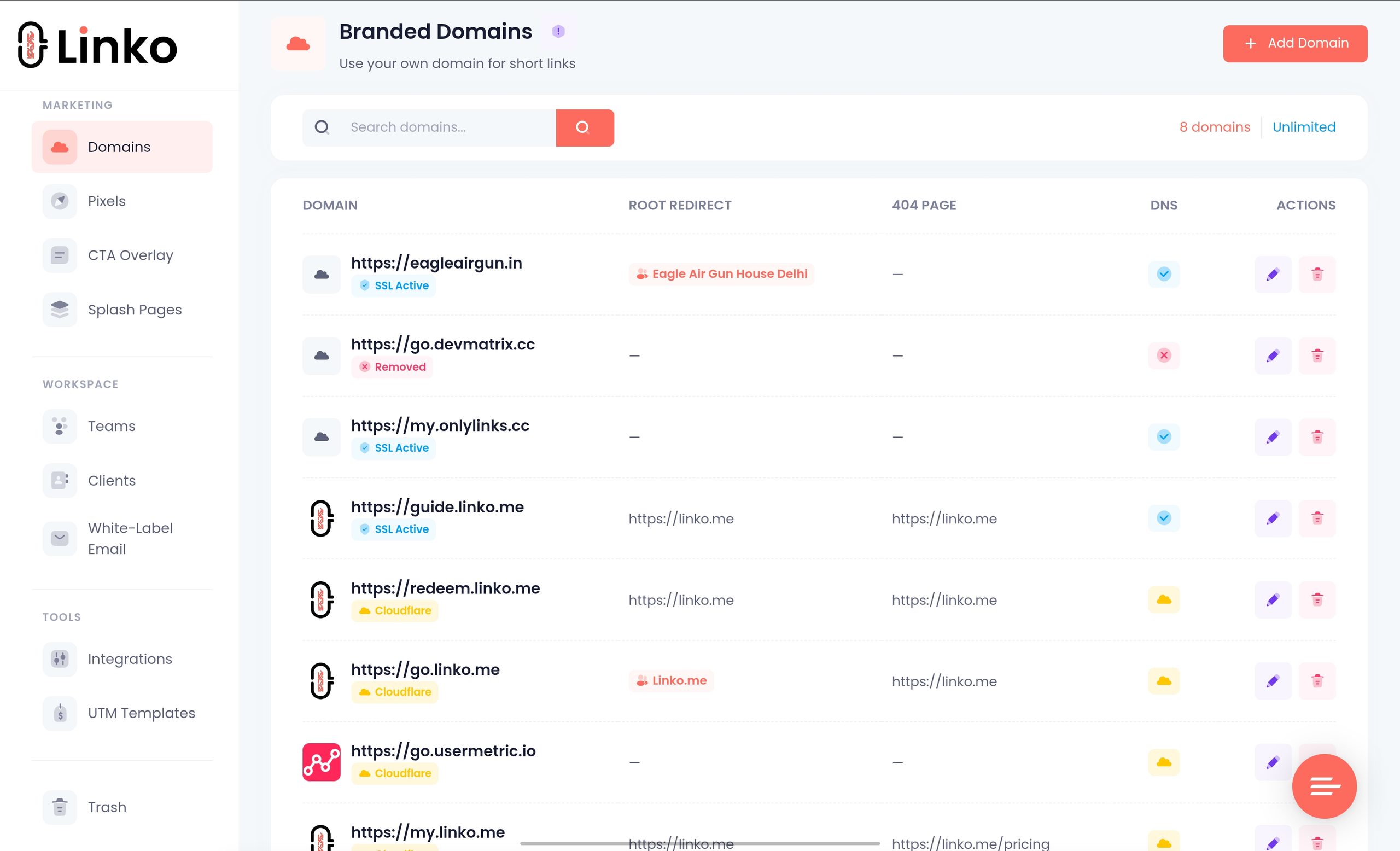
You can use your own domain
Linktree’s help centre is unambiguous on this point.
Its FAQ on custom domains states that it does not offer the option to replace the linktr.ee URL, and does not provide developer tools for domain forwarding.
That applies to Starter, Pro, and Premium alike.
Linko includes branded domains from the Starter plan, at 2 domains, rising to 5 on Pro, 20 on Business, and 50 on Agency.
The practical difference is what your audience sees and what you control.
- On Linktree, every page lives at
linktr.ee/username, shared with every other user. - On your own domain, the same page lives at
yourdomain.com/username, shared with nobody. - If a shared domain is ever restricted, everyone on it is affected at once.
Owning the domain is what lets you separate your reputation from everyone else’s, which we cover in the guide to a custom domain for creator links.
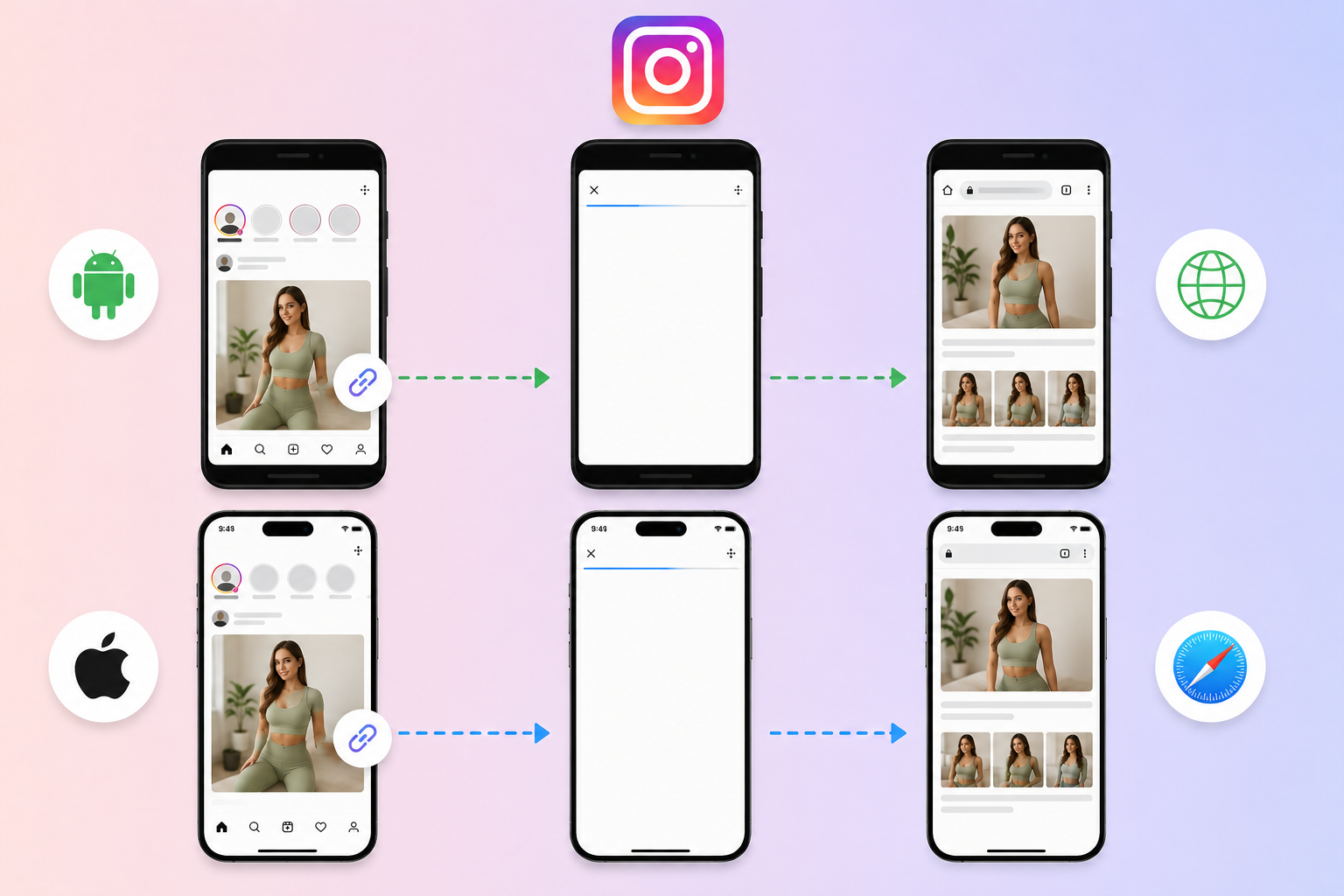
Links can escape the in-app browser
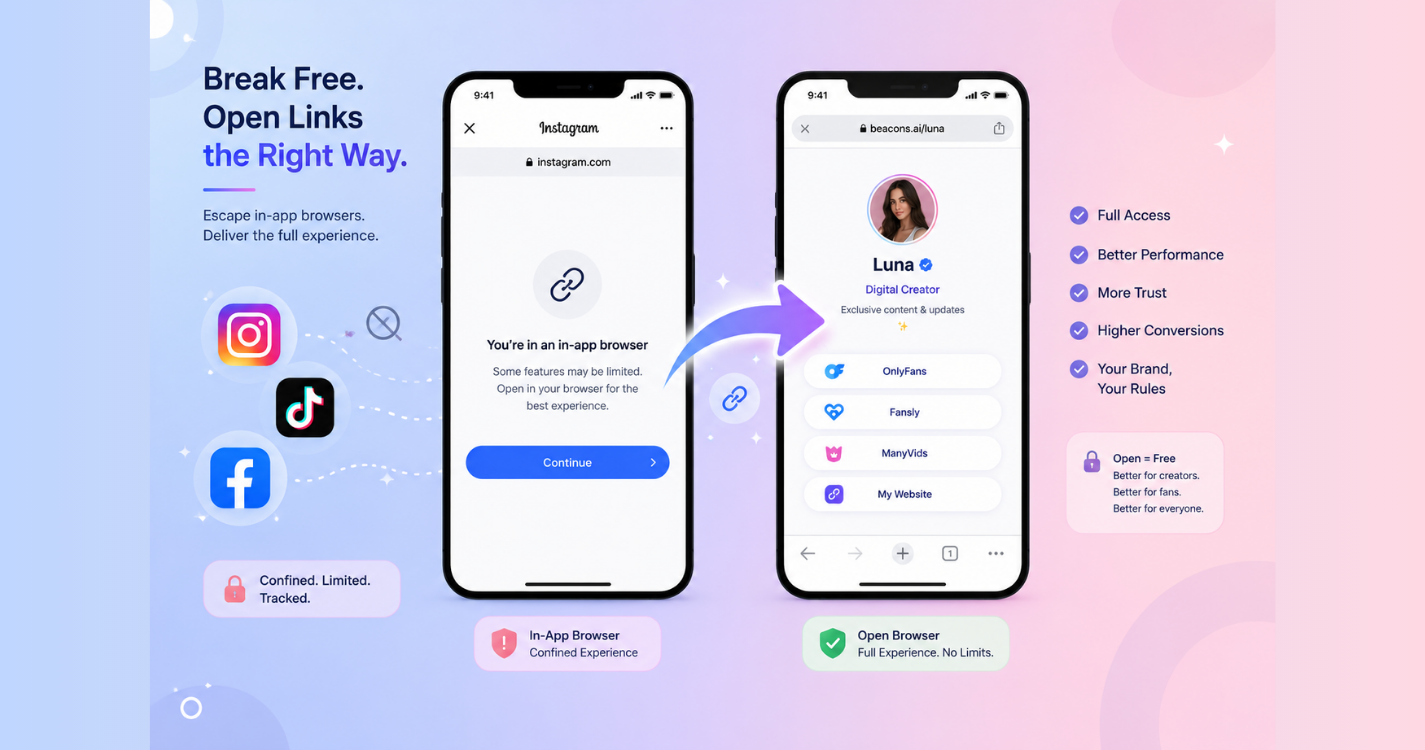
A page that opens inside Instagram’s built-in browser loses saved logins and payment methods at the worst possible moment.
Creators comparing the two put it bluntly, saying Linktree adds more steps and keeps you inside Instagram’s native browser.
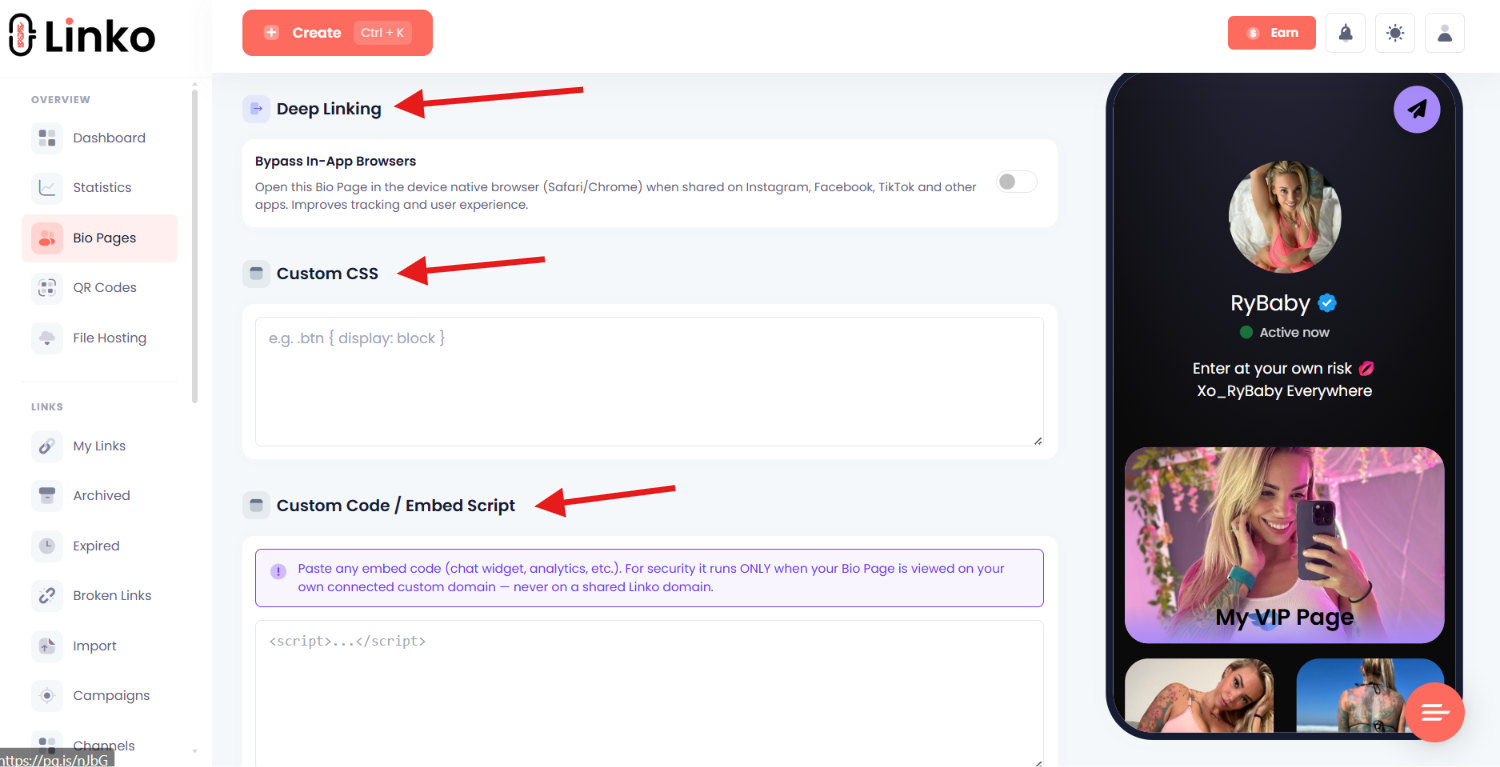
Linko’s deep linking covers 28 platforms, including OnlyFans, Fanvue, and Fansly, and can open eligible destinations in Safari or Chrome instead.
Deep Linking is a Business and Agency plan feature, so it is not available on the cheaper tiers.
The mechanics are explained in our guide to getting out of in-app browsers.
Whether a page or a straight redirect converts better is a separate decision, covered in direct link versus landing page.
Bot traffic is filtered out of your numbers
Linko runs a nine-layer detection system before a click is counted.
It includes 1,500+ known bot patterns, a blacklist of over 900,000 bad IP addresses, datacenter blocking, and hourly deduplication.
You can also exclude your own IP so testing does not pollute your stats.
That distinction matters more than most creators realise, as our guide to bot traffic in link analytics explains.
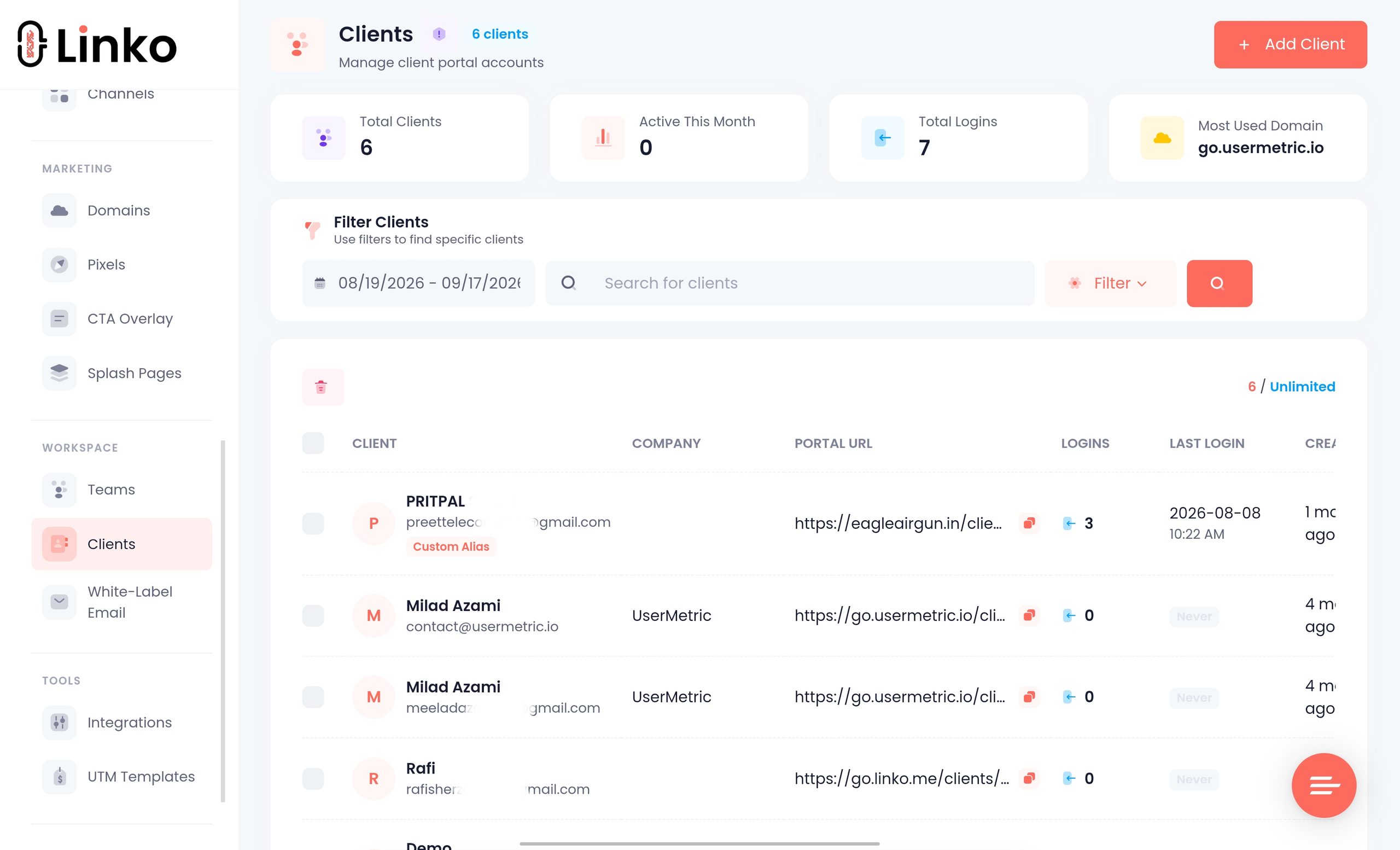
Agencies get real client tooling
Creators managing several accounts on Linktree have described it as a nightmare.
Linko is built for that case:
- Bio Pages scale from 1 on Free to 15 on Pro, 100 on Business, and 250 on Agency.
- Bio Editor Sharing lets a client edit their own page, at 50 on Business and 100 on Agency.
- Team permissions control view, create, edit, and delete access by product area.
- Domain-scoped access keeps one client’s pages and data away from another’s.
- Client stats pages let a creator see her own numbers without your dashboard.
- White-label client email runs through your own sending service with no Linko branding.
It is more than a bio page
Linko also covers the rest of the link stack:
- Short links with editable destinations and aliases.
- 14 QR code types, static and dynamic.
- File sharing with a branded download page.
- Campaigns and channels for organizing links per creator.
- Tracking pixels for 13 platforms, plus reusable UTM templates.
- CTA overlays and promo pages.
- A REST API, a Chrome extension, and a Telegram bot for creating links.
If your bio page is one part of a wider link operation, that consolidation is the point.
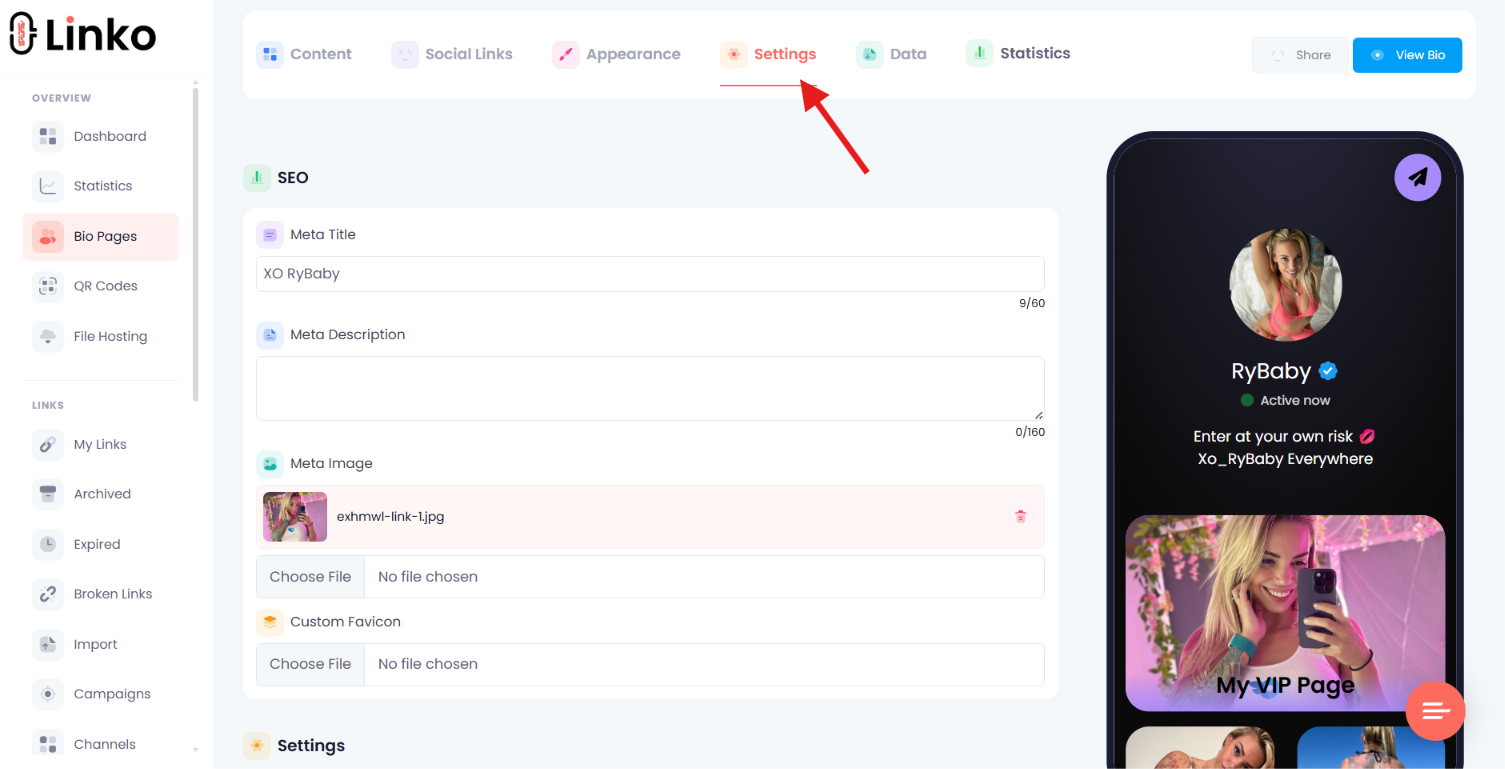
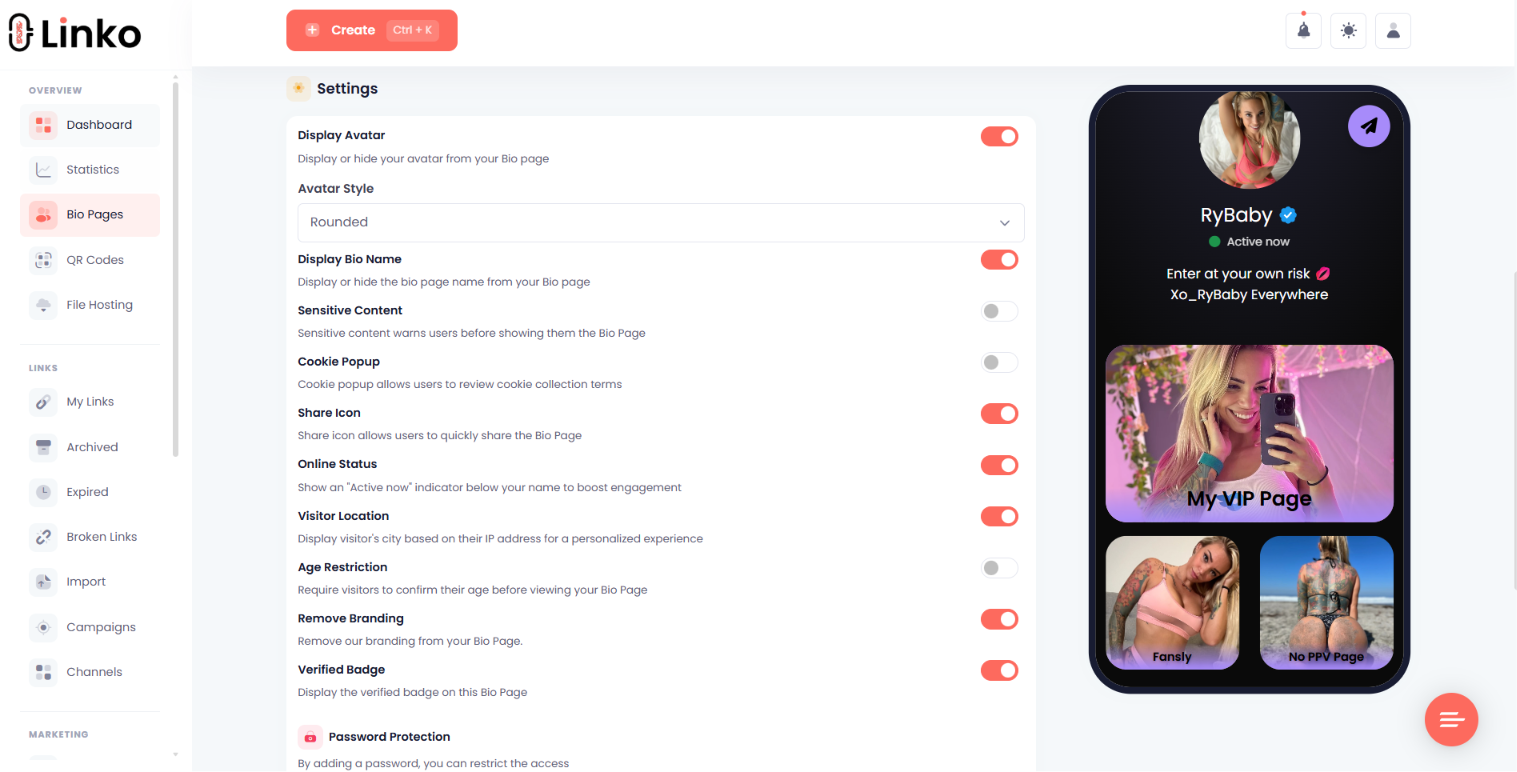
Visitor controls are on every plan
Age Restriction by date of birth, the sensitive-content warning modal, the subscriber gate, and Bio Page geo and language targeting are all included on the Free plan.
Shield Protection, which shows suspicious bots and datacenter traffic a neutral page, starts on Starter for both Bio Pages and short links.
One honest caveat, covered in our guide to diagnosing a blocked bio link: any filter that blocks suspicious traffic will occasionally catch a real visitor on a VPN or public Wi-Fi.
For what actually belongs on the page once it is built, see what to include on a creator landing page.

How Do the Prices Compare?
Both figures below come from each platform’s own pricing page.
| Linktree | Monthly | Linko | Monthly |
|---|---|---|---|
| Free | $0 | Free | $0 |
| Starter | $8 | Starter | $12 |
| Pro | $15 | Pro | $29 |
| Premium | $35 | Business | $79 |
| Enterprise | Custom quote | Agency | $149 |
Linktree’s monthly prices drop to $6, $12, and $30 when billed annually.
Read that table honestly: Linktree is cheaper at every comparable tier.
What the price does not include is a custom domain, at any tier, ever.
So the real comparison is not $8 against $12.
It is $8 for a page on a shared domain against $12 for a page on a domain you own.
Full plan limits are on the Linko pricing page.
What About Selling and Earning?
This deserves its own section because it is the part most likely to catch adult creators by surprise.
Linktree allows adult links but not adult money
Linktree’s Community Standards permit links to adult content when it is legal in your region, does not advertise full service sex work, and is marked as sensitive.
You may also advertise adult media you create and sell elsewhere.
What you may not do is upload adult media to the page itself, embed feeds that display it, or collect any payment or donations for adult content through Linktree.
Earn features exclude adult content entirely
Linktree’s documentation on who can use its Earn features states that you cannot sell or distribute adult content through Digital Products.
If your Linktree contains or links to adult content, you are also ineligible for partner earnings, which covers Shops, Sponsored Links, and affiliate opportunities.
Linktree attributes this to restrictions from its third-party payment processor.
Two geographic limits are worth knowing as well.
- Partner earnings and Rewards: creators based in the United States only.
- Direct earnings from digital products, bookings, and courses: a published list of roughly 35 countries.
So the monetization advantage described earlier is real, but it is not available to everyone.
Which One Should You Actually Use?
The answer splits cleanly by what you link to and who manages it.
Stay on Linktree if
- Your destinations are mainstream and never trigger a sensitive label.
- You sell digital products or courses and want checkout built in.
- You are in the United States and want sponsored links or affiliate earnings.
- You want social scheduling in the same tool.
- Your links already open normally from the platforms you promote on.
- Budget is the deciding factor and $8 against $12 genuinely matters.
Move to Linko if
- You need your own domain, which Linktree cannot provide at any price.
- Your links are being labelled or blocked by referrer.
- You need destinations to open in Safari or Chrome rather than an in-app browser.
- You manage several creators and need client editing, permissions, and domain separation.
- You want short links, QR codes, and pages in one account.
- You want bot-filtered click data rather than raw totals.
The uncomfortable middle case
Some creators are better off on Linktree specifically because its domain carries more trust than a fresh one of their own.
If your account status improves on Linktree and worsens on your own domain, believe the data rather than the theory.
The honest fix in that situation is not switching tools, it is building domain reputation carefully, which our guide on avoiding Instagram bans covers alongside the account-side factors that usually matter more.
If you are comparing creator-specific tools rather than mainstream ones, our GetAllMyLinks comparison covers that side of the market.
How Do You Move Without Losing Traffic?
Switching a bio link is easy to do badly.
- Build the new page first and publish it, before touching anything live.
- Copy every link across, then open each one to confirm the destination still works.
- Connect your domain and wait for it to validate rather than assuming it is instant.
- Test from a real phone on mobile data, arriving from the platform you actually use.
- Swap the bio link on one account first, not all of them.
- Watch outcomes for a week, comparing subscribers or sales rather than clicks.
- Keep the old page live for a while, pointing at the new one, since old posts and printed material still reference it.
- Then update everywhere else, including story highlights and DM templates.
If your first week on the new setup performs worse, you have a reversible decision rather than a disaster.
Frequently Asked Questions
Can I use a custom domain with Linktree?
No, and this is not a plan limitation you can pay to remove.
Linktree’s help centre states it does not offer the option to use a custom domain to replace the linktr.ee URL, and does not provide domain forwarding tools either.
Why is my Linktree link blocked or showing a warning?
Linktree applies sensitive content labels by default to certain domains, and for some domains or referrers the label is permanent.
Visitors arriving from certain platforms may see the link blocked entirely, and Linktree confirms this cannot be changed in your settings.
Is Linktree safe for OnlyFans creators?
Linktree permits links to legal adult content that is marked sensitive and does not advertise full service sex work.
The practical problems are that you cannot monetize adult content through Linktree, cannot use a custom domain, and may hit referrer-based blocking on exactly the platforms you promote from.
Is Linko cheaper than Linktree?
No, Linktree is cheaper at every comparable tier, starting at $8 a month against Linko’s $12.
The difference buys a branded domain, deeper analytics, and short links and QR codes in the same account, none of which Linktree’s entry tier includes.
Does Linktree hurt my SEO?
A bio page on a shared domain does not build authority for your own site the way a page on your domain can.
That said, most bio pages exist to route social traffic rather than to rank, so treat this as a minor factor unless search is central to your plan.
Will switching away from Linktree get my account flagged?
Changing your bio link is not itself a violation, but some creators report account status improving on Linktree and worsening on a new custom domain.
Change one account first, watch its status, and keep the option to revert.
Can I keep my Linktree page while using something else?
Yes, and it is often the safest way to migrate.
Keep the Linktree page live pointing at your new page, so older posts and printed QR codes keep working while you move.
Decide on Your Destinations, Not the Logo
Linktree is a good product that has been the category default for a decade.
For a mainstream creator selling a course from a bio page, it is still a sensible answer, and cheaper than the alternative here.
For anyone whose links get labelled by domain, blocked by referrer, or locked out of monetization, it is a ceiling rather than a tool.
The deciding question is not which page looks better.
It is whether the platform you rely on will let your link through, and whether the domain in front of it belongs to you.
Run the two-minute referrer test at the top of this article before you decide anything.
If your links open fine, keep your money.
If they do not, you can build the same page on your own domain with Linko’s Bio Pages.
The free plan is enough to test the whole path before you move a single live bio link, so set one up and run the test yourself.
Comments