

Adding a retargeting pixel to a link lets you build an ad audience from everyone who clicks, even when the link points to a page you do not own.
Normally a pixel only tracks visitors to your own website, because that is where the code lives.
A retargeting link changes that.
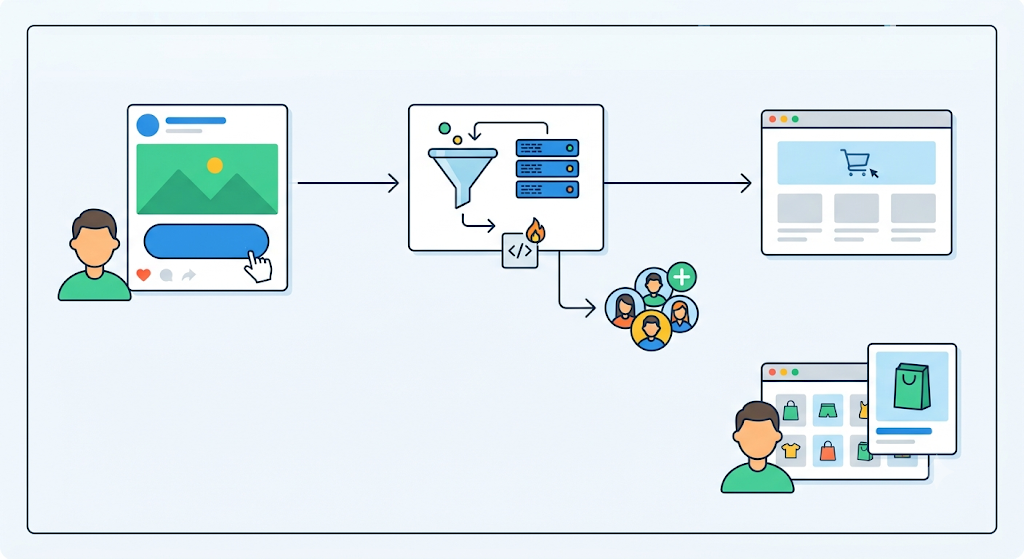
You attach your pixel to a short link, and when someone clicks, the pixel fires during the redirect and drops them into your remarketing audience before they reach the destination.
This guide shows you exactly how to do it, which pixels you can use, and which Linko plans include them.
Key Takeaways
- A retargeting link is a short link with an ad pixel attached. The pixel fires on click and adds the visitor to your ad audience.
- It works even when the destination is not your site, such as affiliate links, partner pages, or articles you share.
- In Linko you add a pixel once, then attach it to any link in a few clicks.
- Linko supports 13 pixel integrations, including Meta, Google, TikTok, LinkedIn, and more.
- Retargeting pixels are on Linko’s paid plans, starting with 3 pixels on Starter and up to 100 on Agency.
What Is a Retargeting Pixel on a Link?
A retargeting pixel is a small tracking tag from an ad platform like Meta or Google.
When it loads in someone’s browser, it adds that person to a custom audience you can later show ads to.
On a normal setup, the pixel sits on your website, so you can only retarget people who visit your site.
A retargeting link moves that moment to the click itself.
When someone clicks your short link, the request passes through a quick redirect that you control.
The pixel fires there, the visitor joins your audience, and then they continue to the destination.
They never notice the extra step.
Why Add a Pixel to a Link?
The big advantage is reach.
You can build audiences from clicks you normally could never track.
- Retarget people who clicked an affiliate or partner link, even though the page is not yours.
- Build an audience from your social bio link, not just website visitors.
- Turn shared articles, newsletters, and campaign links into audience sources.
- Warm up clickers, then run cheaper, higher-converting retargeting ads to them.
In short, every link you share becomes a way to grow your remarketing audience.
How to Add a Retargeting Pixel to a Link with Linko
Here is the full process.
- Get your pixel from your ad platform. In Meta Events Manager, Google Ads, TikTok, or LinkedIn, create or open your pixel and copy its ID.
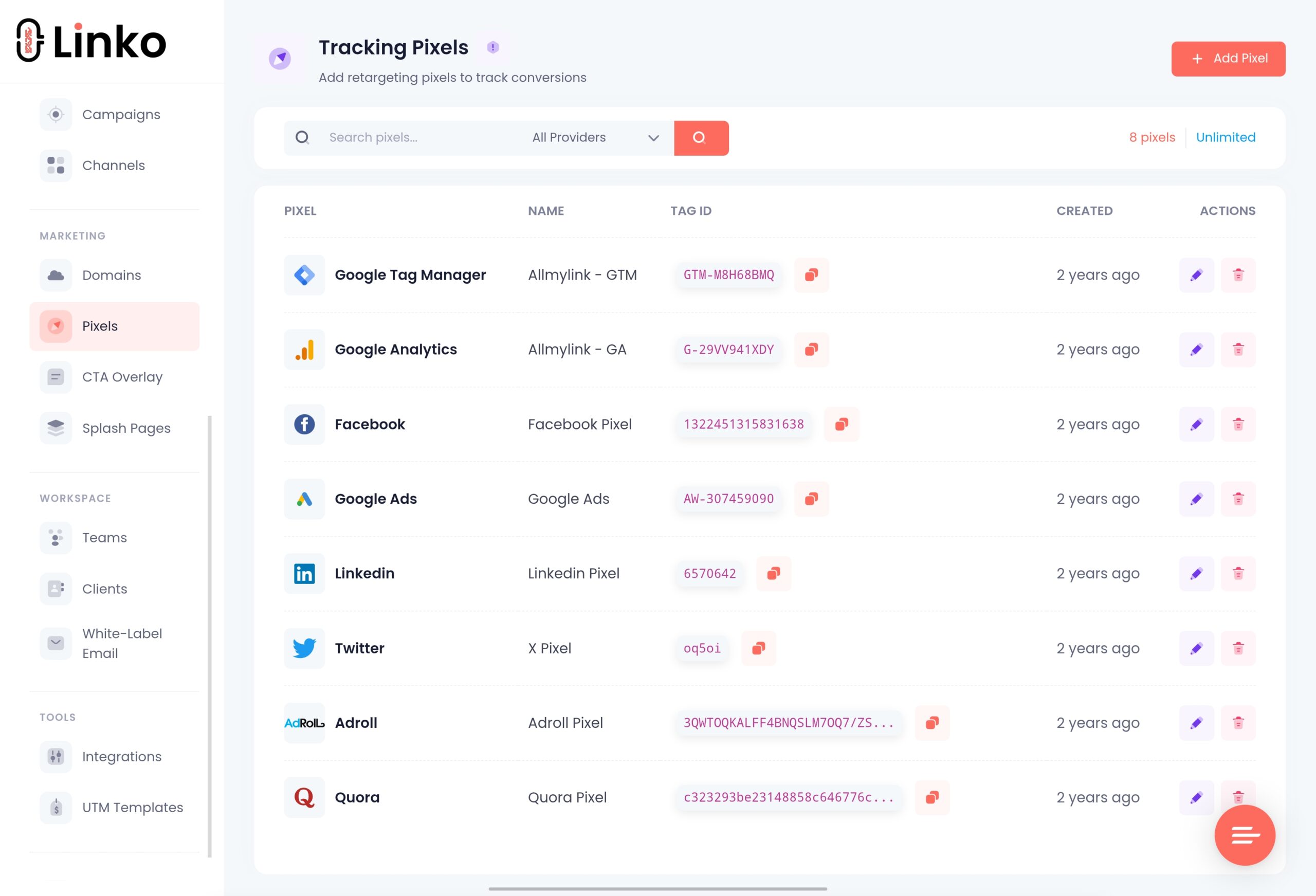
- Add the pixel in Linko once. In your dashboard, open Tracking Pixels and paste your pixel ID for the platform you use.
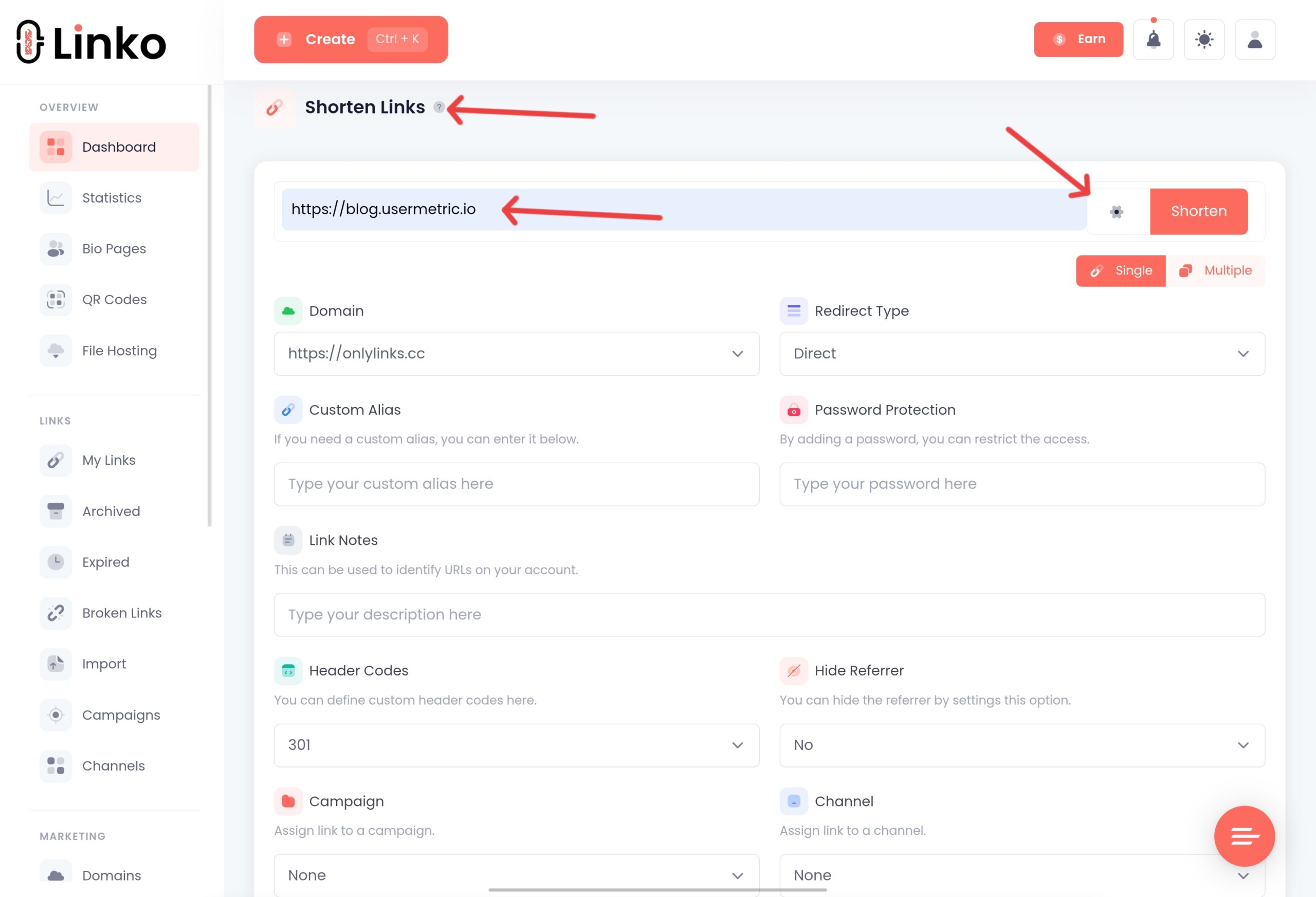
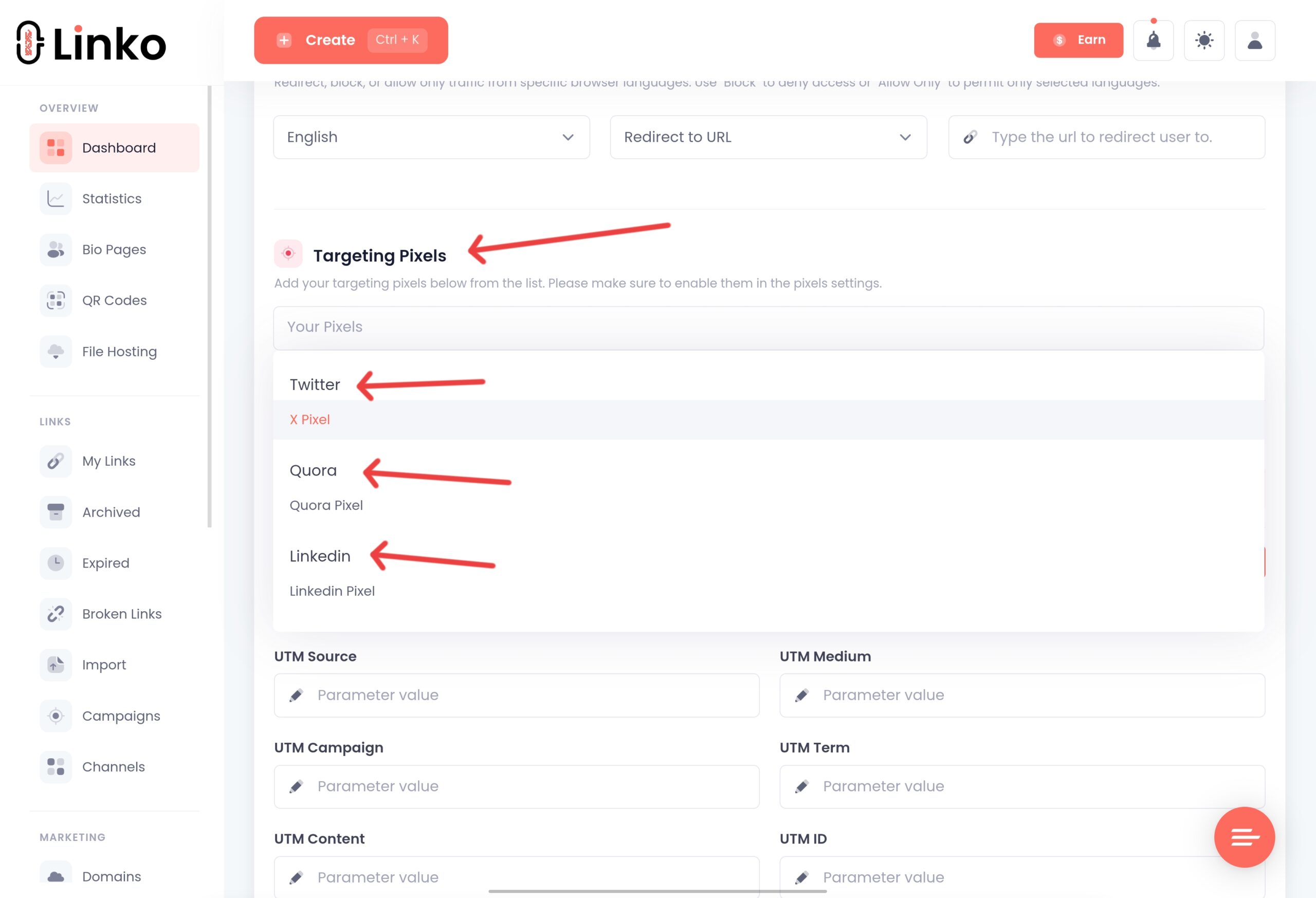
- Create your short link. Paste your destination URL, open the advanced options, and select the pixel you added.
- Share the link. Every click now fires your pixel and adds the visitor to your audience, then redirects them.
- Build the audience and run ads. In your ad platform, create a custom audience from the pixel, then launch your retargeting campaign.
Linko’s step-by-step help article on how to set up a retargeting pixel walks through the exact dashboard screens.
Which Pixels Does Linko Support?
Linko offers 13 pixel integrations, so you can match the pixel to wherever you run ads. Supported platforms include:
- Meta (Facebook) Pixel
- Google Ads
- Google Analytics (GA4)
- Google Tag Manager
- TikTok Pixel
- LinkedIn Insight Tag
- X (Twitter) Pixel
- Pinterest Tag
- Quora Pixel
- AdRoll Pixel
- Bing Pixel
- Snapchat Pixel
- Reddit Pixel
You add the pixel once, then reuse it across as many links as your plan allows.
Which Linko Plans Include Retargeting Pixels?
Retargeting pixels are a paid feature. The number of pixels you can add increases with each plan.
| Plan | Retargeting pixels |
|---|---|
| Free | Not included |
| Starter | 3 |
| Pro | 15 |
| Business | 50 |
| Agency | 100 |
So if pixels are your main goal, start on the Starter plan or higher.
See the full Linko pricing breakdown for everything each plan includes.
Best Practices for Retargeting Links
A few habits make link retargeting work better and stay compliant.
- Match the pixel to the ad platform. Use your Meta pixel for Meta ads, your Google tag for Google ads, and so on.
- Respect consent. Retargeting uses tracking, so honor cookie consent and privacy rules like GDPR. Linko includes a cookie popup you can enable.
- Give audiences time to grow. Ad platforms need a minimum audience size before you can run ads, so let clicks accumulate.
- Add UTM tags too. Pair the pixel with a UTM tag builder so you can measure which links drive the best results.
If retargeting is central to your marketing, it is worth comparing dedicated tools.
See our Pixelfy alternative and RetargetKit alternative guides.
Frequently Asked Questions
How do I add a retargeting pixel to a link?
Copy your pixel ID from your ad platform, add it in Linko’s Tracking Pixels section, then attach it to a short link in the advanced options. Every click on that link fires the pixel and adds the visitor to your audience.
Can I retarget people who click a link to a site I do not own?
Yes. That is the main benefit. Because the pixel fires on the redirect, not on the destination page, you can build audiences from affiliate links, partner pages, and any URL you share.
Which pixels can I use?
Linko supports 13 integrations, including Meta, Google Ads, Google Analytics, Google Tag Manager, TikTok, LinkedIn, X, Pinterest, Quora, AdRoll, Bing, Snapchat, and Reddit.
Do I need a paid plan for retargeting pixels?
Yes. Pixels are not on the free plan. The Starter plan includes 3 pixels, Pro includes 15, Business includes 50, and Agency includes 100.
Is link retargeting allowed under privacy rules?
It is, as long as you follow consent laws like GDPR. Because pixels track visitors, you should show a cookie consent notice, which Linko supports, and honor user choices.
Turn Every Click Into an Audience
A retargeting link lets you build ad audiences from every click you share, not just visits to your own site.
Add your pixel once, attach it to your links, and start growing an audience you can convert later.
Create your free Linko account to get started, then upgrade to a plan with retargeting pixels when you are ready to run ads.
You can build links now for free, and add retargeting pixels on any paid plan.
Comments