
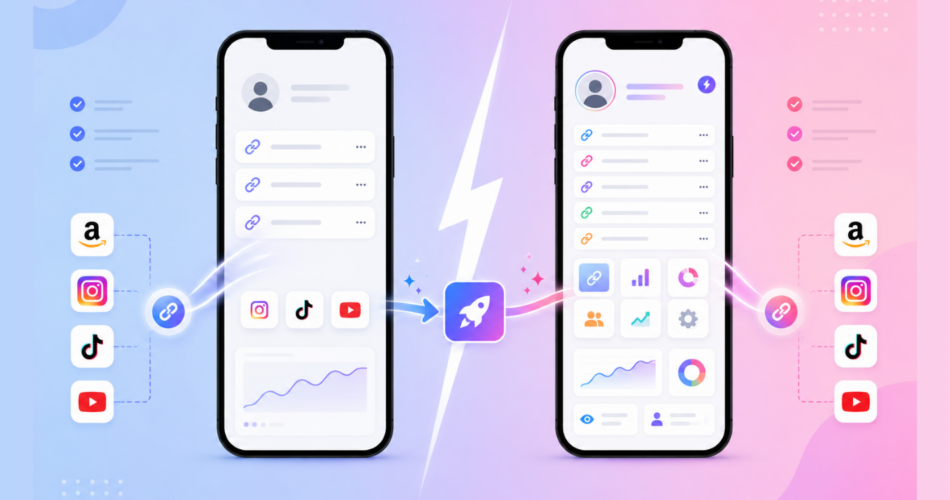
Looking for a URL Genius alternative that opens apps from your links without charging you per click?
You’re in the right place.
URL Genius and Linko both do deep linking.
Both take a normal web link and open the matching app, with a web fallback if the app isn’t installed.
Neither needs an SDK for that.
But they’re built for different people.
URL Genius is an enterprise attribution platform for brands that own their own app.
Linko is an all-in-one link platform for creators, affiliates, and social marketers who just need their links to open the right app reliably.
This post breaks down the real differences so you can pick the tool that fits you.
Key Takeaways
- Both tools open apps from links with a web fallback, and neither requires an SDK for that core feature.
- URL Genius is built for brands that own an app and want install attribution. It charges per click.
- Linko is built for creators and affiliates who link into other apps, and deep linking is bundled free in every paid plan.
- Linko preserves your affiliate and UTM parameters straight into the app, so you never lose commission.
- URL Genius wins on enterprise install attribution. Linko wins on simplicity, price, and creator-focused features.
Why Look for a URL Genius Alternative?
URL Genius is a solid platform. But it’s not built for everyone.
Common reasons people look for an alternative:
- The pay-per-click pricing adds up fast at scale
- The platform is built for brands measuring app installs, not creators sharing links
- Advanced features like install attribution require code inside your own app
- You want deep linking bundled with a full link platform, not as a standalone tool
If you’re a creator, affiliate, or social marketer who doesn’t own a mobile app, most of URL Genius’s power is aimed at someone else.
What Is URL Genius?
URL Genius is a dedicated deep-linking and attribution platform built by Pure Oxygen Labs.
It’s designed for brands and agencies that own a mobile app and run campaigns to drive and measure app installs.
Key features of URL Genius
- App-open deep links with no SDK
- Deferred deep linking (route a new user to a screen after they install)
- App-install attribution using Apple and Google’s native campaign tags
- Smart app install banners
- Desktop app linking
- Analytics dashboard for clicks, app opens, and geography
- Custom branded domains and QR codes
URL Genius is genuinely strong for enterprise app owners.
If you have your own app and need to measure installs from campaigns, it does that well.
The pricing reflects that focus. URL Genius charges per click (around $0.01 per click) or through custom Pro and enterprise plans.
What Is Linko?
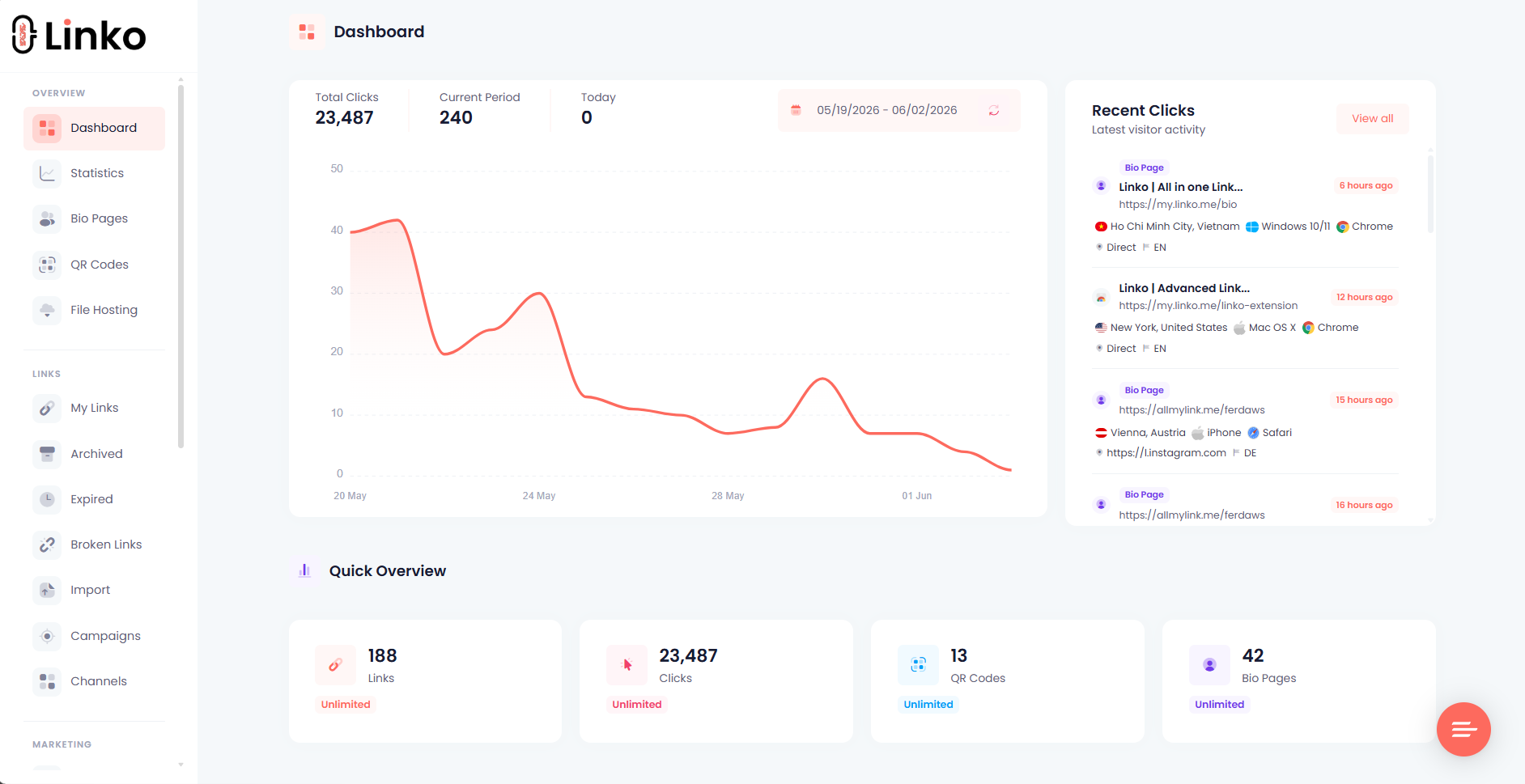
Linko is a complete link management platform for creators, influencers, affiliates, and marketers.
Deep linking is one feature inside a broader product that also includes short links, bio pages, QR codes, CTA overlays, analytics, and custom domains.
What makes Linko a strong alternative
- Simple on/off deep linking with no setup and no code
- Auto-detection for the apps creators use most
- Support for any app through custom URI scheme fields
- Affiliate and UTM parameter passthrough into the app
- Instagram in-app browser escape
- Deep linking bundled free in every paid plan
- A full link platform, not just a deep-linking tool
Linko is built for people who link to other companies’ apps (Amazon, Instagram, TikTok, OnlyFans) and want it to just work.
To understand the foundation, see our guide on what deep linking is and how it works.
Who Is Each Tool Actually Built For?
This is the most important question, and it decides everything.
The two tools look similar on the surface but serve opposite customers.
| If you are… | Best fit |
|---|---|
| A brand that owns a mobile app | URL Genius |
| An agency running app-install campaigns | URL Genius |
| A creator linking from your bio to Amazon, Instagram, or OnlyFans | Linko |
| An affiliate marketer who can’t afford to lose tracking tags | Linko |
| A non-technical user who wants one-click simplicity | Linko |
| A social marketer fighting in-app browser issues | Linko |
URL Genius is for measuring installs of your own app.
Linko is for opening other apps from your links.
Pick based on which describes you, not on the feature count.
Deep Linking: How Do They Compare?
Both tools do the same core trick.
They take a web URL and open the matching native app, with a web fallback when the app isn’t installed.
Neither needs an SDK for this.
| Feature | Linko | URL Genius |
|---|---|---|
| Open app from a link (no SDK) | ✅ | ✅ |
| Web fallback if app not installed | ✅ | ✅ |
| QR codes that open apps | ✅ | ✅ |
| Custom branded domains | ✅ | ✅ |
| Any app via custom URI schemes | ✅ | ✅ |
On the core deep linking, the two are comparable. The differences show up in everything around it.
How Simple Is Setup?
Linko’s deep linking is a single on/off toggle.
You paste your link, flip deep linking on, and shorten it.
The link now opens the destination app if it’s installed and falls back to the web if not.
- No code.
- No configuration.
- No SDK.
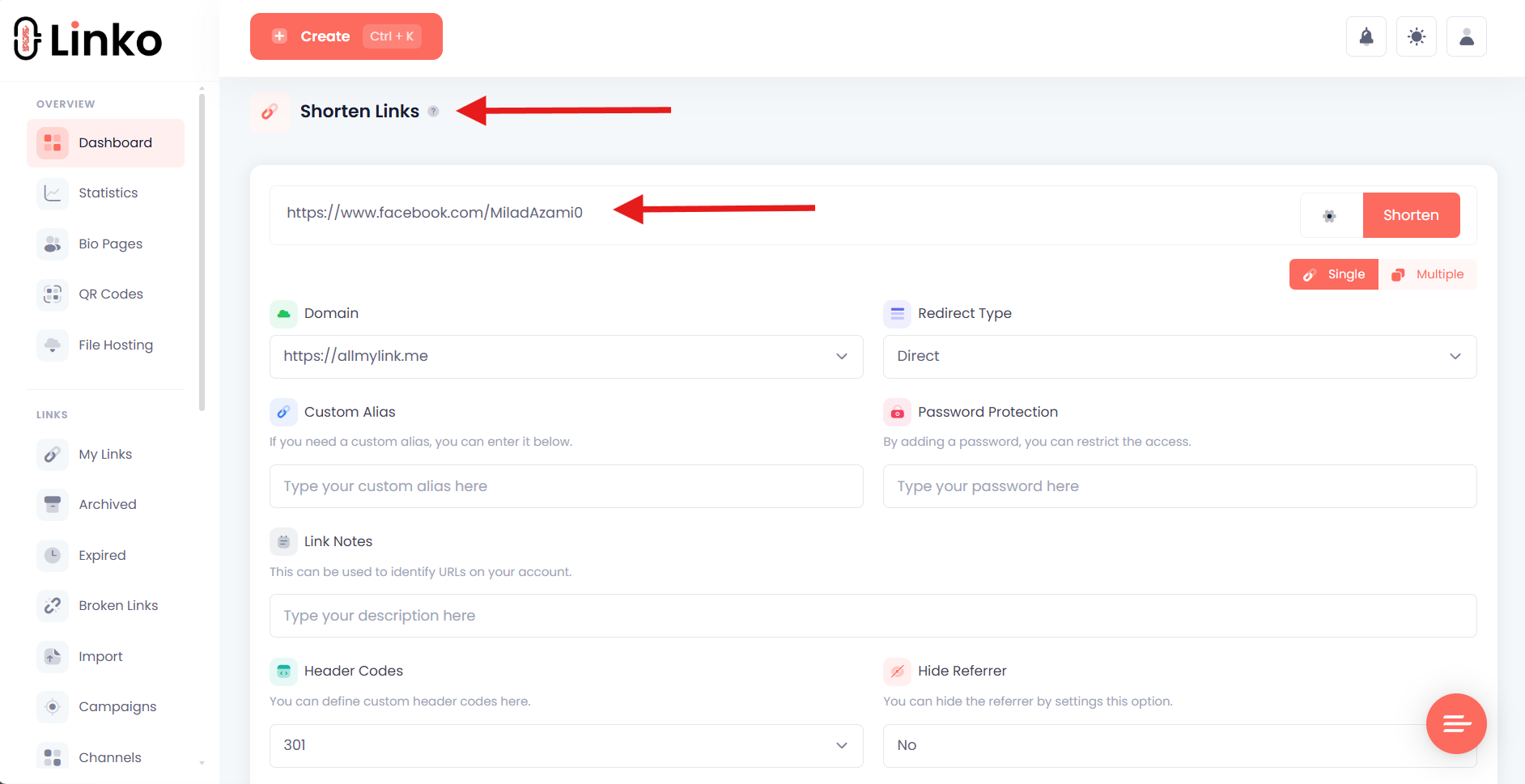
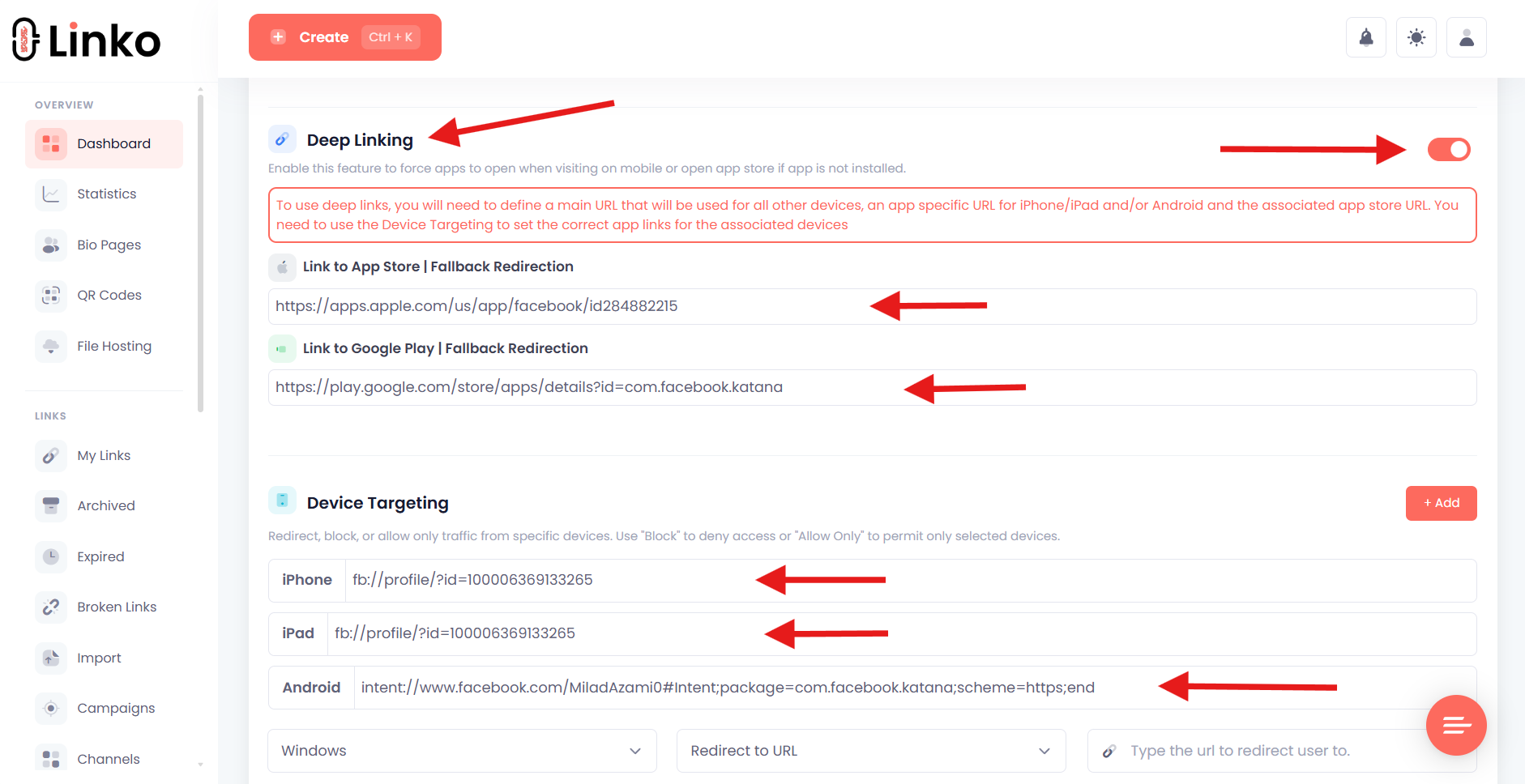
For the apps creators use most (Amazon, Instagram, TikTok, YouTube, Spotify, and more), Linko auto-detects the app and builds the correct settings for iPhone, iPad, and Android automatically.
This matters because most creators are not developers.
They want a link that works, not an attribution platform to configure.
URL Genius can also create app-open links without an SDK.
But its interface and feature set are built around campaign attribution, which adds complexity that creators don’t need.
Does It Support Every App?
Yes, both tools support any app.
Linko auto-detects around 30 popular apps, including Amazon, Instagram, TikTok, YouTube, Facebook, X, Spotify, Apple Music, Pinterest, Snapchat, LinkedIn, Netflix, WhatsApp, Telegram, Walmart, and Google Maps.
It also handles creator platforms like OnlyFans, Fansly, Fanvue, and Linktree.
For any app not on the auto-detect list, you can define it yourself.
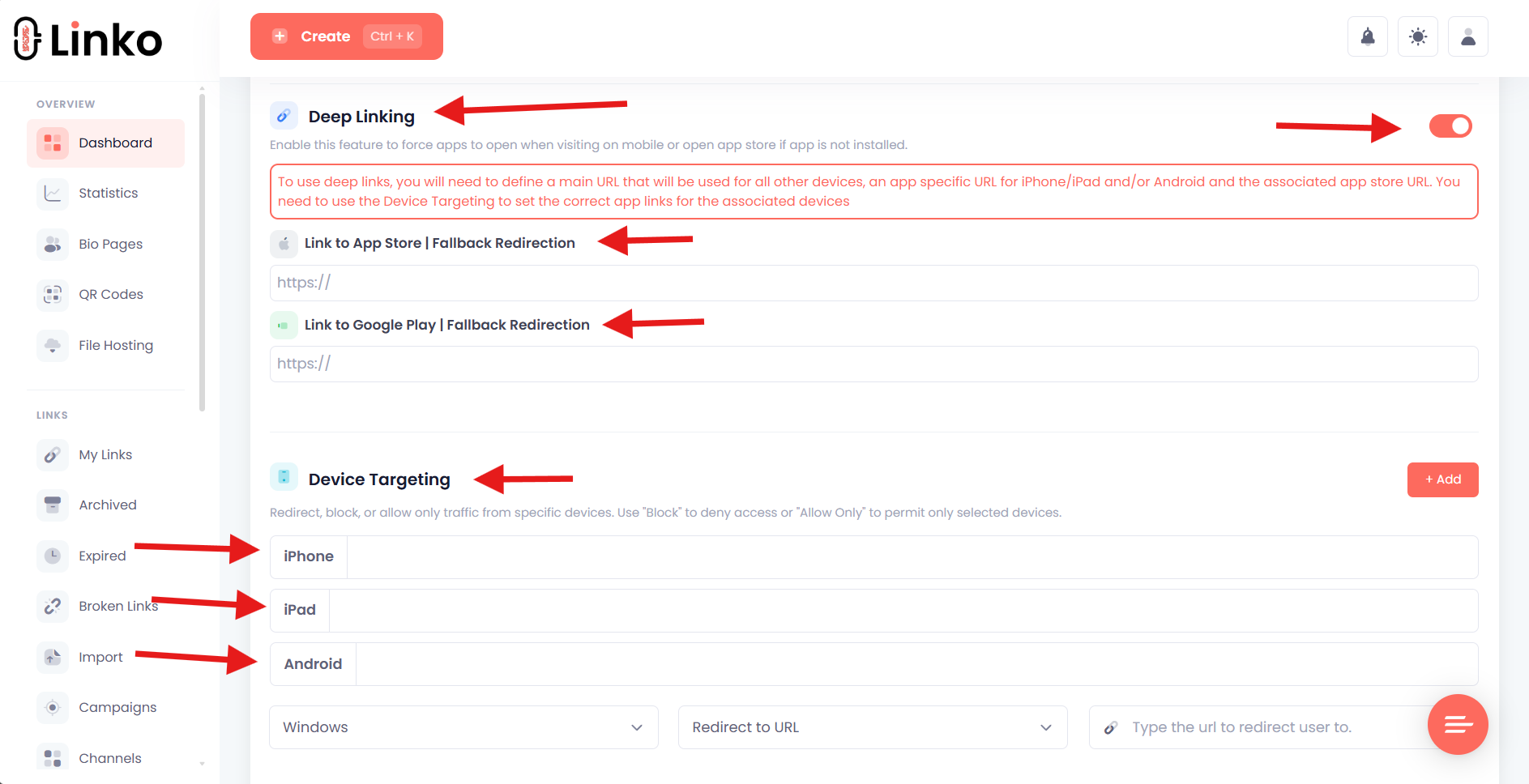
Linko lets you enter the following:
- The iPhone and iPad URI scheme
- The Android URI scheme
- The App Store fallback URL
- The Google Play fallback URL
So niche or custom apps work just as well as the popular ones. You’re never limited to a fixed list.
Do Your Affiliate and UTM Tags Survive?
This is a big one for affiliate marketers, and Linko handles it cleanly.
When Linko opens an app from your link, it carries the full query string with it.
That means your affiliate tags and UTM parameters reach the app intact.
For example, an Amazon affiliate link with a ?tag= parameter opens the Amazon app with that tag preserved.
Your commission attribution holds.
This happens automatically, with zero app-side code.
Losing a tracking tag means losing the commission on that sale.
For affiliate marketers, this single feature can be the difference between getting paid and not.
URL Genius also preserves tracking through its attribution system, but it markets this as an enterprise feature.
Linko gives you the same parameter passthrough as part of the simple on/off toggle.
What About the In-App Browser Problem?
Here’s where Linko offers something genuinely useful for social creators.
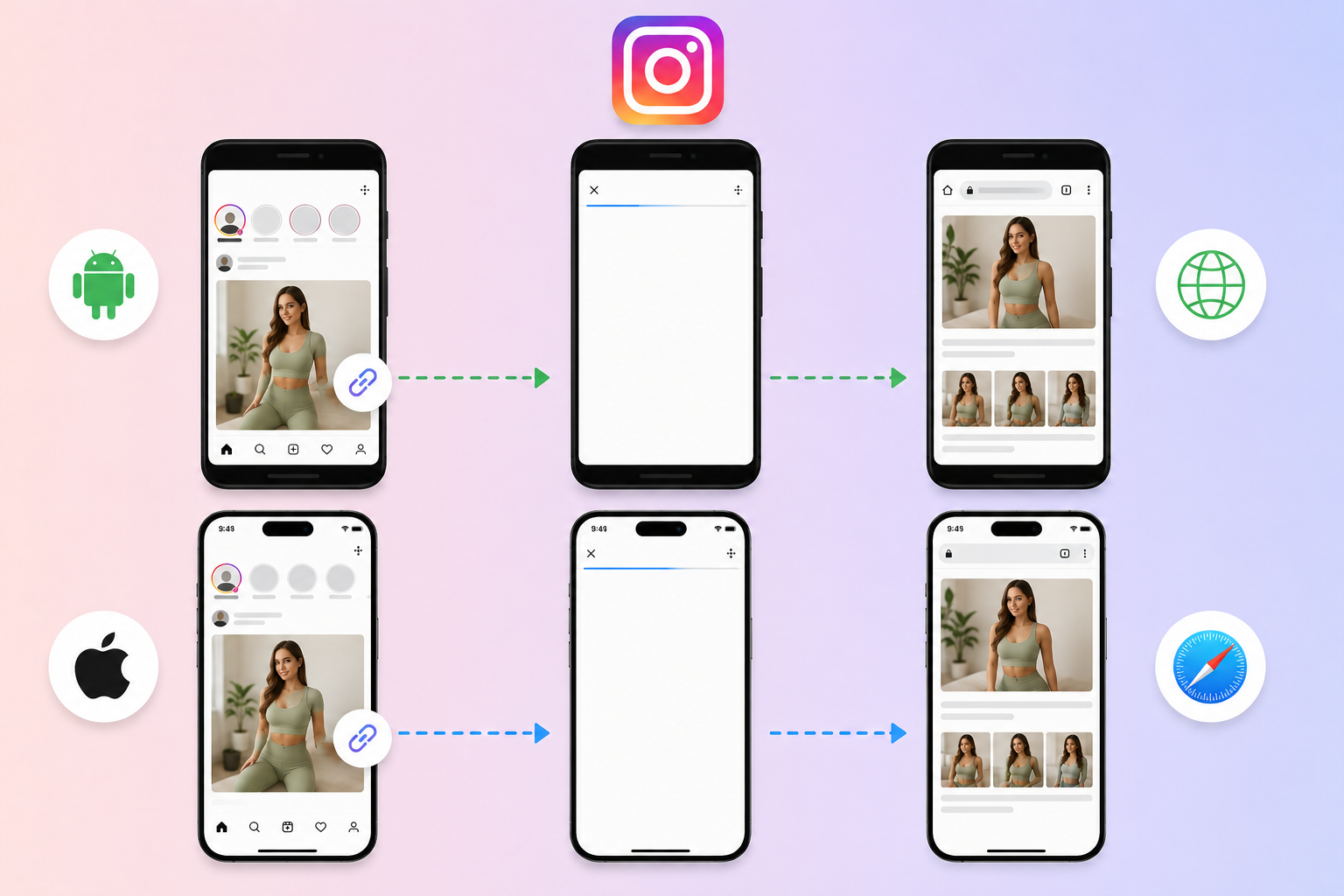
When someone taps a link inside Instagram, it opens in Instagram’s in-app browser instead of Safari or Chrome.
That broken browser breaks logins, payments, and app redirects.
Linko automatically escapes Instagram’s in-app browser, so your links open in the real browser where they actually work.
No configuration needed.
It happens automatically when deep linking is enabled.
This is a daily pain point for creators promoting on Instagram.
For the full breakdown, see our guides on how to get out of in-app browsers and opening links in Safari from Instagram.
URL Genius offers smart app banners that work inside in-app browsers, but those are aimed at driving installs of a brand’s own app, not at escaping the browser for a creator’s bio link.
Where URL Genius Genuinely Wins
Let’s be honest about what URL Genius does that Linko doesn’t.
If you own a mobile app, URL Genius has features Linko simply doesn’t offer.
Deferred deep linking
URL Genius can route a brand-new user to a specific screen inside your app after they install it.
Linko doesn’t do this. It requires code inside your own app, and Linko’s users link into other companies’ apps they can’t modify.
Install attribution
URL Genius measures app installs from your campaigns using Apple and Google’s native campaign tags.
Linko doesn’t measure installs. That’s not what its audience needs.
Smart app install banners and desktop linking
URL Genius offers web-to-app banners and desktop app linking for brands running full app-acquisition campaigns.
Linko focuses on mobile link redirection for creators, not app-acquisition infrastructure.
If any of these describe your needs, URL Genius is the better choice.
We’d rather tell you that than pretend otherwise.
Where Linko Wins
For creators, affiliates, and social marketers, Linko fits better in several ways.
Pricing
Linko bundles deep linking into business and agency paid plans. There’s no per-click charge.
URL Genius charges around $0.01 per click or requires a custom plan.
At high click volumes, that adds up fast.
Simplicity
Linko’s deep linking is a single toggle. URL Genius is a full attribution platform with the complexity that comes with it.
It’s an all-in-one platform
With Linko, deep linking comes alongside short links, bio pages, QR codes, CTA overlays, analytics, and custom domains.
You get your whole link toolkit in one place instead of paying for a standalone deep-linking tool.
Built for creators URL Genius won’t serve
Linko explicitly supports creator and adult-content platforms like OnlyFans, Fansly, and Fanvue, an underserved niche that enterprise tools typically avoid.
For more on this, see our guide to the best OnlyFans marketing tools.
Linko vs URL Genius: Full Comparison
| Feature | Linko | URL Genius |
|---|---|---|
| Open app from link (no SDK) | ✅ | ✅ |
| Web fallback | ✅ | ✅ |
| Any app via custom schemes | ✅ | ✅ |
| Affiliate / UTM passthrough | ✅ | ✅ |
| Instagram in-app browser escape | ✅ | ❌ |
| One-click on/off simplicity | ✅ | ❌ |
| Bundled free (no per-click) | ✅ | ❌ |
| Short links + bio + QR + overlays | ✅ | ❌ |
| Deferred deep linking | ❌ | ✅ |
| App-install attribution | ❌ | ✅ |
| Smart app install banners | ❌ | ✅ |
| Desktop app linking | ❌ | ✅ |
Pricing: Linko vs URL Genius
The pricing models are fundamentally different.
| Tool | Model | Deep linking cost |
|---|---|---|
| URL Genius | Pay-per-click or custom plan | ~$0.01 per click |
| Linko | Flat monthly plan | Bundled free in paid plans |
For a brand running a measured install campaign, pay-per-click can make sense.
For a creator sending thousands of clicks from a bio link, per-click pricing punishes your success.
Linko’s flat pricing means your costs don’t climb with your traffic.
See the full Linko pricing breakdown.
Frequently Asked Questions
Is Linko a good URL Genius alternative?
Yes, if you’re a creator, affiliate, or social marketer who links into other apps. Linko matches URL Genius on core deep linking, adds Instagram browser escape, and bundles it free instead of charging per click. If you own an app and need install attribution, URL Genius is the better fit.
Does Linko support deep linking for any app?
Yes. Linko auto-detects around 30 popular apps and lets you define any other app manually with custom iOS and Android URI schemes plus app store fallback URLs.
Does Linko charge per click like URL Genius?
No. Linko bundles deep linking into paid plans with no per-click charge. URL Genius uses a pay-per-click model of around $0.01 per click.
Will my affiliate tags survive into the app?
Yes. Linko carries your affiliate and UTM parameters straight into the app, so your tracking and commission attribution stay intact. No extra setup needed.
Does Linko offer deferred deep linking?
No. Deferred deep linking routes a user to a screen after they install an app, which requires code inside that app. Linko’s users link into other companies’ apps they can’t modify, so this isn’t part of the product. URL Genius offers it for brands that own their app.
Which tool is cheaper?
For creators and high-traffic links, Linko is far cheaper because it doesn’t charge per click. For low-volume measured campaigns by app owners, URL Genius pricing can work. It depends on your volume and use case.
Which Should You Choose?
The honest answer comes down to one question: do you own the app you’re linking to?
If yes, and you need to measure installs and route users after install, URL Genius is built for you.
If no, and you just need your links to open Amazon, Instagram, TikTok, or OnlyFans reliably from your bio without losing affiliate tags or getting trapped in an in-app browser, Linko is a better fit.
Most creators, affiliates, and social marketers fall into the second group.
Create your free Linko account and turn on deep linking with a single toggle.
No per-click fees, no SDK, no setup. Just links that open the right app every time.
Comments