
A branded short link for Instagram uses your domain and a readable ending, such as go.yourbrand.com/shop.
You can place it in your profile, attach it to a Story, or send it in a direct message.
The branded address tells people who owns the destination before they tap, while the redirect lets you measure and update the link later.
Creating one takes five steps: choose a short domain, connect it, add a clear slug, attach campaign tracking, and test it inside Instagram.
Key Takeaways
- You do not need a new domain if you already own one, because a subdomain such as
go.yourbrand.comworks. - Instagram supports up to five profile links, while Stories use the Link sticker.
- Use separate links for each placement if you want to distinguish profile clicks from Story clicks.
- A branded link does not bypass Instagram rules or make every feed caption clickable.
What Is a Branded Instagram Link?
A branded link is a redirect whose visible address belongs to you instead of the shortening company.
It combines a domain, a slug, and a destination.
- Domain:
go.yourbrand.com, which carries your identity. - Slug:
/shop, which tells the reader what comes next. - Destination: the product page, signup form, Bio Page, or other URL opened after the tap.
A generic link such as bit.ly/a7Xk2 can perform the same redirect, but it hides both the sender and the subject.
The practical difference is covered in our comparison of a branded link versus a generic link.
Where Can You Use the Link on Instagram?
Instagram does not treat every placement the same, so the correct method depends on where the link appears.
| Placement | Current behavior | Best use |
|---|---|---|
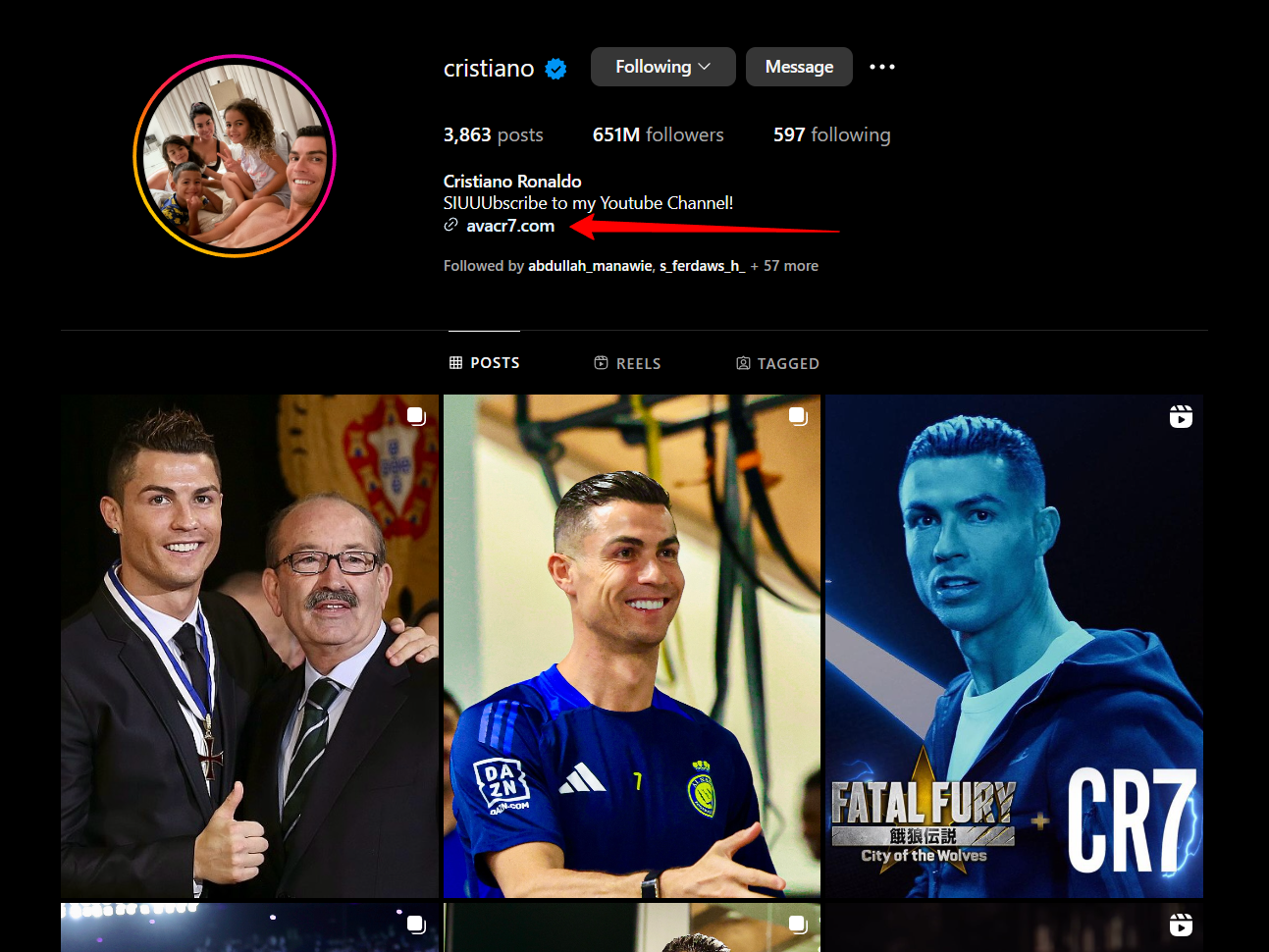
| Profile | Up to five external links for all account types | Evergreen destinations and a Bio Page |
| Story | Clickable Link sticker for compliant accounts | Offers, launches, and time-sensitive content |
| Feed caption | Normally plain text, with a limited Meta Verified test underway | A short address people can read or retype |
| Direct message | A URL can be sent in the conversation | Requested resources and one-to-one follow-up |
Instagram expanded profile bios to five external links in April 2023, including personal, business, and creator accounts.
Instagram’s Story Link sticker is available without a follower threshold, although new accounts and repeated policy violators can lose access.
Meta also confirmed a limited caption-link test for some Meta Verified subscribers in March 2026.
Unless the link option appears in your own account, treat feed captions as non-clickable and direct readers to your profile.
How to Create Branded Short Links for Instagram
The setup has five parts, and only the DNS connection is technical.
Step 1: Choose a Domain or Subdomain
Start with a domain people can connect to your name without explanation.
- Use an existing subdomain such as
go.yourbrand.comwhen you already own the main domain. - Buy a separate short domain only when the shorter address is valuable enough to justify another renewal.
- Avoid confusing spellings, numbers, and extensions that need to be explained aloud.
A subdomain is usually the better first choice because it costs nothing extra and keeps your established brand intact.
Linko branded domains begin on Starter, which includes two domains at $12 monthly or $9 per month on annual billing.
Step 2: Connect the Domain
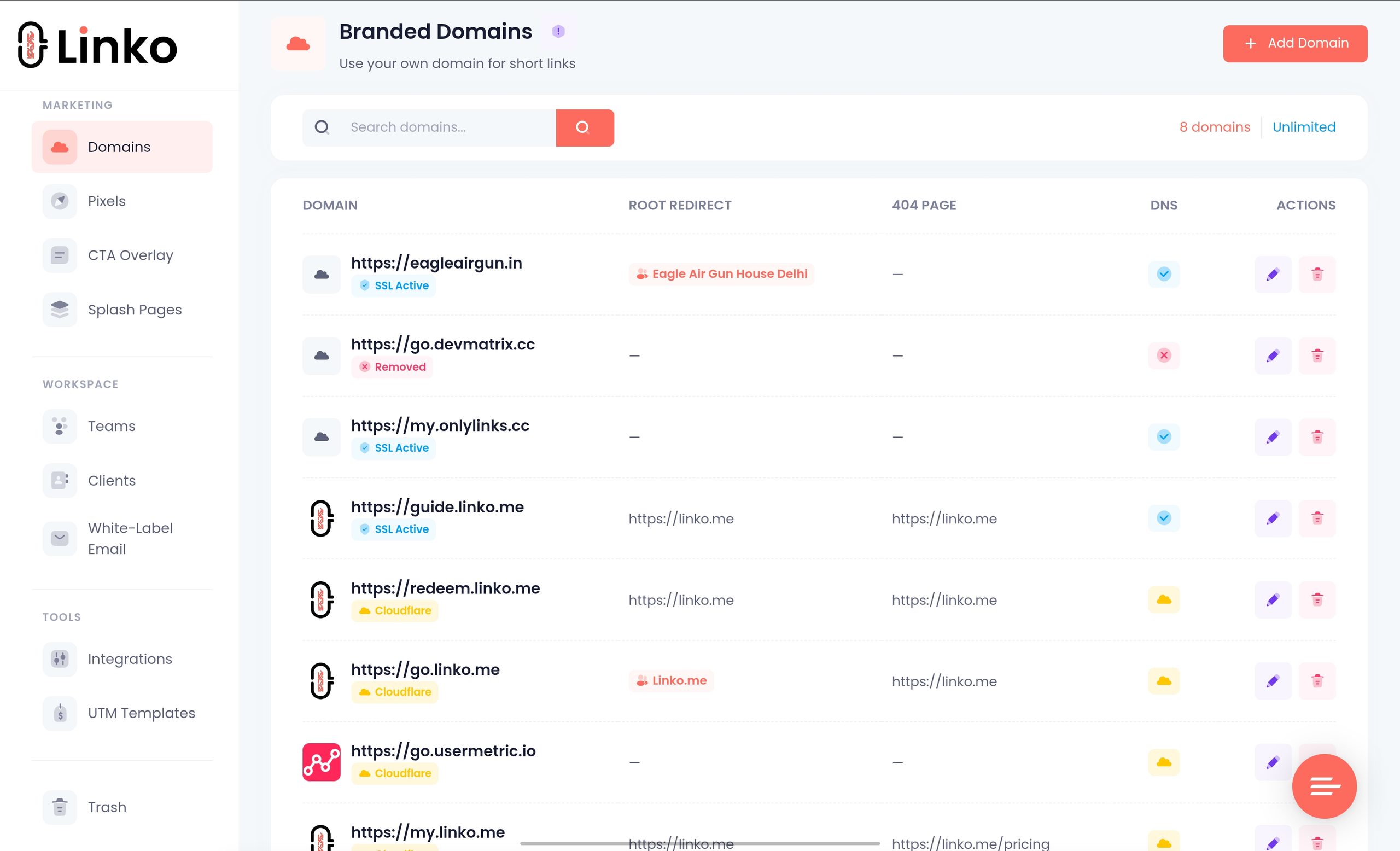
Add the domain in your dashboard, then create the requested DNS record at the company that manages your domain.
- Open Branded Domains and select Add New Domain.
- Enter the full domain or subdomain you plan to use.
- Create the displayed
CNAMErecord in your DNS dashboard. - Return to Linko and verify the connection after DNS updates.
DNS can update within minutes, but a full change may take up to 48 hours.
Check these three details before retrying a failed verification.
- Remove a conflicting
Arecord from the same host before adding the CNAME. - Enter only the subdomain label when the DNS provider automatically appends your main domain.
- Disable proxying during verification when your DNS provider places a proxy in front of the record.
Our guide to creating custom short URLs covers root domains, subdomains, and common verification failures in detail.
Step 3: Create the Link and Slug
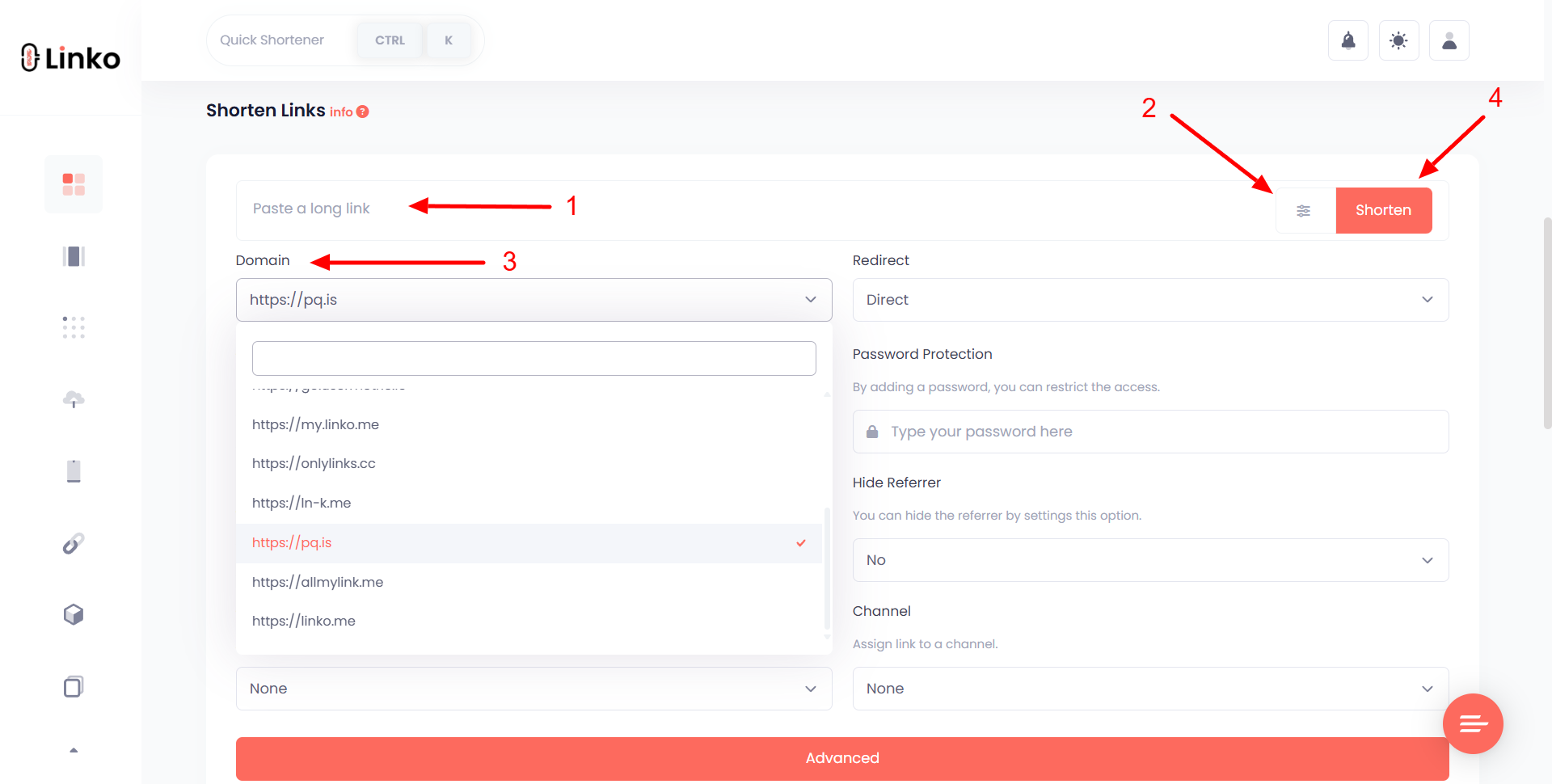
Paste the destination, select your branded domain, and replace the random ending with a readable alias.
- Describe the destination, so
/shopis clearer than/a7x92. - Keep it evergreen, because
/summer-sale-2026looks stale next year. - Use lowercase letters and hyphens to reduce typing mistakes.
Custom aliases can be edited later, but changing an alias breaks every copy of the old address.
Change the destination instead when the link is already in your profile or an old Story highlight.
Step 4: Add Tracking
Create a separate short link for each Instagram placement, even when the destination is identical.
/shop-bioidentifies profile traffic./shop-storyidentifies Story traffic./shop-dmidentifies direct-message traffic.
This works even when Instagram strips the referrer, because the address itself records the placement.
Linko filters automated crawler traffic before counting clicks on every plan, so a Story preview does not become a person in your report.
Add UTM parameters on Starter or above when you also need the campaign identified inside your website analytics.
?utm_source=instagram&utm_medium=story&utm_campaign=summer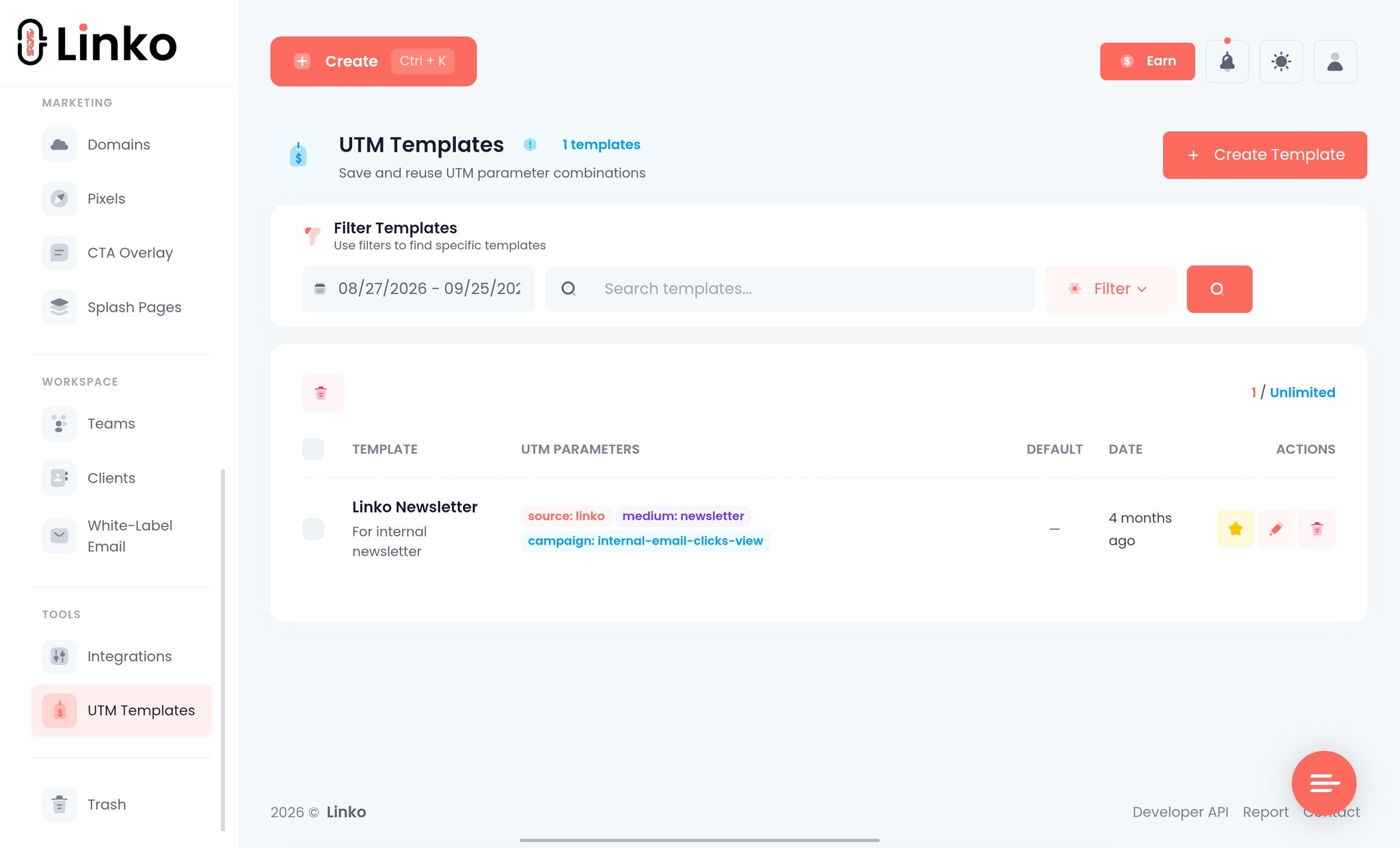
Step 5: Add and Test It on Instagram
Use Instagram’s own controls rather than pasting the URL into a field that does not support links.
- Profile: open Edit profile, choose Links, select Add external link, and paste the branded address.
- Story: add or capture media, open Stickers, choose Link, and enter the branded address.
- Feed caption: use “link in bio” unless your account displays the limited clickable-link option.
Test the published result from outside your own logged-in session.
- Open it from a second Instagram account to see what a follower sees.
- Use mobile data once to rule out a cached DNS result on your Wi-Fi network.
- Check the analytics afterwards to confirm the placement-specific link recorded the human tap.
That check catches a DNS mistake, a bad destination, or an Instagram warning that your desktop browser will never show.
If the profile link itself fails, use our Instagram bio-link troubleshooting guide before changing domains.
Which Tool Gives You a Branded Domain?
The lowest headline price does not buy the same product at each company.
The figures below compare monthly with monthly and annual with annual as published on 25 September 2026.
| Tool | First plan with branded domains | Monthly | Annual equivalent | Instagram-relevant scope |
|---|---|---|---|---|
| Linko | Starter | $12 | $9 per month | 2 domains, 250 links monthly, 3 Bio Pages, 48+ widgets |
| Rebrandly | Essentials | $11 | $8 per month | 2 domains, 250 links monthly, 10 destination edits, 3 link galleries |
| Bitly | Growth | $35 | $29 per month | Branded links, 500 links monthly, 20 destination edits |
Rebrandly is the cheapest of these three when all you need is a branded short link and ten monthly destination edits are enough.
Linko costs one dollar more monthly and bundles a link shortener with Bio Pages, QR tools, file sharing, campaign tracking, an API, a Chrome extension, and a Telegram bot.
Those extras are real value only if you use them, but replacing separate bio, short-link, and QR subscriptions usually costs more than the single plan.
Bitly’s free and Core tiers do not include branded links, so a custom domain starts at Growth rather than its $10 Core headline price.
Five Tips for Better Instagram Links
- Use one link per placement rather than trusting referrer data that the in-app browser may remove.
- Keep the slug evergreen and change the destination when the offer changes.
- Put one clear action behind each link instead of making the destination compete with itself.
- Test from inside Instagram after publishing, because that is where the visitor opens it.
- Review clicks by placement before moving effort toward the channel with the largest audience.
For broader campaign ideas, see our guide to short links in social media marketing.
What a Branded Link Cannot Do
A custom domain solves recognition and control, not Instagram policy.
- It cannot make prohibited content acceptable under Instagram’s Community Guidelines.
- It cannot guarantee caption links outside the limited Meta Verified test.
- It cannot hide an affiliate relationship, because disclosure applies to the post rather than the address.
- It cannot guarantee an external-browser handoff, because Instagram normally opens links inside its own browser.
When the in-app browser causes login or password-manager problems, our guide to opening links outside in-app browsers explains the platform and device limits.
Frequently Asked Questions
Do I need Meta Verified to add a branded link?
No, because profile links and Story Link stickers are available without Meta Verified on compliant accounts.
Meta Verified is relevant only to Instagram’s limited caption-link test, so do not buy it just to place a link in your bio or Story.
Can I use my existing website domain?
Yes, and a subdomain such as go.yourbrand.com is normally safer than moving your root website domain.
The subdomain costs no extra registration fee and keeps your website’s existing DNS records untouched.
Why does my link open inside Instagram instead of Safari or Chrome?
Instagram normally opens external profile links in its own in-app browser so the visitor remains inside the app.
The visitor can use Instagram’s menu to open the page in the system browser when a saved login or password manager is needed.
Will a branded domain stop Instagram from blocking my link?
No, because a custom domain does not override Instagram’s Community Guidelines or destination checks.
It gives you control of the domain’s reputation, but prohibited destinations and repeated policy violations can still be restricted.
Should a branded Instagram link use a 301 or 302 redirect?
Use a 302 for a campaign destination you expect to change, and a 301 only when the move is intended to be permanent.
Linko lets Starter and higher plans select 301, 302, or 307 response codes.
Can my branded domain open a Bio Page?
Yes, because a connected branded domain can display a Linko Bio Page at its root while individual slugs continue to redirect elsewhere.
That gives one domain a profile landing page at the front and trackable campaign links after the slash.
Do branded short links increase Instagram reach?
There is no reliable evidence that Instagram’s recommendation system rewards a branded URL directly.
The measurable benefits are clearer naming, editable destinations, placement-level click data, and control of your own domain reputation.
Create the Link Before Buying Another Domain
Start with a subdomain of the website you already own, because it is free and clearly connected to your brand.
Create one link for the profile and another for Stories, then compare the human clicks after your next campaign.
If you do not own a domain yet, begin with a normal short link and add the branded domain when the traffic justifies it.
You can connect the domain and build the Bio Page from Linko’s Starter plan.
Comments