
A custom short URL has two parts you control, and most people only think about one of them.
There is the domain before the slash, and the slug after it.
https://yourbrand.link/spring-sale
         ^^^^^^^^^^^^^^ ^^^^^^^^^^^
            domain         slug
The slug is the part you can set right now, on a free account, in about ten seconds.
The domain takes longer because you have to buy one and point its DNS at your shortener.
This guide covers both, starting with the half that costs nothing.
What Makes A Short URL Custom
Three versions of the same link show the difference clearly.
| Version | Example | What it costs | What it signals |
|---|---|---|---|
| Nothing customised | linko.me/a7Xk2 | Free | Nobody can tell where it goes |
| Custom slug only | linko.me/spring-sale | Free | The reader knows the topic |
| Custom slug and domain | yourbrand.link/spring-sale | Domain fee plus a paid plan | The reader knows the topic and the sender |
Row two is where most of the benefit sits, and it is the row people skip.
Row three earns its cost in three places in particular.
- Paid ads, where platforms routinely distrust shared shortener domains.
- Print and packaging, where the address cannot be changed after it ships.
- Cold email, where a shared domain carries a reputation you do not control.
How To Set Your Own Slug
In Linko this is the Custom Alias field, and it is available on every plan including the free one.
- Paste your long URL into the shortener.
- Open Advanced Options before you press Shorten.
- Type your slug into the Custom Alias field.
- Press Shorten, and the link is live immediately.
Slugs are first come first served on a shared domain, so a common word may already be taken.
What Makes A Good Slug
- Describe the destination, not an internal code, so
/pricingbeats/q3-camp-04. - Lowercase only, because a reader typing it will not guess your capitals.
- Hyphens, not underscores, since underscores disappear when a link is underlined.
- No dates you will regret, because
/sale-2026is dead next year while/salecan be repointed. - Short enough to say out loud, which matters on a podcast or in a video.
That last point is the one that pays off repeatedly, because a slug you can repoint is a slug you never have to reprint.
Linko lets you change the destination of an existing link at any time, on any plan.
How To Add Your Own Domain
A branded domain replaces the shortener’s name with yours on every link you create.
It needs a paid plan, starting at Starter which includes two branded domains.
Pick The Domain
You have two routes, and the cheaper one is easy to miss.
- A subdomain of the domain you already own, such as
go.yourbrand.com, which costs nothing extra. - A new short domain, such as
yourbrand.link, which costs a yearly registration fee but is shorter.
If you already own a domain, start with the subdomain and spend nothing.
Registrar prices for short extensions move around, so check the current figure rather than trusting a number in any article.
| Registrar | Worth knowing |
|---|---|
| Porkbun | Usually the cheapest on renewals, which is where registrars normally recover the discount |
| Cloudflare Domains | Sells at cost with no markup, and the DNS you need is in the same place |
| Namecheap | Cheap first year, so read the renewal price before you buy |
| GoDaddy | The most familiar, rarely the cheapest, heavy on upsells at checkout |
Check three things before paying for any of them.
- The renewal price, not the first-year price, since that is what you pay every year after.
- The extension’s reputation, because some newer ones are treated harshly by spam filters.
- Whether it survives being read aloud without you having to spell it out.
Connect It With A CNAME
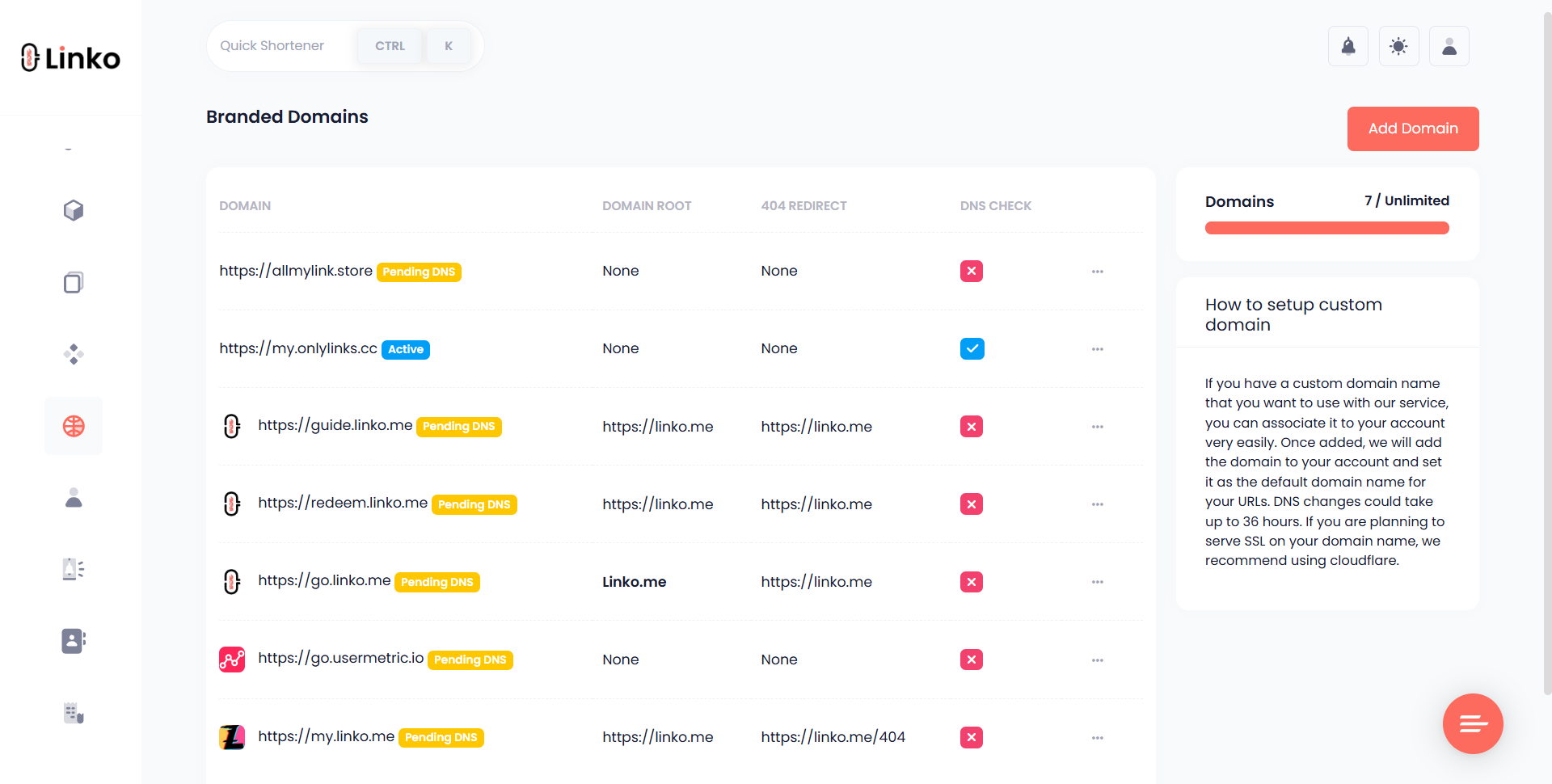
- Open Branded Domains in your Linko dashboard and choose Add New Domain.
- Enter the domain or subdomain exactly as you will use it.
- At your registrar or DNS host, add the CNAME record below.
- Come back and verify the domain.
Type:  CNAME
Host:  go            (or @ for a root domain)
Value: linko.me
DNS changes usually take effect within an hour, though the official window is up to 48 hours.
If verification fails, three causes cover nearly every case.
- A leftover
Arecord on the same host, which conflicts with the new CNAME. - The full domain typed into the host field when only the subdomain part belongs there.
- Proxying left switched on at Cloudflare, which answers with Cloudflare’s address instead of passing the CNAME through.
What You Can Add On Top
Once the link exists, the redirect itself becomes something you can control.
These features are gated by plan, so the table names the lowest one that includes each.
| Feature | What it does | Lowest plan |
|---|---|---|
| Custom alias | Sets the slug | Free |
| Link cloaking | Keeps your short address in the address bar | Free |
| CTA overlay | Adds your call to action over the destination | Free |
| Promo page | Shows a branded page before the destination | Free |
| Password protection | Asks for a password first | Free |
| Branded domain | Puts your name before the slash | Starter |
| UTM parameters | Tags the click for your analytics | Starter |
| Tracking pixel | Builds a retargeting audience | Starter |
| Link expiration | Switches the link off on a date | Pro |
| Geo, device and language targeting | Routes visitors to different pages | Pro |
| A/B testing | Splits traffic between destinations | Business |
| Deep linking | Opens the destination inside its app | Business |
| IP targeting | Routes or blocks by address | Business |
The five free rows are worth setting up before you spend anything.
Expiring A Campaign Link
An offer link that still works after the offer ends creates orders you cannot honour.
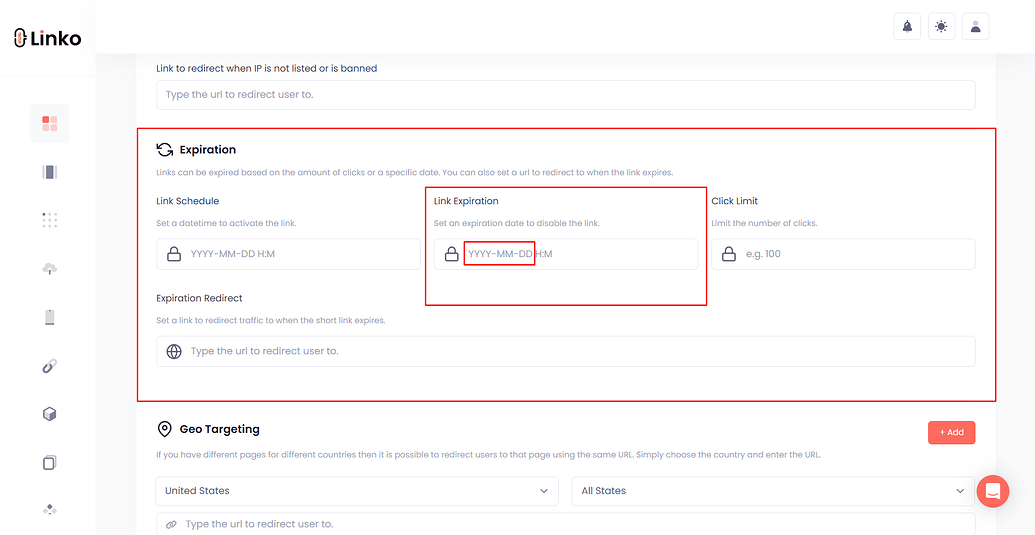
Setting an expiry date when you create the link avoids that entirely.
- The expiry date and time, set in your own timezone rather than the visitor’s.
- A fallback destination, so expired clicks reach a live page instead of an error.
- A click limit on Business plans, when the offer is capped by quantity rather than by date.
Testing Two Destinations
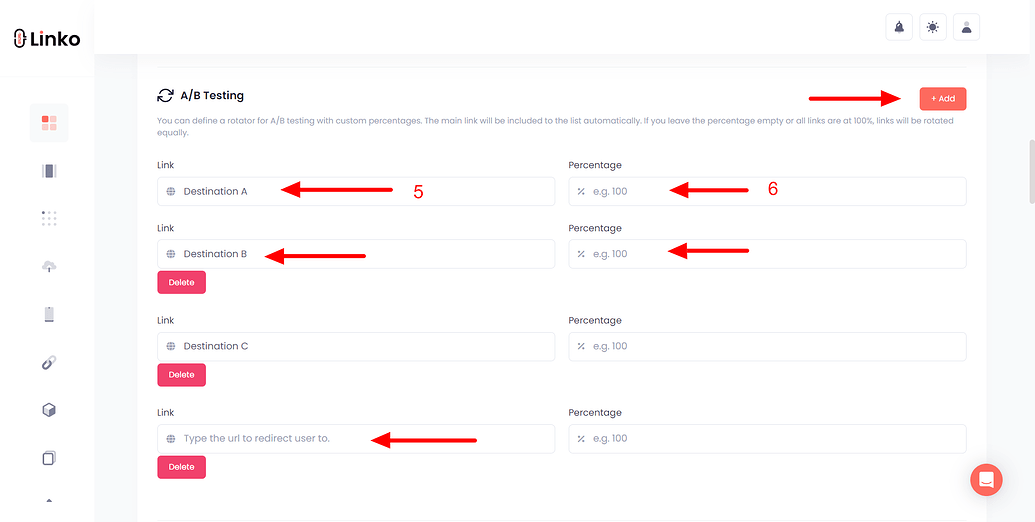
One slug can rotate between two landing pages so the same audience decides which page converts.
This only tells you something useful once the click volume is high enough to separate a real difference from noise.
Sending People To Different Pages
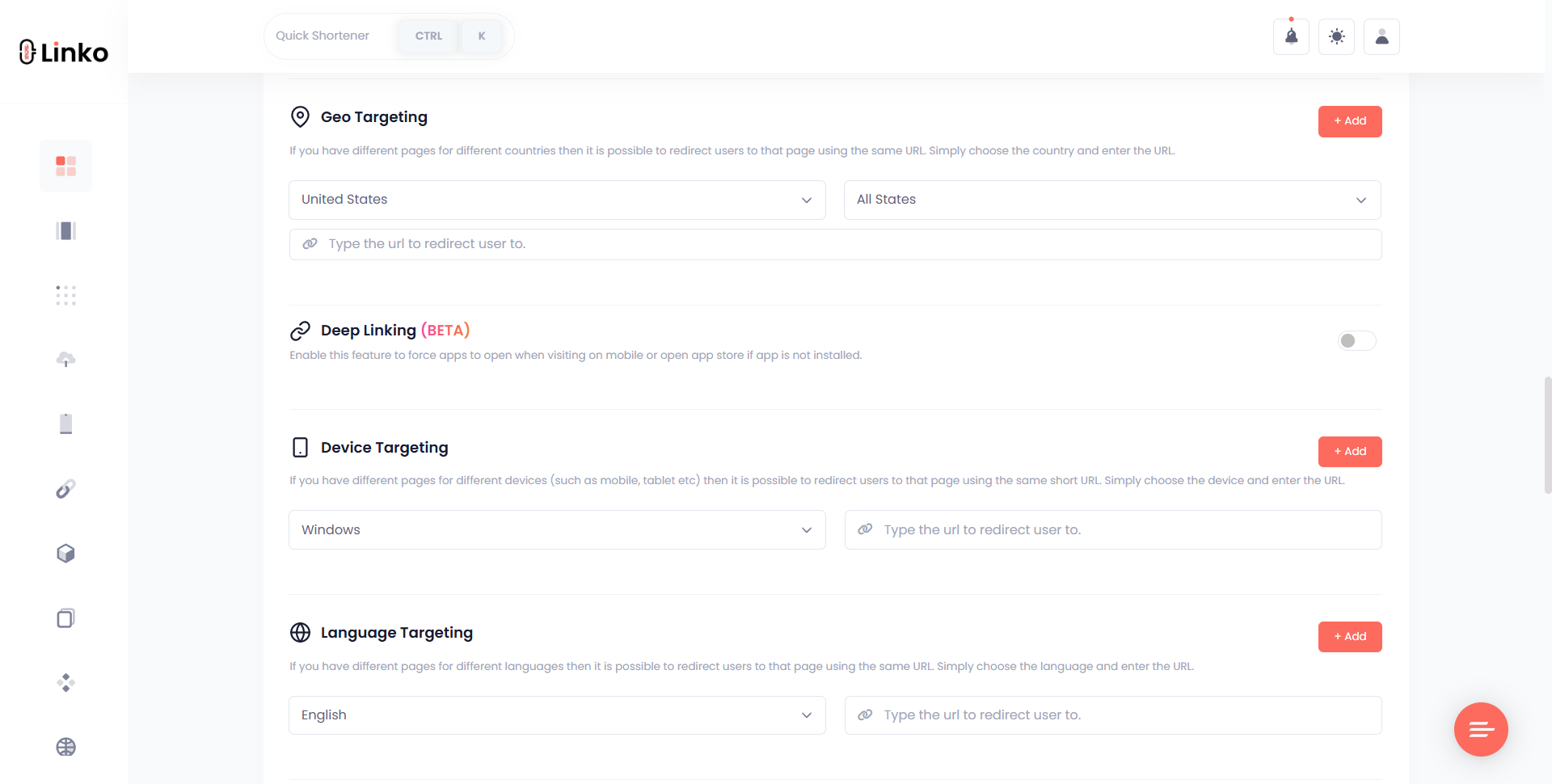
Geo targeting lets one printed slug serve a different page depending on where it was scanned.
- Visitors in the United States reach
/us-deal. - Visitors in Europe reach
/eu-deal. - Everyone else lands on the page you set as the default.
Always set that default, because a rule with no fallback is how a link breaks for the one country you forgot.
Adding Your Own Call To Action
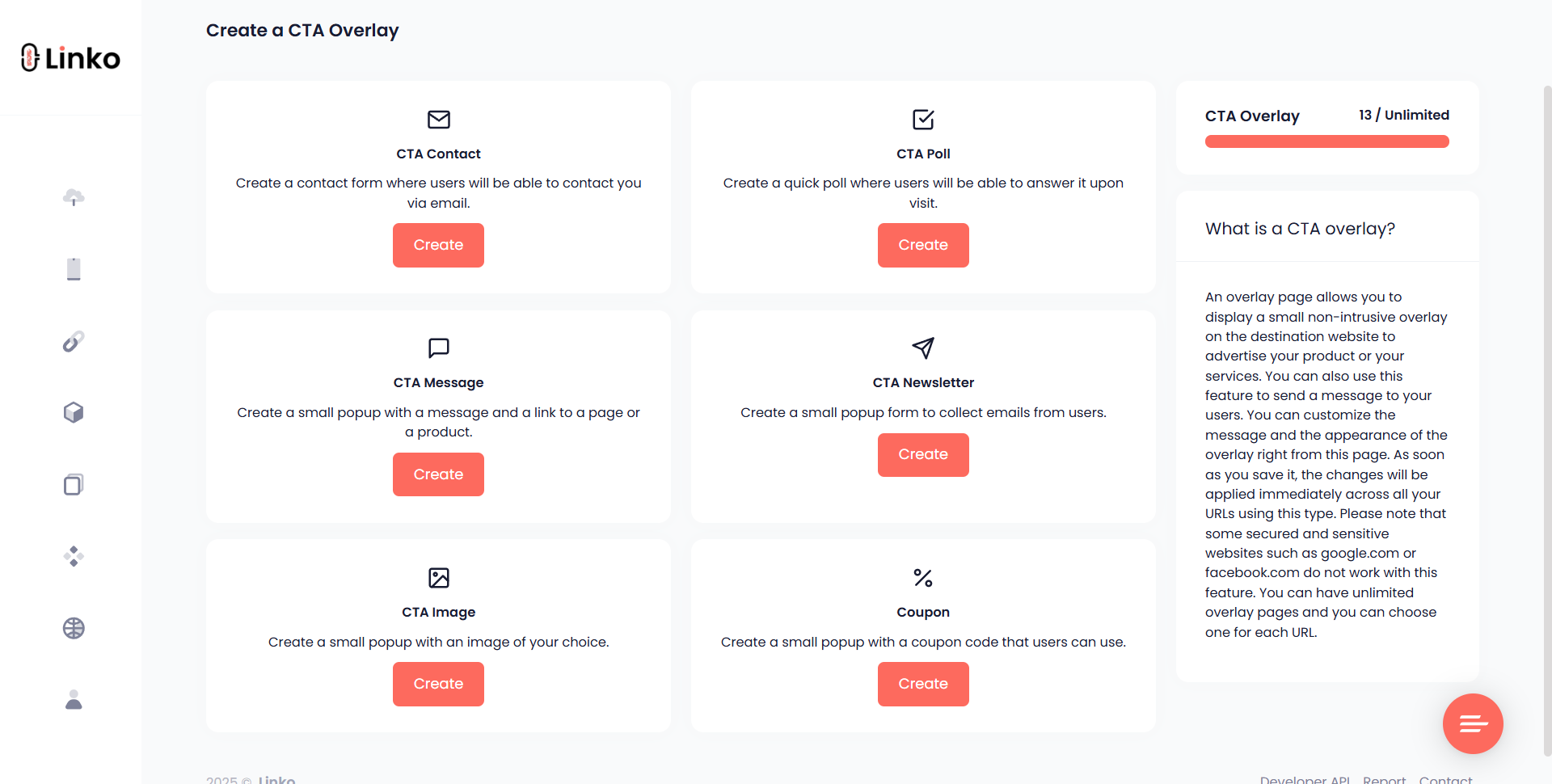
Two features do this, and they solve opposite problems.
- A CTA overlay sits on top of a page you do not own, which suits sharing somebody else’s article.
- A promo page shows your own page first and forwards the visitor on afterwards.
Tracking What The Links Do
Every custom short URL records its own clicks, split several ways.
- Country and city of the visitor.
- Device and operating system.
- Browser and language.
- The referring site or app that sent them.
- Hourly performance, which shows when your audience is actually awake.
Automated traffic is filtered out before a click is counted, on every plan including the free one.
That covers what happened at the link, but not what happened afterwards on your site.
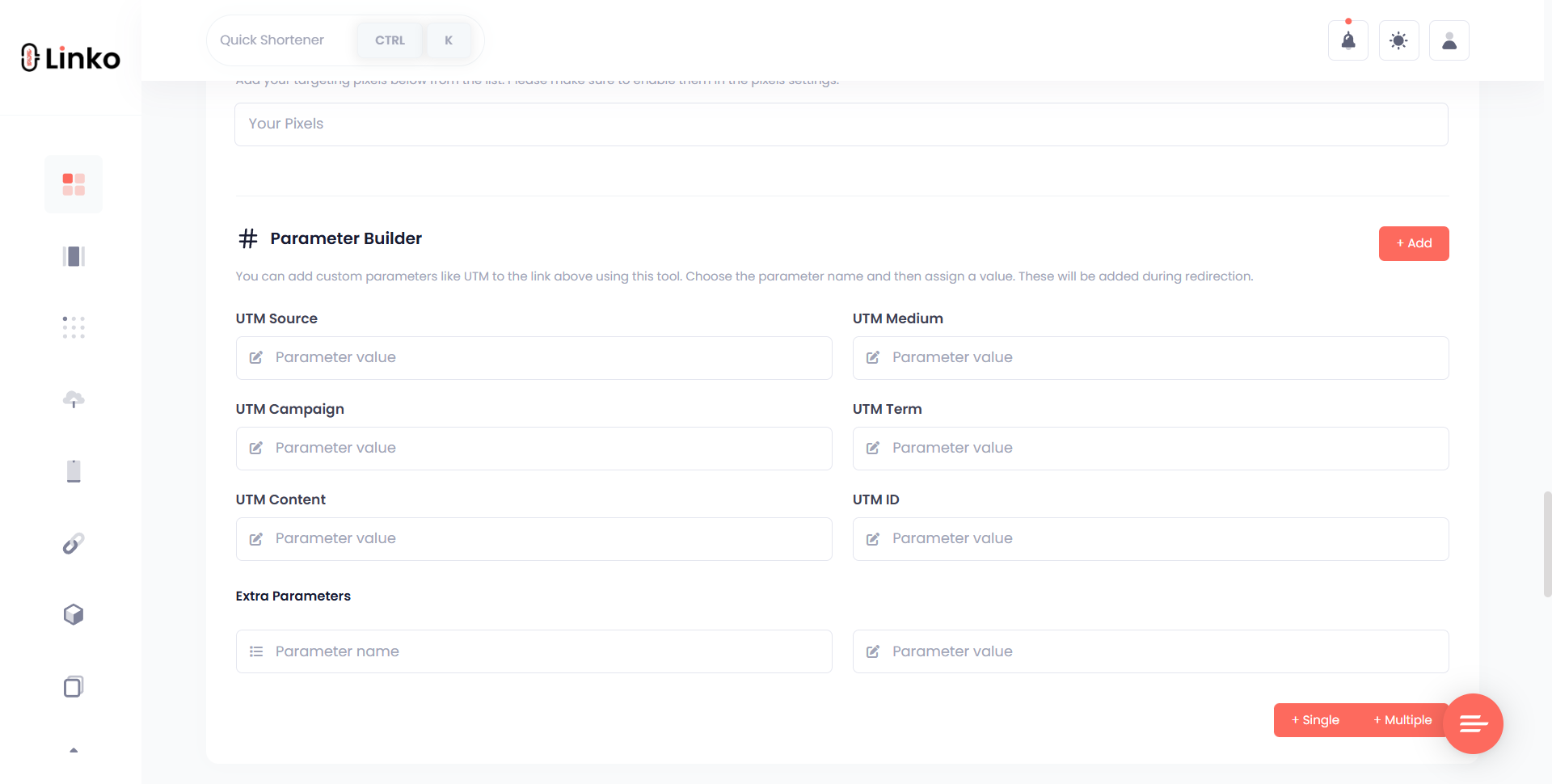
For that you need UTM parameters, which pass the campaign details through to your own analytics.
https://yourbrand.link/sale?utm_source=newsletter&utm_medium=email&utm_campaign=springutm_sourcenames the specific place the link was posted.utm_mediumnames the type of channel.utm_campaigngroups everything belonging to one push.
Keep the values lowercase and spelled identically every time, because analytics tools treat Email and email as two separate sources.
Linko’s free UTM builder assembles the string for you, and saved templates apply the same tags to every link in a campaign.
Once you are running links across several campaigns, it helps to organize them into campaigns and channels rather than one flat list.
Mistakes That Cost You Clicks
| Mistake | What goes wrong | Do this instead |
|---|---|---|
| Putting the campaign code in the slug | Nobody outside your team knows what /q3-c04 means | Describe the destination and keep the code in a UTM tag |
| Burning a date into the slug | The link reads as stale a year later even though it works | Use an evergreen slug and repoint it each season |
| Serving branded links over plain HTTP | Browsers warn on the redirect and trust drops | Confirm the certificate is issued before you publish the domain |
| Making the slug a promise the page breaks | Readers feel tricked and stop clicking your links entirely | Match the slug to what the page actually delivers |
| Letting one person hold the domain | The registration lapses and every printed link dies at once | Use a shared billing account with auto renewal on |
The last row is the one that does irreversible damage, because an expired domain can be registered by somebody else.
Anything already printed then points at whoever bought it next.
Frequently Asked Questions
Can I change a slug after I have shared the link?
Yes. Custom aliases can be edited after a link has been created, so a typo is fixable. Be aware that the old slug stops resolving the moment you change it, so anyone holding the previous version gets an error. If the link is already printed or posted widely, leave the slug alone and change the destination instead.
Why is my slug rejected as unavailable?
Because another link already occupies it on that domain. Slugs are unique per domain, and on a shared domain you are competing with every other user of it, which is why single common words are usually gone. On your own branded domain only your own links compete, so short obvious slugs become available again.
Can I use my root domain rather than a subdomain?
Sometimes, but DNS gets in the way. The standards do not allow a CNAME record on a root domain, so many providers reject it. If yours offers ALIAS, ANAME or CNAME flattening you can point the root; Cloudflare does this automatically. Otherwise use a subdomain such as go or link, which is also easier to move later.
Do my existing links keep working after I add a branded domain?
Yes. A branded domain applies to links created on it, and links you made earlier keep the address they were issued with. Adding a domain never rewrites anything already in circulation, so you can introduce branding gradually instead of reissuing every link at once.
Does a custom slug improve SEO?
Not directly, because a short link is a redirect rather than a page. Search engines index the destination URL, and a permanent redirect passes the ranking signals through to it. What a readable slug genuinely improves is the click-through rate, since people can see where the link goes before they commit to it.
Can two branded domains use the same slug?
Yes, because uniqueness is scoped to each domain separately. That is useful when one company runs several brands, since each can own a clean slug like offer or pricing without colliding. It also means moving a campaign to a new domain does not force you to rename anything.
How many branded domains does each plan include?
Starter includes two, Pro five, Business twenty and Agency fifty. The free plan has none, so branded domains are the point at which a paid plan becomes necessary. Team members can be scoped to a single branded domain, which suits agencies running one domain per client.
Start With The Slug
You do not need a domain, a plan or a decision about registrars to make a custom short URL today.
Take the next link you were going to share, give it a slug that says where it goes, and watch what the clicks tell you.
Add the branded domain later, once you know which links people actually use.
You can do the first part on a free link shortener, and the full walkthrough is in our guide on how to make a short link.
Comments