
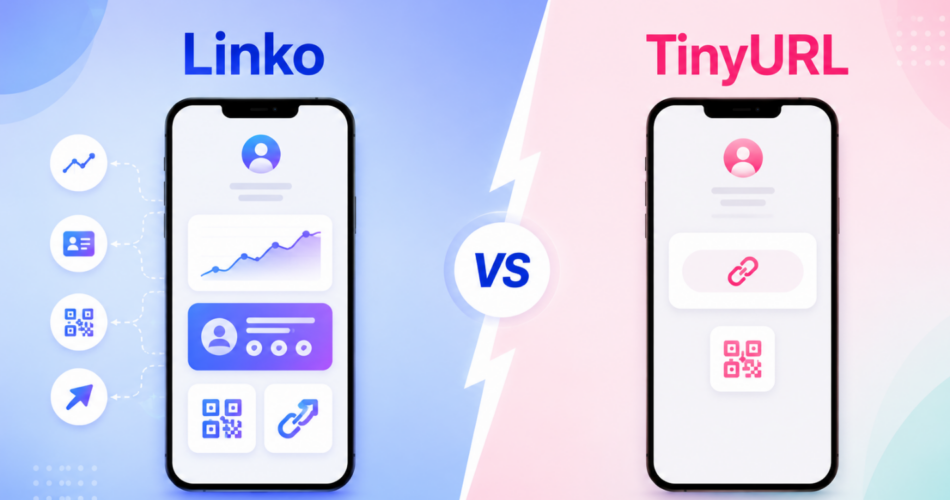
Looking for a TinyURL alternative that does more than shorten links?
You’re not alone.
TinyURL has been around since 2002 and it’s reliable for quick, no-frills link shortening.
But it stays close to that original purpose.
If you need bio pages, deep linking, advanced QR codes, or analytics on a free plan, TinyURL leaves gaps.
Linko fills them.
It’s a complete link management platform where shortening is just the starting point.
This post compares Linko vs TinyURL on features, analytics, pricing, and more, so you can pick the right tool.
Key Takeaways
- TinyURL is a simple, trusted URL shortener that’s best for quick one-off links.
- Linko is an all-in-one platform with shortening, bio pages, QR codes, deep linking, and analytics.
- TinyURL offers no analytics on its free plan. Linko includes analytics free.
- TinyURL includes basic QR codes, but has no bio pages or deep linking. Linko has all three, plus advanced QR codes.
- TinyURL wins on brand recognition and simplicity. Linko wins on features and value.
Why Look for a TinyURL Alternative?
TinyURL does one thing well: it shortens links fast.
But modern marketing needs more than a short link.
Common reasons people search for an alternative:
- No analytics on the free plan, so you can’t see who clicked
- No bio page builder for social media profiles
- Only basic auto-generated QR codes, with no standalone QR designer or custom branding
- No deep linking to open mobile apps
- Limited features compared to modern link platforms
If you’ve outgrown basic shortening and want to actually track and grow your links, you’ll want something more complete.
If you’re weighing other classic free shorteners too, our best Cuttly alternative guide covers similar ground.
You can even test the upgrade instantly with Linko’s free link shortener, no signup required.
What Is TinyURL?
TinyURL is one of the oldest URL shorteners on the web, launched in 2002.
It built its reputation on simplicity. You paste a long link, get a short one, and share it.
No account required for basic use.
Over the years it added paid features, but the core product stays focused on shortening.
Key features of TinyURL
- URL shortening on the tinyurl.com domain
- Automatic QR code for every short link (free plan)
- Custom link aliases
- Branded domains (paid plans)
- Analytics dashboard (paid plans only)
- Link editing and expiration
- Link tagging
- API access
TinyURL is one of the most widely used shorteners on the web, with a track record going back to 2002.
That history is real, and for quick shortening it’s a solid choice.
The limitation is scope. TinyURL is a shortener, not a link management platform.
What Is Linko?
Linko is a complete link management tool for creators, marketers, and businesses.
Shortening is just one piece.
Linko also includes bio pages, QR codes, deep linking, CTA overlays, analytics, and custom domains.
What makes Linko a strong alternative
- URL shortening with custom aliases
- Analytics included on the free plan
- Bio page builder with 48+ widgets
- QR code generator with 14 types
- Deep linking to open mobile apps
- Bulk shortening up to 15,000 links
- 13 pixel integrations for retargeting
- A/B testing through link rotators
- CTA overlays and custom domains
Linko works for anyone who needs to do more than shorten a link, from solo creators to agencies.
To start with the basics, see our guide on how to make a short link.
Linko vs TinyURL: Quick Comparison
Here’s how the two stack up at a glance.
| Feature | Linko | TinyURL |
|---|---|---|
| URL shortening | ✓ | ✓ |
| Custom aliases | ✓ | ✓ |
| Analytics on free plan | ✓ | ✗ |
| Bio pages | ✓ | ✗ |
| QR code generator | ✓ 14 types | ✓ Basic |
| Deep linking | ✓ | ✗ |
| CTA overlays | ✓ | ✗ |
| A/B testing | ✓ | ✗ |
| Pixel integrations | ✓ | ✗ |
| Bulk shortening | ✓ | ✓ (Bulk plan) |
| Custom domains | ✓ | ✓ |
| API access | ✓ | ✓ |
| Brand recognition | Growing | ✓ Since 2002 |
Analytics: The Biggest Difference
This is where the two tools split most clearly.
TinyURL offers no analytics on its free plan.
You can create and share links, but you can’t see how many people clicked, where they came from, or what device they used.
To get analytics on TinyURL, you need a paid plan starting at $16 per month.
Linko includes analytics on the free plan.
Even on the free tier, you can track:
- Total clicks and unique visitors
- Geographic location
- Device and browser type
- Referrer source
- Clicks over time
For marketers, knowing which links work is the whole point.
Getting that data free is a meaningful advantage.
Learn more in our guide on how to track links for free, or see why a URL shortener with analytics beats a plain shortener.
Bio Pages: Something TinyURL Doesn’t Offer
TinyURL has no bio page builder. It only shortens links.
Linko includes a full bio page builder with 48+ widgets.
A bio page lets you put all your links behind a single URL, perfect for Instagram, TikTok, or any social profile that only allows one link.
With Linko bio pages, you can:
- Add unlimited links with custom buttons
- Embed Spotify, TikTok, and YouTube content
- Add contact forms and countdown timers
- Choose from 35+ themes or build your own
- Track clicks on each individual link
If you market on social media, a bio page is essential. TinyURL simply doesn’t have one.
QR Codes: Basic vs 14 Types
Both tools offer QR codes, so this isn’t about presence. It’s about depth.
TinyURL automatically generates a QR code for every short link you create, even on the free plan, and those codes are dynamic because they point to an editable short link.
Linko offers a dedicated QR code generator with 14 types.
You can create QR codes for URLs, vCards, WiFi, email, SMS, and more, not just a link’s auto-generated code.
Linko QR codes also support:
- Custom colors, gradients, and logos
- Dynamic codes you can edit after printing
- Bulk generation
- Download in PNG, SVG, PDF, and WEBP
So if you just need a scannable code for a link, TinyURL covers it.
If you want branded, multi-type QR codes for print, packaging, or events, Linko’s generator goes further.
You can try it now with Linko’s free QR code generator.
Deep Linking: Opening Mobile Apps
TinyURL links open in the browser. They don’t open mobile apps directly.
Linko includes deep linking that opens the matching app when someone clicks.
For example, a link to a YouTube video opens the YouTube app instead of the mobile browser, where users are already logged in.
This improves the experience and conversions, especially for creators and marketers driving mobile traffic.
To understand the concept, see our guide on what deep linking is and how it works.
Where TinyURL Genuinely Wins
Let’s be fair about TinyURL’s strengths.
Brand recognition and trust
TinyURL has been around since 2002.
The name is widely recognized, and some audiences trust a tinyurl.com link on sight.
That two-decade track record is something newer platforms can’t claim.
The same goes for other legacy shorteners, which is why we also compare Linko against Bitly for marketers weighing the old guard.
Simplicity for one-off links
If you just need to shorten a single link fast, TinyURL does it without an account.
For a quick, throwaway short link, it’s hard to beat that simplicity.
No-frills reliability
TinyURL doesn’t try to be a marketing suite.
For users who want exactly one feature and nothing else, that focus is a feature in itself.
If all you ever need is basic shortening, TinyURL is perfectly serviceable.
Where Linko Wins
For anyone doing real marketing, Linko offers more.
Free analytics
Linko gives you click data on the free plan. TinyURL makes you pay for it.
An all-in-one toolkit
Shortening, bio pages, QR codes, deep linking, and CTA overlays live in one dashboard.
No need to stitch together multiple tools.
If you’re comparing other dedicated shorteners, our Short.io alternative breakdown shows the same all-in-one advantage.
Retargeting and testing
Linko supports 13 pixel integrations and A/B testing through link rotators. TinyURL offers neither.
For paid ad campaigns, the ability to retarget visitors who clicked your links is a major advantage.
Better value per dollar
Linko’s paid plans include far more features at comparable price points, which we’ll break down next.
Pricing: Linko vs TinyURL
Here’s how pricing compares.
| Plan | Linko | TinyURL |
|---|---|---|
| Free | 50 links, analytics, bio page, QR codes | Basic shortening, no analytics |
| Entry paid | $12/month (Starter) | $16/month (Pro) |
| Higher tier | $29/month (Pro) | $83/month (Bulk 50K) |
| Enterprise | $149/month (Agency) | Custom pricing |
The free plans tell the story.
TinyURL’s free plan shortens links and adds an automatic QR code, but it gives you no analytics and no bio page.
Linko’s free plan includes analytics, a bio page, and a full QR generator, plus click tracking on every link.
At the paid level, Linko’s entry plan ($12) actually costs less than TinyURL’s Pro ($16), while adding bio pages, deep linking, advanced QR codes, retargeting, and more.
See the full Linko pricing breakdown.
Which Should You Choose?
It comes down to what you need.
Choose TinyURL if:
- You only need to shorten the occasional link
- You want a recognized, no-account-needed tool
- You don’t need analytics, bio pages, or advanced QR codes
Choose Linko if:
- You want analytics without paying extra
- You need a bio page for social media
- You want QR codes and deep linking
- You run campaigns and need retargeting or A/B testing
- You want one platform instead of several tools
TinyURL is a great quick shortener. Linko is a complete link platform.
If your needs go beyond shortening, Linko gives you room to grow without switching tools later.
Frequently Asked Questions
Is Linko a good TinyURL alternative?
Yes. Linko matches TinyURL on shortening and adds analytics, bio pages, QR codes, and deep linking. It’s a strong fit if you need more than basic link shortening.
Does TinyURL offer free analytics?
No. TinyURL’s free plan has no analytics. You need a paid plan starting at $16 per month to see click data. Linko includes analytics on its free plan.
Does Linko have a free plan like TinyURL?
Yes. Linko’s free plan includes 50 links, click analytics, a bio page, and a full QR generator. TinyURL’s free plan covers basic shortening with an auto-generated QR code, but no analytics or bio pages.
Can I use my own domain with Linko?
Yes. Linko supports custom branded domains, like TinyURL’s paid plans, plus the ability to use multiple domains.
Does TinyURL have bio pages or QR codes?
TinyURL automatically creates a QR code for each short link, but it has no bio page builder. Linko includes a full bio page builder, plus a dedicated QR generator with 14 code types and custom branding.
Can I migrate my links from TinyURL to Linko?
Yes. You can recreate links in Linko’s dashboard or use bulk shortening to import many at once. The API also supports programmatic creation.
Ready to Upgrade?
TinyURL is a reliable shortener. But if you want analytics, bio pages, QR codes, and deep linking without juggling multiple tools, Linko is the upgrade.
Everything lives in one platform, and the free plan gives you more than TinyURL’s paid tiers.
Create your free Linko account and shorten your first link with full analytics included.
No credit card required, and you can explore bio pages and QR codes on the same free plan.
Comments