
A link in bio is a clickable URL placed in the profile section of a social media account.
It can send visitors to one destination, several native profile links, or a separate Bio Page containing links, forms, products, media, and other content.
That distinction matters because a link in bio is not automatically a multi-link page.
Instagram now supports several external profile links, while TikTok website-link access depends on account eligibility.
A separate Bio Page still helps when you need one branded URL, richer content, better organization, tracking, visitor controls, or client workflows.
This guide explains:
- What the phrase means,
- Where visitors find the link,
- When a Bio Page is useful,
- What to include,
- How to build one, and
- How to measure the full path from profile view to conversion.
Key Takeaways
- A link in bio is the clickable profile URL, while a Bio Page is one possible destination for that URL.
- Native profile links may be enough when you have a few stable destinations and no need for rich content.
- A Bio Page helps when you need one reusable URL, several actions, custom branding, analytics, forms, media, or team access.
- There is no perfect number of links for every page. Start with a clear primary action and remove choices that do not help visitors.
- Measure profile taps, page views, widget clicks, destination visits, and conversions as separate steps.
What Does Link in Bio Mean?
“Link in bio” tells a visitor to open the creator’s profile and tap the clickable URL in the bio or profile-links area.
The phrase became useful because many social posts and captions do not turn ordinary URLs into clickable links.
Creators use the phrase in captions, videos, and comments to move interested viewers from a post to a website, store, article, booking page, campaign, or Bio Page.
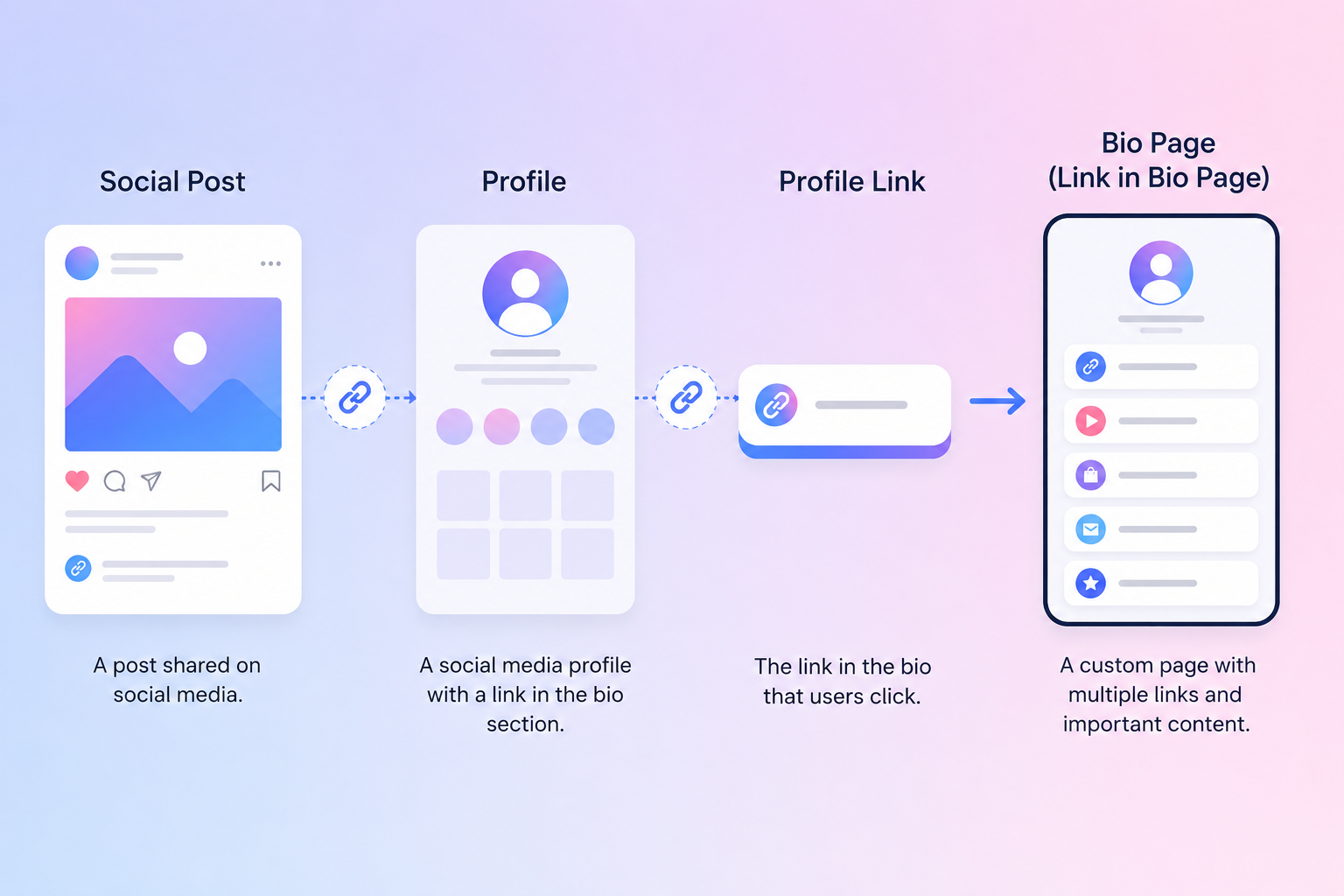
What is the difference between a profile link and a Bio Page?
A profile link is the URL someone taps from your social profile.
A Bio Page is a mobile landing page that the profile link can open.
| Term | What it means | Example |
|---|---|---|
| Social bio | The short profile description shown near your name and image. | A creator’s description, topic, and call to action. |
| Profile link | A clickable URL placed in the profile. | A direct product page or Bio Page URL. |
| Bio Page | A landing page containing several destinations or content blocks. | A page with a store, newsletter, videos, and social profiles. |
| Link-in-bio builder | Software used to create and manage a Bio Page. | A hosted editor with themes, widgets, and analytics. |
| Short link | A compact URL that redirects to one destination or managed experience. | A branded link used in a campaign. |
A short link and a Bio Page solve different problems.
The short link usually sends one click to one destination, while the Bio Page lets the visitor choose or interact with content.
Both can support a broader social media link strategy.
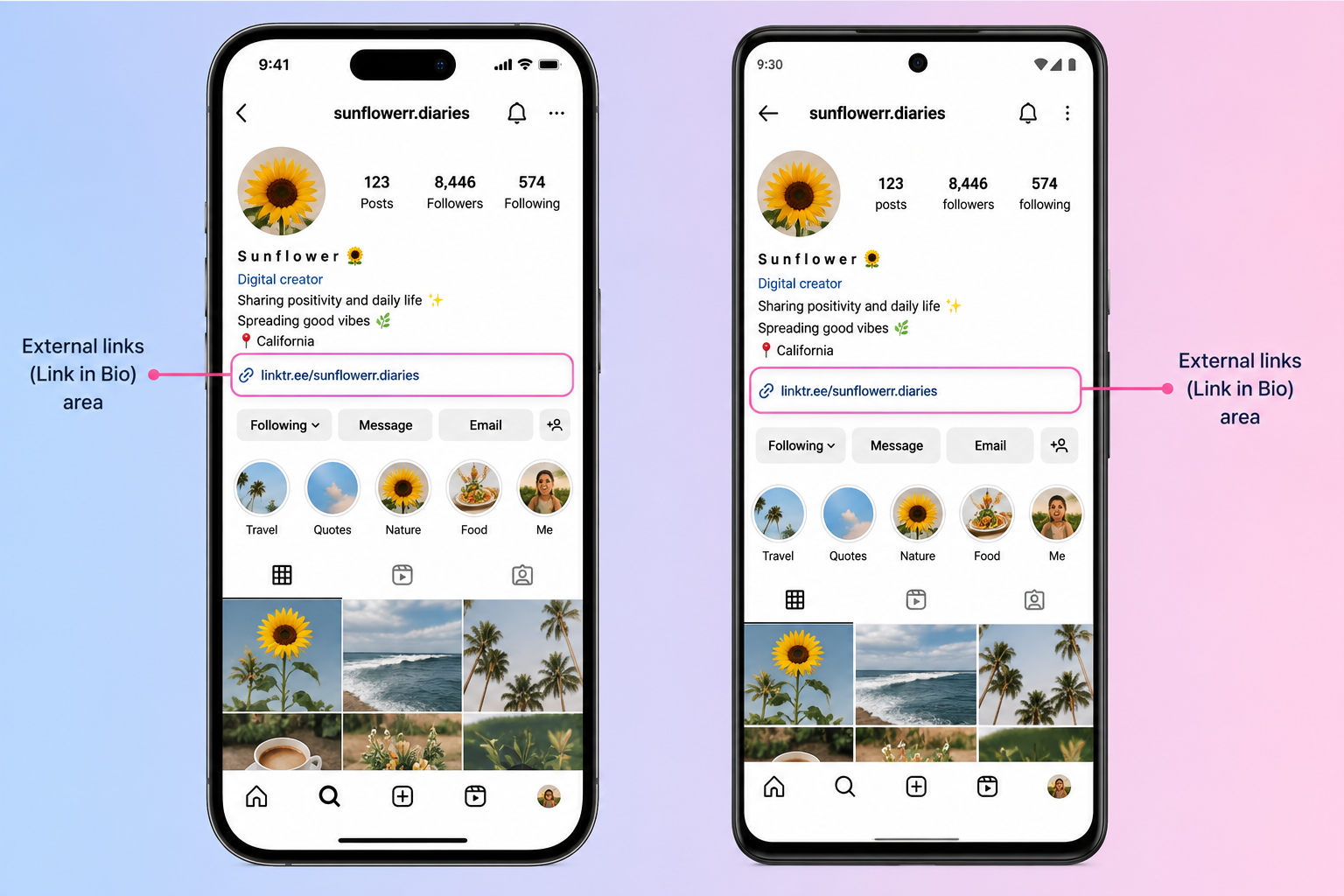
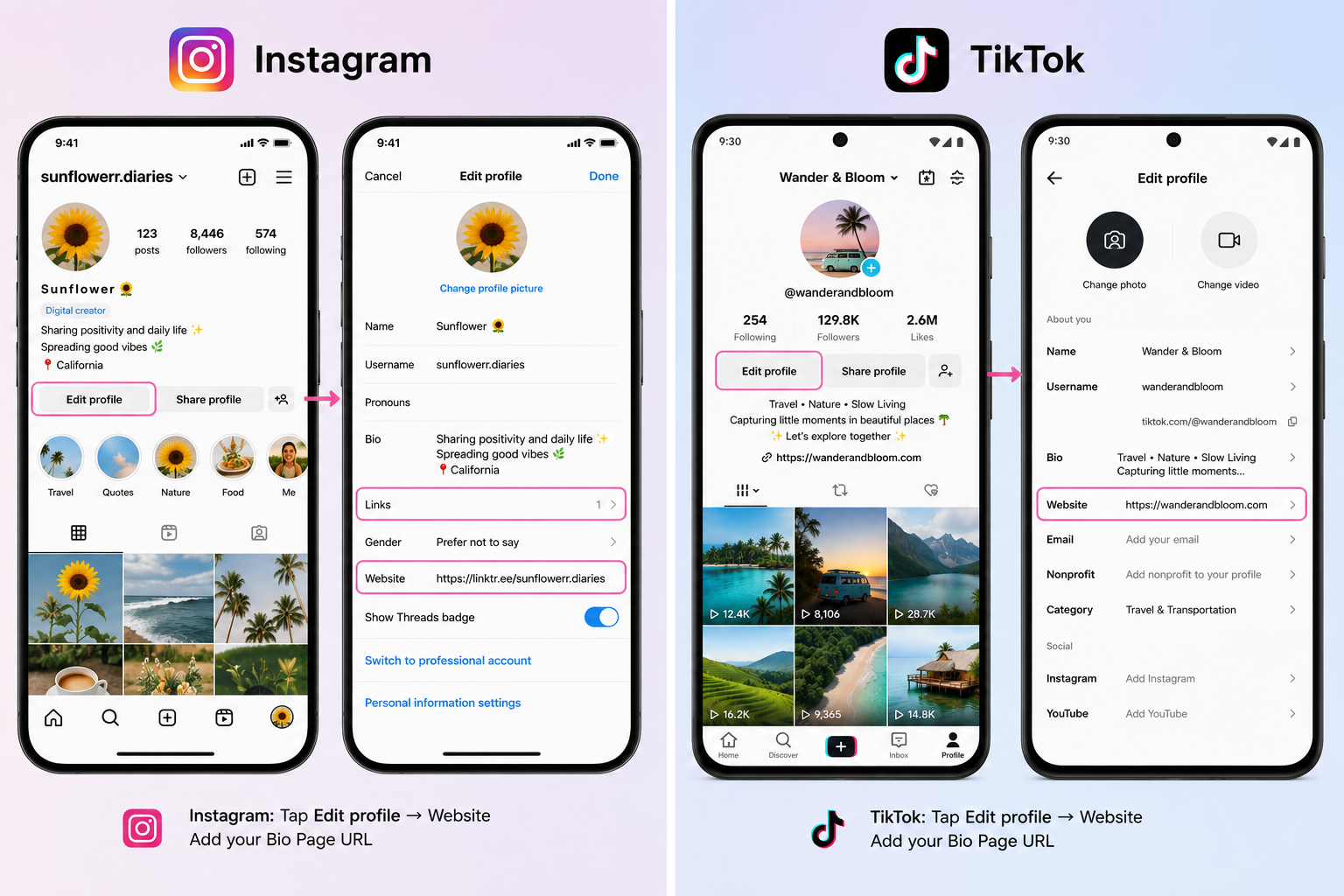
Where is the link in bio on Instagram?
Open the account’s Instagram profile and look below the bio text.
Tap the visible URL or the profile’s additional-links label.
Instagram introduced support for up to five profile links in 2023, according to CNET’s report of Meta’s announcement.
The app usually groups extra destinations behind the first visible link, although labels and layouts can change.
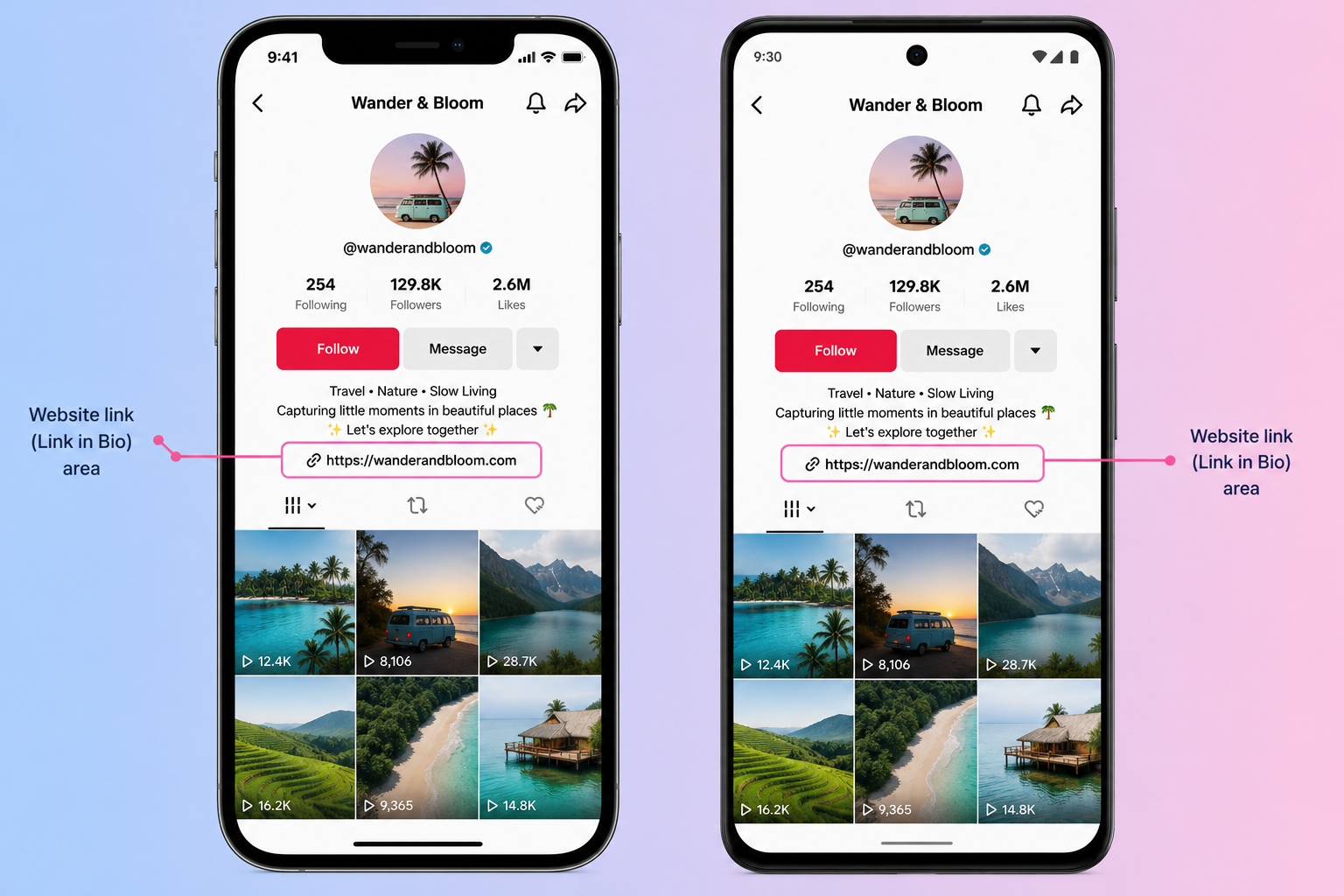
Where is the link in bio on TikTok?
Open the TikTok account’s profile and look for a clickable website address below its bio.
Not every account will show one.
TikTok’s official profile-link guidance says website links are available to accounts with at least 1,000 followers or a Registered Business Account.
Availability can also vary by region and account.
How do you add your Bio Page URL to Instagram or TikTok?
Copy the published page URL, open the social account’s profile-editing controls, and look for its website or external-links area.
Add the URL, save the profile, then view it from another account to confirm the link is public and clickable.
Instagram and TikTok can change their labels and menu paths.
TikTok access also depends on follower count, account type, region, and app version, so an account may not show a website field.
How Does a Link-in-Bio Page Work?
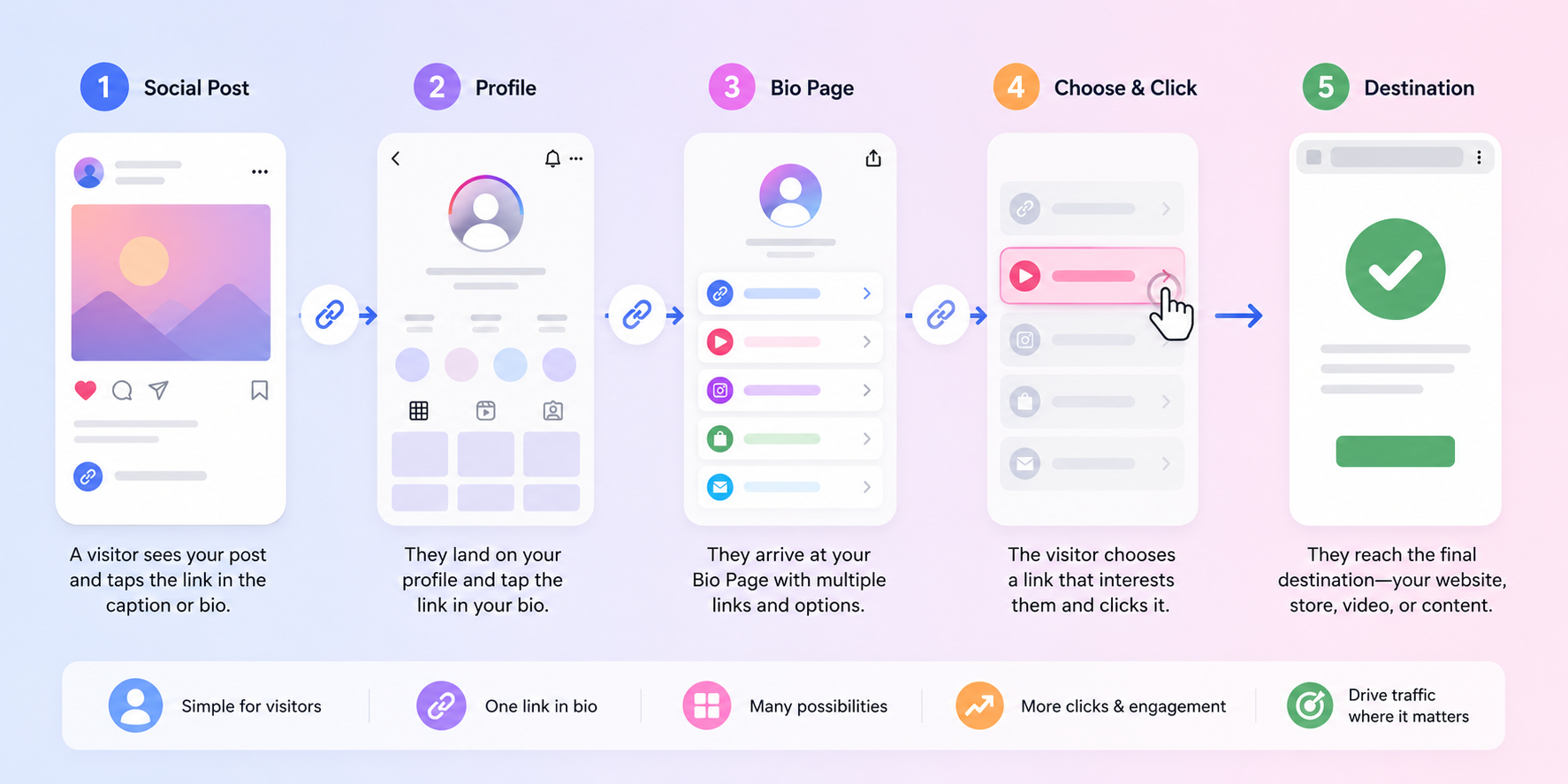
A link-in-bio page sits between the social profile and the final destinations.
The creator shares one page URL, then controls the links and content shown after a visitor taps it.
The basic path looks like this:
- A person sees a social post, video, Story, comment, printed QR code, or email signature.
- The call to action sends the person to the creator’s profile or directly to the Bio Page.
- The person taps the profile URL.
- The Bio Page opens with one primary action and any useful supporting options.
- The person taps a widget and continues to the final destination.
Can the public URL stay the same when your offers change?
Yes. A managed Bio Page lets you keep one public URL while changing the buttons, offers, media, and order behind it.
This protects older posts from pointing to the wrong campaign. It also means an existing QR code, business card, or email signature can keep working after the page changes.
A memorable alias or custom short URL makes the public address easier to recognize and share.
Can you share the same Bio Page offline?
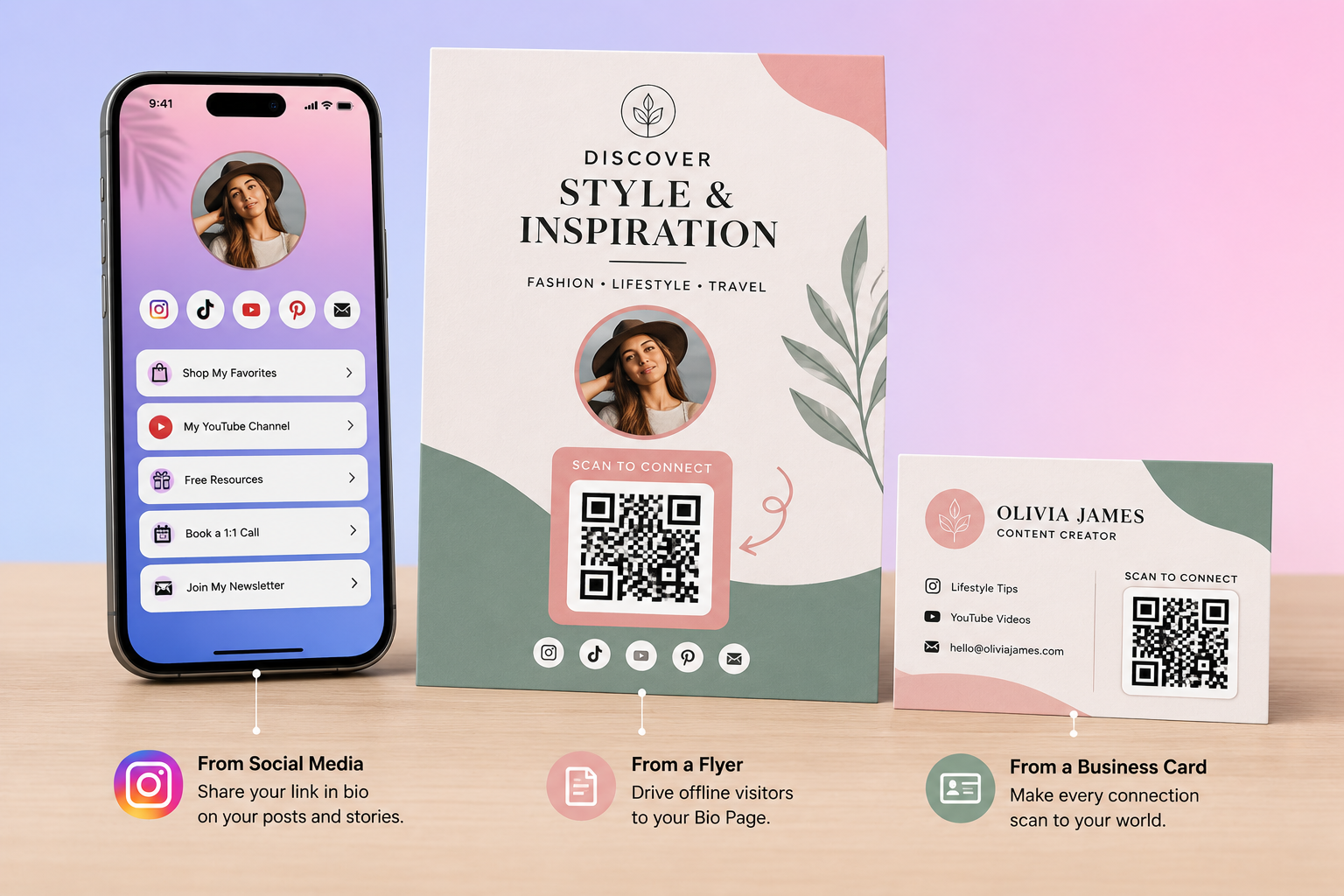
Yes. A QR code can open the same page from a flyer, product package, event sign, menu, presentation, or business card.
Use a stable page URL so you can update the content without reprinting the physical item.
Our guide to making a QR code for a website link explains the setup.
Do You Still Need a Bio Page If Instagram Allows Several Links?
Not always.
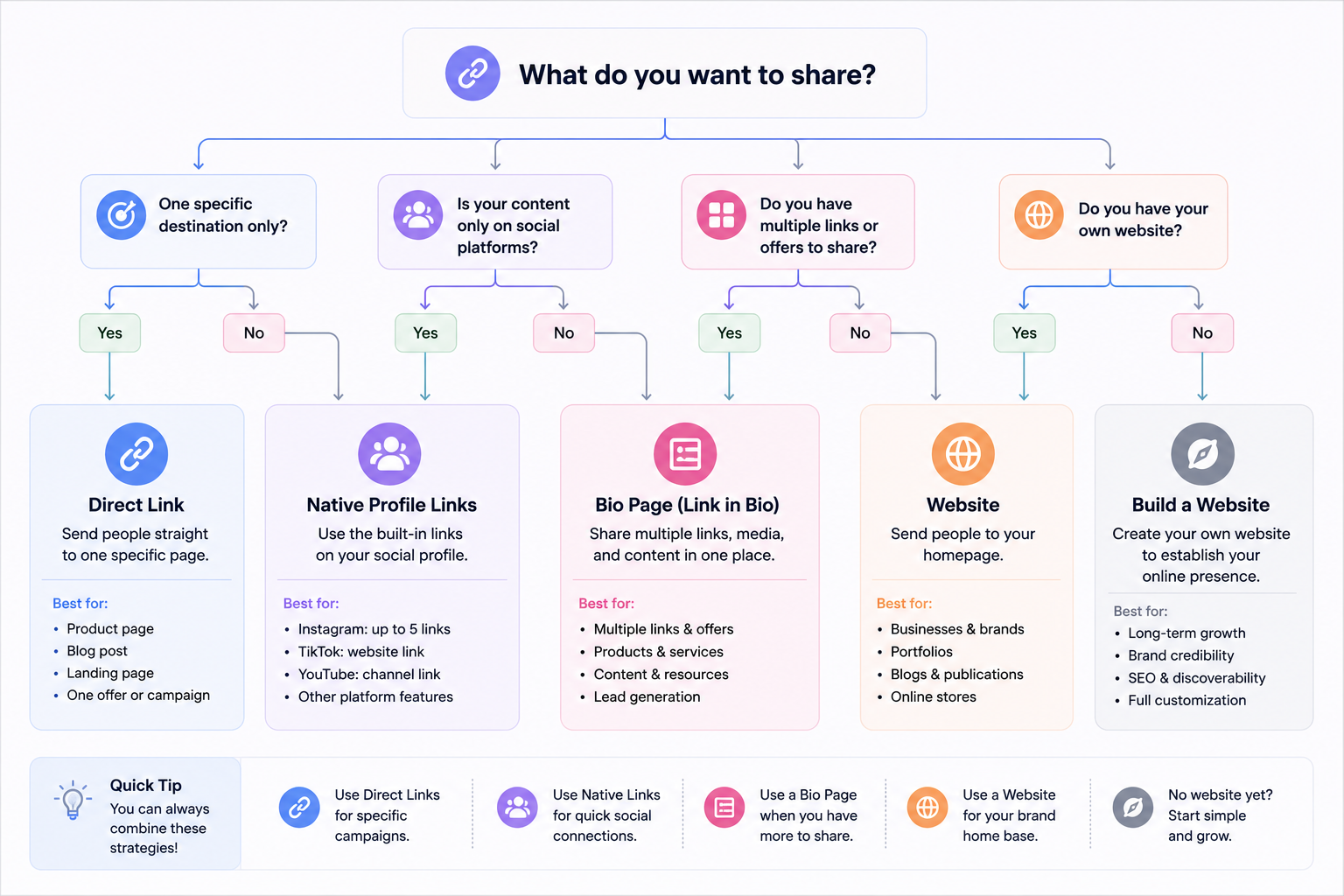
Instagram’s native links may be enough when you have a few stable destinations and only need simple labels.
A Bio Page becomes more useful when the visitor needs rich content, clear grouping, one branded address across several channels, forms, products, bookings, media, safety controls, or deeper analytics.
| Situation | Best starting choice | Why |
|---|---|---|
| One campaign with one destination | Direct link | Removes an extra page and decision. |
| A few stable destinations supported by the platform | Native profile links | Simple setup with no separate landing page. |
| Several changing destinations behind one public URL | Basic Bio Page | Lets you change and reorder content without editing every profile. |
| Forms, media, products, bookings, maps, or contact tools | Full Bio Page builder | Supports actions beyond plain links. |
| Long articles, many pages, or full search control | Owned website | Provides more space, navigation, and content ownership. |
| Many clients, editors, and domains | Agency-capable Bio Page platform | Adds permissions, organization, sharing, and reporting. |
When is one direct link better?
Use one direct link when a campaign has one obvious goal, such as buying one product, joining one event, or reading one article.
Every extra page or choice can distract the visitor.
You can still use a branded short address for cleaner sharing and measurement.
A clear branded address may be easier to recognize than an unfamiliar string, but it does not guarantee trust or results.
When are native profile links enough?
Native links work well for a person who wants to share a website, store, newsletter, and portfolio without adding another page.
They also remove one step from the visitor path.
The tradeoff is less control over layout, content blocks, cross-platform consistency, and page-level measurement.
When is a Bio Page better?
Use a Bio Page when visitors need meaningful choices or when the same URL must serve several campaigns and platforms.
It also helps when links alone cannot complete the task.
For example, a restaurant may need directions, reservations, a menu, and a phone button.
A musician may need a new release, event tickets, videos, and a newsletter form.
When is a page on your own website better?
An owned website page is better when you need full navigation, long content, advanced forms, custom development, or control over the entire site.
It can also keep the experience on your main domain.
However, ownership does not guarantee search rankings or conversions.
The page still needs useful content, fast loading, clear structure, and accurate tracking.
If brand ownership matters, compare an owned page with a Bio Page on a custom branded domain.
What Should a Good Link-in-Bio Page Include?
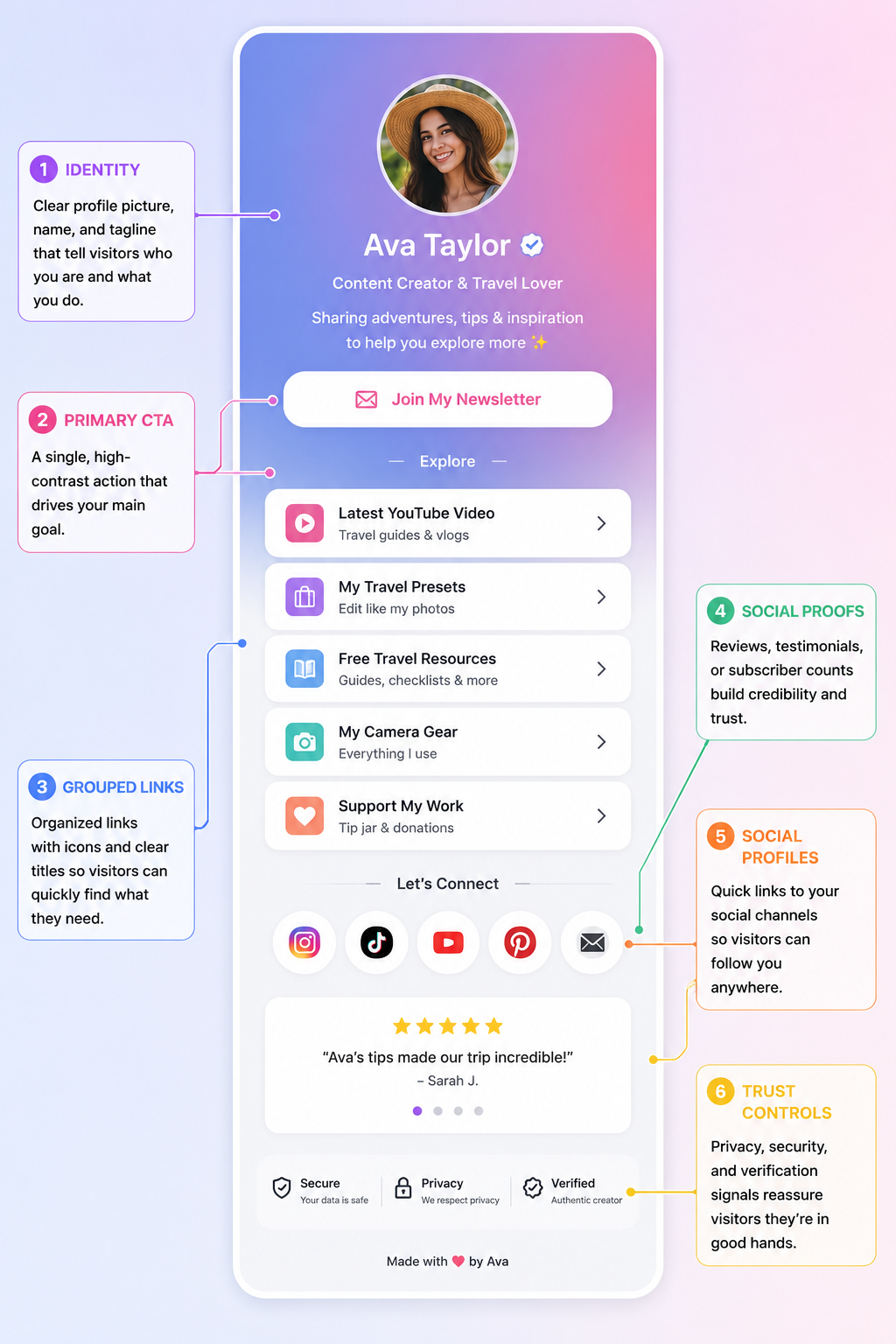
A good page makes the visitor’s next step obvious within seconds.
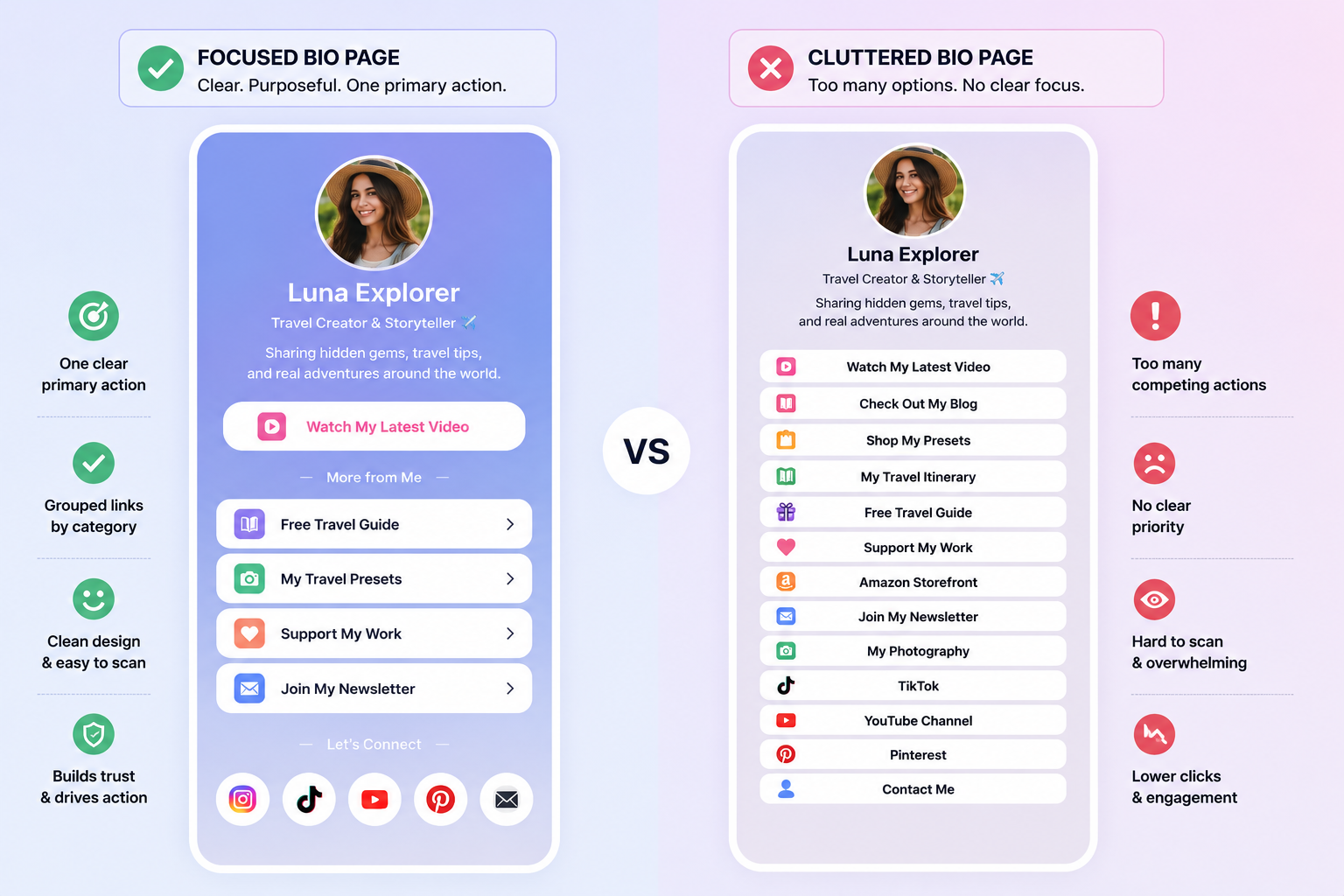
It starts with one primary action, then offers only the supporting choices that fit the audience and goal.
- Recognizable identity: Use a clear name, profile image, and short description.
- One primary action: Put the most important current destination near the top.
- Grouped secondary actions: Keep related links together instead of mixing every topic.
- Descriptive labels: Tell people what they will get after tapping.
- Relevant social profiles: Include only the platforms the audience may want to follow.
- Useful rich content: Add media, forms, products, bookings, maps, or contact tools only when they support the goal.
- Trust information: Add contact, privacy, cookie, age, or content notices when appropriate.
How many links should you add?
There is no universal number that works for every Bio Page. A focused product launch and an agency-managed creator profile have different needs.
Start with the fewest choices needed to serve the visitor.
Review widget clicks, then remove, regroup, or move any item that adds confusion without helping the goal.
What makes a good link label?
A good label describes the action or result.
Generic labels force the visitor to guess.
| Weak label | Clearer label |
|---|---|
| Click here | Shop the current collection |
| Learn more | See the complete service list |
| New | Watch the new product demo |
| Contact | Book a 30-minute consultation |
| Music | Listen to the latest single |
What makes a Bio Page feel cluttered?
A page feels cluttered when every button has the same weight, unrelated offers compete for attention, animations distract from labels, or old campaigns remain visible.
Use headings, spacing, featured links, and a clear order to show visitors what matters now.
Which Link-in-Bio Use Cases Fit Different Audiences?
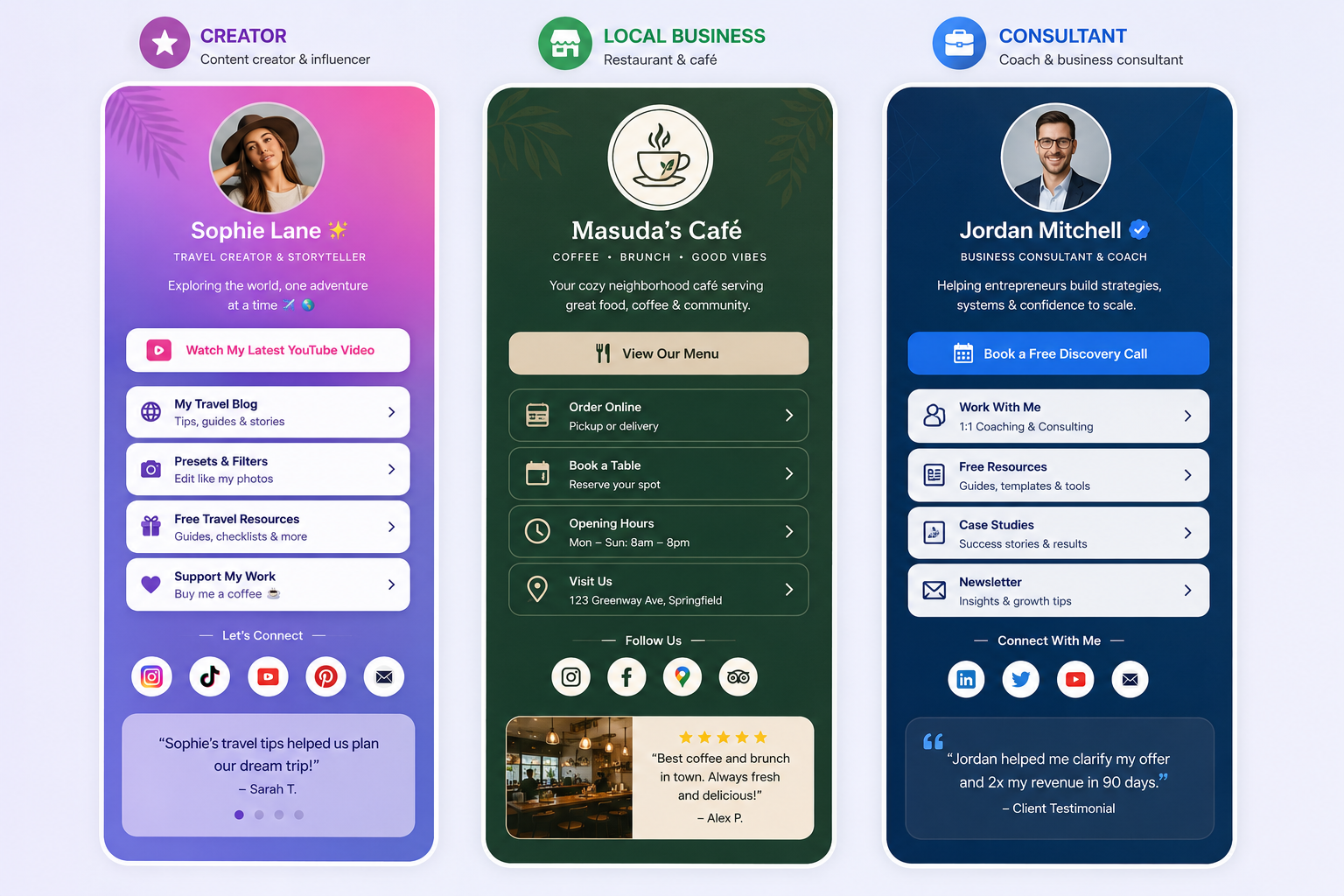
The best page structure depends on the visitor’s goal, not the creator’s ability to add more blocks.
Choose a primary action first, then add content that helps complete it.
| Audience | Primary goal | Useful page content | Main metric |
|---|---|---|---|
| Creator or influencer | Promote current content or an offer | Featured link, social profiles, video, newsletter | Primary widget click rate |
| Musician or podcaster | Grow listeners and subscribers | Music, episodes, video, events, email signup | Platform clicks and signups |
| Store or product creator | Drive product interest | Product cards, images, offers, countdown, support | Product visits and purchases |
| Restaurant or local business | Turn interest into a visit or booking | Map, menu, phone, hours, booking, reviews | Direction, call, and booking clicks |
| Freelancer or consultant | Generate qualified inquiries | Portfolio, services, vCard, form, calendar, FAQ | Bookings and inquiries |
| Event organizer | Sell tickets and answer attendee questions | Tickets, schedule, map, countdown, updates | Ticket and map clicks |
| Agency or client manager | Manage many branded pages | Reusable designs, client editing, permissions, reports | Client and campaign performance |
| Adult creator | Present approved destinations to suitable visitors | Clear labels, age control, sensitive-content notice, analytics | Qualified destination visits |
| General business or individual | Centralize important destinations | Website, contact, social profiles, form, QR sharing | Useful actions per page view |
Visitor controls do not override a social platform’s rules.
A Bio Page should present destinations clearly, not disguise prohibited content or mislead moderation systems.
How Should You Choose a Link-in-Bio Tool?
Choose a tool based on the page’s job, the control you need, and the people who will manage it.
A long feature list does not matter if native profile links, one direct destination, or a page on your own website already solves the problem.
Use this neutral checklist before comparing brands or plans:
- Page goal: Confirm whether you need simple links, rich content, lead capture, sales, bookings, or client management.
- Mobile path: Test page speed, readability, forms, logins, and checkout inside source-app browsers and normal browsers.
- Content options: Check that the builder supports the links, media, forms, products, maps, or contact actions you will use.
- Public address: Decide whether a shared URL is enough or whether you need a custom alias or branded domain.
- Measurement: Ask which events are counted, how unique visitors are defined, and whether destination conversions can be connected.
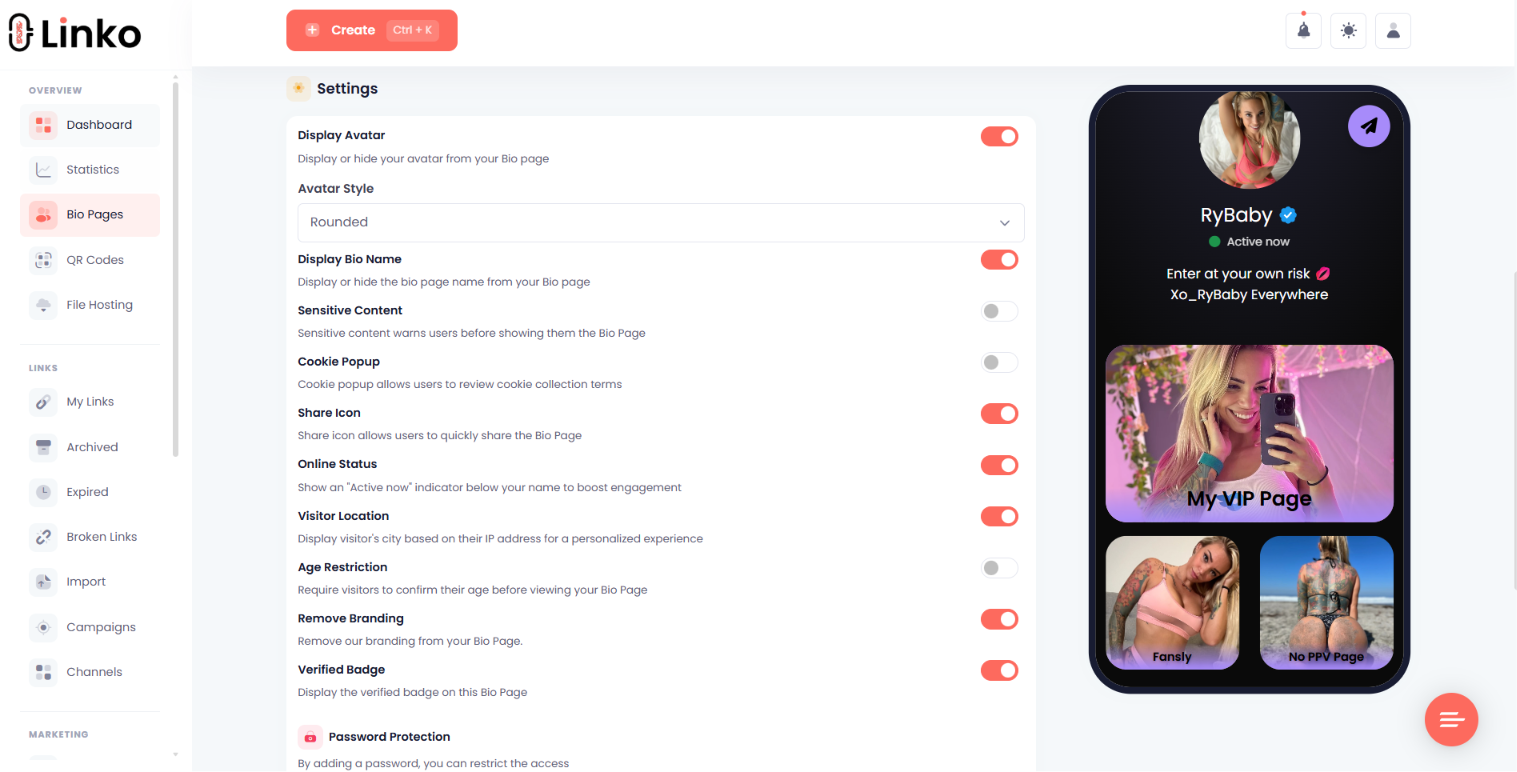
- Safety and privacy: Review HTTPS, consent, age, sensitive content, script safety, and data-handling controls that fit your use case.
- Ownership and access: Check exports, team permissions, client editing, domain control, and what happens when you leave the service.
- Limits and cost: Compare current page, traffic, domain, storage, editor, and retention limits instead of relying on an “unlimited” label.
Shortlist only the approaches that pass your required checks.
Then test the full visitor path before moving every profile or printed QR code to the new URL.
How Do You Create a Link-in-Bio Page with Linko?
Linko provides one Bio Page on the Free plan, with 48+ Bio Widgets and 35+ Bio Themes included across the listed plans.
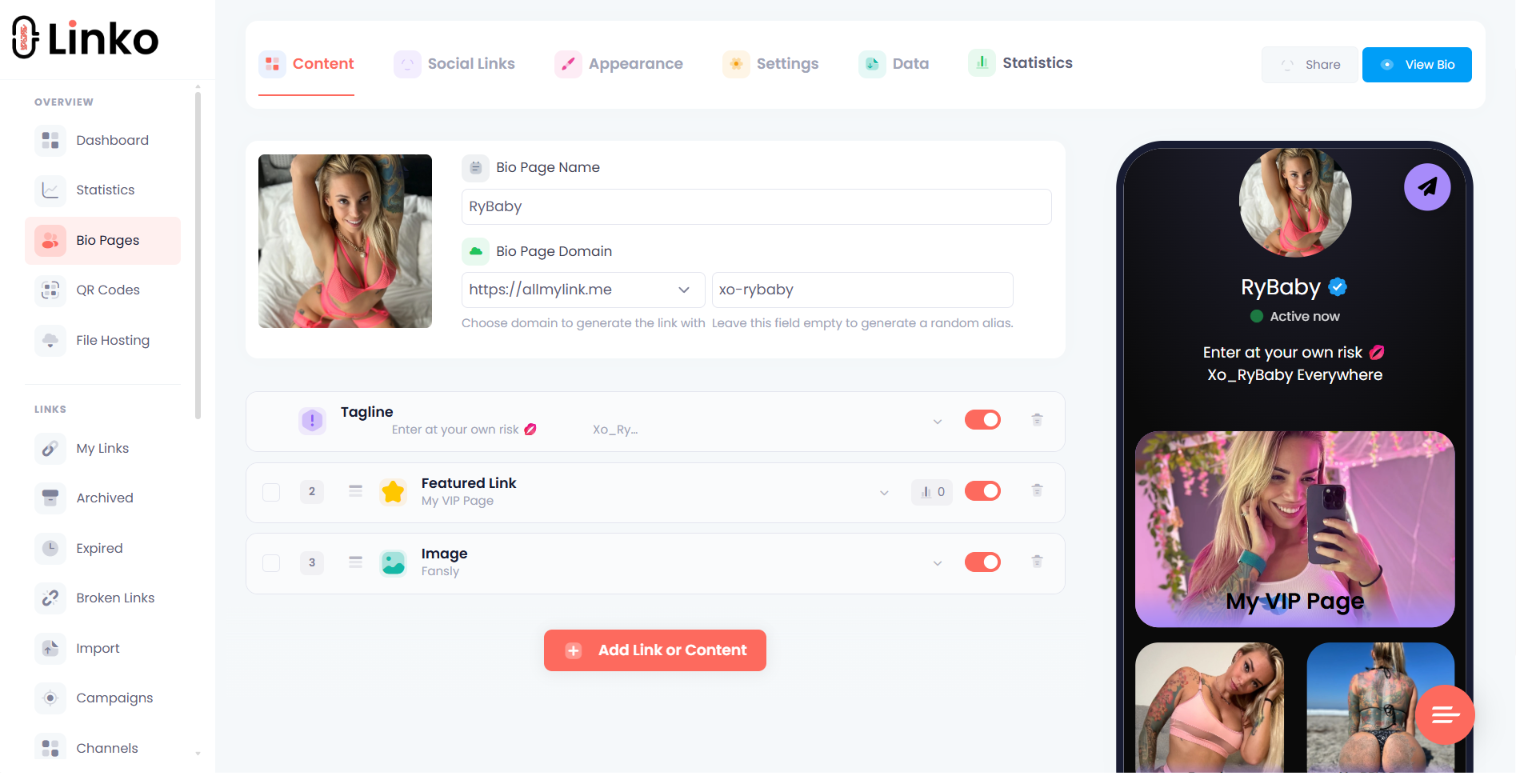
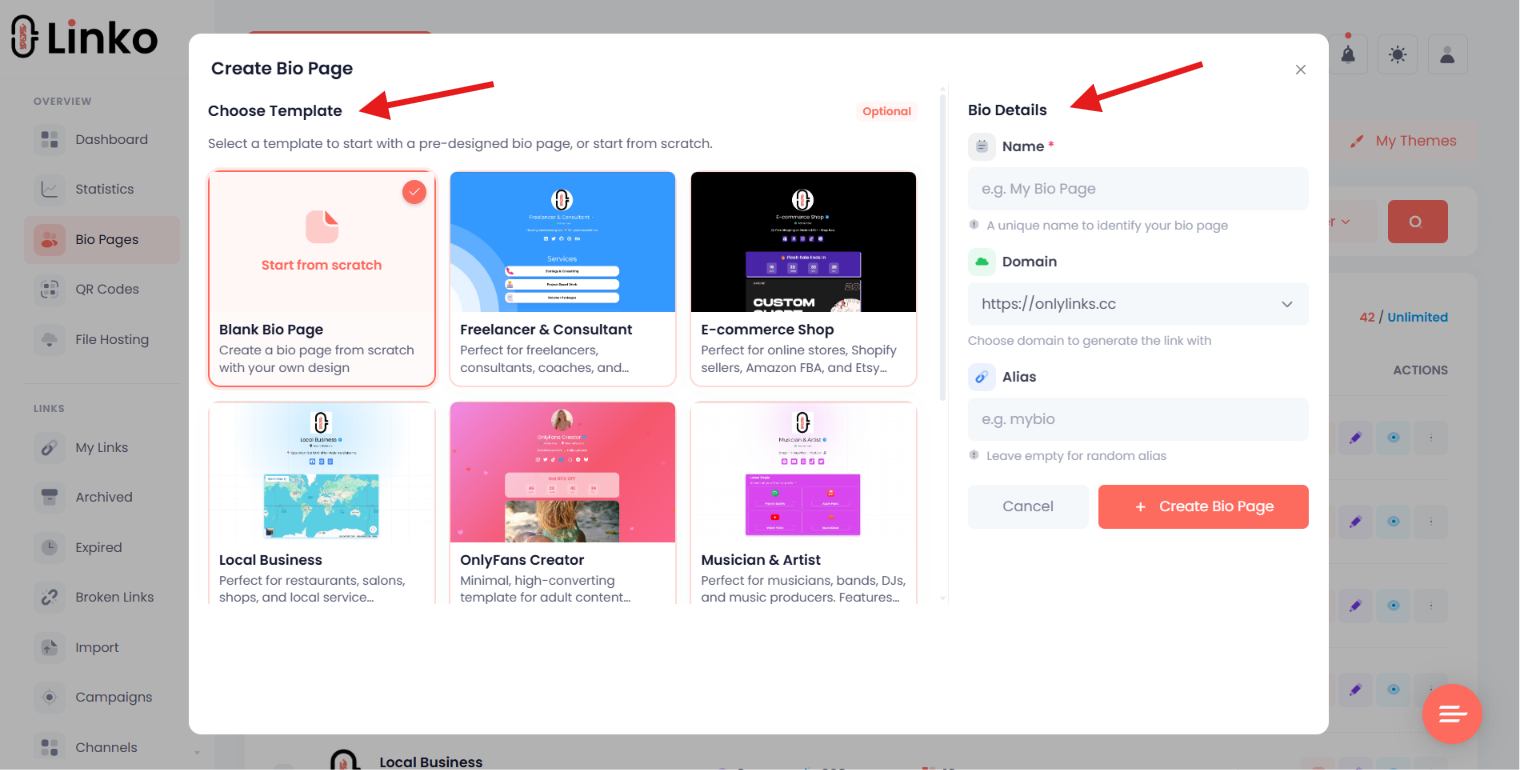
You can start with a template, arrange content blocks, add social profiles, choose a style, set an alias, preview the page, and publish one URL.
- Sign in and create a new Bio Page from the dashboard or Create button.
- Choose a starting template or build the page around your own structure.
- Add a profile image, name, short description, and primary action.
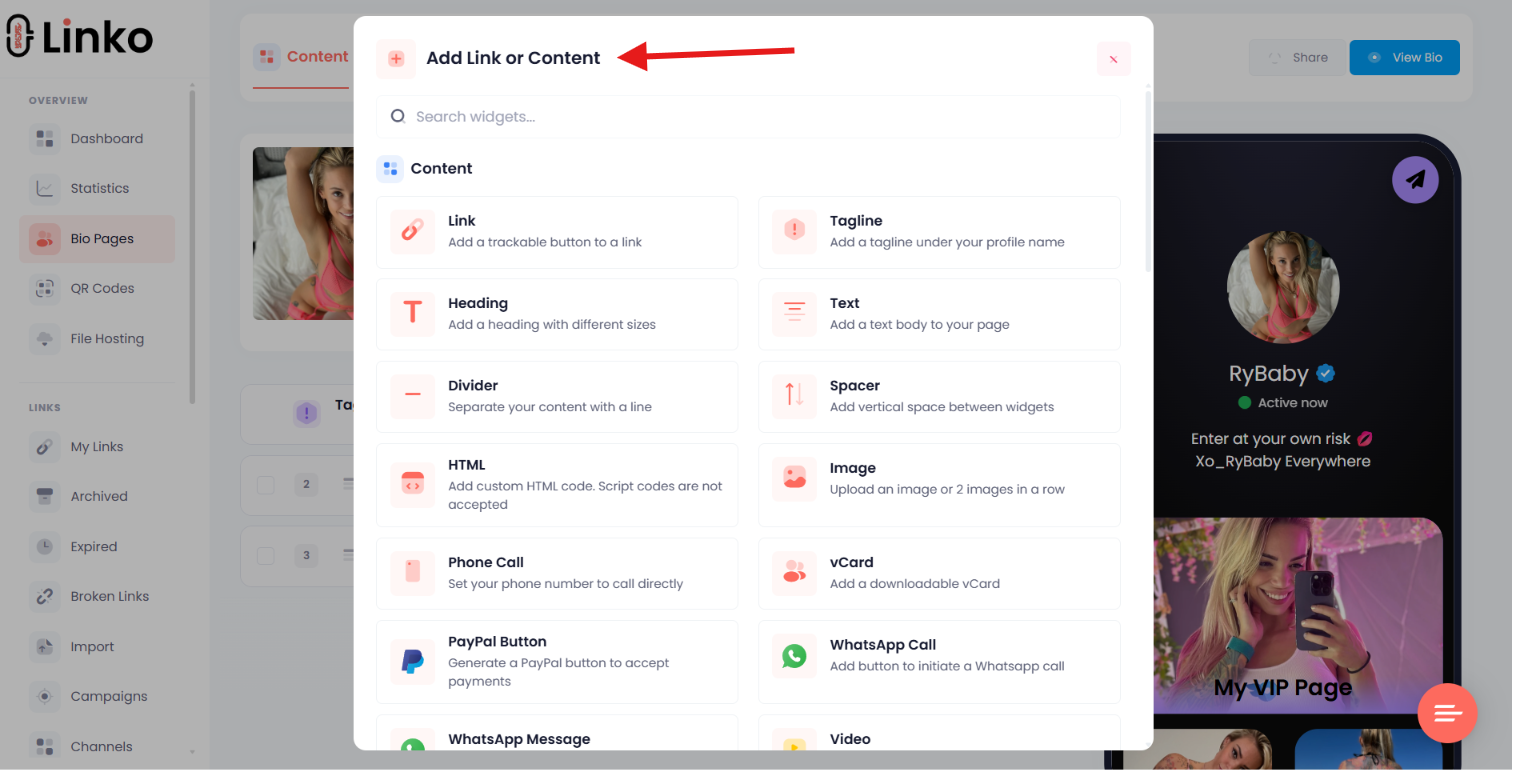
- Add useful widgets, such as links, forms, media, contact details, bookings, maps, or social content.
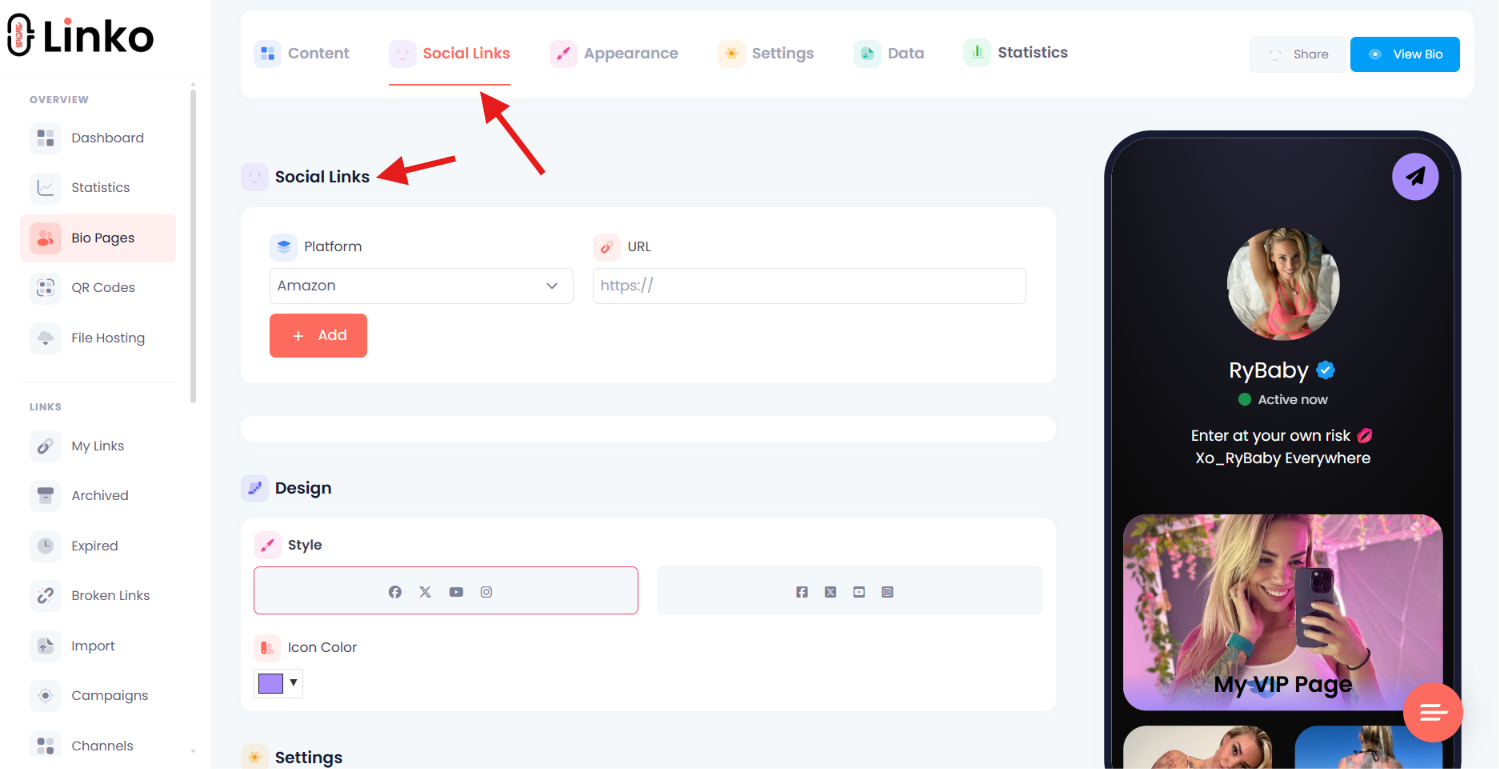
- Add and sort social-profile buttons separately from content widgets.
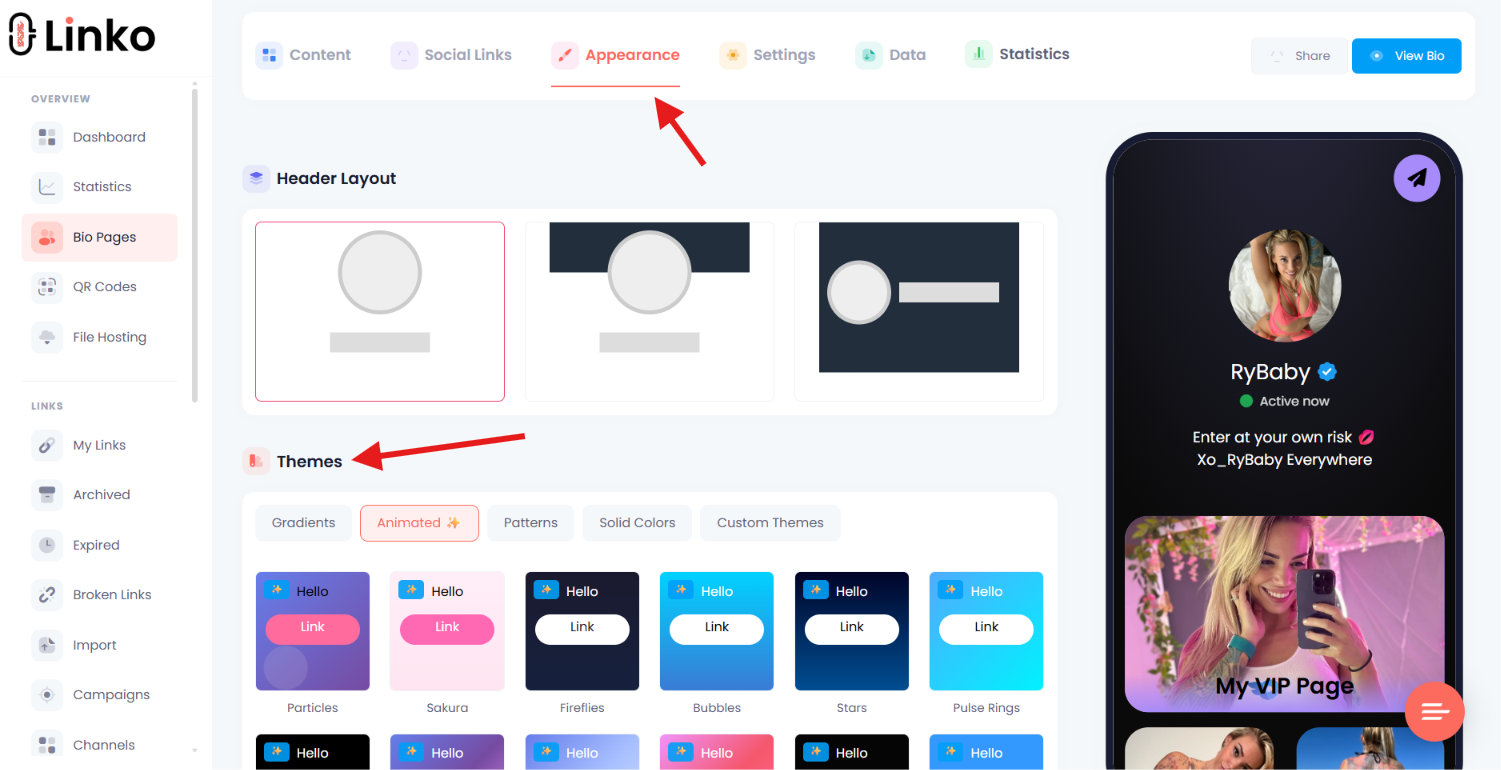
- Choose a theme and adjust the appearance for readable mobile viewing.
- Select an available domain and set a clear alias.
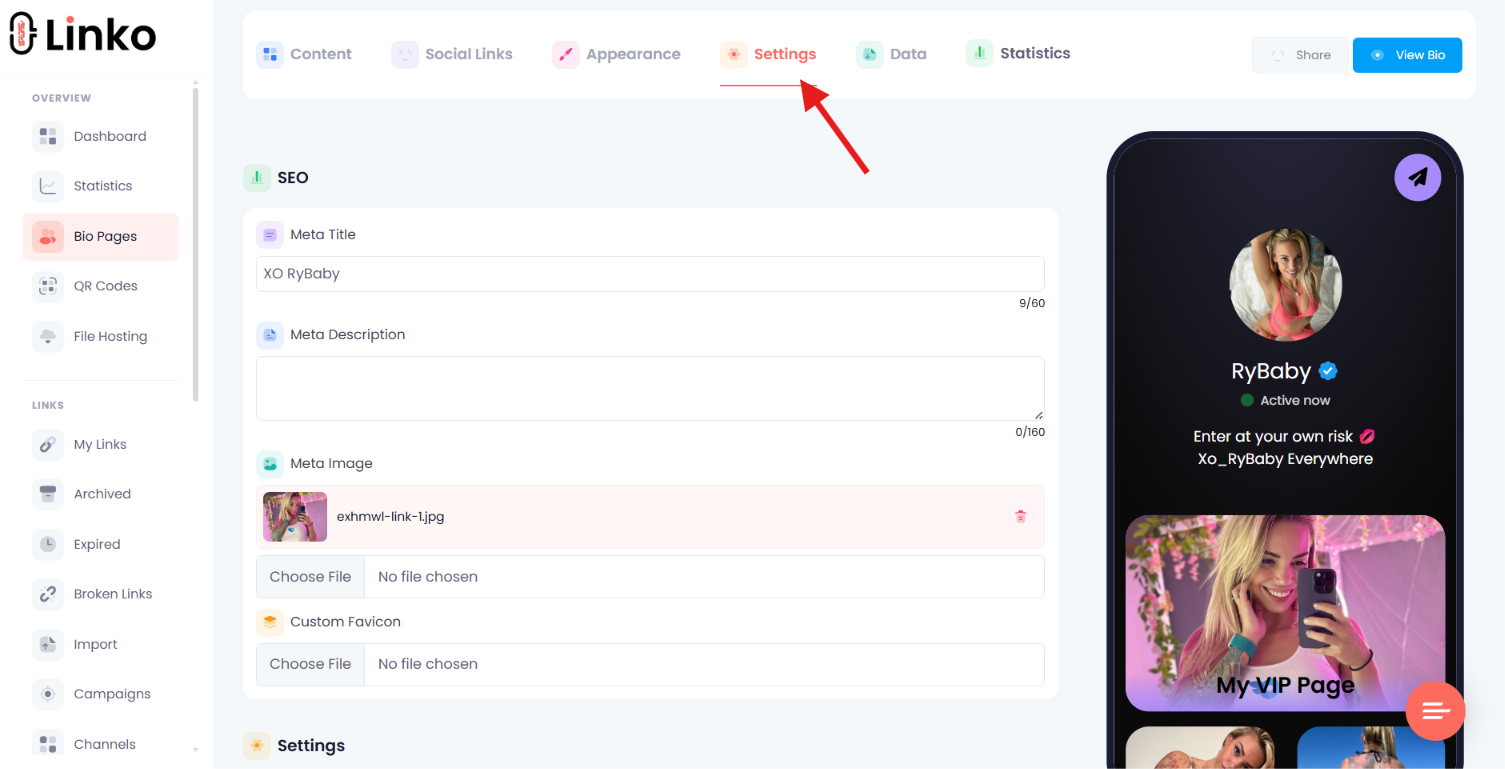
- Configure metadata, visitor controls, scheduling, or targeting when relevant.
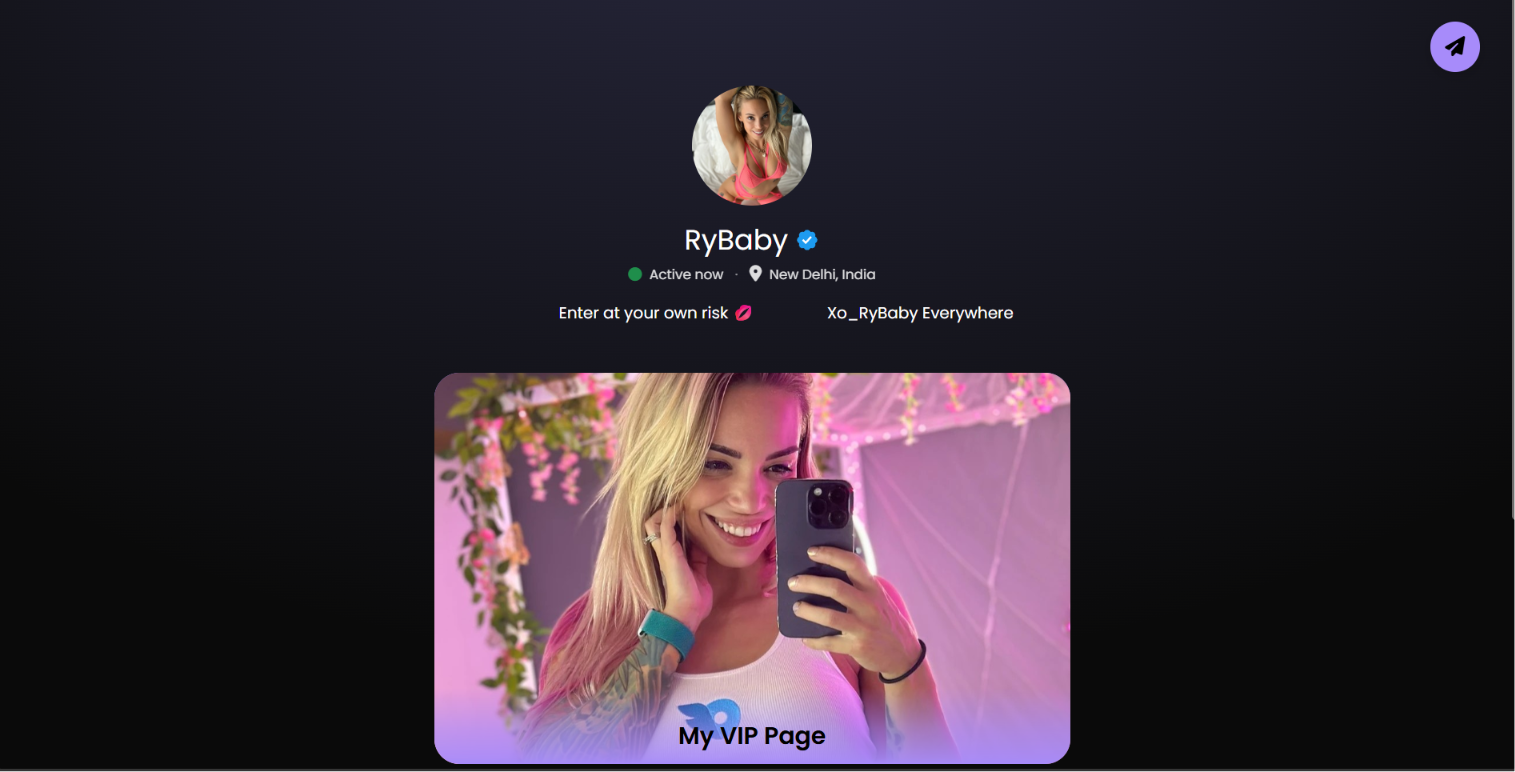
- Preview the page on a phone-sized screen and test every action.
- Publish the page and place its URL in the social profile.
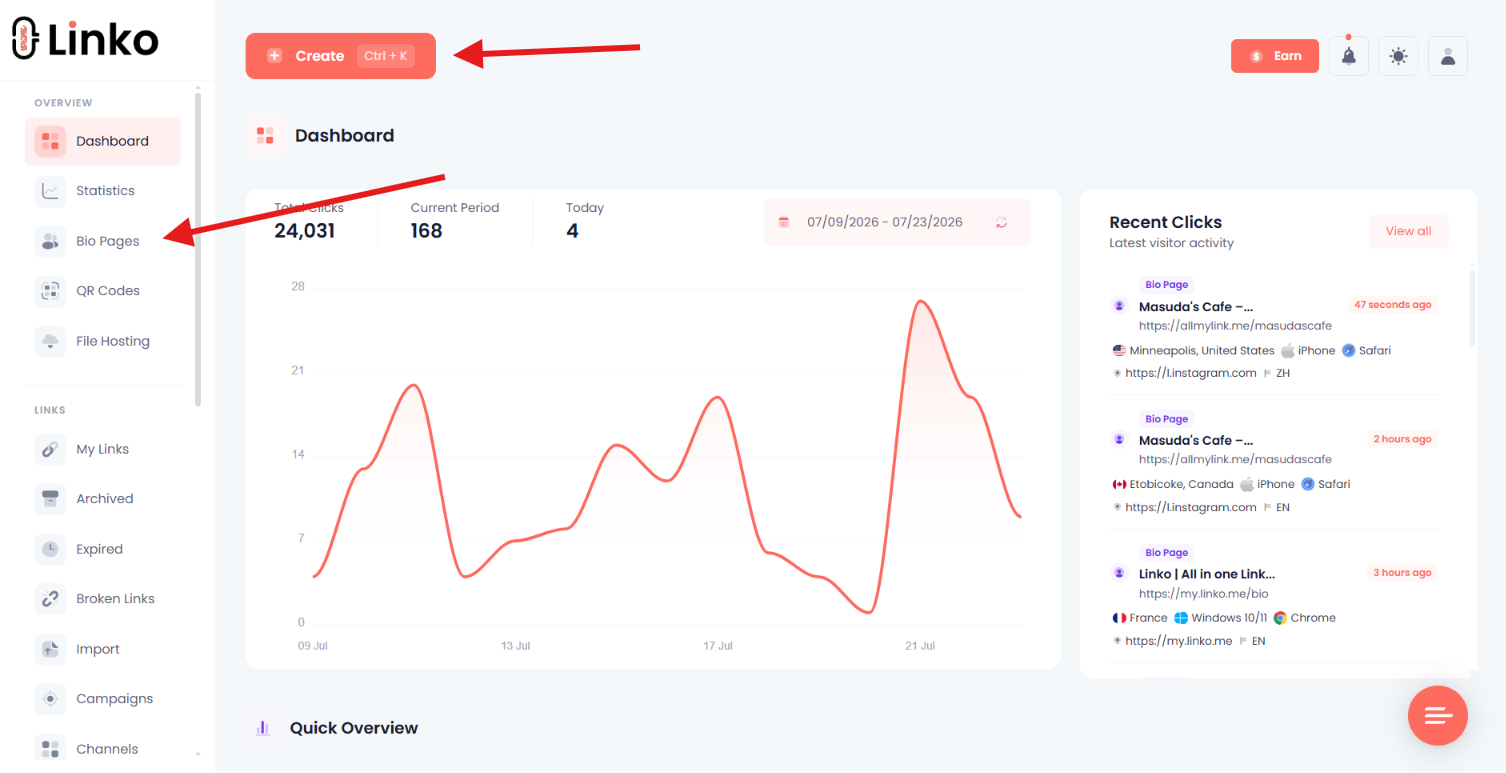
See the Bio Page builder for the full feature overview.
You can also use the free Link in Bio generator to start a page.
What Is the Difference Between Templates, Themes, Layouts, Widgets, and Social Buttons?
These controls affect different parts of a Bio Page.
Treating them as one feature makes page design harder to understand.
| Control | What it changes |
|---|---|
| Template | The starting page structure and saved block arrangement. |
| Theme | The visual style applied to an existing page. |
| Header layout | The arrangement of the profile image, name, description, and banner area. |
| Widget | A content block such as a link, image, form, map, video, vCard, or countdown. |
| Social-profile button | A compact icon or button that opens a social profile. |
| Custom CSS | Code that changes visual presentation. |
| Custom Code | Scripts or third-party widgets that add behavior or integrations. |
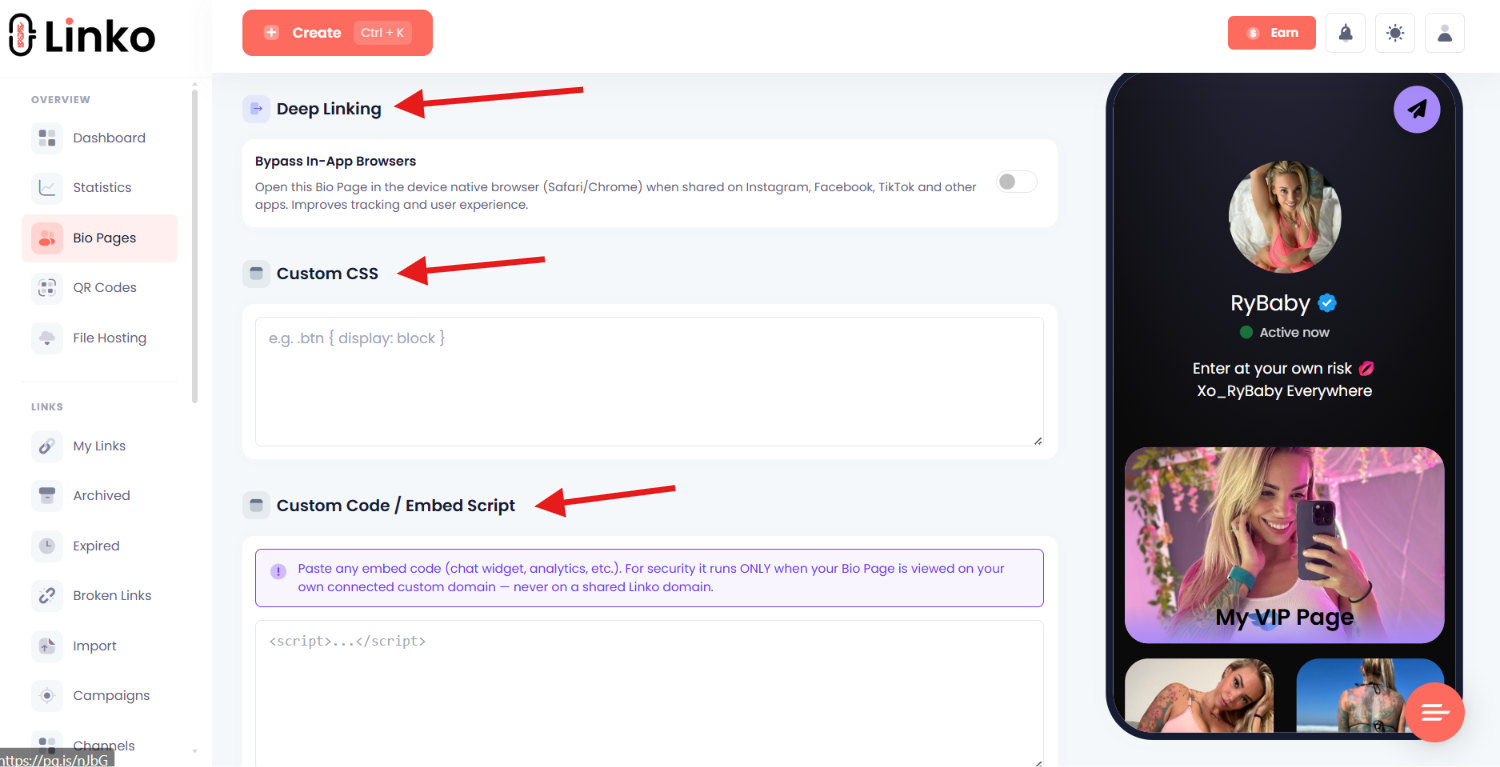
Custom CSS and Custom Code are not the same.
Custom Code starts on Pro and runs only when the Bio Page is viewed through the user’s connected custom domain, never through a shared domain.
Every domain referenced by submitted Custom Code is checked against the safety blocklist and VirusTotal.
How Can You Customize a Bio Page Without Making It Hard to Use?
Good customization makes the page recognizable and easier to scan.
Bad customization adds motion, color, or decoration that competes with the main action.
- Use readable contrast. Button labels must stay clear against every background.
- Keep type simple. Use a readable font size and avoid mixing too many styles.
- Create one visual priority. Feature the main action instead of making every button equally loud.
- Use a clear header image. Crop it for phone, tablet, and desktop views.
- Keep animation controlled. Motion should draw attention to a useful action, not distract from the page.
- Match social and button colors. Consistency helps visitors recognize the brand.
- Write accurate sharing metadata. Set the title, description, and image that appear when the page is shared.
- Use a recognizable address. A branded domain can improve ownership and visitor trust.
Custom branding does not require a complex page.
A clear image, consistent color palette, short description, and direct labels often do more than an elaborate design.
Before connecting a domain, review the practical benefits of cleaner short URLs on social media.
How Do You Track Link-in-Bio Performance?
Track the visitor as a series of steps, not as one click count.
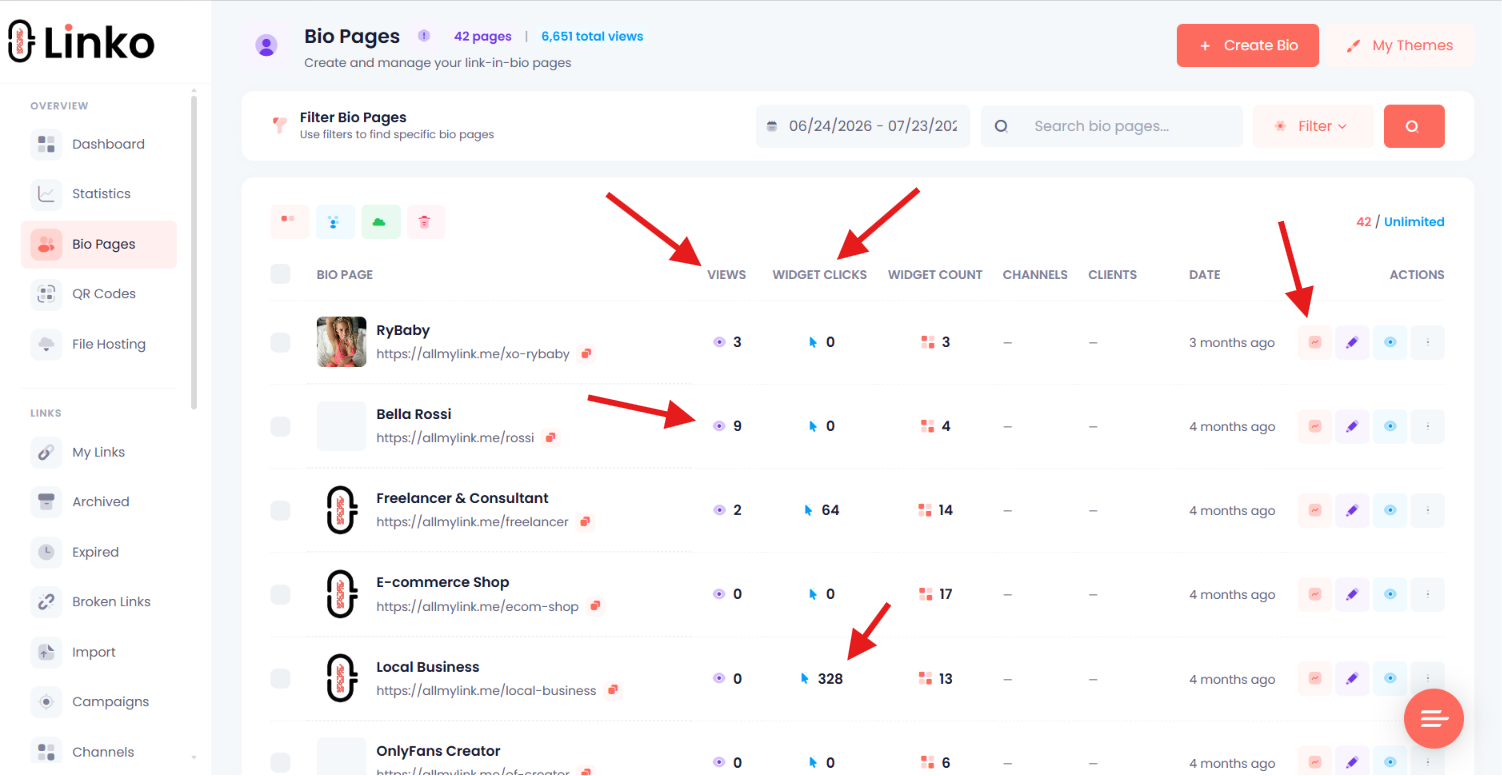
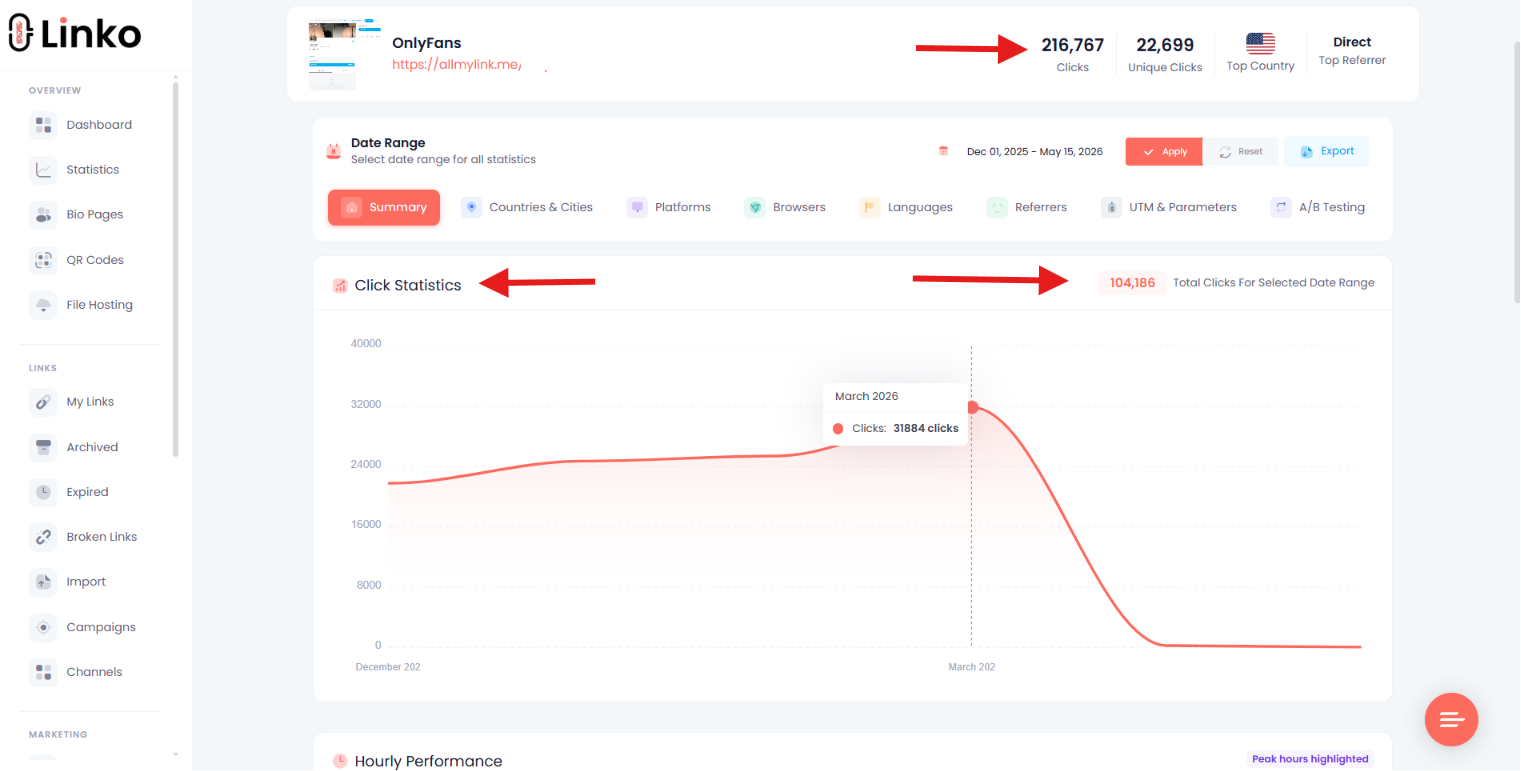
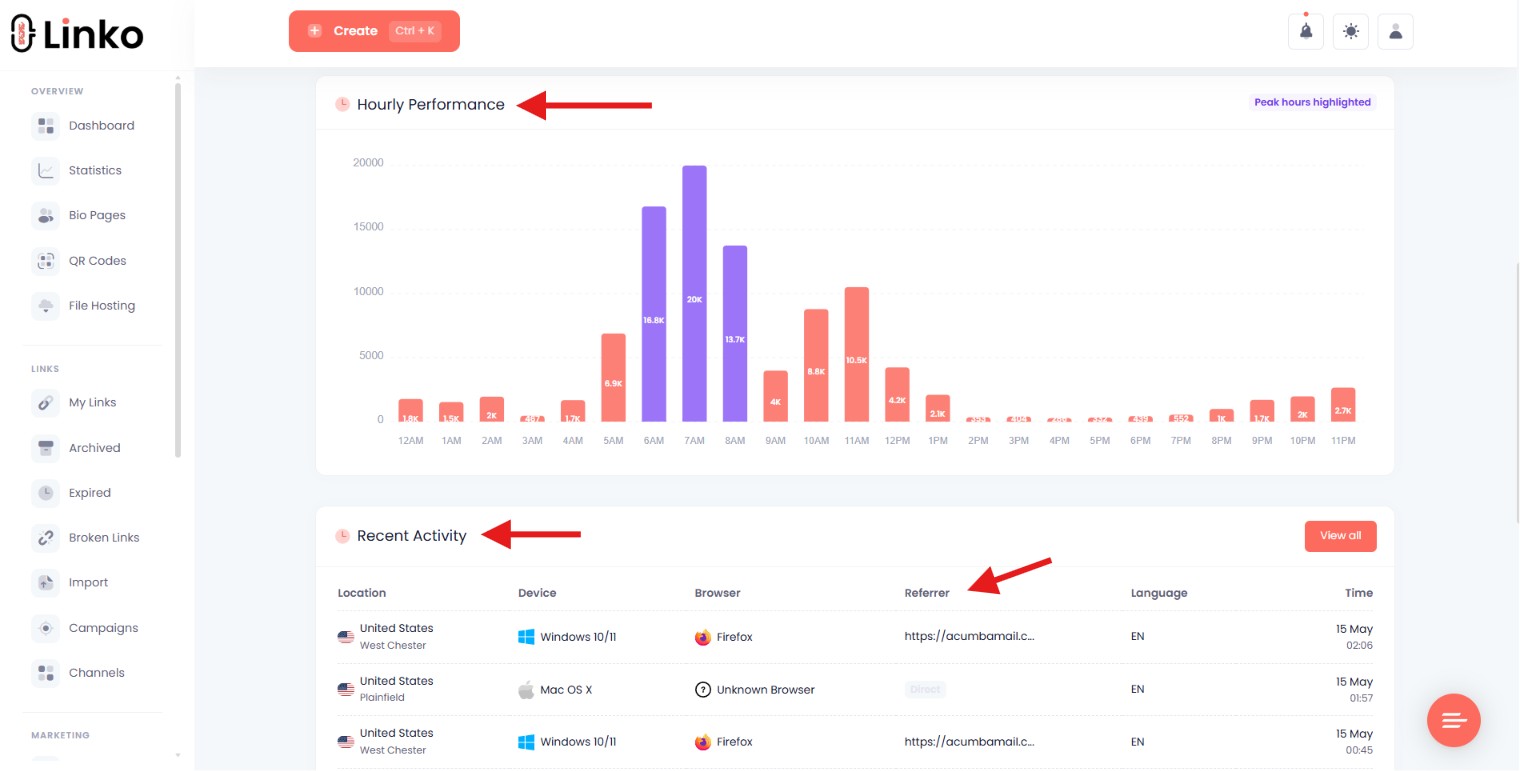
A Bio Page can record the page view and widget click, while the destination must record the final action or sale.
The complete path is:
Profile view → profile-link tap → Bio Page view → widget click → destination view → conversion
| Stage | What it tells you | Where it is usually measured |
|---|---|---|
| Profile view | How many people visited the social profile. | Social platform analytics |
| Profile-link tap | How many profile visitors attempted to leave through the link. | Social platform analytics, when available |
| Bio Page view | How many page loads reached the Bio Page. | Bio Page analytics |
| Widget click | Which page actions attracted interest. | Bio Page or link analytics |
| Destination view | How many clicks completed the next page load. | Destination analytics |
| Conversion | How many visitors completed the goal. | Store, booking, form, or destination reporting |
Which link-in-bio metrics should you calculate?
Use a rate that matches the question you are asking.
Profile link tap rate = profile-link taps ÷ profile views × 100Widget click-through rate = widget clicks ÷ Bio Page views × 100Destination conversion rate = conversions ÷ destination visits × 100End-to-end conversion rate = conversions ÷ profile views × 100
A high widget click rate does not prove that people bought, booked, or subscribed.
Connect page data with destination reporting before judging the campaign.
If you need a simple starting point, follow the process for creating free tracking links.
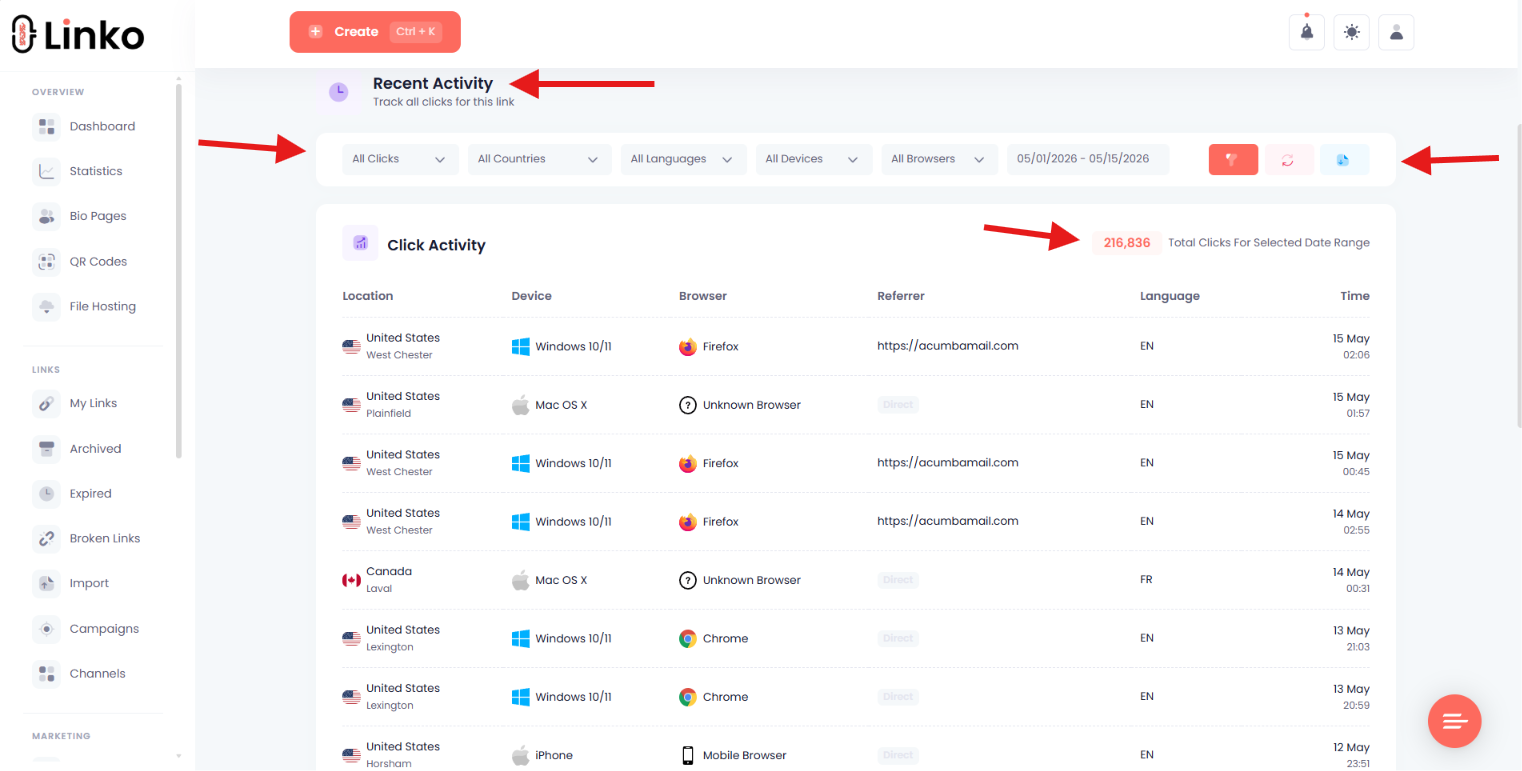
Which analytics help explain performance?
Page views and widget clicks show volume, while referrers, devices, browsers, locations, languages, and time reports help explain the traffic.
UTM parameters can identify the campaign or source carried into the destination.
Use a consistent naming method instead of creating a new source label for every post.
The UTM tag guide shows how to build those parameters.
For a broader view of click reporting, compare the data available from a URL shortener with analytics.
Why can Bio Page clicks differ from destination analytics?
Two systems can report different totals without either one being broken.
They may count at different stages or apply different filters.
- Preview bots or security scanners may request the first URL.
- A visitor may close the page before the destination finishes loading.
- Consent settings or script blockers may stop destination tracking.
- Redirects or weak mobile connections may interrupt the request.
- Each platform may define a unique visitor differently.
- Reports may use different timezones or update delays.
- Attribution windows may assign the conversion to another source.
How should you improve the page with data?
Change one meaningful element at a time, then compare the metric closest to that change.
Moving a button should affect widget clicks before it affects sales.
- Choose one question, such as whether the primary offer is clear.
- Record the starting views, clicks, and destination conversions.
- Change one label, position, image, or offer.
- Keep the source and test period clear.
- Compare the correct stage of the funnel.
- Keep, revise, or reverse the change.
How Do In-App Browsers Affect Bio Page Visitors?
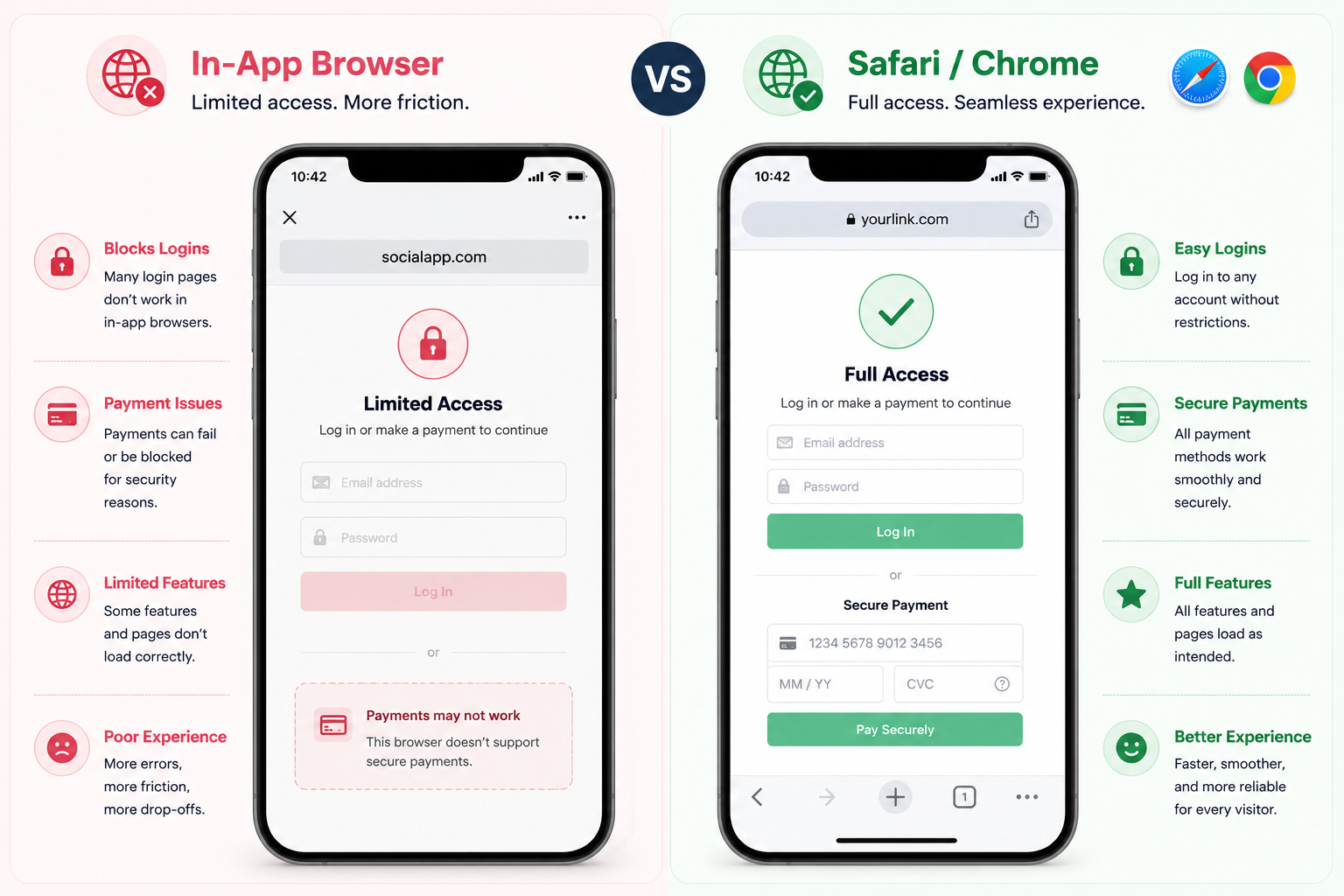
Social apps often open links inside a built-in browser instead of Safari or Chrome.
That smaller browser can affect login state, saved passwords, payment methods, downloads, and app-opening behavior.
A page that works in a normal browser can still fail inside Instagram, TikTok, or Facebook.
Test the actual route visitors will use.
How should you test a Bio Page on mobile?
| Test | What to check |
|---|---|
| Instagram on iPhone | Page load, external destinations, login, forms, and checkout |
| Instagram on Android | Page load, redirects, app links, and back-button behavior |
| TikTok and Facebook browsers | Cookies, login state, downloads, and destination loading |
| Safari and Chrome | Normal browser behavior and saved account access |
| Wi-Fi and mobile data | Speed, image weight, media, and weak-connection behavior |
| Logged-in and logged-out states | Whether the final action still works without a saved session |
Learn why these browsers create friction in the guide to getting out of in-app browsers.
Can a Bio Page open in Safari or Chrome?
Yes, when the Bio Page platform supports an external-browser handoff.
When Linko’s per-page setting is enabled, it can automatically open supported Bio Page visits in Safari or Chrome without manual visitor steps.
The behavior can differ from a native app deep link.
The deep-linking guide explains the general concept.
For platform-specific behavior, see the Instagram deep-link guide.
Which Accessibility, Privacy, and Safety Checks Matter?
A Bio Page should remain easy to read, honest about its destinations, and suitable for the audience.
These checks protect visitors and reduce avoidable trust problems.
Which accessibility checks should you make?
- Use readable contrast between text, buttons, and backgrounds.
- Keep type large enough to read on a phone.
- Use descriptive link labels instead of vague calls to action.
- Add useful alt text to meaningful images.
- Keep tap targets large enough to select without precision.
- Check keyboard focus and navigation where the page supports them.
- Avoid animation that hides content or makes reading harder.
Do not claim a formal accessibility conformance level unless the page and builder have been tested against that standard.
Which privacy and consent controls might you need?
The answer depends on the data you collect and the laws that apply to your audience.
Forms, newsletters, tracking scripts, and advertising tools may require clear notices or consent.
- Provide a privacy URL when collecting personal data.
- Use a cookie notice when required.
- Explain what a contact or newsletter form will do with submitted details.
- Collect only the information needed for the stated purpose.
- Review data access when a team member or client relationship ends.
How are age restrictions and sensitive-content notices different?
An age restriction asks a visitor to confirm or provide a date of birth before continuing.
A sensitive-content warning tells the visitor that the page may contain material they prefer not to view.
A separate Link-block gate can protect one destination without placing the same warning on the whole page.
Keep page-level notices and block-level gates separate.
What does Linko’s Shield Protection do?
Shield Protection shows a neutral page to suspicious bots, crawlers, datacenter traffic, and proxies while allowing real visitors to continue to the intended Bio Page.
It is a traffic-control setting, not permission to violate a platform’s rules.
How should custom scripts be handled?
Custom scripts can add live chat, analytics, pixels, or third-party widgets, but they also add privacy and security responsibilities.
Use only trusted services and review every domain the code contacts.
How Can Agencies Manage Link-in-Bio Pages for Clients?
Agencies need more than attractive templates.
They need clear ownership, limited access, repeatable workflows, and reports that clients can understand.
- Set ownership first. Record who controls the page, domain, assets, and data.
- Use separate client access. Avoid sharing the owner’s main account password.
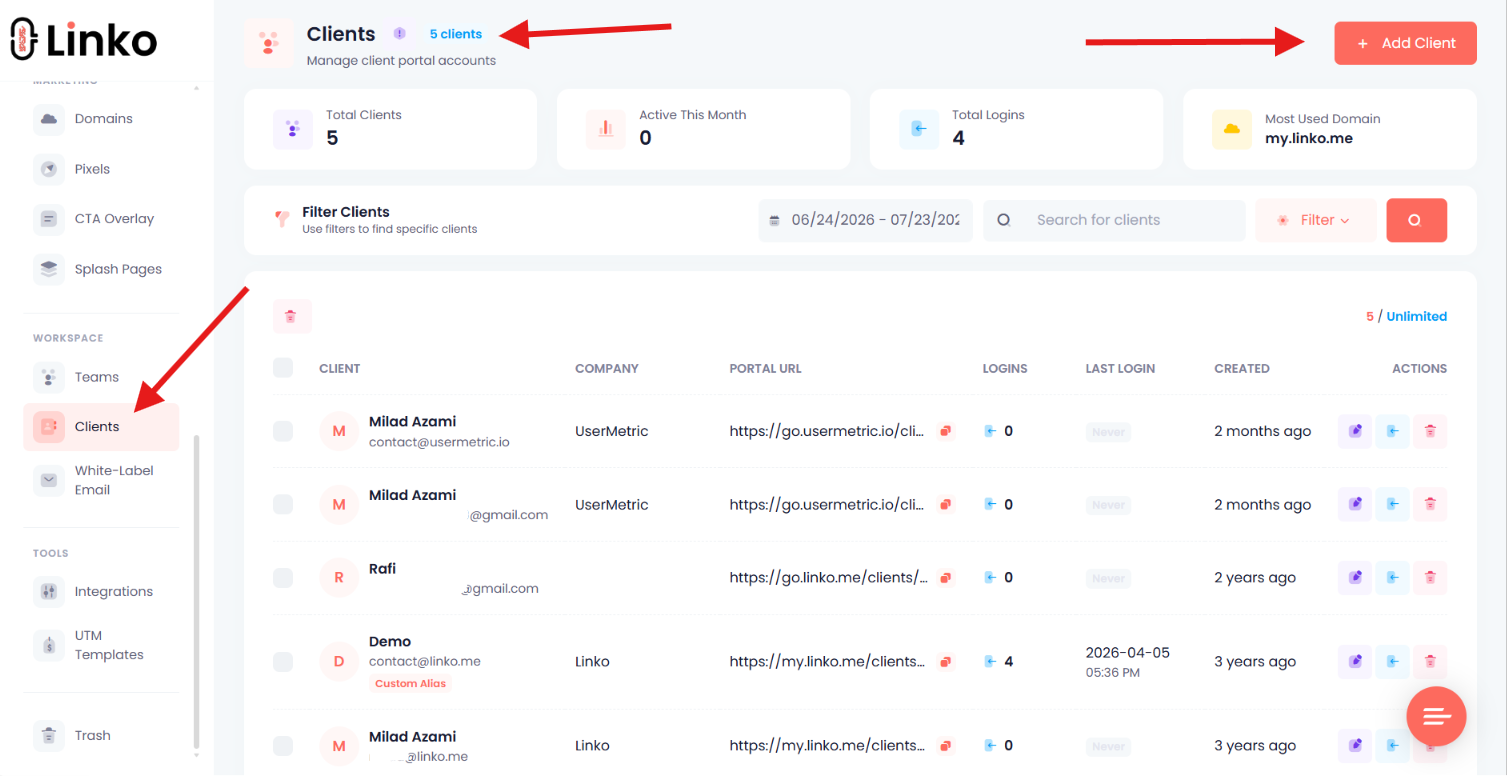
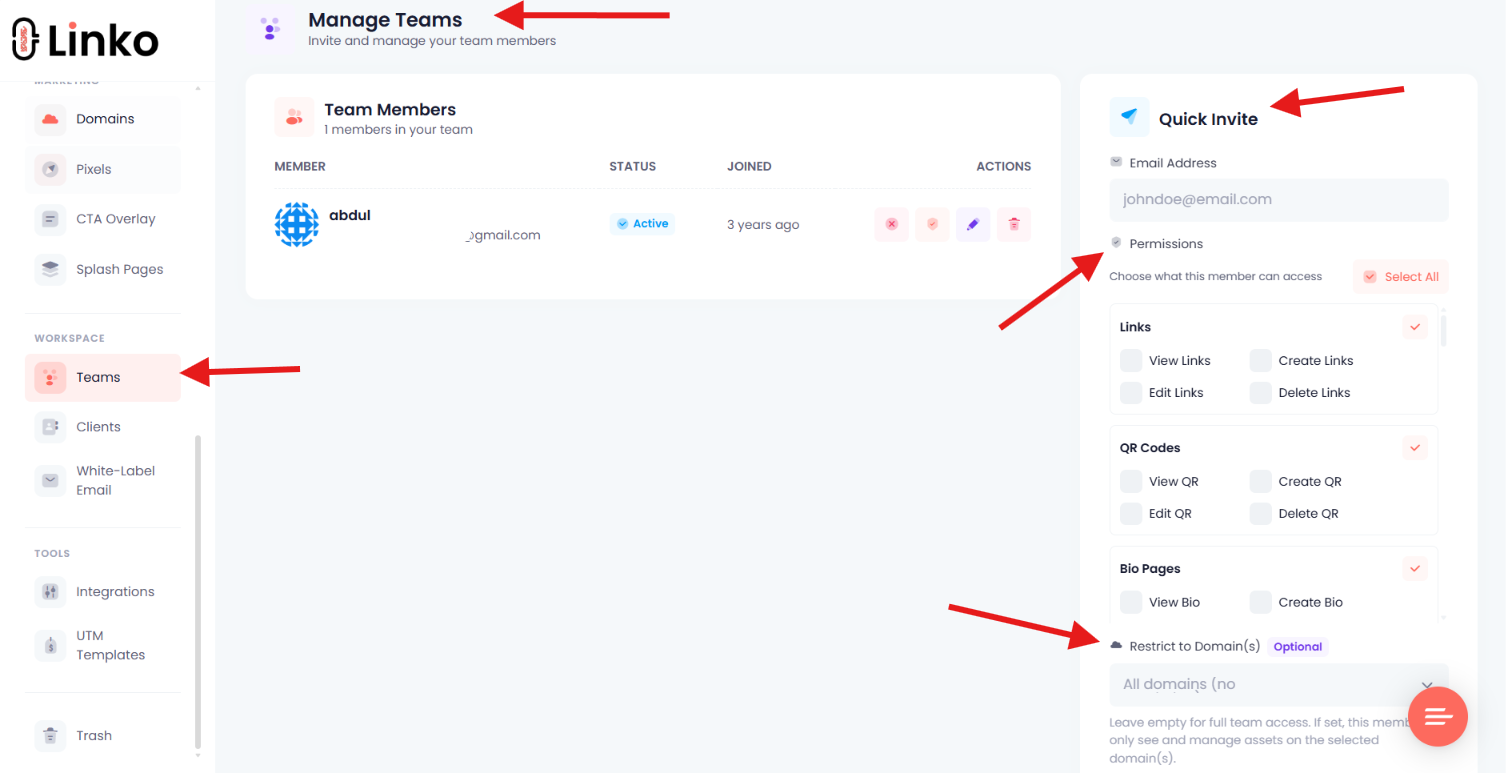
- Limit permissions. Give each person only the view, create, edit, or delete access needed.
- Scope access by domain. Keep one client’s pages and data away from another client.
- Reuse approved structures. Save layouts and styles that already match the agency’s process.
- Define approvals. Decide who can change public links, forms, tracking, and safety controls.
- Schedule campaigns. Set launch and expiration times so old promotions do not remain public.
- Report the complete funnel. Separate page traffic, widget clicks, and destination conversions.
- Plan offboarding. Transfer the domain, page access, files, and reporting before the relationship ends.
Bio Editor Sharing, client-side editing, team permissions, and domain-scoped access reduce the need to pass credentials between account owners, staff, and clients.
What Are the Most Common Link-in-Bio Mistakes?
Most mistakes come from unclear priorities, stale content, or incomplete testing.
Fixing those basics often matters more than adding another feature.
- Sending everyone to a generic homepage. Match the destination to the promise made in the post.
- Giving every link equal weight. Make the current primary action clear.
- Using vague labels. Tell visitors what they will see or do.
- Keeping expired campaigns live. Remove or schedule outdated offers.
- Ignoring mobile tests. Test inside the source apps, not only on a desktop.
- Treating clicks as conversions. Check whether the destination action actually happened.
- Adding unsupported claims. Avoid fake urgency, invented results, and unclear endorsements.
- Using an unfamiliar address. Keep the alias and domain easy to recognize.
- Ignoring privacy or audience controls. Add the notices and gates the page requires.
- Sharing full account access. Use client and team permissions where available.
- Assuming a Bio Page overrides platform policy. Follow the rules of every traffic source.
- Never reviewing the page. Check links, forms, media, and analytics on a regular schedule.
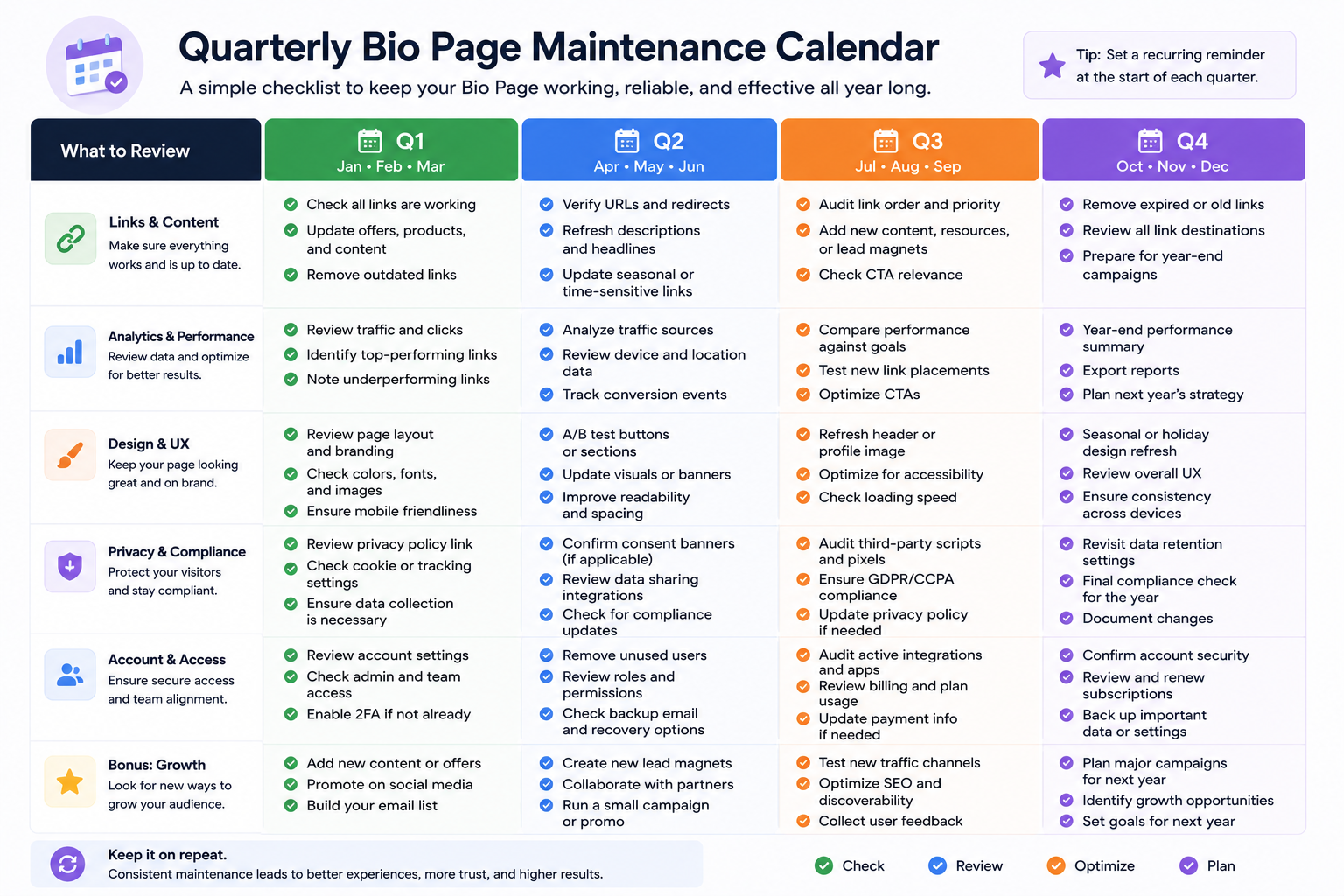
How Should You Maintain a Link-in-Bio Page?
A Bio Page is not a one-time design task.
It should change with campaigns while the public URL remains stable.
| Schedule | What to review |
|---|---|
| Before each campaign | Primary action, labels, dates, destination URLs, UTM tags, and mobile path |
| Weekly during a campaign | Page views, widget clicks, destination visits, and conversions |
| Monthly | Stale links, forms, bookings, downloads, contact details, and social profiles |
| Quarterly | Design, accessibility, privacy links, platform rules, custom domain, and permissions |
| After team or client changes | Ownership, credentials, editor access, domains, files, and reporting |
A short recurring check prevents old campaigns, broken forms, and former team access from turning into larger problems.
Frequently Asked Questions
Can I make a link in bio for free?
Yes. Free builders can create a basic Bio Page, and native profile links cost nothing.
The Free plan includes one Bio Page, 48+ widgets, 35+ themes, and verified page controls such as Age Restriction and Cookie Popup. Check the current pricing and plan limits before choosing a workflow.
Can I change my links after publishing the page?
Yes. A managed Bio Page lets you change, reorder, schedule, disable, or remove content without replacing the public page URL.
Test the changed page after every important update.
Can I use a custom domain for a Bio Page?
Yes, if your builder and plan support branded domains. A custom domain can make the page easier to recognize and keeps the public address tied to your brand.
Ownership does not replace the need for clear labels, safe destinations, and policy compliance.
Can I track who clicks my link in bio?
You can track aggregate activity such as page views, unique visitors, widget clicks, referrers, locations, devices, browsers, and languages where the platform supports those reports.
Do not treat aggregate analytics as the identity of an individual visitor, and follow applicable privacy rules.
Can I add a QR code to my link-in-bio page?
Yes. You can generate a QR code that opens the Bio Page, then place it on print or digital material.
Use a stable page URL so future page changes do not require a new printed code.
How many links should I put on my page?
Add only the choices needed for the visitor’s goal. There is no proven universal number for every creator, business, or campaign.
Start focused, measure widget clicks, and remove links that do not help visitors move forward.
Does a link-in-bio page replace a website?
Not always. A Bio Page can replace a simple profile hub, but a full website is better for long content, several pages, advanced navigation, or custom applications.
Many businesses use both: a focused Bio Page for social traffic and a full website for deeper information.
Does a Bio Page help SEO?
A Bio Page can help people discover your website and may send referral traffic, but it does not guarantee higher search rankings. Search performance depends on the content, domain, links, technical setup, and many other factors.
Do not choose a Bio Page based on an unsupported ranking promise.
Why is my Instagram or TikTok profile link not clickable?
Check the URL format, account eligibility, region, app version, and whether the link was placed in the correct website or links field. Also test the destination in a normal browser.
TikTok website links may require at least 1,000 followers or a Registered Business Account, while availability can vary.
Are link-in-bio pages safe?
A Bio Page can be safe when it uses HTTPS, clear labels, trusted destinations, limited account access, and suitable privacy or audience controls. The page is only one part of the path, so visitors should also check the final destination.
A shortened or branded address should never be used to hide a harmful or misleading destination.
What Should You Do Next?
Choose one action you want visitors to take, then decide whether a direct link, native profile links, or a Bio Page creates the clearest path.
If a Bio Page fits, build the smallest useful version first. Add the primary action, test it inside the source apps, and review the first week of page views, widget clicks, and destination results.
Create your free Bio Page, publish one stable URL, and improve it with real visitor data.
Comments