
Beacons is a store with a link page attached, so the first question is whether you are allowed to sell what you make there.
For a coach, a musician or a creator selling templates, the answer is yes, and Beacons bundles a store, email and a media kit that most link pages do not.
For an adult creator, the answer is mostly no, because Beacons’ own rules ban selling explicit photos and videos and ban sexual content in its email tool.
That turns the paid plans into a monthly bill for selling tools you cannot use.
Below is what Beacons charges, what its rules allow, the domain clause most reviews skip, where Beacons genuinely beats Linko, and where Linko does a different job.
Key Takeaways
- Beacons takes 9% of every sale on Free and Creator, and nothing from Creator Plus at $30 a month.
- Adult links are allowed behind a sensitive content notice, but explicit photos, videos and sexual email content are prohibited.
- A domain bought through Beacons stays Beacons’ property under its own terms, so buy your domain elsewhere and connect it.
- Beacons leads on selling, email, Instagram DM automation and media kits, and Linko offers none of those as built-in tools.
- Linko leads on link control, with an age gate and page targeting on every plan, Shield Protection, short links, team seats and an API.
- Every Beacons figure here comes from its own pricing page, help centre, terms and Community Standards, checked between late September and October 2026.
What Does Beacons Actually Sell You?
Beacons calls itself an AI-powered business platform for creators, and the pricing reflects that.
The link page is the free entry point, while the paid tiers mostly add selling, email and branding.
| Plan | Monthly | Yearly | What it adds |
|---|---|---|---|
| Free | $0 | $0 | Unlimited links and sub-pages, media kit, store with a 9% fee, 50 emails a month, Instagram auto-DM |
| Creator | $10 | $100 a year | Custom domain, 500 emails a month, SEO settings, link redirects |
| Creator Plus | $30 | $300 a year | 0% seller fee, memberships, courses with video, unlimited email, your own pixels, no Beacons logo |
| Creator Max | $100 | $900 a year | Google Workspace, an NFC card, white glove onboarding, faster support |
Beacons’ help centre listed Creator Max at $90 in November 2025, and its pricing page showed $100 in September 2026, so check the current figure before you buy.
Four details in that table matter more than they look.
- Your own tracking pixels for Facebook, TikTok and Pinterest only arrive on Creator Plus, so retargeting costs $30 a month.
- Removing the Beacons logo also waits for Creator Plus.
- The custom domain is free for the first year on Creator, according to the help centre, so the renewal is a separate cost later.
- Support speed is tiered, from under 48 hours on Free to under 6 hours on Creator Max.
What Does the 9% Fee Really Cost?
On Free and Creator, Beacons takes 9% of every sale, apart from invoices, which carry no fee.
Creator Plus removes the fee for a flat $30 a month.
Here is what you would pay Beacons each month at four sales levels, before card processing.
| Monthly sales | Free | Creator ($10) | Creator Plus ($30) |
|---|---|---|---|
| $100 | $9 | $19 | $30 |
| $300 | $27 | $37 | $30 |
| $500 | $45 | $55 | $30 |
| $1,000 | $90 | $100 | $30 |
Creator Plus becomes cheaper than Creator once you sell about $222 a month, and cheaper than Free at about $333.
Stripe or PayPal still take their own cut on top, because Beacons’ terms say every payment runs through a third-party processor.
Linko has no store, so there is no Linko column here, and that is a real gap if selling inside the page is your main job.
What Can You Link and Sell on Beacons?
For an adult creator, this section usually decides the whole comparison.
Beacons’ Community Standards, updated 22 November 2025, allow linking out to adult content on three conditions.
- The sensitive content notice must be switched on.
- The page itself must be suitable for all ages.
- The linked content must be legal in your region.
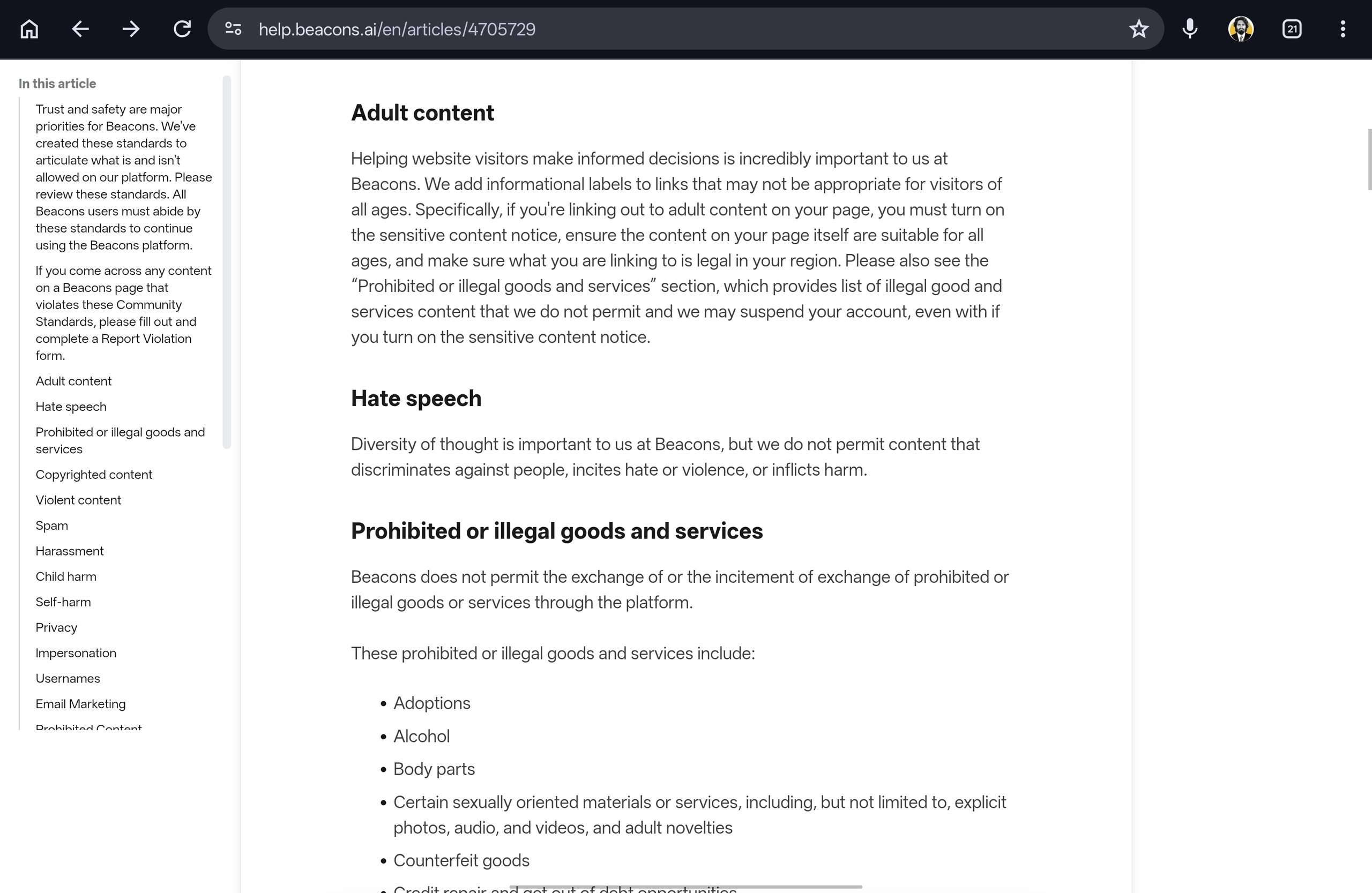
The same standards then list prohibited goods, including explicit photos, audio and videos, adult novelties, and escort or hookup services.
Beacons adds that it may suspend an account over those goods even when the sensitive content notice is on.
Its email marketing guidelines go further, prohibiting pornography and sexual content and warning that adult content businesses may not be allowed to send email at all.
So for adult content, three of the main reasons to pay for Beacons fall away.
- The store, because explicit photos and videos are prohibited goods.
- The email tool, because sexual content is prohibited in campaigns.
- Memberships, because they sell exclusive content through the same store rules.
Linko does not sell your content either, because it routes visitors to the platform that does, such as OnlyFans or Fansly.
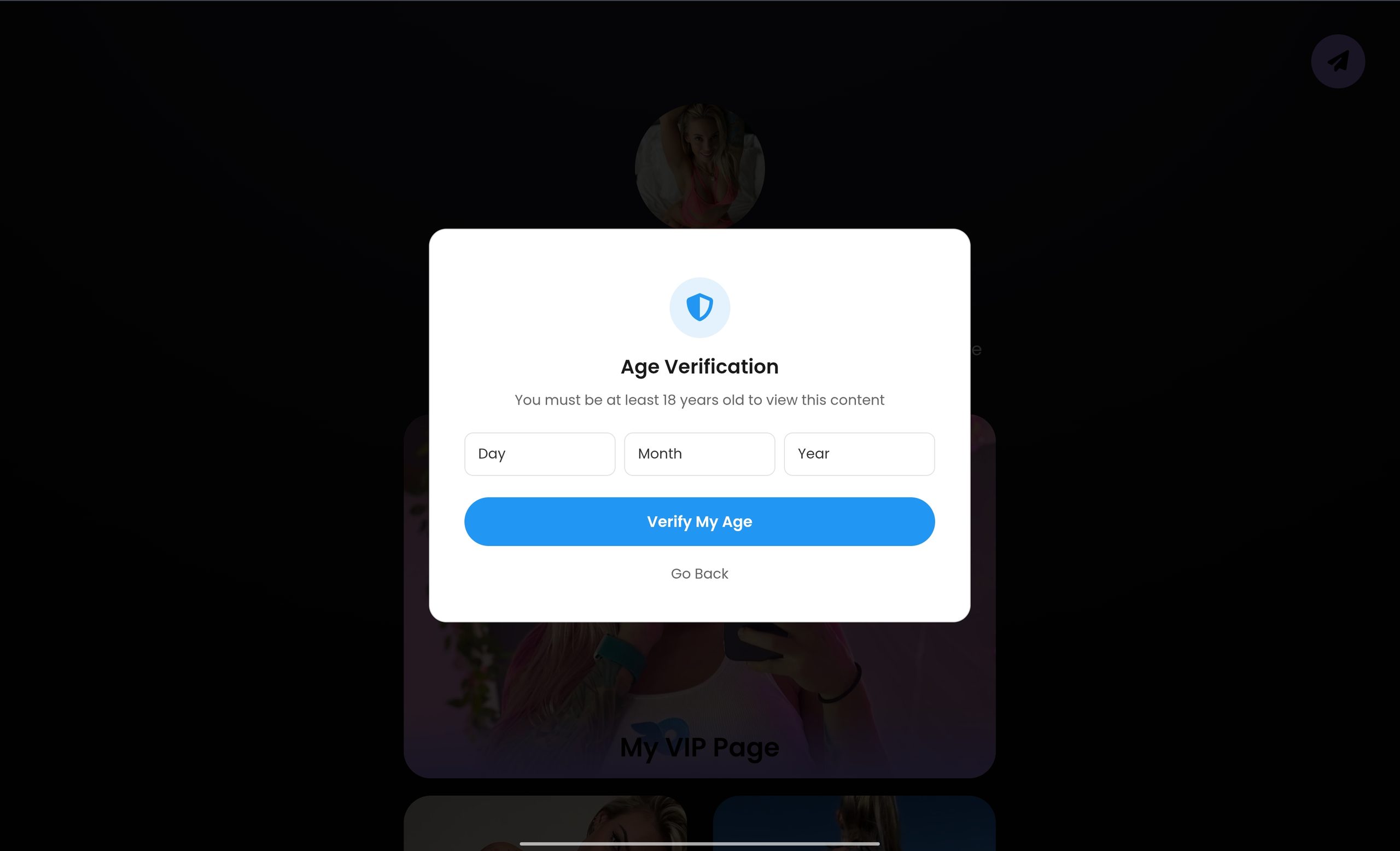
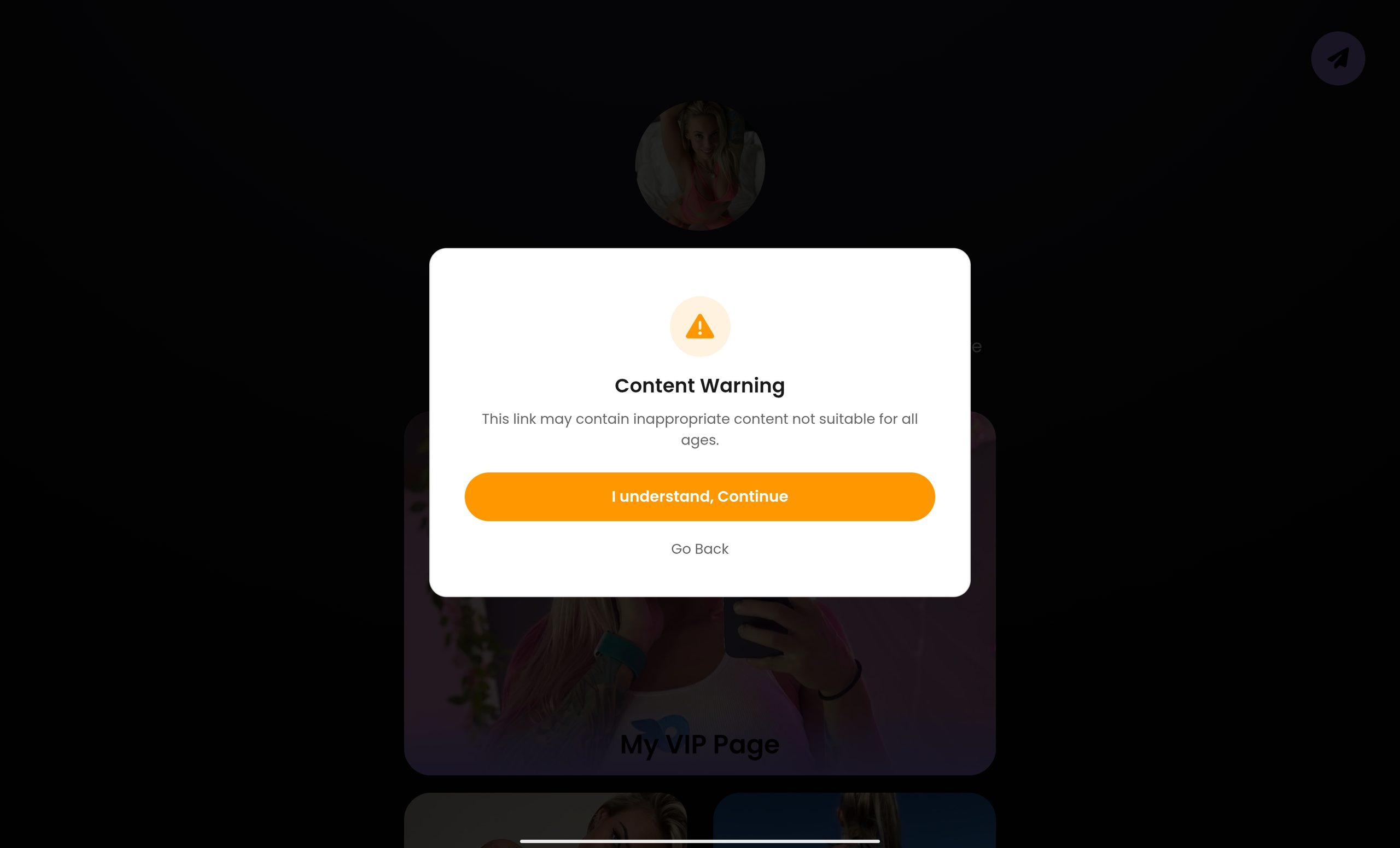
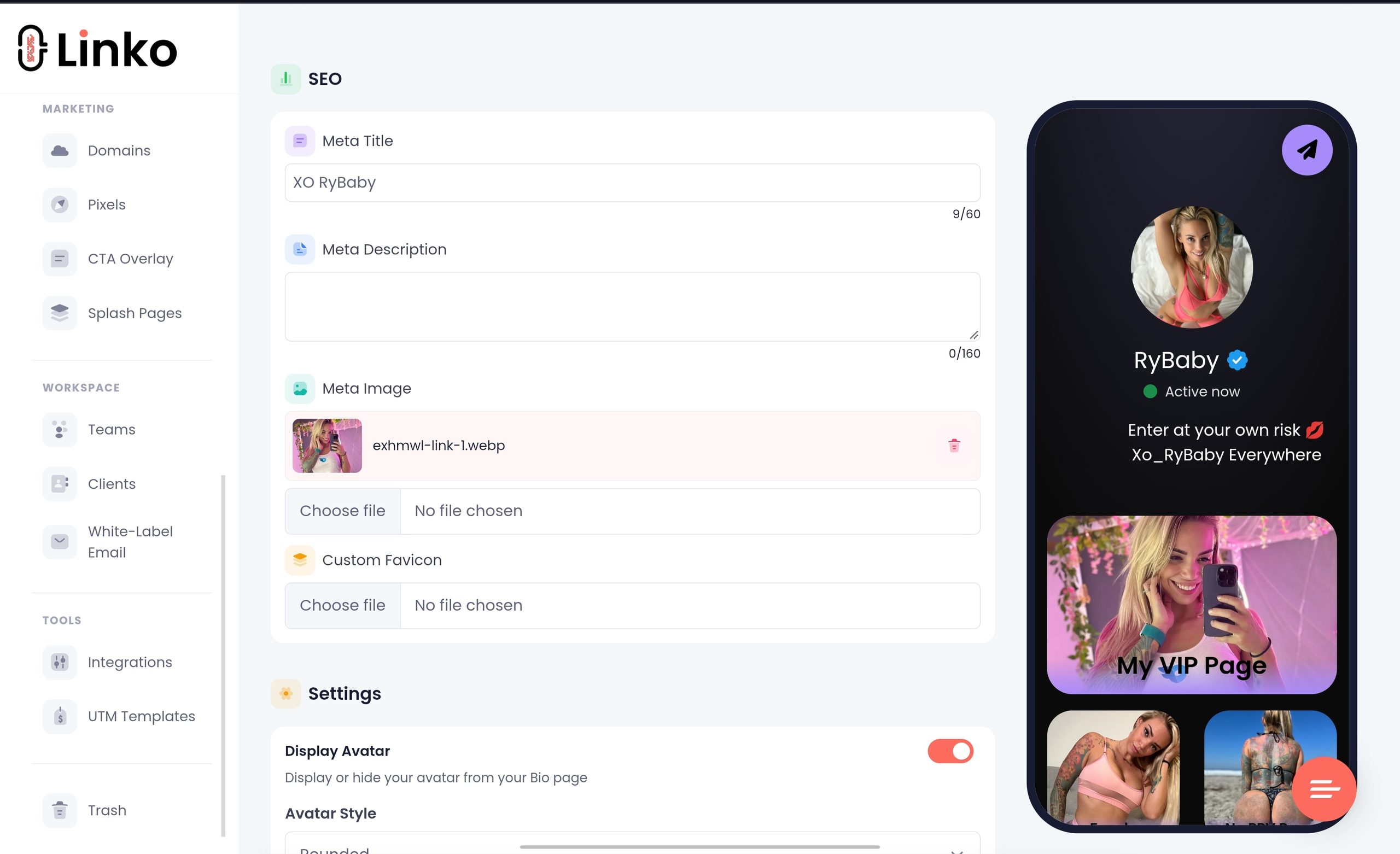
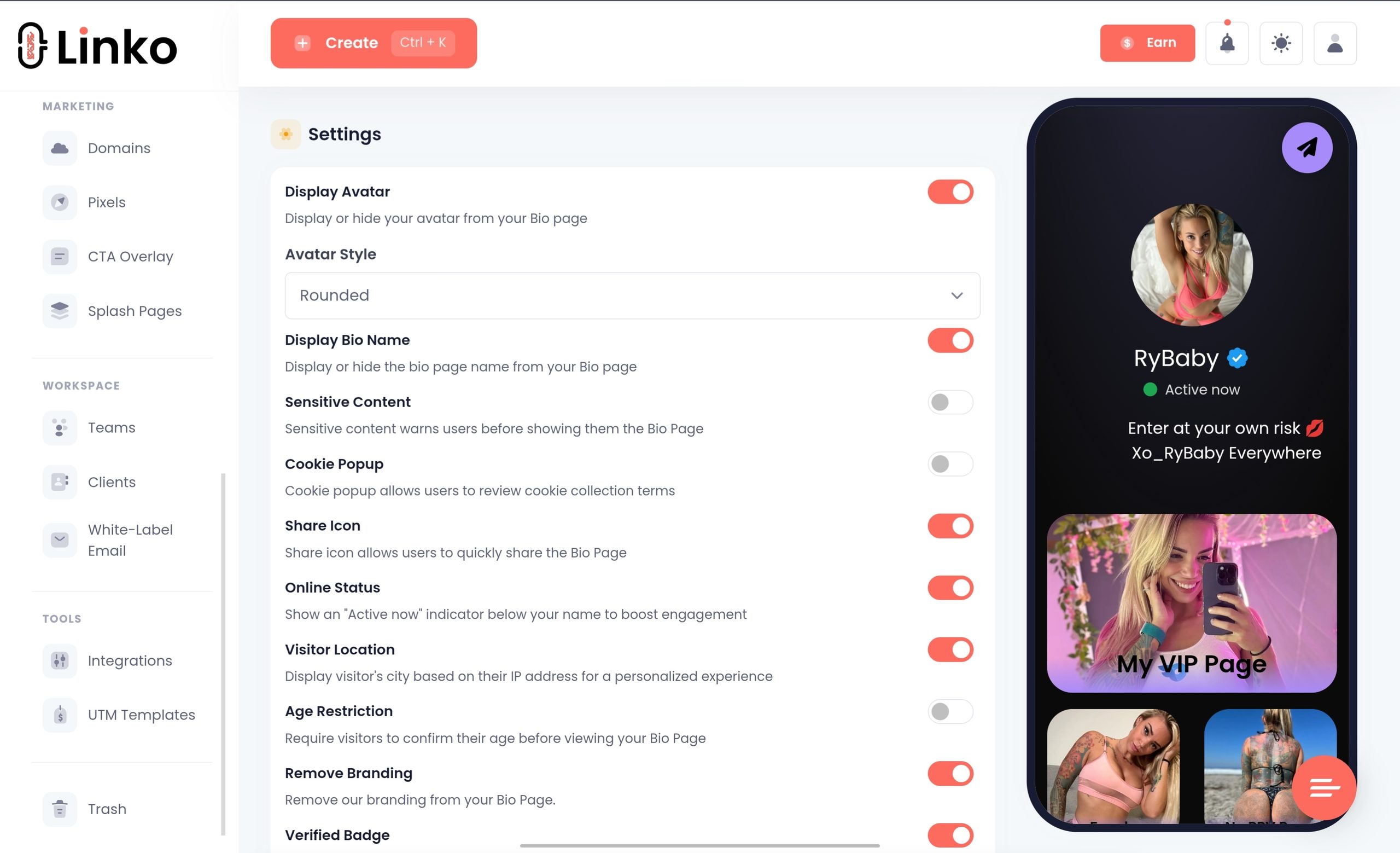
On that page, Linko gives you two separate controls on every plan, including Free: an age restriction gate and a sensitive content warning.
Our guide to an OnlyFans landing page covers what to put on the page itself.
The Domain Clause Most Reviews Skip
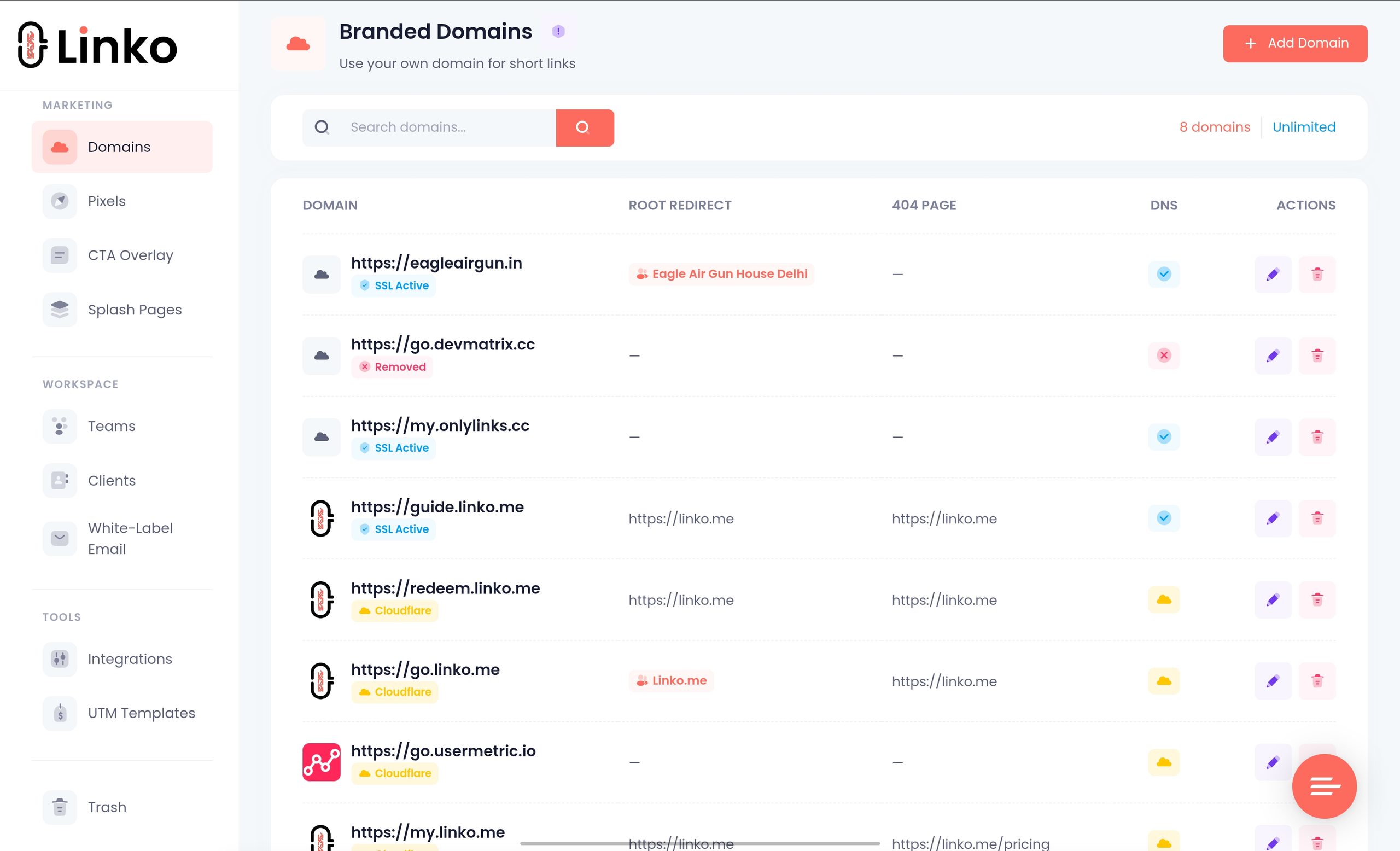
Beacons offers a custom domain from the $10 Creator plan, which is cheaper than Linko’s $12 Starter.
So instead of beacons.ai/yourname, visitors see something like yourname.com.
The catch sits in the terms of service and the help centre.
- Domains obtained through Beacons “always remain the property of Beacons AI Inc.” and cannot be refunded or transferred.
- Downgrading to Free unlinks the domain from your page, according to Beacons’ own troubleshooting article.
- Using one domain for the page and another for a website needs a request to support.
Trustpilot reviewers describe exactly this problem, including one who bought a domain through Beacons and was still waiting for a transfer when they tried to leave.
Beacons scores 2.0 from 42 reviews there, and Trustpilot notes the company has never invited reviews, so treat the sample as small and self-selected.
The fix is simple: register the domain with a registrar you control, then connect it to whichever tool you use.
On Linko you connect a domain you already own through DNS, and Starter includes two, such as yourname.com for the page and go.yourname.com for short links.
Our guide to a custom domain for OnlyFans walks through the setup.
Where Beacons Is Genuinely Better
Beacons does far more than a link page, and for the right creator that is the whole reason to pay.
- Selling digital products, courses with video hosting, memberships, and payment plans through Klarna or Affirm.
- Email marketing with automations, audience groups, templates and sending from your own domain.
- Instagram DM automation triggered by keywords on Reels, posts and Stories, included even on Free.
- A media kit that updates daily from your social accounts, with rate cards, invoices and a pricing calculator.
- An affiliate marketplace of about 12,000 brands you can earn commission from.
- Unlimited sub-pages and a website builder, against one Bio Page on Linko’s Free plan.
If you sell mainstream digital products and want the store, the email list and the page in one place, Beacons is a strong choice and you may not need Linko at all.
Linko connects to Mailchimp from Starter and offers a subscriber gate on every plan, but it does not send campaigns or run a checkout itself.
Where Linko Does a Different Job
Linko is link infrastructure, so its strengths sit in controlling, protecting and measuring each link rather than selling through it.
What is free on Linko
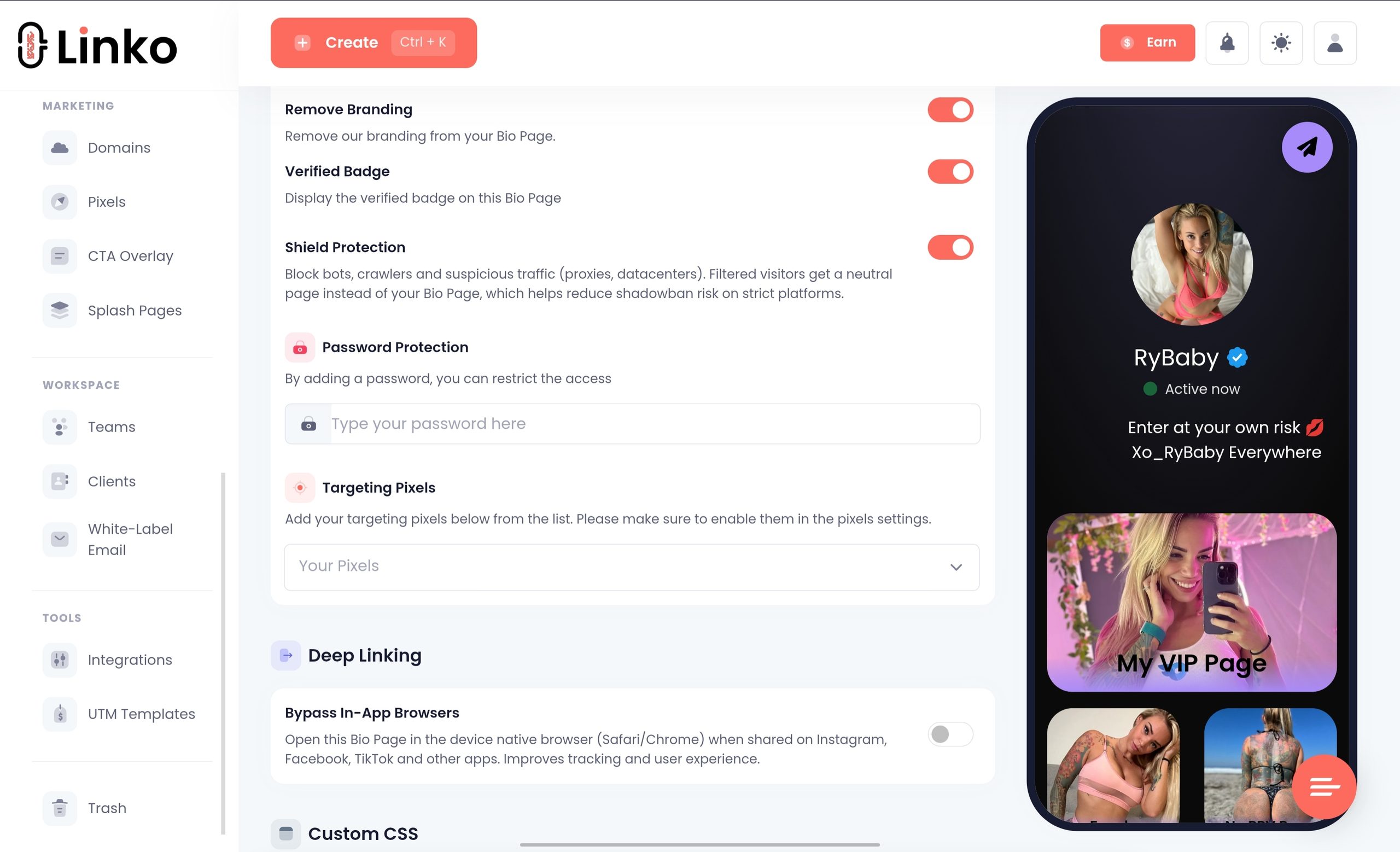
- Deep linking that lets you bypass in-app browsers automatically.
- Age Restriction and a Sensitive Content warning, as two separate settings.
- Geo and language targeting on the Bio Page itself.
- Scheduling and expiration for the page and its widgets.
- 48+ widgets and 35+ themes.
- Online status and visitors location options.
- Bot-filtered analytics, applied automatically before a click is counted.
Beacons’ own analytics article says your test clicks are included in its counts, while Linko lets you exclude your own IP from your statistics.
We explain why that matters in our post on bot traffic in link analytics.
What paid Linko plans add
| Feature | Linko plan | Beacons |
|---|---|---|
| Remove branding | Starter $12 | Creator Plus $30 |
| Your own tracking pixels | Starter $12, 3 pixels | Creator Plus $30 |
| Custom domains | Starter $12, 2 domains | Creator $10, 1 domain, more through support |
| Shield Protection against crawlers | Starter $12 | Not listed |
| Short links with editable destinations and 14 QR types | Free, 50 links | A QR code for the page |
| Geo, device and language targeting on links | Pro $29 | Not listed |
| Team members with per-section permissions | Pro $29, 3 seats | Not listed |
| Deep linking and A/B testing | Business $79 | Not listed |
| Bio editor sharing | Business $79 | Not listed |
| Broken link monitoring | Business $79 | Not listed |
“Not listed” means the feature does not appear on Beacons’ pricing page, not that we tested Beacons and proved it missing.
Shield Protection keeps bots and crawlers away from the page entirely, though it can occasionally block a real visitor on a VPN or public Wi-Fi, so switch it on deliberately.
The Developer API, Chrome extension and Telegram bot are included on every Linko plan, including Free.
What Creators in Our Community Report
Beacons’ FAQ says it is trusted by Instagram, TikTok, YouTube and X.
Linko’s community chat mentions Beacons often, and the reports there cut both ways.
- In September 2025, one agency noted that many creators use Beacons and seem fine, while other providers were being flagged.
- By October 2025, members reported Beacons and Linktree links being flagged on Instagram as well.
- In March 2026, a creator checked pages on Beacons, Linkme and GetAllMyLinks and found none opened in the external browser from Instagram.
The honest reading is that no link-in-bio domain is immune, Linko’s included, because Instagram changes its enforcement faster than any tool can.
What you can control is the page: an age gate, an all-ages layout, a domain you own, and crawler protection where you need it.
If a link has already been flagged, our guide to an Instagram bio link that stops working shows how to diagnose it.
How Do the Prices Compare?
Comparing headline prices alone misleads here, because the two tools sell different things.
All prices below are monthly.
| Tier | Beacons | Linko |
|---|---|---|
| Free | Unlimited links, store at a 9% fee, 50 emails | 1 Bio Page, 50 short links, age gate, bot-filtered analytics |
| Entry | Creator $10: custom domain, 500 emails | Starter $12: 2 domains, no branding, 3 pixels, Shield, 3 Bio Pages |
| Middle | Creator Plus $30: 0% fee, memberships, unlimited email, pixels | Pro $29: 15 Bio Pages, 1,000 links a month, link targeting, 3 seats |
| Top | Creator Max $100: Google Workspace, NFC card, priority support | Business $79 or Agency $149: deep linking, A/B tests, editor sharing |
If you sell through the page, Beacons’ $30 plan buys a store, email and memberships that Linko does not offer at any price.
If you send traffic to OnlyFans, Fansly or a store elsewhere, Linko’s entry plan covers the domain, logo removal and pixels that Beacons splits between its $10 and $30 tiers.
Full plan details are on the Linko pricing page.
Which One Fits You?
- Choose Beacons if you sell mainstream digital products, courses or memberships and want email and DM automation in the same place.
- Choose Beacons if a free plan with built-in selling matters more to you than link control.
- Choose Linko if what you link to cannot be sold on Beacons, such as an OnlyFans or Fansly page.
- Choose Linko if you manage several creators and need separate Bio Pages, team seats or client access.
- Choose Linko if you want short links, QR codes and targeting alongside the page, on a domain you own.
If you are still weighing other options, we compared Linktree and Linkme the same way.
Our complete link in bio guide covers what any of these pages should do first.
Frequently Asked Questions
Can I move from Beacons to Linko without losing clicks?
Connect your own domain to Linko first, rebuild the page, and test every button inside Instagram and TikTok before you change your bio.
Keep the Beacons page live for a few weeks afterwards, so links people saved or shared earlier still land somewhere useful.
Does Beacons take a cut of affiliate commissions and brand deals?
Its pricing table applies the 9% transaction fee to affiliate links on Free and Creator, and Creator Plus lets you keep the full commission.
Invoices you send for brand deals are exempt from the 9% seller fee, according to its help centre.
What happens to a Beacons page when you stop paying?
Beacons’ terms say a cancelled subscription ends immediately, and fees already paid are not refunded.
The account loses its paid features, so the custom domain is unlinked, and any 0% fee or logo removal you had on Creator Plus ends.
Does Linko have a store?
No, Linko does not process payments or host a checkout.
It points visitors to the platform where you already sell, and the Business plan adds a branded download page for sharing files.
Can I use Beacons and Linko together?
Yes, some creators keep Beacons as the store and put a Linko short link in front of it for tracking or QR codes.
Each short link adds a redirect before the page loads, so open it on a phone first and check that it still feels quick.
How many Bio Pages does each Linko plan include?
Free includes one, Starter three, Pro fifteen, Business 100 and Agency 250.
Agencies use the higher counts to give each creator a separate page, theme and widget set.
Start With Where the Money Changes Hands
Before comparing any more feature lists, write down where your money actually changes hands.
- If it changes hands on Beacons, stay and pick the plan that matches your monthly sales.
- If it changes hands on OnlyFans, Fansly or your own store, you are paying Beacons for a checkout you never open.
- If you are not sure, check the last three months of payouts and see which platform sent them.
In the second case, build the page on Linko Bio Pages for free, connect a domain you own when you are ready, and compare the clicks against Beacons for a week.
Our post on link in bio optimization shows how to tell whether the switch actually helped.
Comments